Question

How to rank by count?

  • February 24, 2026
  • 4 replies
  • 58 views

Forum|alt.badge.img+1

I’m making an analytics dashboard for a client. They want to be able to see the top X records by viewcount, which we track. When I make a graph for this, there’s simply too many records and the bar chart looks a mess.

I want to create a formula field that has a rank and I can include the top 5 records in a bar chart. What’s the right approach for this? I am not a developer and hoping to avoid an automation w script.


4 replies

TheTimeSavingCo
Forum|alt.badge.img+31

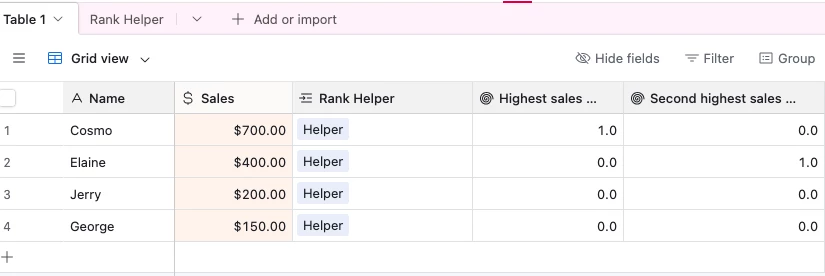
Doable, but we’d need to create a new table for this and here’s what it’d look like ranking the top 2.  The bar chart would then be filtered by these two fields to only show the top two records, does that make sense?

I’ve set it up here for you to check out!

Steps:

  1. Create a new table called ‘Rank Helper' or something and create one record in it called ‘Helper’
  2. Link every data record to the ‘Helper’ record
    1. We’d use an automation to do this link for us on a day to day basis
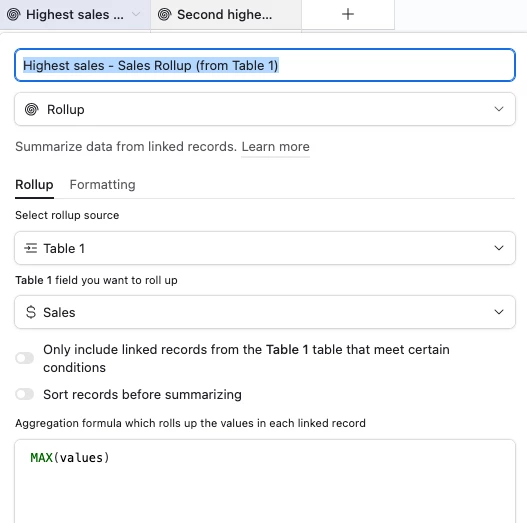
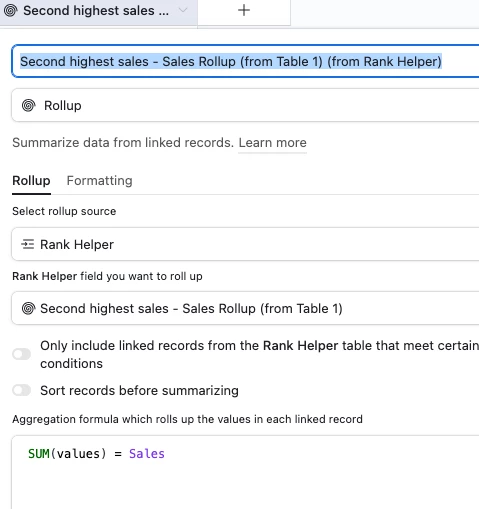
  3. In ‘Rank Helper’, create a rollup field with ‘MAX(values)’ to display the highest value of all the linked records:
    1.  

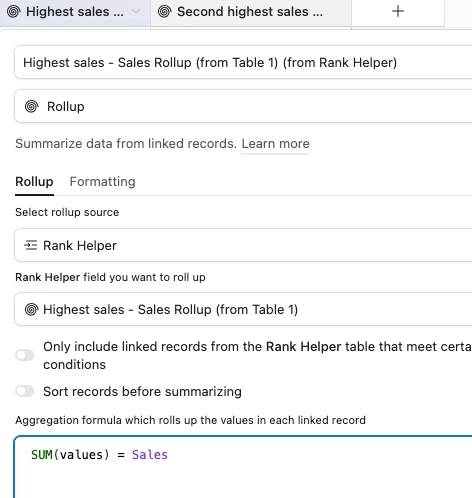
  4. In the data table, create a rollup field with ‘SUM(values) = Sales’ to get it to identify the record with the highest value:
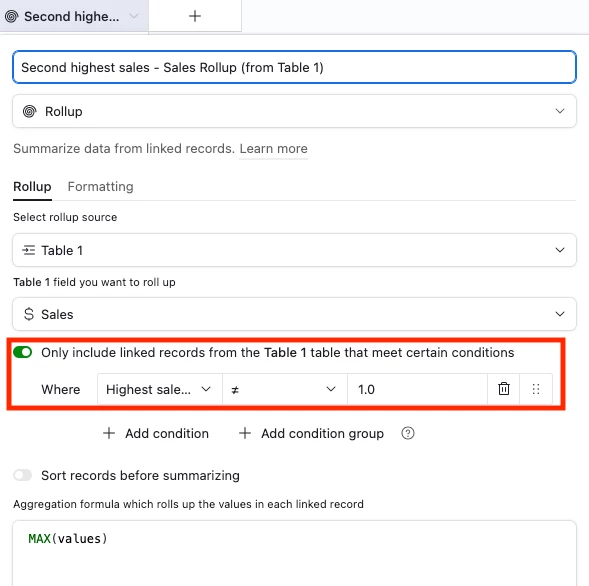
  5. In ‘Rank Helper’, create another rollup field, except this time conditionally filter out the highest value from the previous step:
    1.  


  6. In the data table, create a rollup field the same way we did for step 4.1:

And we’d just repeat this process for ranks 3-5


Forum|alt.badge.img
  • Participating Frequently
  • March 12, 2026

Ranking by count in Airtable usually ends up being a mix of rollup fields and a formula that converts the count into something you can sort or compare. I’ve done something similar where a rollup calculated totals and then a formula field handled the ranking logic. Once the fields are set up correctly, sorting the view gives a pretty clear leaderboard.


bredah
Forum|alt.badge.img+9
  • Inspiring
  • March 14, 2026

the replies above are great if you want to avoid a script! in case you ever need it down the line (especially if you end up with lots of records you want to rank), my training team does something similar for our “how-to videos” and their view counts, so i wanted to share the setup 😊

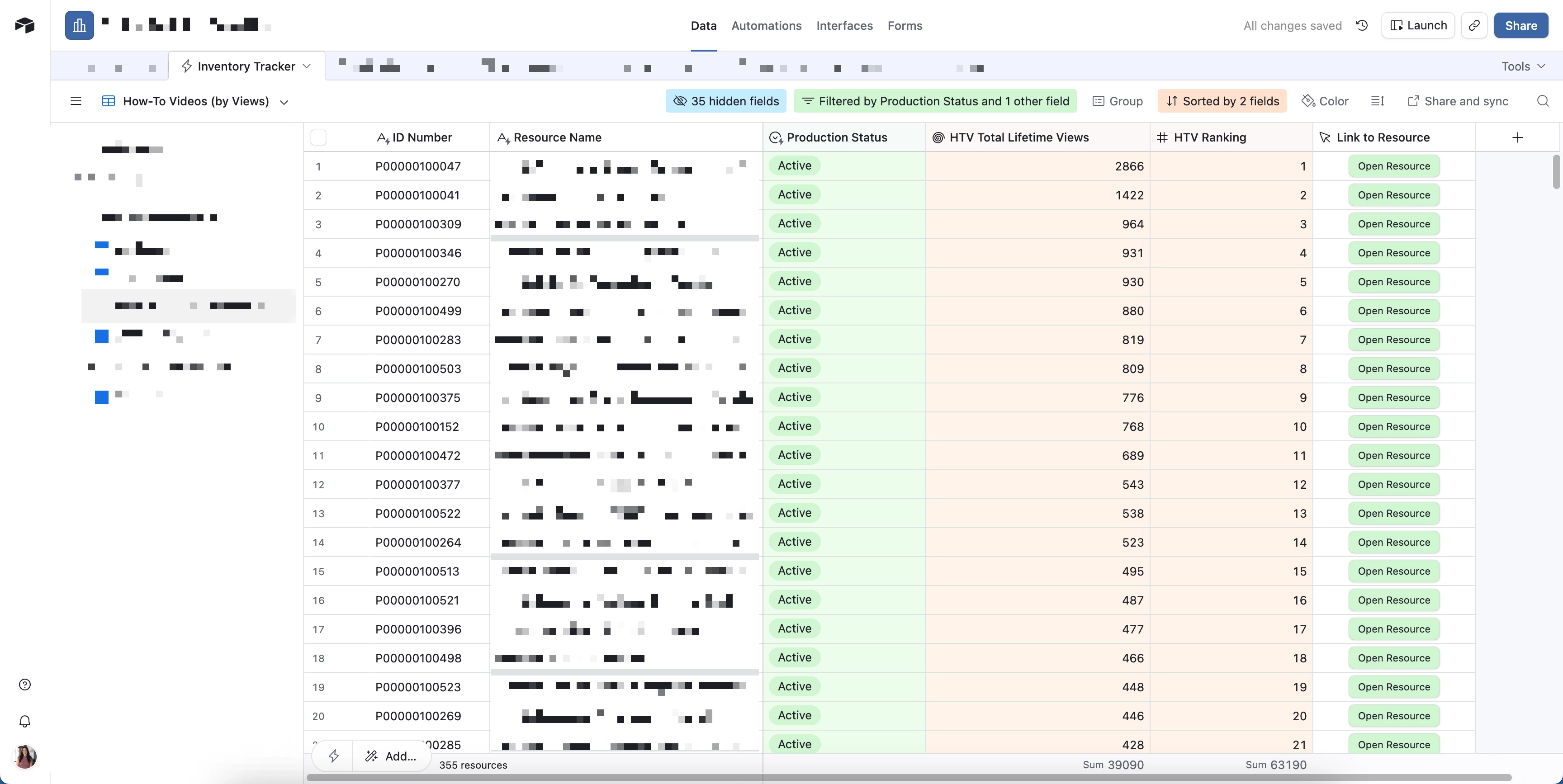
  1. Inventory Tracker (where 1 record = 1 training resource across different modalities)
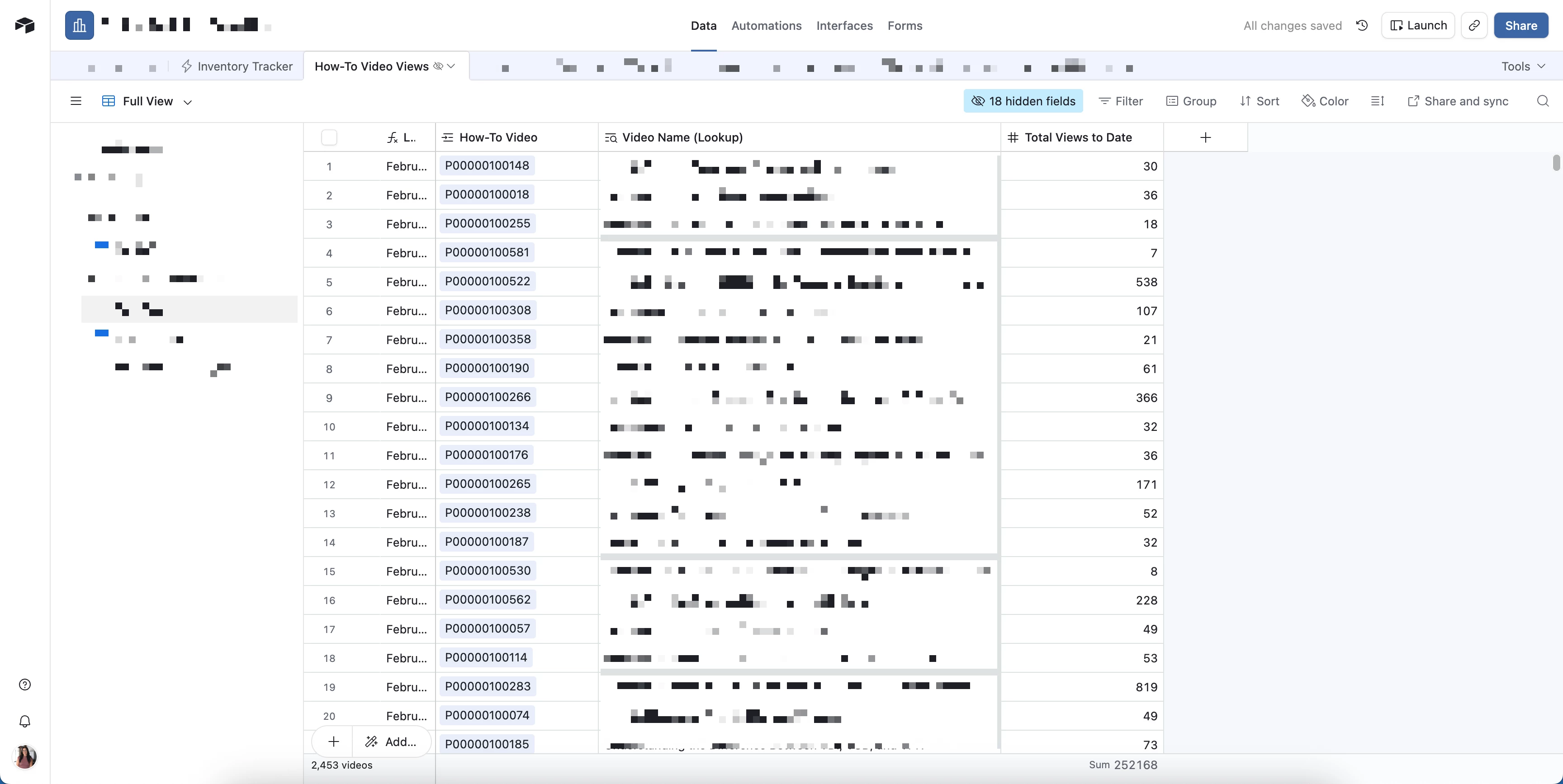
  2. How-To Video Views (where we log the view totals each month in a Total Views to Date number field)

every video in Inventory Tracker links to records in How-To Video Views, and Inventory Tracker also contains:

  • a rollup field called HTV Total Lifetime Views that uses MAX(values) of the Total Views to Date field so the latest total view count always appears in the main table

  • a number field (no decimals) called HTV Ranking that the automation updates

from there, the workflow looks like this:

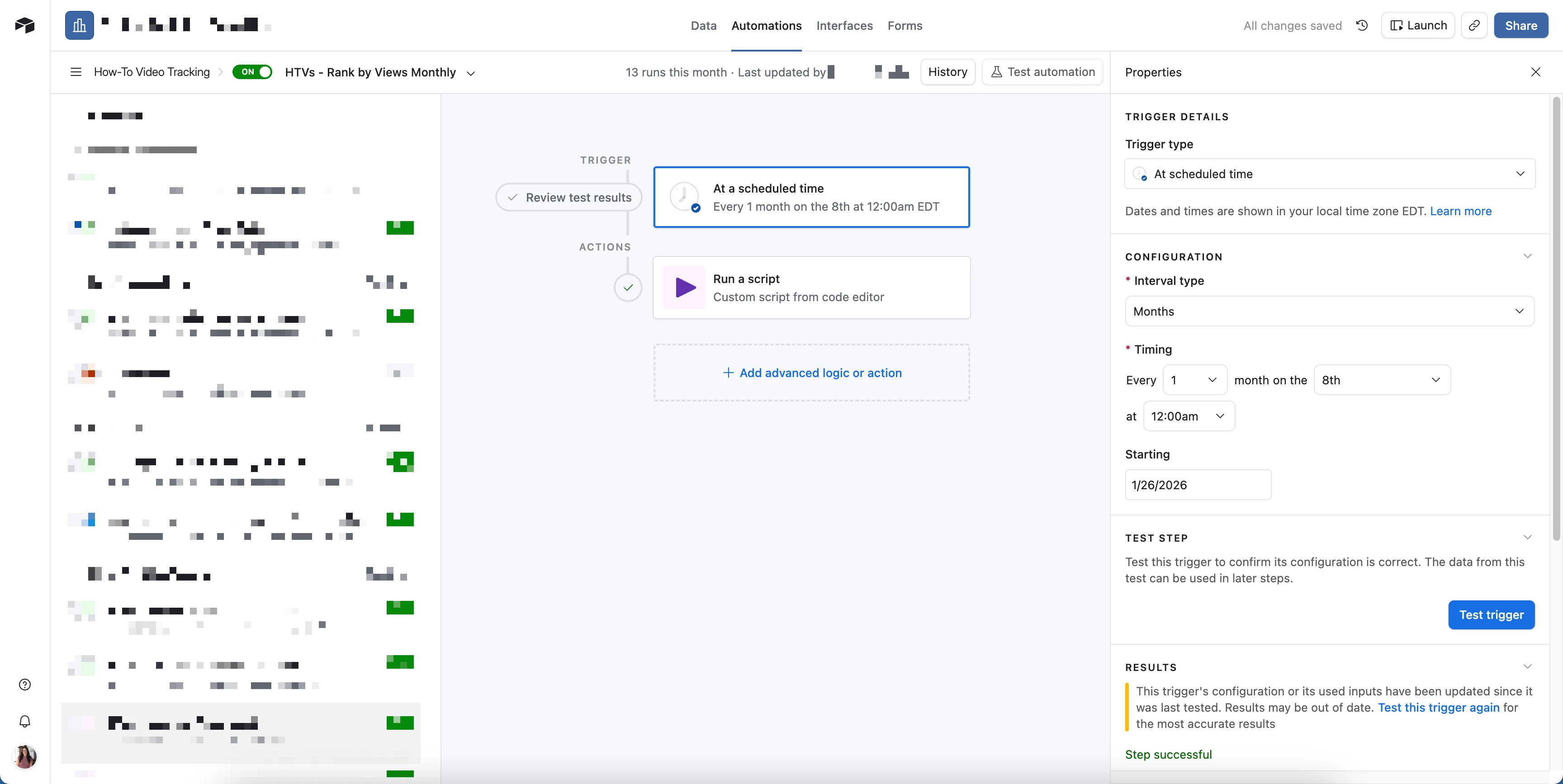
  1. each month an automation creates a new record in How-To Video Views for every active how-to video. someone on our team opens each video link and logs the latest total view count (hoping to automate that part soon). this usually happens during the first week of the month, and the latest totals roll up into HTV Total Lifetime Views in Inventory Tracker

  2. we then have an automation that runs during the second week of the month that runs a script to calculate the rankings based on HTV Total Lifetime Views

    1. in full transparency, AI helped me write the script. since we don’t rank every record in Inventory Tracker, the script filters to records where Production Status = Active and Mode of Offering = How-To Video. it then sorts those records from highest to lowest by HTV Total Lifetime Views and writes the ranking number (1, 2, 3, etc.) into the HTV Ranking field

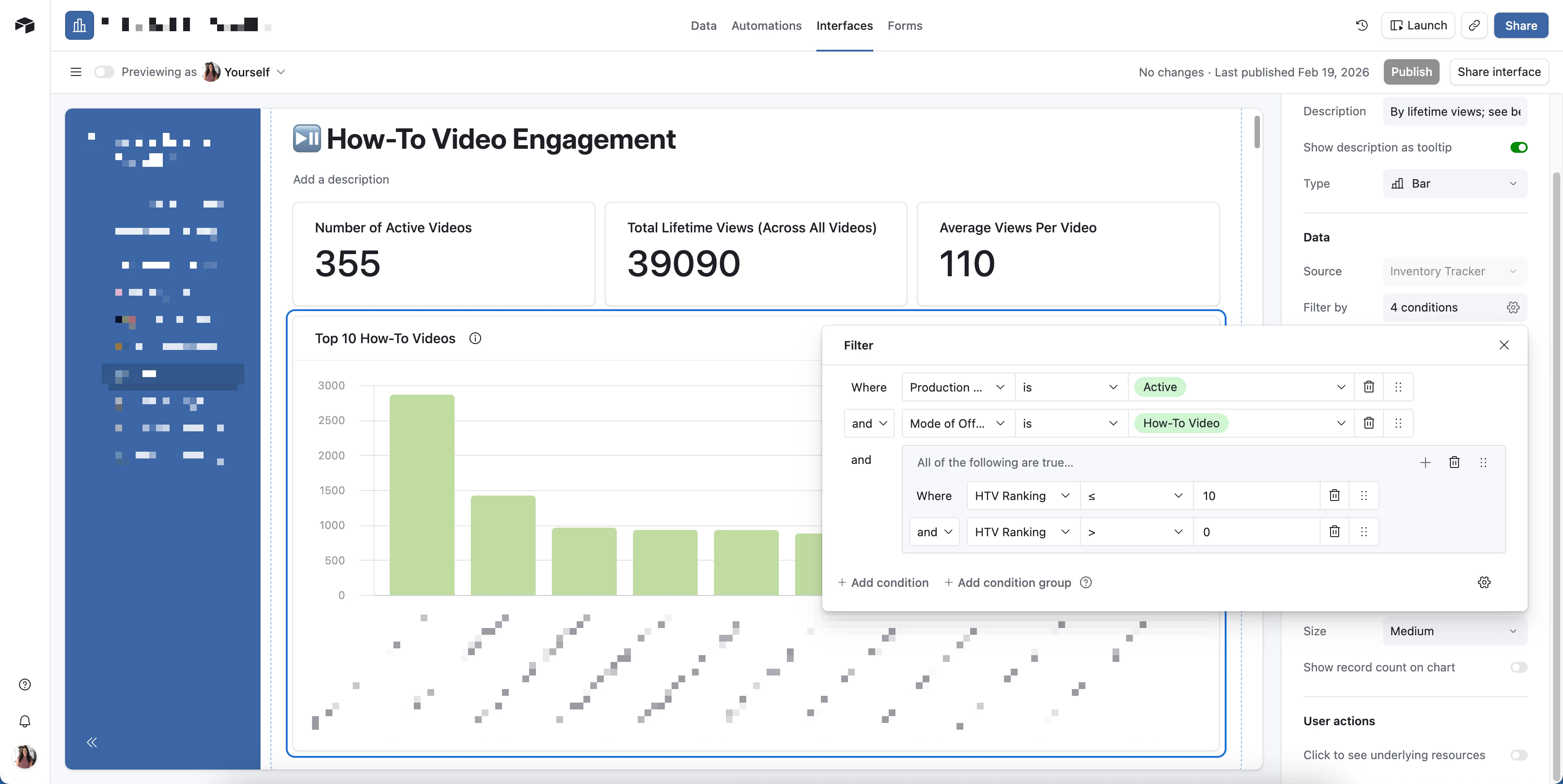
  3. once HTV Ranking is populated, that field becomes really useful for graphs/charts. for example, my interface bar chart is filtered to HTV Ranking ≤ 10 and > 0, so we can view the top 10 videos by view count without needing to manually adjust the chart each month
// ===== CONFIG =====
const TABLE_NAME = "Inventory Tracker";
const STATUS_FIELD = "Production Status";
const MODE_FIELD = "Mode of Offering";
const VIEWS_FIELD = "HTV Total Lifetime Views";
const RANK_FIELD = "HTV Ranking";

const STATUS_VALUE = "Active";
const MODE_VALUE = "How-To Video";

// ===== SCRIPT =====
let table = base.getTable(TABLE_NAME);

// Pull only the fields we need for filtering + ranking
let query = await table.selectRecordsAsync({
fields: [STATUS_FIELD, MODE_FIELD, VIEWS_FIELD, RANK_FIELD],
});

let eligible = [];

for (let record of query.records) {
const status = record.getCellValueAsString(STATUS_FIELD);
const mode = record.getCellValueAsString(MODE_FIELD);

if (status === STATUS_VALUE && mode === MODE_VALUE) {
const viewsRaw = record.getCellValue(VIEWS_FIELD);

// Treat blanks as 0; coerce numeric strings safely
const views =
viewsRaw === null || viewsRaw === undefined
? 0
: typeof viewsRaw === "number"
? viewsRaw
: Number(String(viewsRaw).replace(/,/g, "")) || 0;

eligible.push({ id: record.id, views });
}
}

// Sort by views descending
eligible.sort((a, b) => b.views - a.views);

// Batch updates (Airtable limit: 50 records per batch)
let updates = eligible.map((rec, idx) => ({
id: rec.id,
fields: { [RANK_FIELD]: idx + 1 },
}));

while (updates.length > 0) {
await table.updateRecordsAsync(updates.slice(0, 50));
updates = updates.slice(50);
}
Inventory Tracker table
How-To Video Views table
Automation
Interface chart filtering


Alexey_Gusev
Forum|alt.badge.img+25

Hi,
Creating a field for each place is a simple way to mark 2nd or 3rd place but not good for large numbers.
I can show an example using built-in Sort in Lookup/Rollup fields 
Imagine I have a 50+ records CPU ranking table and I want to show top-10.
I create second table “Ranking”, with only one record, which I link to all records of my initial table (in the base table put 1 link, copy it by CTRL+C, select whole column and paste by CTRL+V)
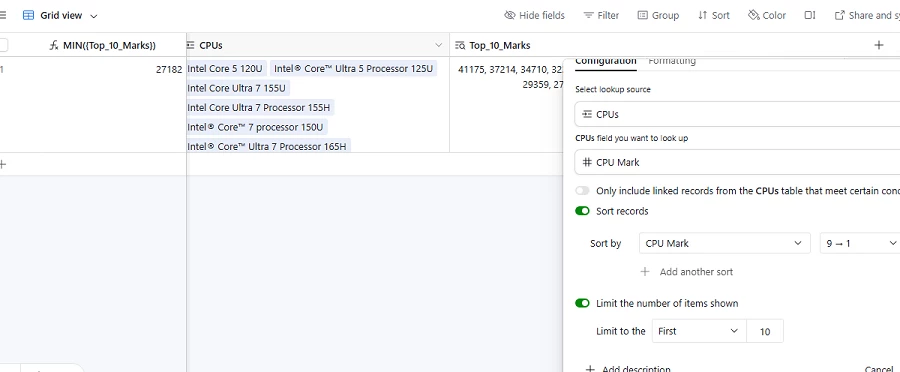
Then I add Lookup of CPU Mark with built-in sort:
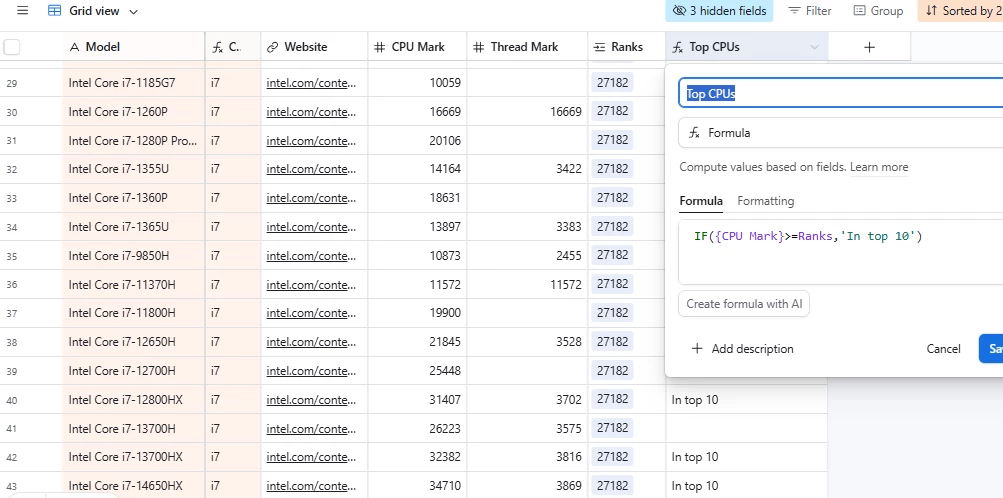
using minimum of these 10 values in the primary field


so I can use it as threshold in 1st table. a quick adjustment - and you can easily filter first 10