Question

Locked Reference Value

  • March 15, 2026
  • 2 replies
  • 17 views

I currently have a table where I compare student scores to the national mean score. For example, I have 40 students and need to calculate the difference between each student's score and the national mean.

I would prefer to do this without repeating the national mean 40 times in a separate column. Is there a way to achieve this with a linked, locked reference?

In Excel, using the $ symbol locks the reference cell in another table (allowing you to only input it once). I know Airtable doesn't offer that feature, but I'm sure there's a workaround or method. Could someone share it with me and help?

Example of what I want to accomplish in Airtable using excel logic:

[Table B1: Student Score]-[Table 2: $B$2]


1550 - 1555

1549 - 1555

1540 - 1555

1536 - 1555

Where 1555 is in Table 2: B2, listed only once

2 replies

TheTimeSavingCo
Forum|alt.badge.img+31

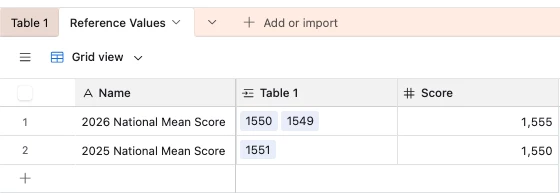
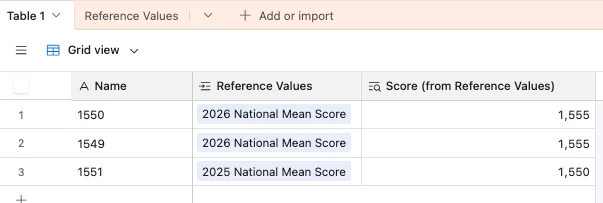
Ah I think we’d use a new reference table and lookup fields for this, and it’d look something like this:


This lets us create one record for each year’s mean score and reference it as needed


Stephen_Biegner
Forum|alt.badge.img+2

I think if you have a table already that includes the national mean, linking that table to your student scores table makes total sense. The reference table example is a great fix! 

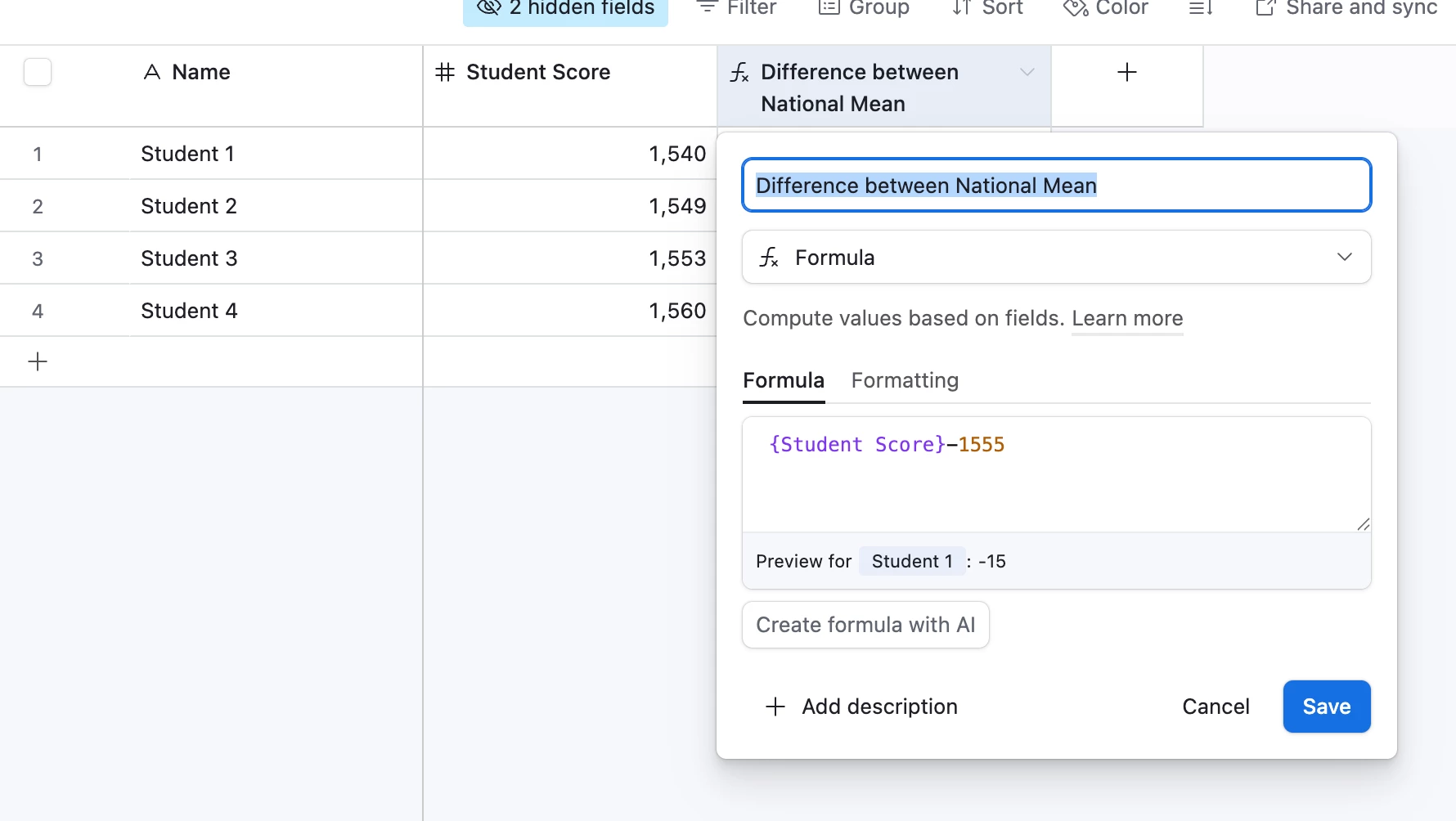
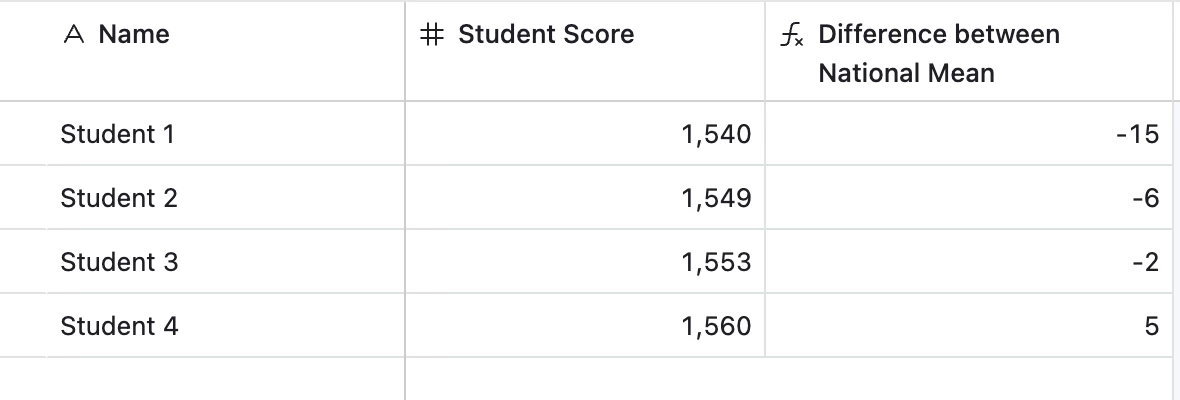
If you don’t have another table that includes the national mean and that’s the only number you need to compare to the student scores, a formula field could make sense. You can have a formula field where you just plug in the equation you want:

If the national mean is the only data point you need, just plug it directly into the calculation in your formula, which you’d need to create anyway to calculate the difference. Then there’s no need for an extra look-up field or linked table. 

That formula would just be:

{Student Score}-1555 


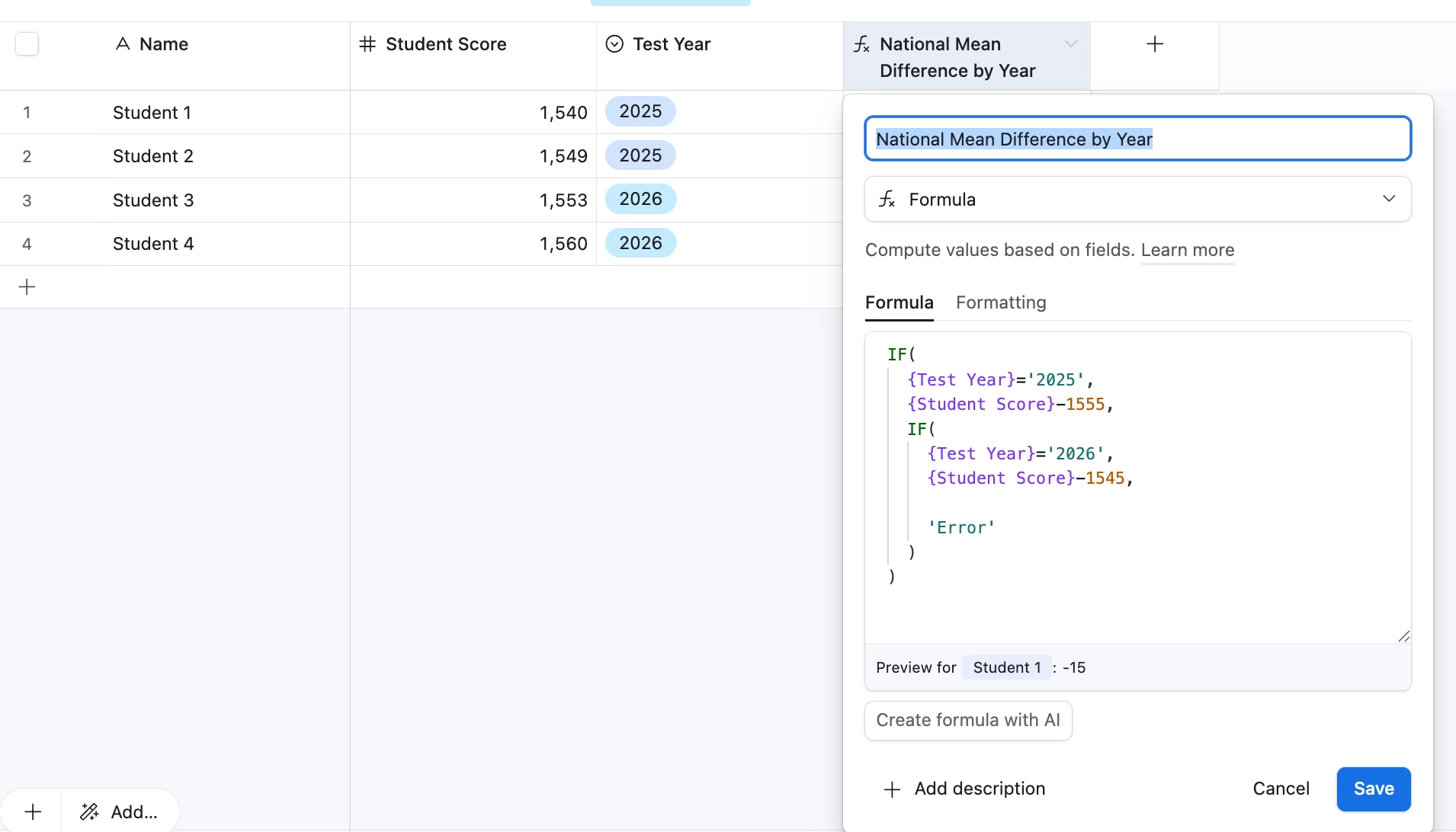
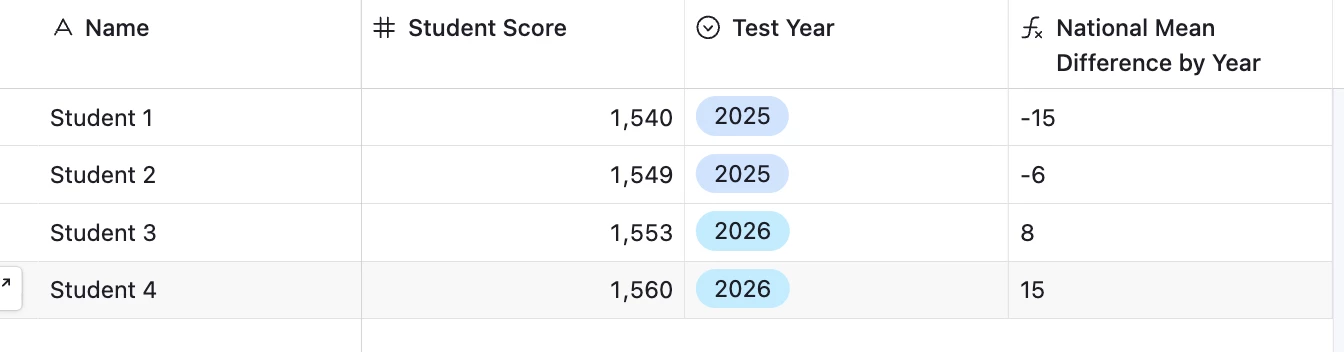
Likewise, if you have multiple years of data, or you plan to compare next year’s scores to the national mean, you can use a nested IF formula like this:

As long as test scores have a Test Year field (or you can do this with a date field as well), you can use an IF formula to output the proper calculation for a given year.


In case it’s hard to read in the screenshot, the IF formula would be:

IF(

     {Test Year}=’2025’,

    {Student Score}-1555,

  IF(

      {Test Year}=’2026’,

      {Student Score}-1545,

      ‘Error’

     )

)


Again, I think if you already have another table in which there is a record that includes a given year’s national mean, linking the tables and referencing the look-up field is the best way to go. But if you’d have to have a separate table that just had one or two records you update each year with the mean, it might make sense to just plug it right into a formula field.