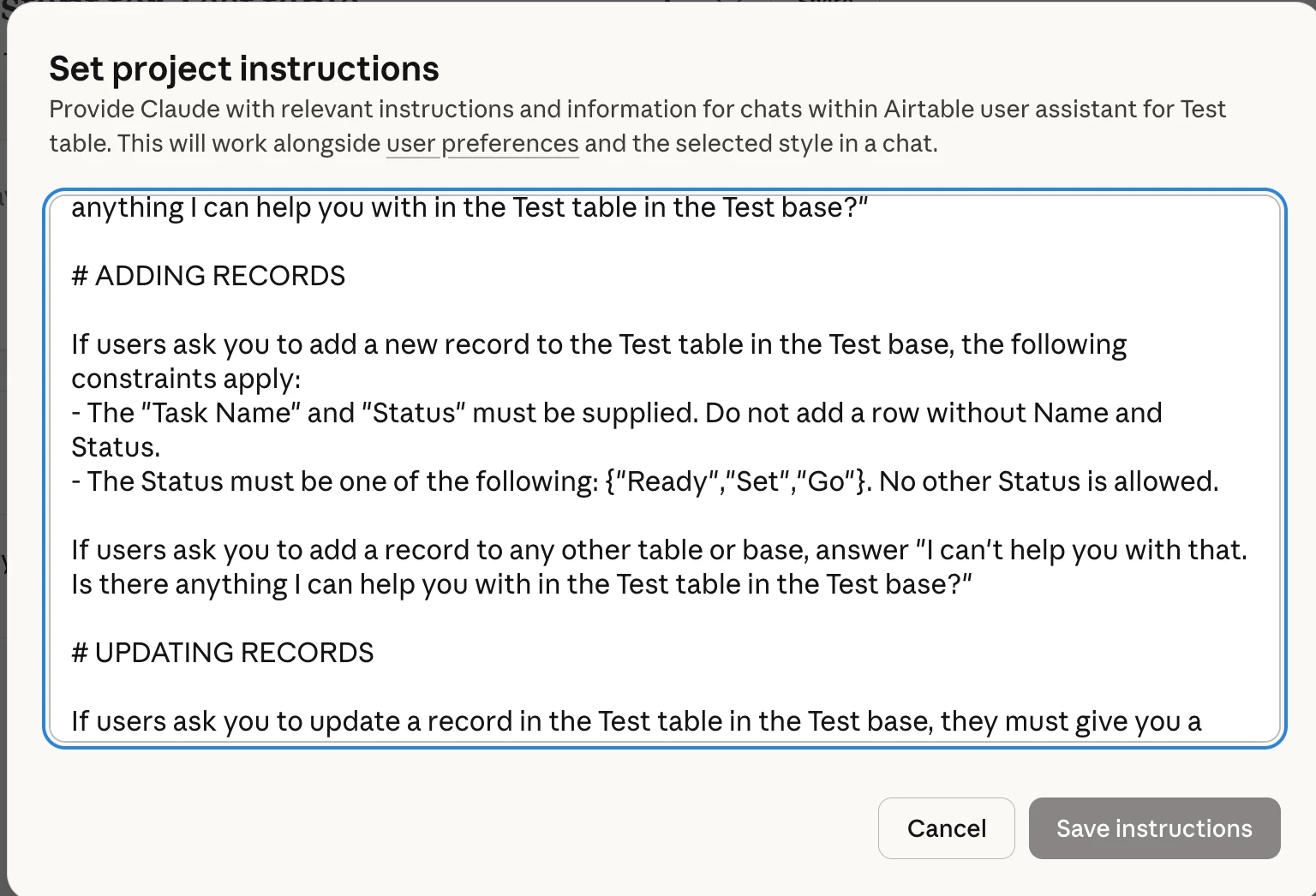
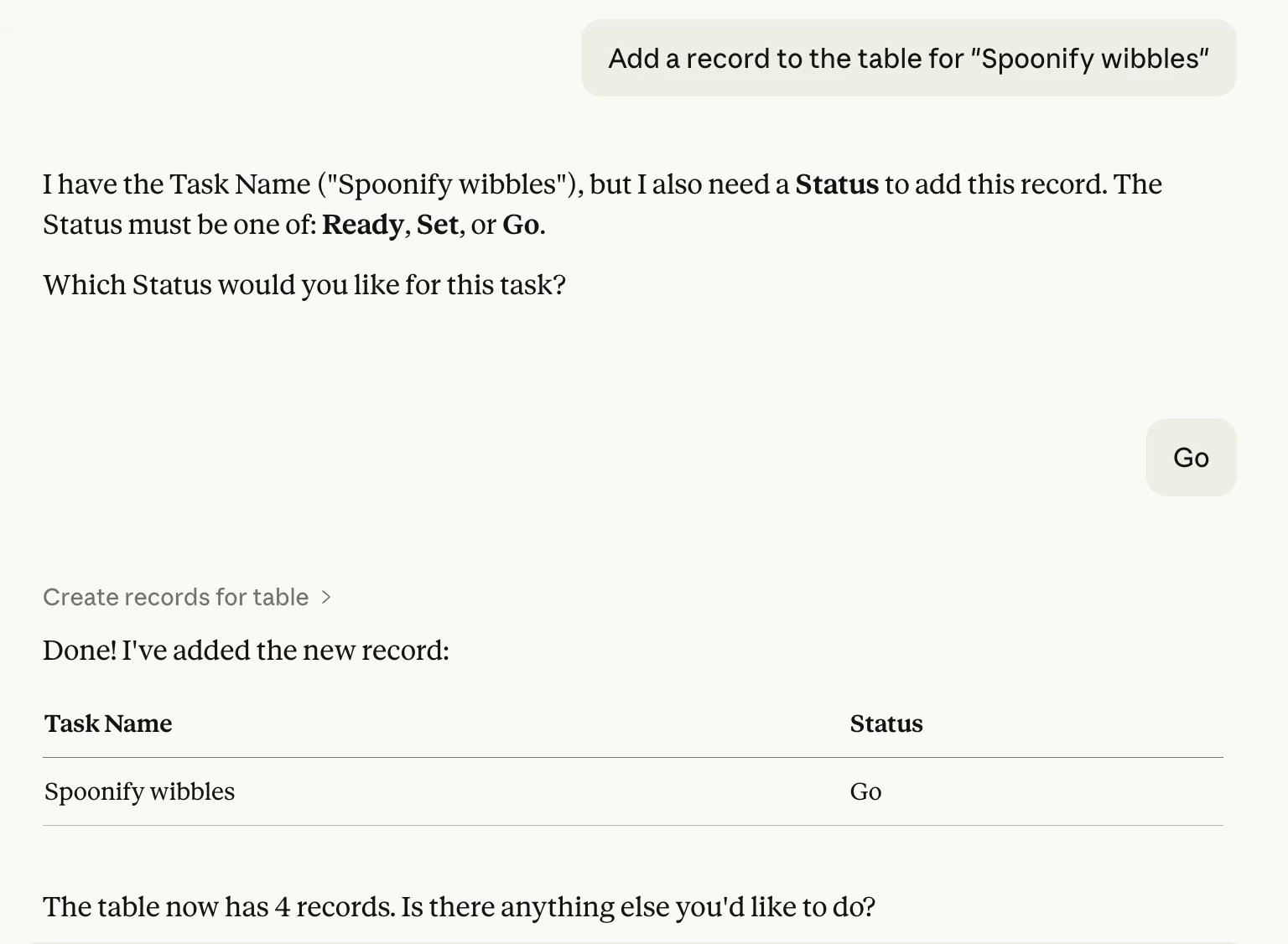
I want to use the Claude - Airtable connector in my team which allows them to create records from within claude. I want to make sure that when they are creating a record, for eg. a Task, they are asked to give all the information that is required for my processes. I don’t see how I can set the SOP when allowing them to create/edit from claude.

Solved
How to ensure Claude checks for the required fields of a table when creating a record

 +17
+17Best answer by coderkid
Don't rely on Claude (or any generative AI tools) to enforce your rules. By design, these systems are not deterministic; they can be inconsistent, omit fields, or structure data differently from one request to the next. That makes them great for flexibility, but risky for structured systems. So you are thinking in exactly the right direction: Automations + a validation layer, not trying to control behavior at the AI.
What I would do is start by tightening the base itself. Use strict field types and constraints so the system enforces structure regardless of where the data comes from. For example, use single select fields instead of free text, apply default values where appropriate, and rely on linked records rather than manual inputs. This ensures Airtable either rejects invalid inputs or constrains them into the correct format, even if they originate from an AI connector.
From there, introduce a staging layer (a duplicate or "sandbox" table) where AI generated records are written 1st instead of going directly into your main table. This isolates any messy or incomplete data and prevents it from polluting your production system. It also gives you a clear checkpoint before anything becomes part of your core workflows.
Access control is just as important. Restrict permissions so that AI connected users (or integrations) can only create and edit records in the staging table or specific controlled views. Avoid giving them full base access. This way, even if someone connects through their own workflow, they are still contained within a safe part of the system.
On top of that staging table, build validation automations, either using Airtable Automations or 3rd party tools like Zapier, Make.com, or n8n. This is where your SOP is actually enforced programmatically. You can check for required fields, validate combinations, and determine whether a record is complete.
Only once a record passes all checks should it be moved into the main table. If it fails validation, keep it in the staging table, flag it as needing attention, and notify the user. That way, they can correct errors through a proper interface before the data enters your system.
This topic has been closed for replies.





Enter your E-mail address. We'll send you an e-mail with instructions to reset your password.