Scatter Plot in Interfaces

  • November 7, 2024
  • 3 replies
  • 100 views

madisenbaldwin
Forum|alt.badge.img+7

I can't seem to get labels to appear on my scatter plot even when hovering over the points. I am trying to plot leaf length and head weight for varieties, I'd like to be able to label the points with what variety they represent.

This topic has been closed for replies.

3 replies

TheTimeSavingCo
Forum|alt.badge.img+31

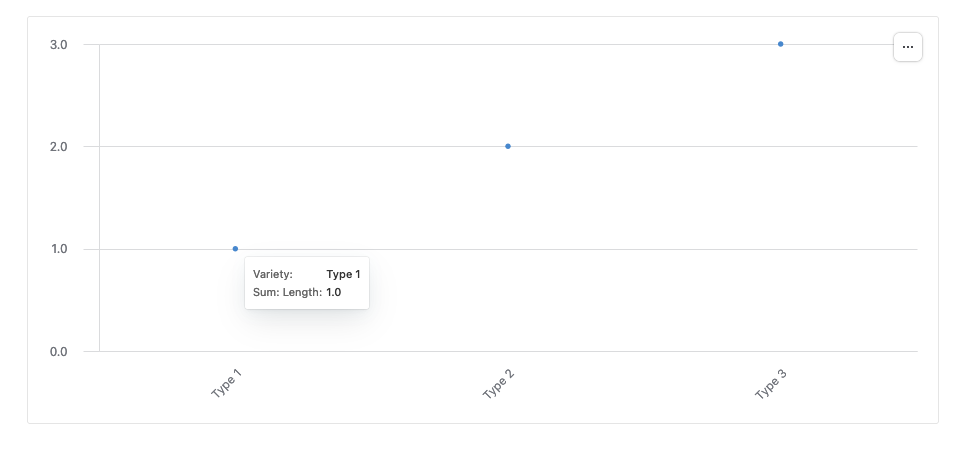
Hmm, I tried making this but aren't sure what your data looks like or what you'd like the end product to be:

Could you provide a screenshot of a bit of data and a mockup of the scatter plot with the labels you'd want based on said data?


madisenbaldwin
Forum|alt.badge.img+7
  • Author
  • Known Participant
  • November 13, 2024

Hmm, I tried making this but aren't sure what your data looks like or what you'd like the end product to be:

Could you provide a screenshot of a bit of data and a mockup of the scatter plot with the labels you'd want based on said data?


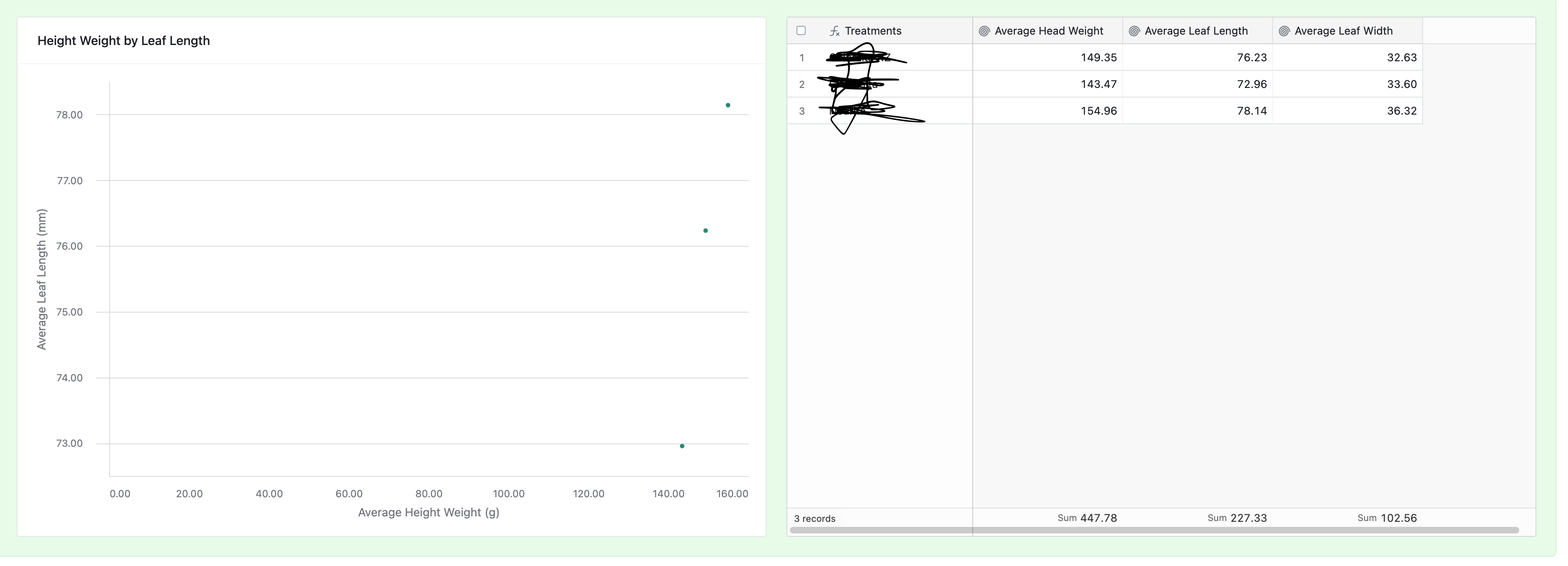
Here is mock up of data and scatter plot. when i hover over those dots on the scatter plot, i would like to see the primary column thats been blacked out on the right. OR a key with colors assigned to items in the table with the name in the primary


TheTimeSavingCo
Forum|alt.badge.img+31

Here is mock up of data and scatter plot. when i hover over those dots on the scatter plot, i would like to see the primary column thats been blacked out on the right. OR a key with colors assigned to items in the table with the name in the primary


Hmm yeah, I couldn't figure out how to do this either, sorry!  As a workaround perhaps you can look into something like QuickCharts to generate this for you or something, and you can display the generated chart image in the interface instead?