Question

Allow or prohibit pressing a button that runs a script in the scripting extension

  • May 7, 2026
  • 8 replies
  • 30 views

Forum|alt.badge.img+13

Hello,

We are using a script that runs in the Scripting extension - it was developed by a consultant and has been working 100% for many years, so I hesitate to touch it. But now, I have a new requirement that this button can only be clicked if a specific checkbox field has been checked.

How can I limit this button to match my new trigger?


Thanks in advance - scripting is definitely not my forte. 

8 replies

DevonK
Forum|alt.badge.img+17
  • Inspiring
  • May 7, 2026

Are they running the script from the extension panel, or from a button on the record? Are you able to post the script here?


Forum|alt.badge.img+13

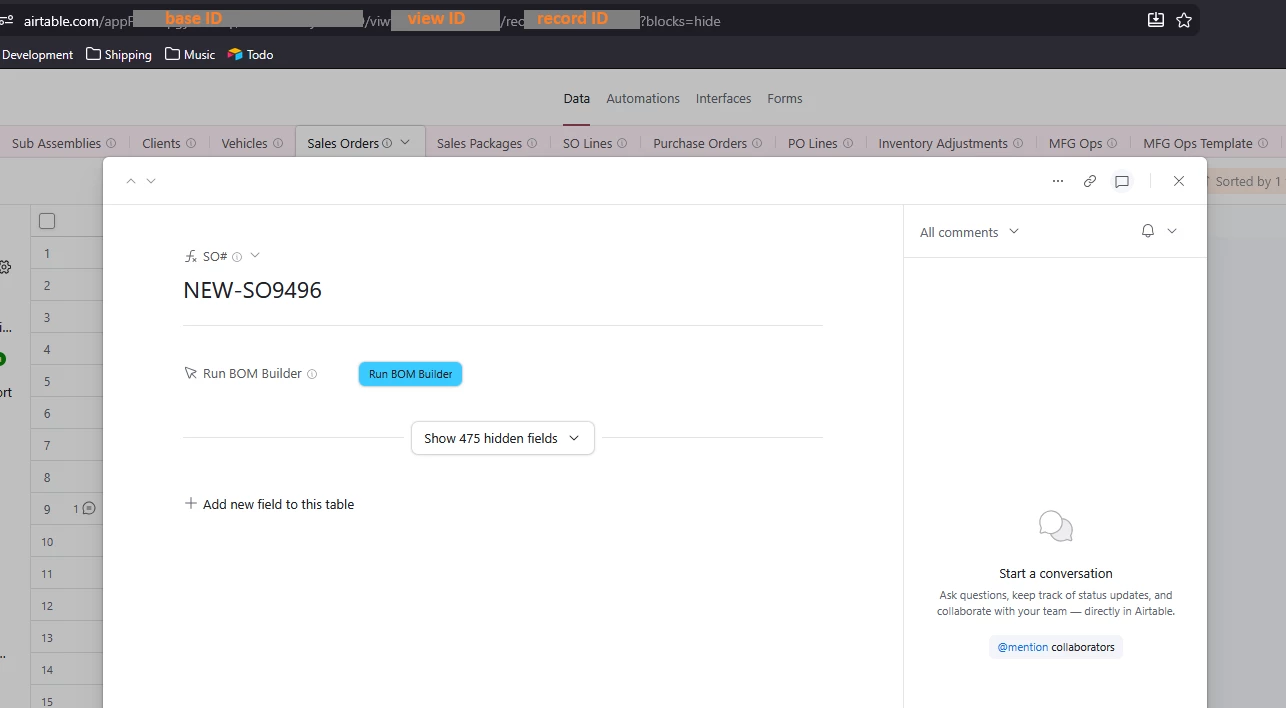
Hi, users click a button on a record that has the action to run a script. It defines the dashboard and the extension name in the extension panel.  It has some code to give an error message in certain situations.

Its a pretty long script that creates a new record in our Harvest timekeeping system, so the script includes all that authentication information. So I’m hesitant to post it. 


Alexey_Gusev
Forum|alt.badge.img+25

Hi,
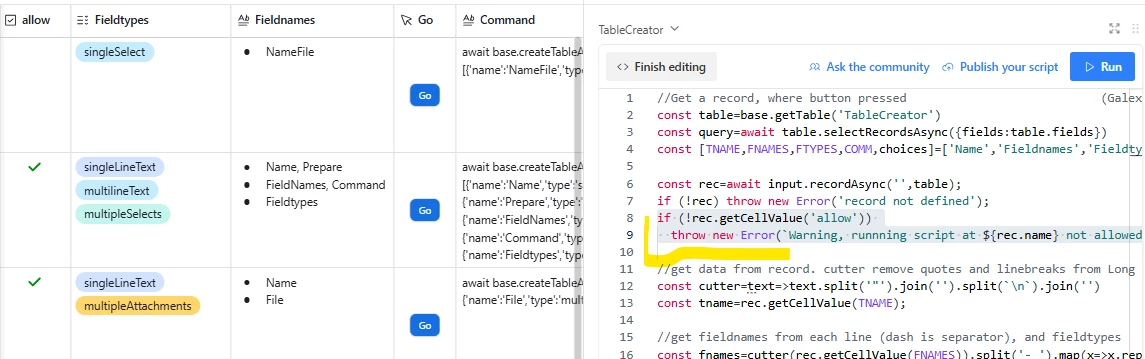
I’m triyng to guess - The checkbox requirement means that your script should be run against some record with a button field. It should read value from that record and do something
i have just one example of such type
 

const table=base.getTable('TableCreator')
const query=await table.selectRecordsAsync({fields:table.fields})
const [TNAME,FNAMES,FTYPES,COMM]=['Name','Fieldnames','Fieldtypes','Command']

//it must be something like that, including "input.recordAsync"
const rec=await input.recordAsync('',table);
if (!rec) throw new Error('record not defined');


const cutter=text=>text.split('"').join('').split(`\n`).join('')
const tname=rec.getCellValue(TNAME);
const fnames=cutter(rec.getCellValue(FNAMES)).split('- ').splice(1);
const ftypes=rec.getCellValue(FTYPES).map(t=>t.name);
if ((fnames.length<ftypes.length)||(!tname)) throw new Error('Names not defined')


in my example, variable ‘rec’ assigned to the record 
next line checks whether you choose a record.

you can add something like to check that checkbox is ON
 

if (!rec.getCellValue('ChkBox_Field_Name')) throw new Error(`Message when checkbox is off`);


If you don’t want Error message, but want to ‘do nothing’ instead, when checkbox is OFF,
you should wrap all further (after line with ‘input.recordAsync’) code into

if (rec.getCellValue('ChkBox_Field_Name')) {

...
...further code
...

}

in your code, variable name could be not ‘rec, but  'record’ or ‘sourceRecordWhereScriptRuns’ or smth like that. just keep it “as is”


Forum|alt.badge.img+13

Thanks, I was hoping not to have to touch this script, but I might just have to.


DisraeliGears01
Forum|alt.badge.img+22

Just trying to think outside the box, are end users utilizing an interface or the data layer? If you’re using an interface with certain setups (record review for ex) perhaps you can gate visibility to the button dependent upon your checkbox? 


Forum|alt.badge.img+13

@DisraeliGears01 They are using the data layer for this because I don’t think that you can open the Extension panel from an interface (maybe I am wrong). 


Mark_Newton
Forum|alt.badge.img+11
  • Known Participant
  • May 7, 2026

There are some work-arounds. We use buttons on interfaces that link to an intermediate page for extension scripts. The intermediate page is a record opened on a data layer view set up with only the final button visible. 


Construct the url to get to the base/view/record in the example, and then you can add a condition to show the url or not:

IF({checkbox},”airtable.com/app123/view456/”&RECORD_ID(),blank())

and let this be the final button URL. Could be on an interface or on the data layer.


Forum|alt.badge.img+13

@Mark_Newton That is an interesting solution. I will see if I can make this work. Thanks!