New Formula Formatting

  • March 17, 2022
  • 5 replies
  • 43 views

Forum|alt.badge.img+16

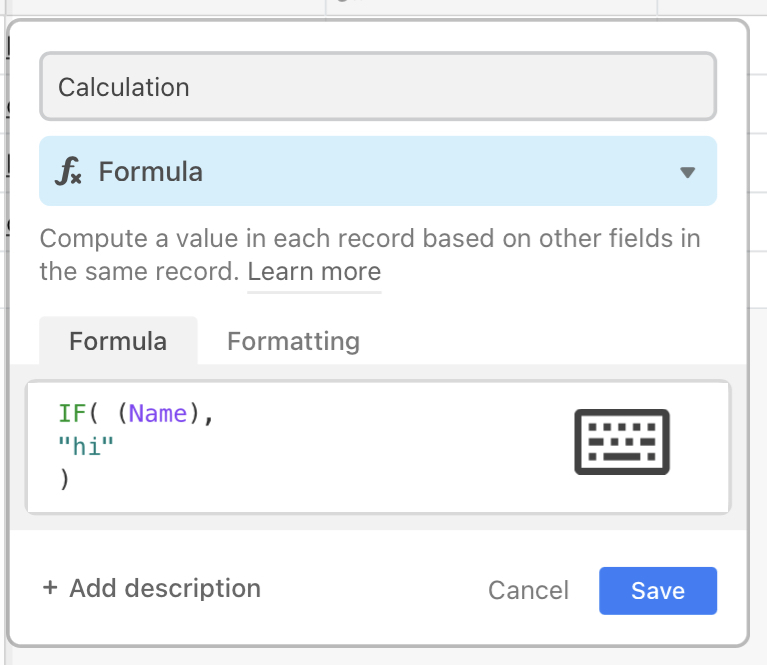
Thank you Airtable team! I love the new Formular formatting you have implemented. It really helps, when writing longer and complex formulas!

5 replies

Kamille_Parks11
Forum|alt.badge.img+27

For people’s reference: hitting enter will autofill a field name or function, hitting Shift+Enter will add a new line.


kuovonne
Forum|alt.badge.img+29
  • Brainy
  • March 17, 2022

For people’s reference: hitting enter will autofill a field name or function, hitting Shift+Enter will add a new line.


Kamille, how nice of Airtable to release this new formula editor on a Thursday!

I love the bracket matching, multi-line formulas, and auto-indenting. Indenting/outdenting with tabs does not work on my tablet. I’ll have to try on a computer.


Kamille_Parks11
Forum|alt.badge.img+27

Kamille, how nice of Airtable to release this new formula editor on a Thursday!

I love the bracket matching, multi-line formulas, and auto-indenting. Indenting/outdenting with tabs does not work on my tablet. I’ll have to try on a computer.


Sure is nice!

Using tab to indent (Shift+Tab to outdent) worked for me on desktop/web-app


kuovonne
Forum|alt.badge.img+29
  • Brainy
  • March 17, 2022

Sure is nice!

Using tab to indent (Shift+Tab to outdent) worked for me on desktop/web-app


Great! Now I really need to get to a computer.
Meanwhile, on my tablet, I get this funky little keyboard icon. I can’t figure out what it does.


ScottWorld
Forum|alt.badge.img+35
  • Genius
  • March 18, 2022

Most of this editor doesn’t work on my iPad, including trying to drag the cursor around.