Linking to Last Record of Specific Column + Adding Them on Separate Table

  • February 5, 2020
  • 6 replies
  • 71 views

Forum|alt.badge.img+1

I’m not too adept with making tables and using formulas so I’m wondering if it’s possible to do this:

I’m trying to track some investments, therefore, I made a table for each investment (Ex: Investment 1, Investment 2, etc.)

Tables are named EX: INVESTMENT1, INVESTMENT2, etc.
under each table are columns named
AMOUNT INVESTED, CURRENT AMOUNT, RETURN ON INVESTMENT

so for each I’d have a value
EX:
AMOUNT INVESTED = $20
CURRENT AMOUNT = $25
RETURN ON INVESTMENT (which is a formula that subtracts the CURRENT AMOUNT from the AMOUNT INVESTED) = in this case, would be $5

I’d love to take the last entry of the RETURN ON INVESTMENT of each table and get a SUM total on a separate table - is that possible or am I going about this totally wrong?

To add to this I’m also tracking the DATE CREATED for each entry to also get a view of the investment over time.

Thank you

6 replies

Mohamed_Swella1
Forum|alt.badge.img+17

Hi Anthony,

|n order to be able to do this, you will need to do the following steps:

  1. Create a new table and add a record called " ROI" for example.

  2. In the other tables add a new field (it can be hidden), this field should be Linked to the new table and you will have to link all the records to that table.

  3. In the new table, make a new Rollup Fields for each table and choose the function to be Sum.

  4. Make a total field with a formula of all the sums.

Ive made a quick draft for you to check out if it works for you.


Forum|alt.badge.img+1
  • Author
  • New Participant
  • February 6, 2020

Awesome! That’s SUPER helpful! I’ll check it out.

Thank you
Mohamed!


Forum|alt.badge.img+1
  • Author
  • New Participant
  • February 6, 2020

Hi Anthony,

|n order to be able to do this, you will need to do the following steps:

  1. Create a new table and add a record called " ROI" for example.

  2. In the other tables add a new field (it can be hidden), this field should be Linked to the new table and you will have to link all the records to that table.

  3. In the new table, make a new Rollup Fields for each table and choose the function to be Sum.

  4. Make a total field with a formula of all the sums.

Ive made a quick draft for you to check out if it works for you.


Hey Mohamed!

So I checked out your table and I’m still having the same problem. I’m not really looking for the SUM of the ROI - that just shows the changed over time - but just the last entry as that entry shows where the ROI currently stands. Then I’d want to add all those last entries from all the INVESTMENT tables into one sum.

Does that make sense?

Thanks again for your help!


Mohamed_Swella1
Forum|alt.badge.img+17

Hey Anthony,

Can you show me a screenshot so I can understand it better? If you are doing the records manually then you can do it all in one table.

If you cannot share screenshots here, you can send it to my email mohamedswellam@hotmail.com


Forum|alt.badge.img+1
  • Author
  • New Participant
  • February 20, 2020

Hey Anthony,

Can you show me a screenshot so I can understand it better? If you are doing the records manually then you can do it all in one table.

If you cannot share screenshots here, you can send it to my email mohamedswellam@hotmail.com


Hi Mohamed!

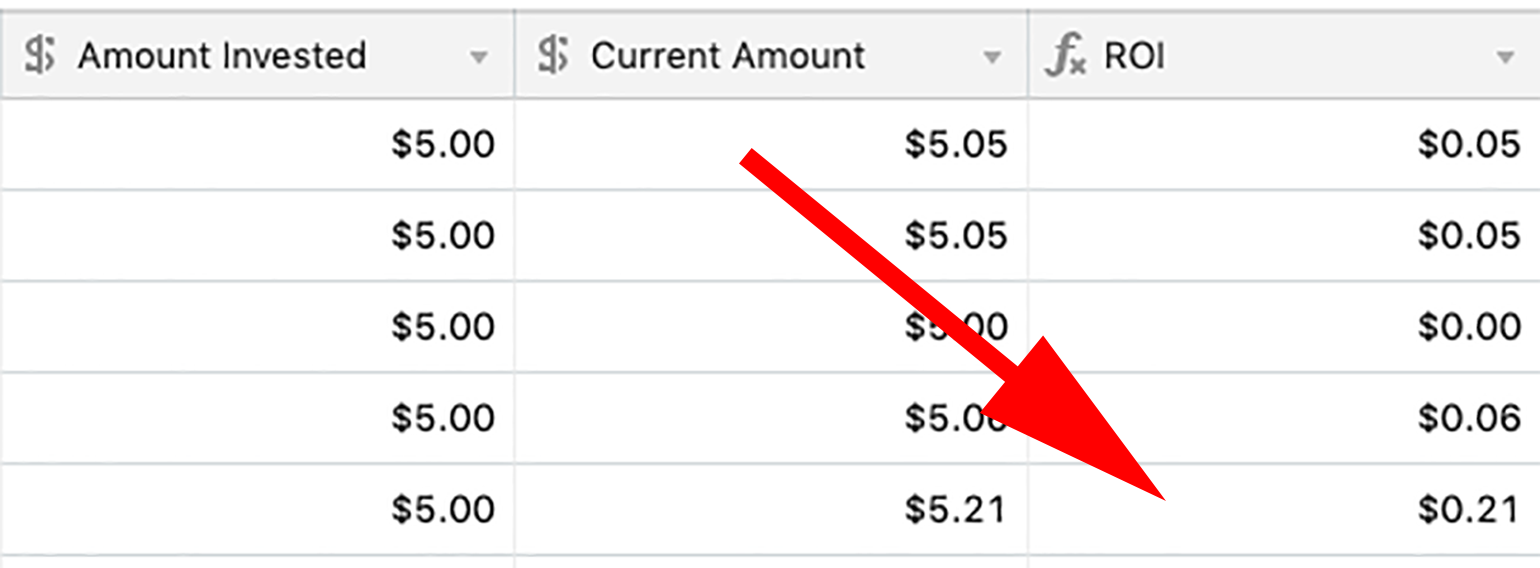
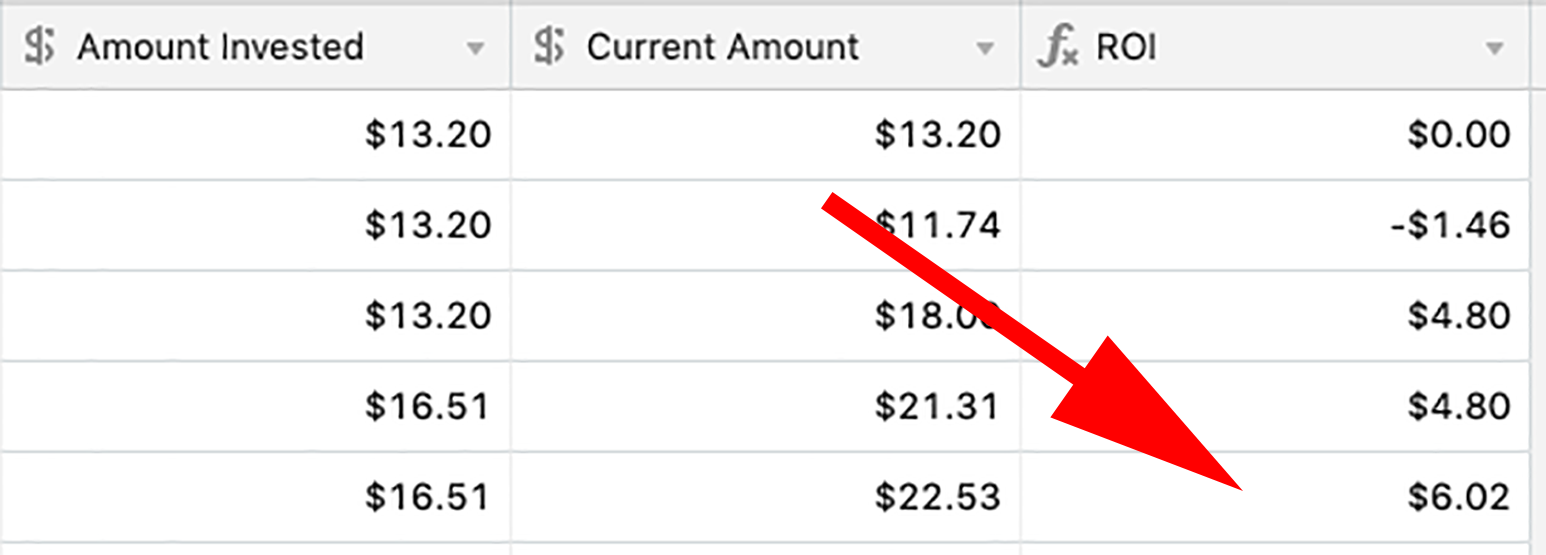
Thanks again for the reply - my apologies for not getting back sooner. I really appreciate the help. As you can see in the screenshots I’d love if I can aggregate the last entry of the ROI column of all my tables into another table that calculates the total of ALL the last ROI entry of every table. Is this possible?

Thank you


Mohamed_Swella1
Forum|alt.badge.img+17

Hi Mohamed!

Thanks again for the reply - my apologies for not getting back sooner. I really appreciate the help. As you can see in the screenshots I’d love if I can aggregate the last entry of the ROI column of all my tables into another table that calculates the total of ALL the last ROI entry of every table. Is this possible?

Thank you


Hi Anthony,

Sorry for the late reply as I was on a vacation.

What you are trying to do cannot be done in a straight forward way in Airtable. If you are on the Pro Plan you can do it using the Scripting Block (which I have no experience with yet).

BR,
Mo