Creating an inventory tracking multiple duplicate items per person

  • February 5, 2020
  • 4 replies
  • 99 views

Im currently using Airtable to track my companies electronic components (Computers, Keyboards, Monitors etc) and who these items were issued too.

I am having trouble tracking when people have multiple of one item. Monitors specifically.

Almost everyone in my company has two monitors. Is there a way to track this and put the amount everyone has per item as a sum somewhere?

Ex. 10 people have 2 monitors each but one person has one. I want to track the amount per person as well as have it summed to show I have 21 monitors in the company.

I hope this makes sense and someone can help. Thanks in advance!

This topic has been closed for replies.

4 replies

Mohamed_Swella1
Forum|alt.badge.img+17

Hi Ryan,

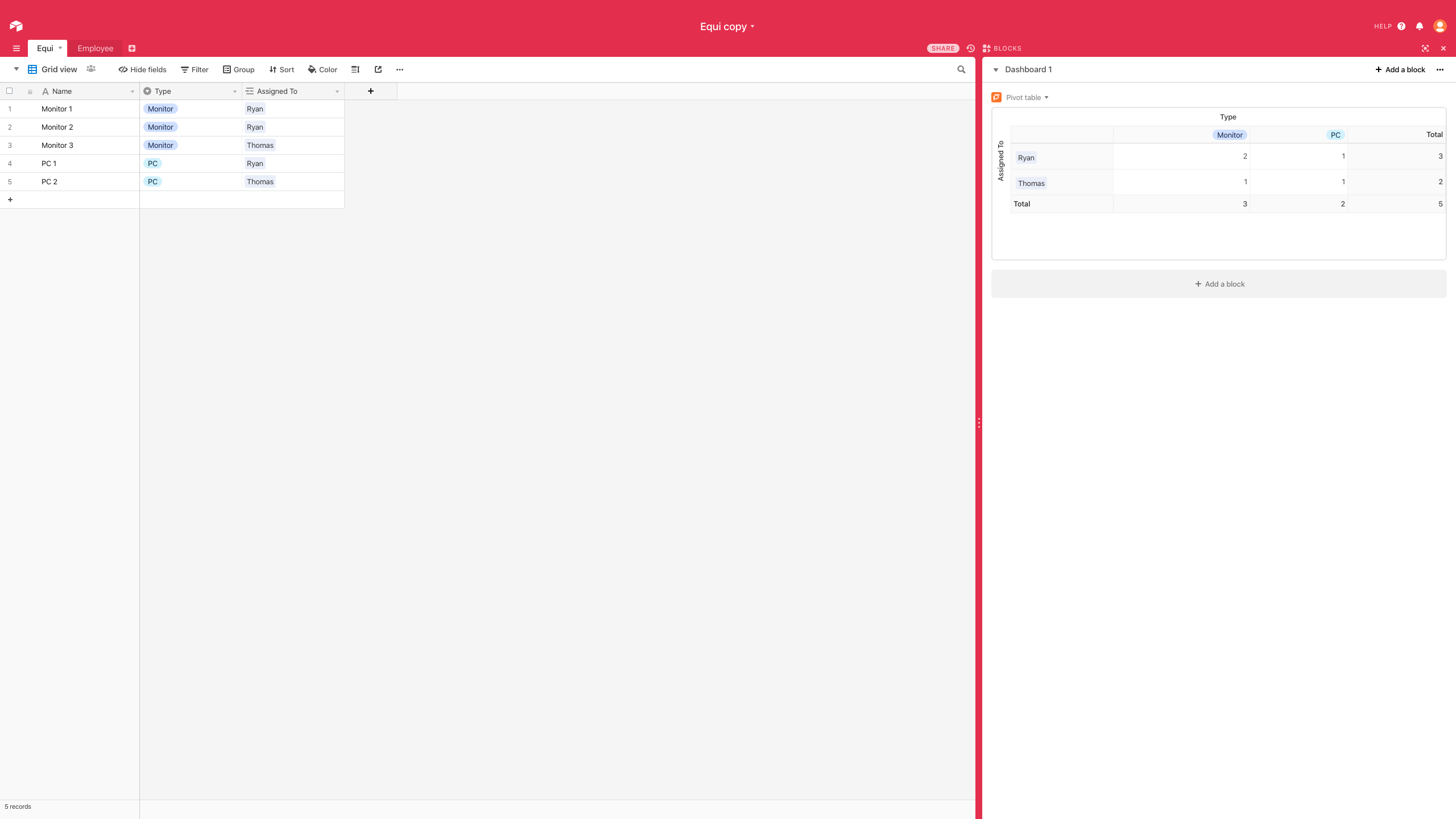
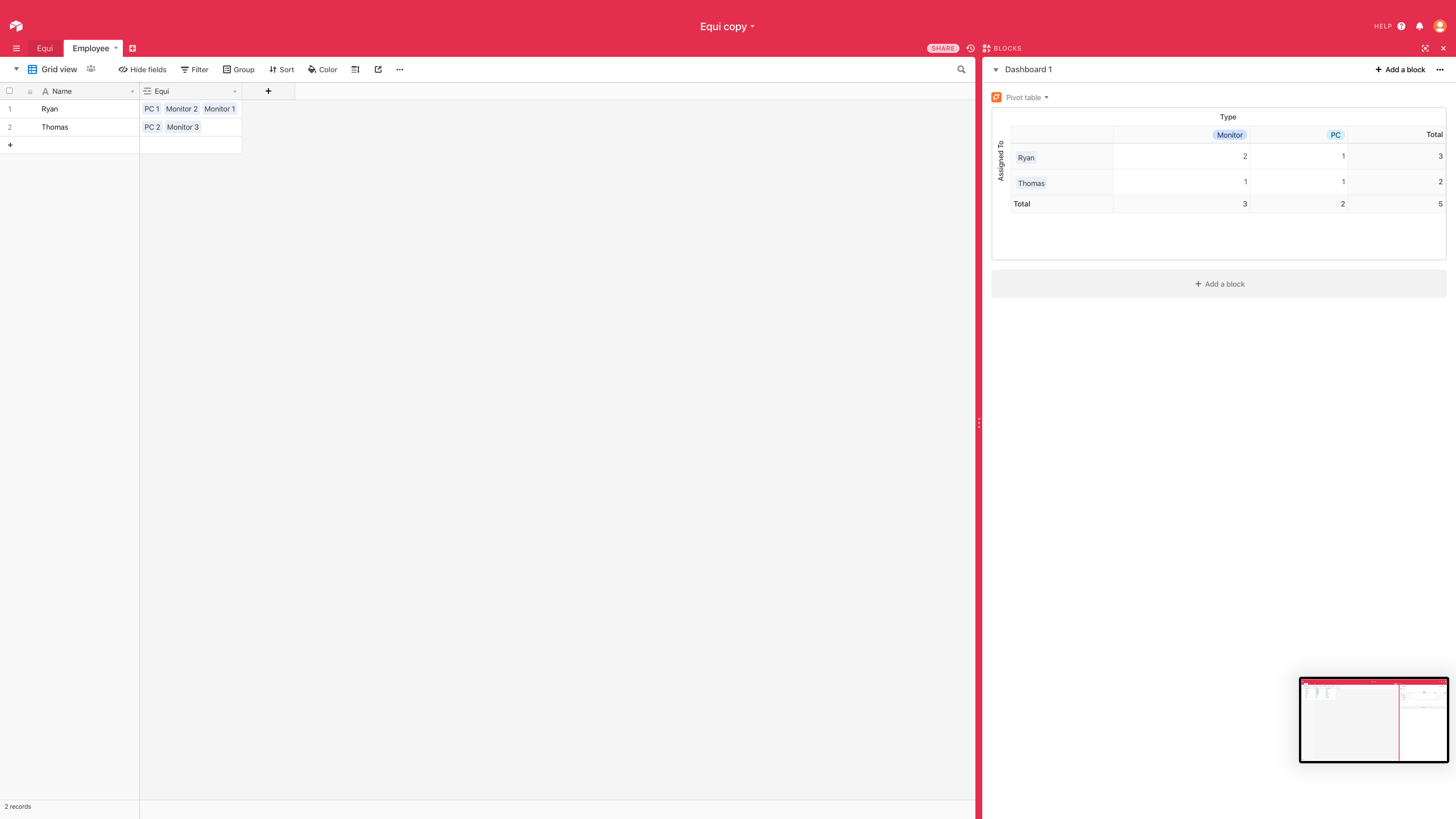
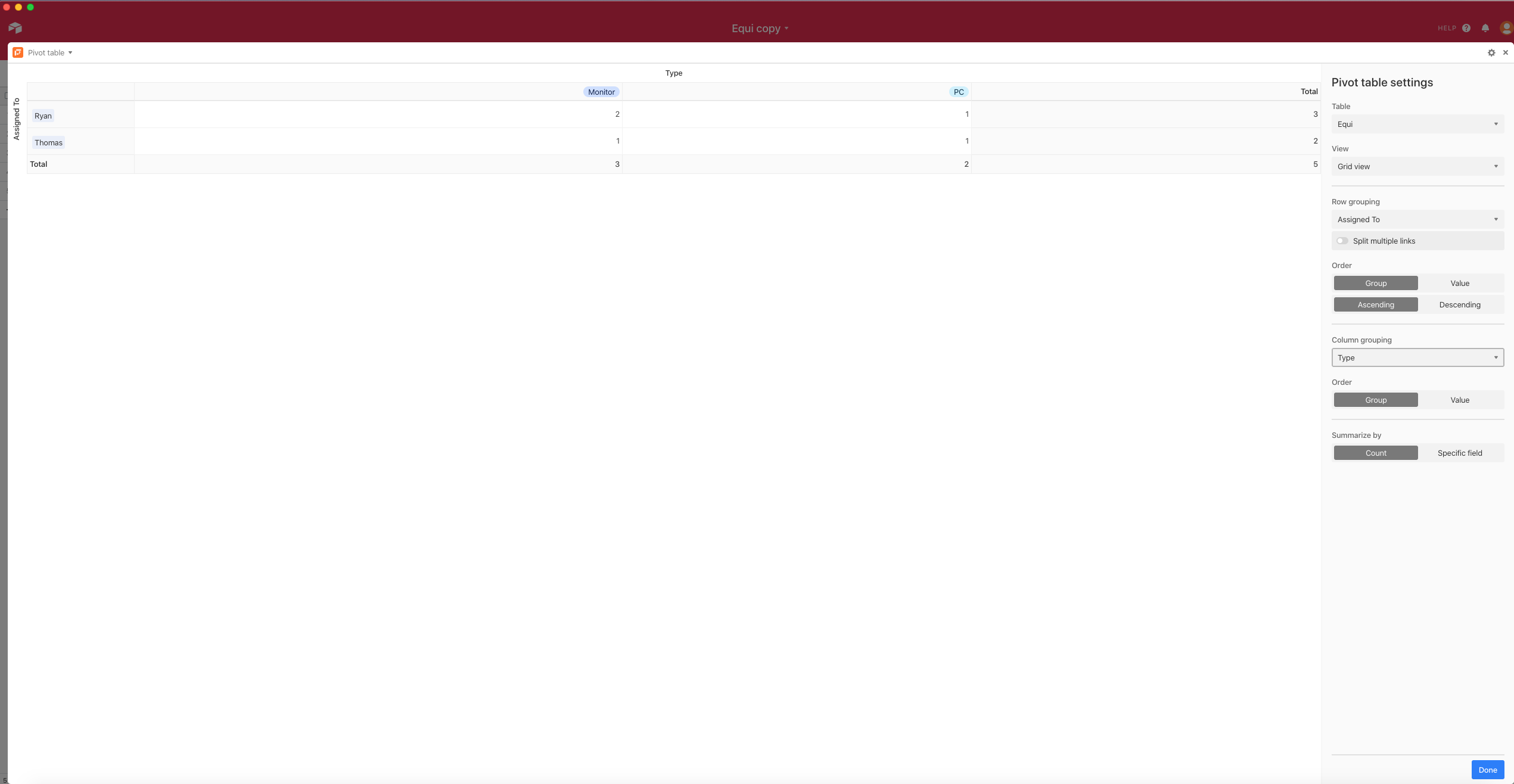
If you are on the Pro Plan, your request is fairly easy and doable. You can use the Pivot table Block as shown in the below screenshots


  • Author
  • New Participant
  • February 6, 2020

Hi Ryan,

If you are on the Pro Plan, your request is fairly easy and doable. You can use the Pivot table Block as shown in the below screenshots


So I would have to make an individual monitor for each person? We aren’t currently tracking serial numbers so I was hoping to just add a note to each persons monitor saying they had one or two. also in order to do the math portion I have to have Pro? There isn’t another option for the free version? Thank you for your response!


Mohamed_Swella1
Forum|alt.badge.img+17

So I would have to make an individual monitor for each person? We aren’t currently tracking serial numbers so I was hoping to just add a note to each persons monitor saying they had one or two. also in order to do the math portion I have to have Pro? There isn’t another option for the free version? Thank you for your response!


Hi Ryan,

In this case i would suggest you simply do a table with the name of the employee in the main field and in the other fields put the Monitor, PC, etc. and just put the qty in it. Similar to the pivot table in the screenshot but manually.


Nathalie_Collin
Forum|alt.badge.img+18

I know you’ve had a lot of really good advice while I was creating this, but I’ll post it anyways. Hopefully it helps you and/or someone else. Play around with it and let me know if there is anything missing.