
Creating automated checklists

  • June 23, 2022
  • 3 replies
  • 57 views

Hello! I am trying to create a table that autogenerates a list of tasks to complete for each record I have. I want the final table to look something like this, where each record has a list of tasks underneath it:
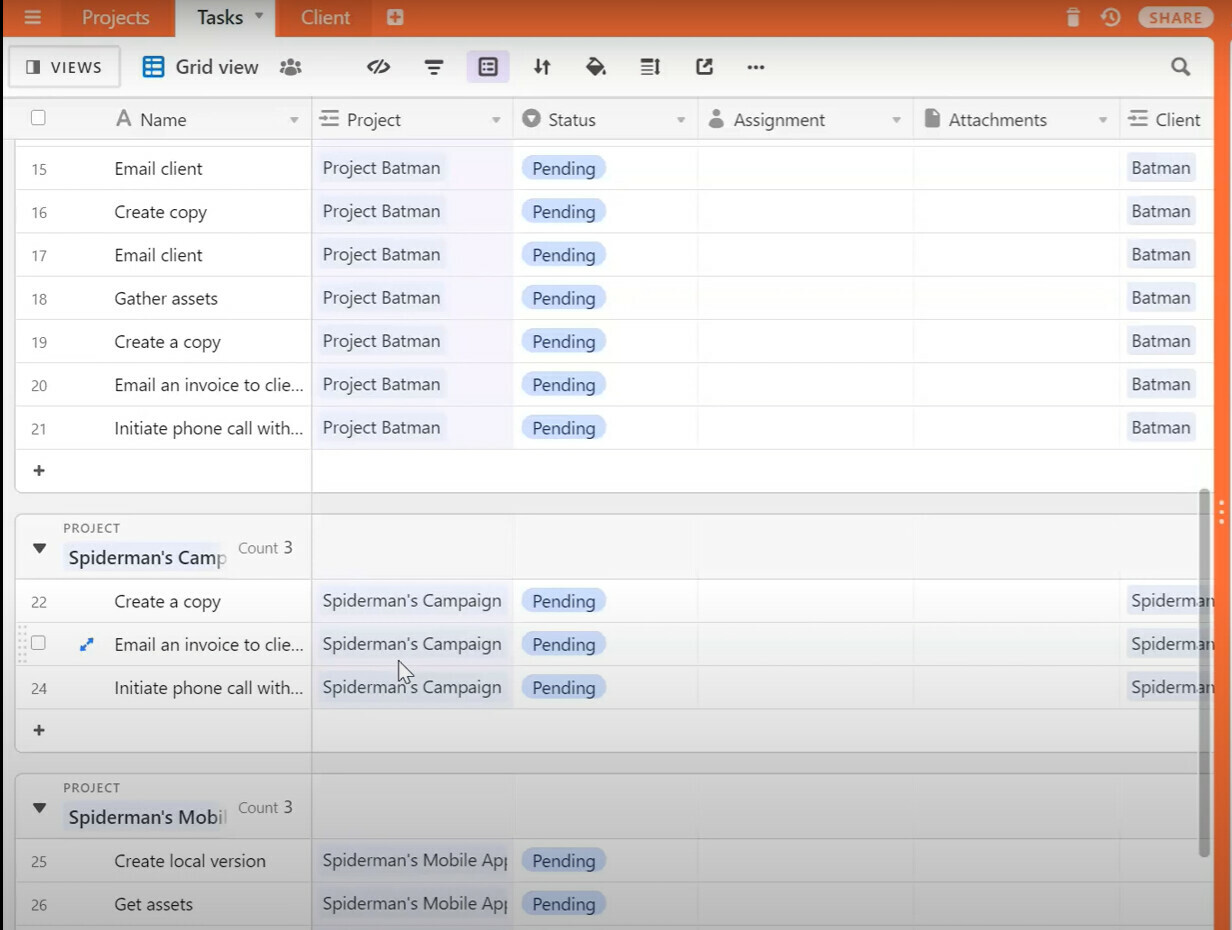
However, when I’ve tried to do it myself, I have only managed to create a separate checklists, where each task is split up. I can’t get the record name to auto-populate into the first column; only the task name shows up. I want the checklists to show up under the record name.
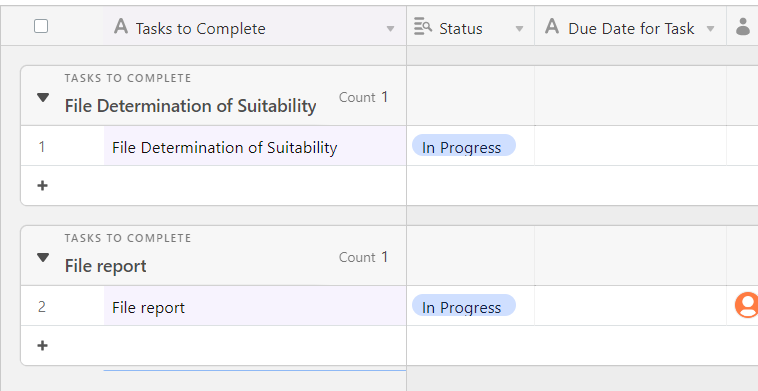
In this example, I want “File Determination of Suitability” and “File Report” to show up as tasks underneath each project, not as if they are their own separate projects.

If anyone has any suggestions, I would be greatly appreciative. Thanks!

3 replies

TheTimeSavingCo
Forum|alt.badge.img+31

Hmm, what does it look like when you try grouping by the field with your project name instead of the Tasks to Complete field?


  • Author
  • New Participant
  • June 24, 2022

Hmm, what does it look like when you try grouping by the field with your project name instead of the Tasks to Complete field?


It still does the same thing unfortunately.


TheTimeSavingCo
Forum|alt.badge.img+31

It still does the same thing unfortunately.


Hmm, odd. May I have a screenshot of your base please?

You mentioned that you want the checklists to show up under the record name. In the screenshot, could you circle the field that contains the record names that you want the checklists to show up under as well?

Thanks!
