

Most reliable way to get HTML emails to render properly from an Airtable automation?

  • August 25, 2024
  • 3 replies
  • 70 views

danielrosehill
Forum|alt.badge.img+1

Hi everyone,

I'm helping out with the technical logistics of an in-person event. 

I've set up a contact database as a Base and configured an automation that triggers an email to send when the record's status updates from "pending" to "invited." The automation includes a prefilled link to Typeform which is generated from a formula (and that in turn syncs back to the base). Happily, all these aspects work fine 🙂

The only unexpected hitch I've encountered is that the automation seems to have trouble passing well-formed HTML over to the sender (in this case Google Workspace. I would use the built-in automation but want the emails to come from an owned URL).

If I use very basic HTML like this the automation will render properly:
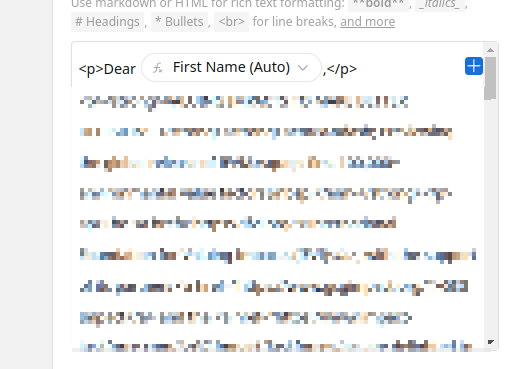
But image tags simply refuse to pass (I tried scrubbing the HTML elements that might have caused compatibility issues with Google to no avail). If I pop in a designed HTML template with inline CSS ... nothing renders.

I see that this has been discussed before and am wondering if anyone has figured out a workaround? I'm merging two fields from the Base (name + email) and could set up something programmatic but was hoping to keep things as simple as possible.

It's a curated invite list so the volume isn't that significant but it would be nice to send attractive emails to recipients.

TIA!


3 replies

Forum|alt.badge.img+2
  • New Participant
  • September 10, 2024

Did you find a solution to this by any chance?


Forum|alt.badge.img+8
  • Inspiring
  • December 18, 2025

Hi ​@danielrosehill ​@leeslimming,
 

Just wated to add FlexiPage as a solution. We have built it, so you can design HTML emails easily with Airtable data.
Checkout FlexiPage. FlexiPage supports transactional emails, along with document automation.

FlexiPage integrates with Airtable well and provides mobile responsive email out of the box. FlexiPage also supports buttons, columns, images and you can provide dynamic URL’s and content directly from your Airtable base.
 

Checkout FlexiPage Transactional Emails


Regards

Paz 


ScottWorld
Forum|alt.badge.img+35
  • Genius
  • December 18, 2025

@danielrosehill 

Instead of using a prefilled TypeForm form and then trying to sync that data back to Airtable, you may want to look into Fillout’s advanced forms for Airtable, because it is 100% free and it lets you update Airtable records directly from a form — no prefilling required.

Fillout also offers hundreds of other advanced features, including the ability to create custom PDF files from a form submissionpre-fetch dynamic data from an Airtable record, display Airtable lookup fields on forms, create new Airtable linked records on a formadd a login page to your form, and much more.

I show how to use a few of the advanced features of Fillout on this Airtable podcast episode:

Regarding sending HTML emails from Airtable:

Unfortunately, Airtable only supports a few basic HTML tags.

For full HTML support, you may want to check out Make’s advanced automations & integrations.

You don’t even need to use a specialized email sending service to do this. You can just use HTML tags within Make’s Gmail modulesMake’s Outlook modules, etc.

And not only does Make allow you to type up your own HTML code, but Make also offers a lot of advanced HTML features such as a "table aggregator", which lets you aggregate multiple Airtable records together into one HTML table that you can format with HTML tags however you'd like.

Even better, you can actually use Make with ANY email sending service that you’d like, because Make natively supports over 3,100 apps. And if your email service isn’t natively supported, you can always use Make’s built-in email module to send emails through any SMTP server, or you can use Make’s HTTP modules to communicate with ANY app on the web that has an API.

If you’ve never used Make before, I’ve assembled a bunch of Make training resources in this thread. For example, here is one of the ways that you can instantly trigger a Make automation from Airtable

I also give live demonstrations of how to use Make in many of my Airtable podcast appearances. For example, in this video, I show how to work with Airtable arrays (such as email attachments)in Make.

Hope this helps!

If you’d like to hire the best Airtable consultant to help you with anything Airtable-related, please feel free to contact me through my website: Airtable consultant — ScottWorld