Updating field based on linked record

  • February 21, 2024
  • 5 replies
  • 66 views

Forum|alt.badge.img+2

Hi all!

I have two tables, the first is Stores, the second is Customers. They are linked. Customers has a Region single select, Stores a Region multi-select. All of the Region single selects are populated for the Customers tab. I need some help creating an automation or bulk update for the regions of the linked Customers are visible in the linked Stores region field. 

Thanks in advance! 

5 replies

TheTimeSavingCo
Forum|alt.badge.img+31

Could you provide screenshots of the relevant tables and examples of what you'd like to happen?  Would love to help, but finding it hard to visualize your base!


Forum|alt.badge.img+2
  • Author
  • New Participant
  • February 21, 2024

Thanks for your speedy reply!

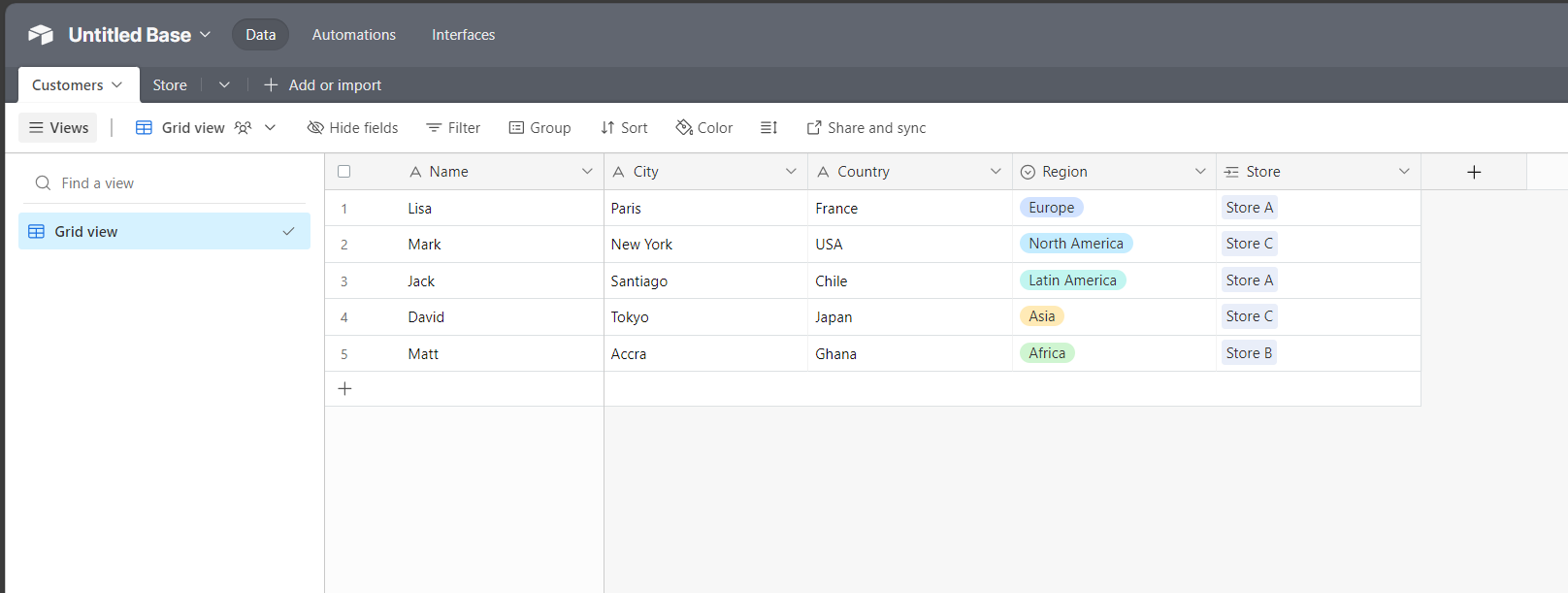
I've created a mock base that is trying to accomplish the same thing that I am in my org's base. 

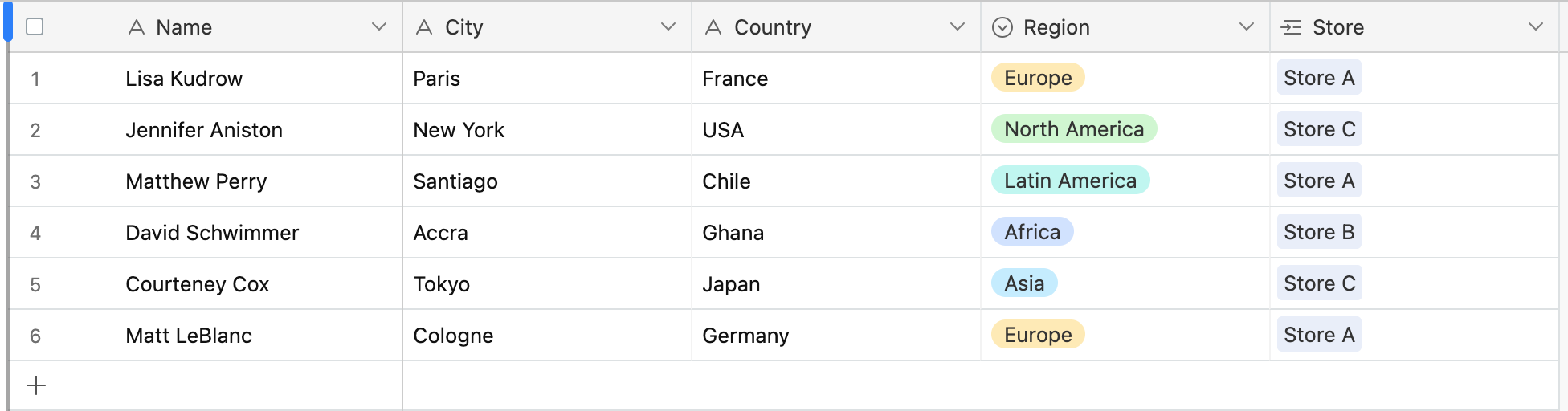
You can see that the Customers all have regions associated to them, I'd like the regions of the stores they are linked to to auto-populate based on the customer location. So in this example, Store A should have Europe and Latin America, B should have Africa, and C should have North America and Asia.

Hope that helps! 


Forum|alt.badge.img+16
  • Inspiring
  • February 21, 2024

Thanks for your speedy reply!

I've created a mock base that is trying to accomplish the same thing that I am in my org's base. 

You can see that the Customers all have regions associated to them, I'd like the regions of the stores they are linked to to auto-populate based on the customer location. So in this example, Store A should have Europe and Latin America, B should have Africa, and C should have North America and Asia.

Hope that helps! 


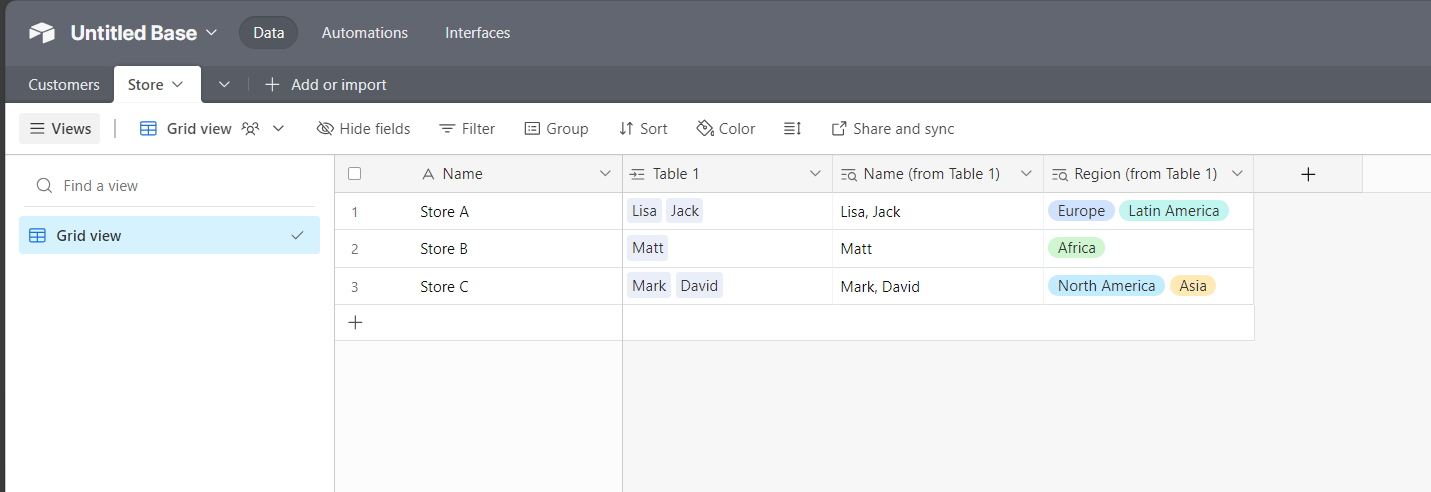
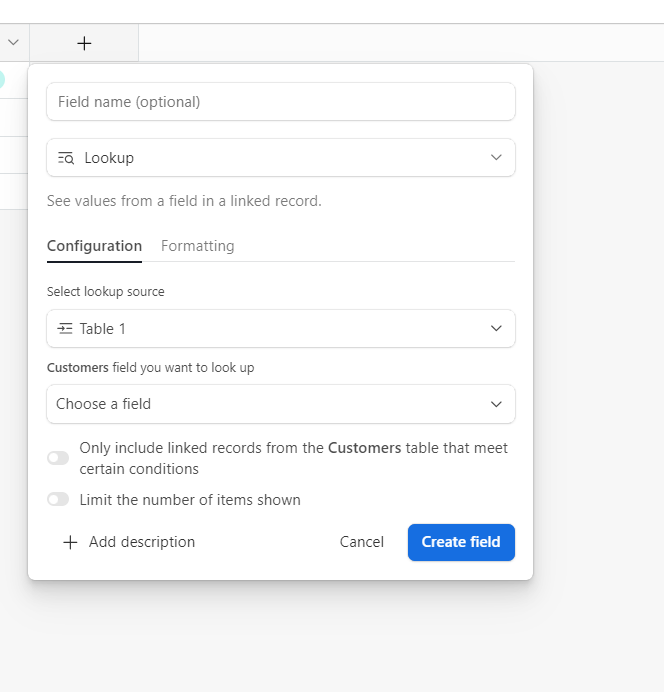
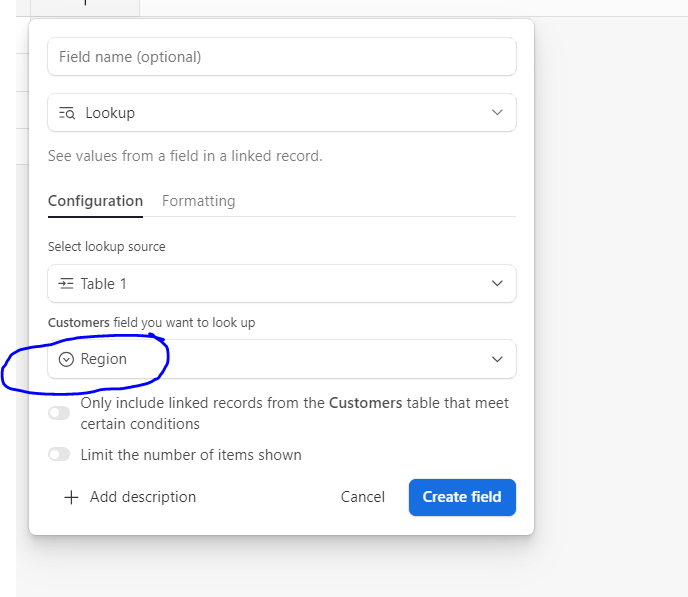
Hi, you have just to create a lookup field like this: 

 You can hide the column "Table 1". Your mistake was that you just linked the two tables without apply the "function" lookup. 

Steps 

1. create a linked field that you have already created (your Customers column in the store table)

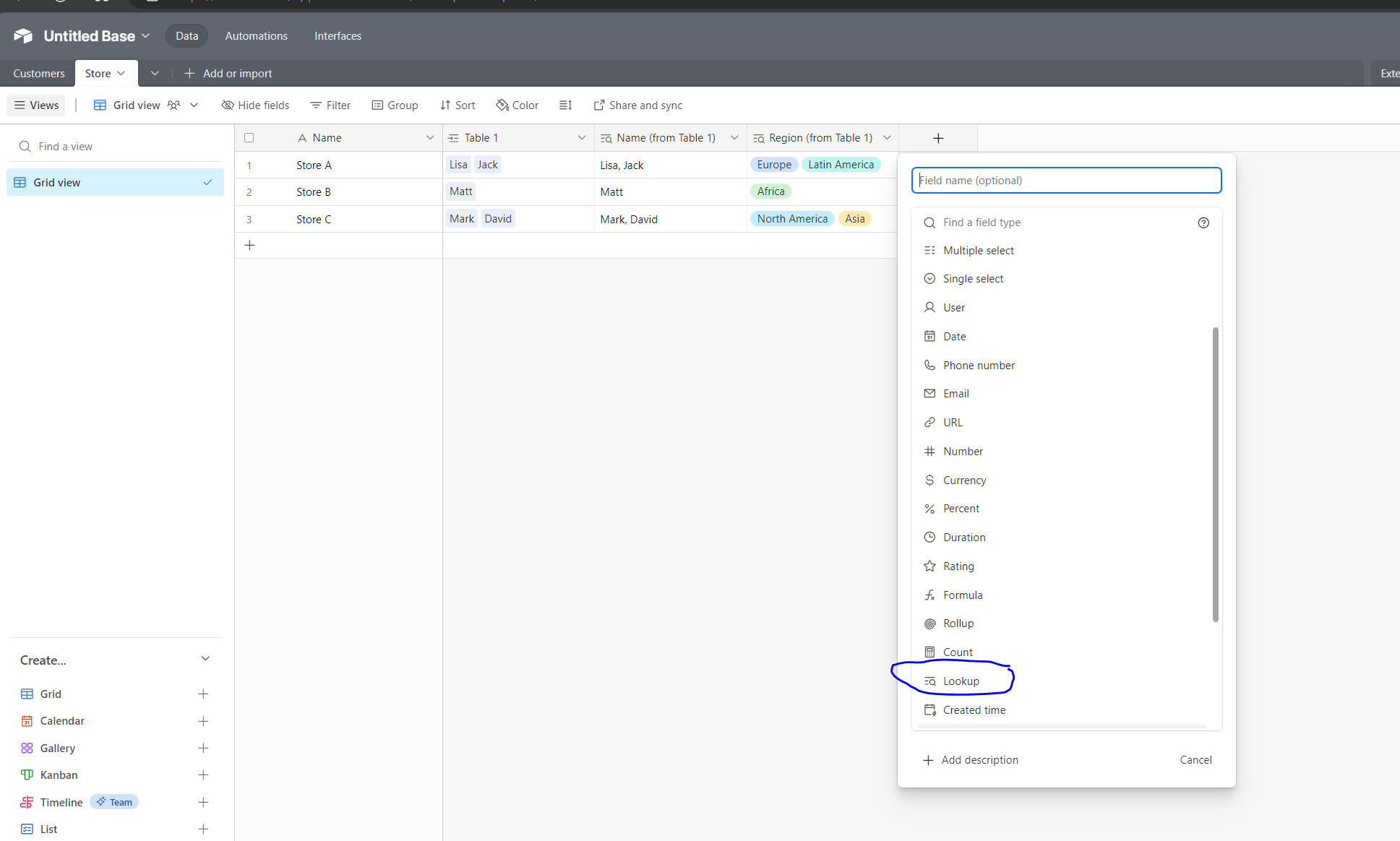
2. in the store table create a lookup 


and automatically will populate this column with the region info of the customer table.

Let me know if you have any questions 🙂


Forum|alt.badge.img+2
  • Author
  • New Participant
  • February 21, 2024

Thank you! This is helpful, I have two problems. 

1. It returns multiples - my actual base has over 2000 records, using the lookup, I get 50 instances of Asia in one records. Any way of avoiding this? 

2. In my actual base, I have 3 different linked columns, it appears I can only use lookup from a single linked column. Any way to get around this?


Forum|alt.badge.img+16
  • Inspiring
  • February 21, 2024

Thank you! This is helpful, I have two problems. 

1. It returns multiples - my actual base has over 2000 records, using the lookup, I get 50 instances of Asia in one records. Any way of avoiding this? 

2. In my actual base, I have 3 different linked columns, it appears I can only use lookup from a single linked column. Any way to get around this?


No problem 🙂 

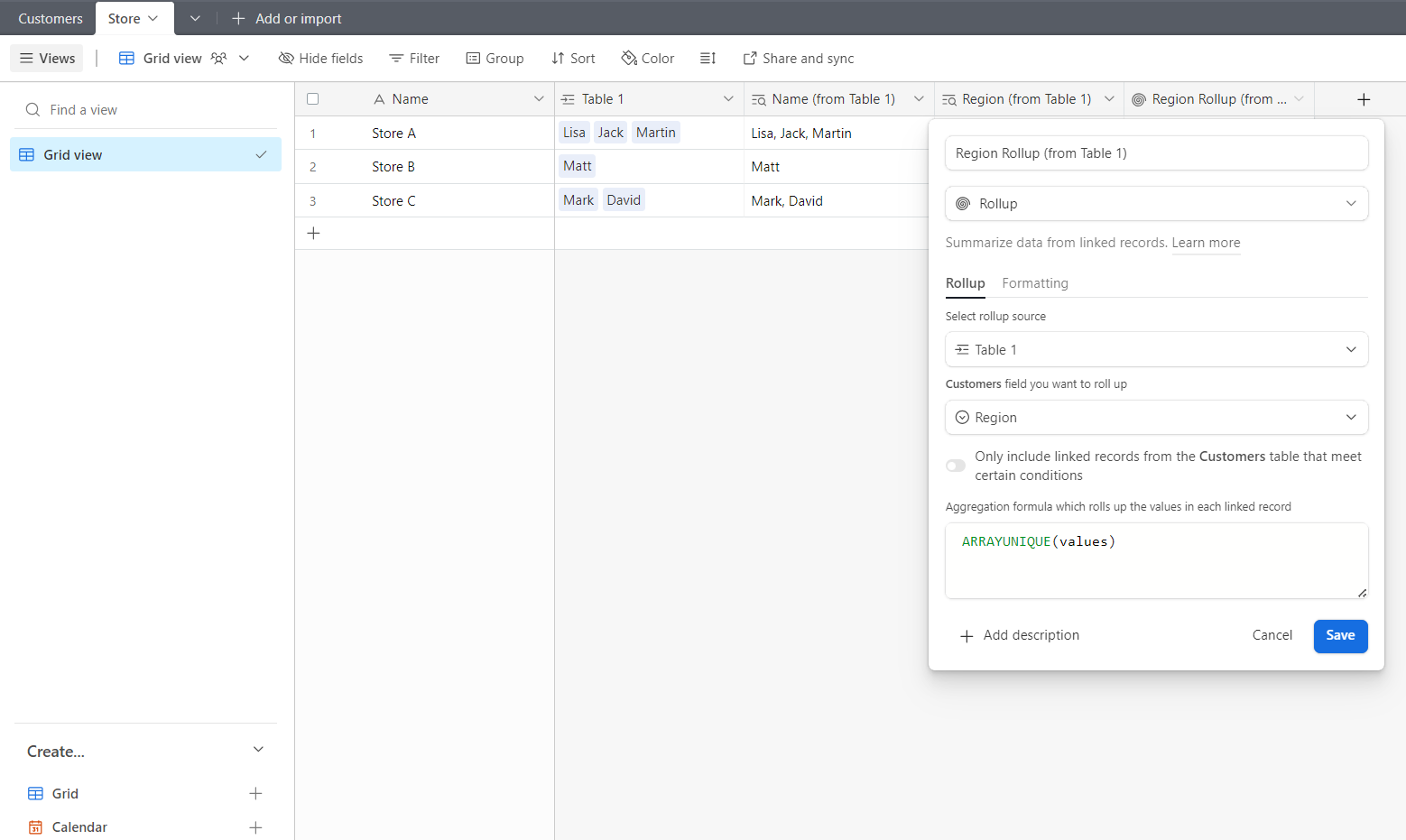
1. you can use a rollup and the formula ARRAYUNIQUE(values)

2. I didn't understand the question 😂