


If you have a many-to-many relationship, chances are you have a junction table. And chances are, setting up and maintaining that junction table is probably…not your typical idea of a fun time.
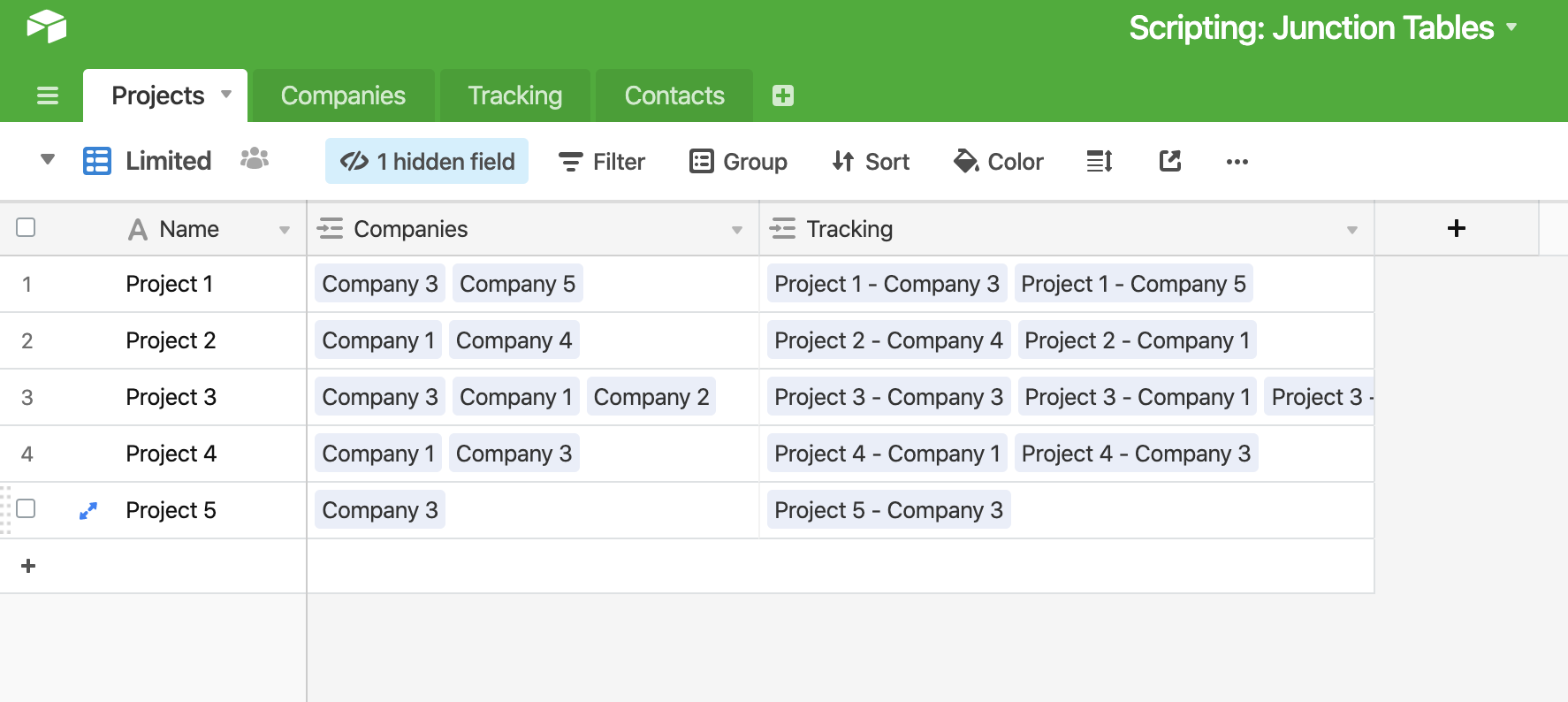
Welp, now it can be! Thanks to some serious help from @Stephen_Suen, we figured out how a script could help us automate this process. In the below example I have a list of projects, and for each project I’ve assigned multiple companies to it. I also have another table named “Tracking” where I track all the details related to a specific project-company pair.
Previously to create that junction, I had to do a lot of finagling, which took a fair bit of time. However, with a script, I can automatically create the records I need. Below I’m going to assign companies to Project 5, and then use a script to create the junction records.
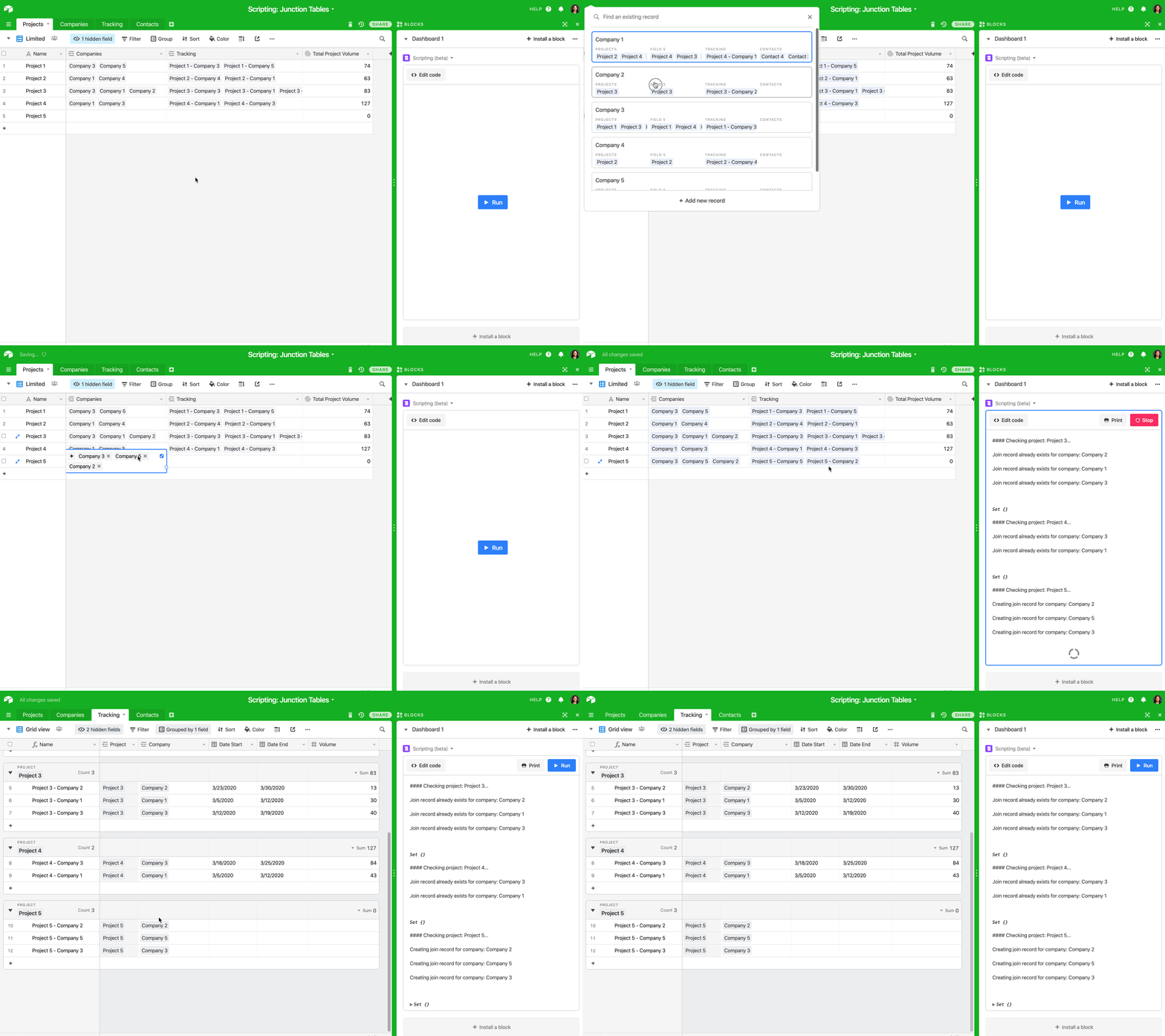
Ahh, the joy of automation. :massage_woman:t5: Thank you @Stephen_Suen! Script below. Example base here.
let projectsTable = base.getTable('Projects');
let projectQuery = await projectsTable.selectRecordsAsync();
let projectRecords = projectQuery.records;

let companyTable = base.getTable('Companies');
let companyQuery = await companyTable.selectRecordsAsync();

let joinTable = base.getTable('Tracking');
let joinQuery = await joinTable.selectRecordsAsync();

// Go through all the records in the projects table
for (let projectRecord of projectRecords) {
    output.markdown('#### Checking project: ' + projectRecord.getCellValueAsString('Name') + '...');
    // For each project, get the linked company records
    let companyRecordsLinkedToProject = projectRecord.getCellValue('Companies');

    // For each project, get the linked join records
    let joinRecordsLinkedToProject = projectRecord.getCellValue('Tracking');
    if (joinRecordsLinkedToProject === null) {
        // If there are no linked join records, use an empty array instead
        joinRecordsLinkedToProject = [];
    }

    // Create a Set of company record ids that are linked to the project.
    // A Set is like an array, but more efficient.
    let companyRecordIds = new Set();
    for (let linkedCompanyRecord of companyRecordsLinkedToProject) {
        companyRecordIds.add(linkedCompanyRecord.id);
    }

    // Loop over all join records linked to the project.
    for (let linkedJoinRecord of joinRecordsLinkedToProject) {
        // Get the full join record, not just name and id
        let joinRecord = joinQuery.getRecord(linkedJoinRecord.id);
        let companyRecordLinkedToJoin = joinRecord.getCellValue('Company')[0];
        let companyRecordId = companyRecordLinkedToJoin.id;

        // Remove this company record id from the Set.
        output.text('Join record already exists for company: ' + companyRecordLinkedToJoin.name);

        companyRecordIds.delete(companyRecordId);
    }

    // Now we have a Set of company record ids that don't have join records.
    for (let companyRecordIdToJoin of Array.from(companyRecordIds)) {
        // Create the join record linking this project and this company.
        let companyRecord = companyQuery.getRecord(companyRecordIdToJoin);
        let companyName = companyRecord.getCellValueAsString('Company Name');
        output.text('Creating join record for company: ' + companyName);
        await joinTable.createRecordAsync({
            'Project': [{id: projectRecord.id}],
            'Company': [{id: companyRecordIdToJoin}],
        });
    }

    output.text('\n');

    output.inspect(companyRecordIds);
}