IF Single Select then Change or Switch Single Select

  • April 6, 2022
  • 3 replies
  • 77 views

Forum|alt.badge.img+6

Hi There,
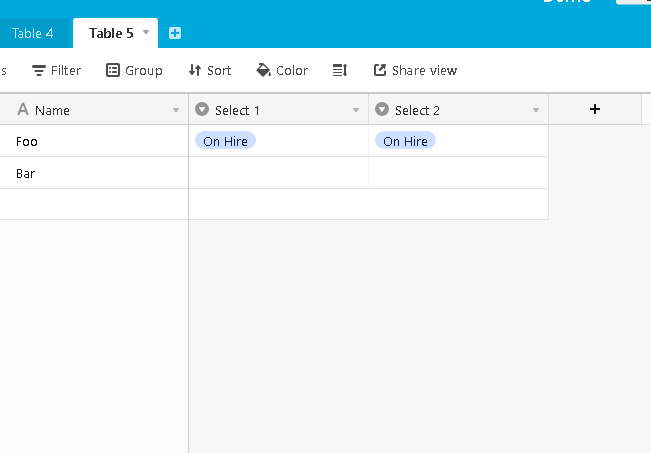
I have two single select columns and I would like some of them to follow one another. Say for instance if I select “ON HIRE” in one single select column I would like the other single select column to automatically select “ON HIRE” as well? can this be done, any help would be greatly appreciated.

This topic has been closed for replies.

3 replies

Forum|alt.badge.img+16
  • Inspiring
  • April 6, 2022

Hi @Christopher_Murdoch
This can be done with Automations, no need to write a formula.

Since you mention that only some of them should follow one another, Automations might be your best option as you can make it conditional.


Forum|alt.badge.img+6
  • Author
  • Participating Frequently
  • April 7, 2022

Hi @Christopher_Murdoch
This can be done with Automations, no need to write a formula.

Since you mention that only some of them should follow one another, Automations might be your best option as you can make it conditional.


Hi @Vivid-Squid,

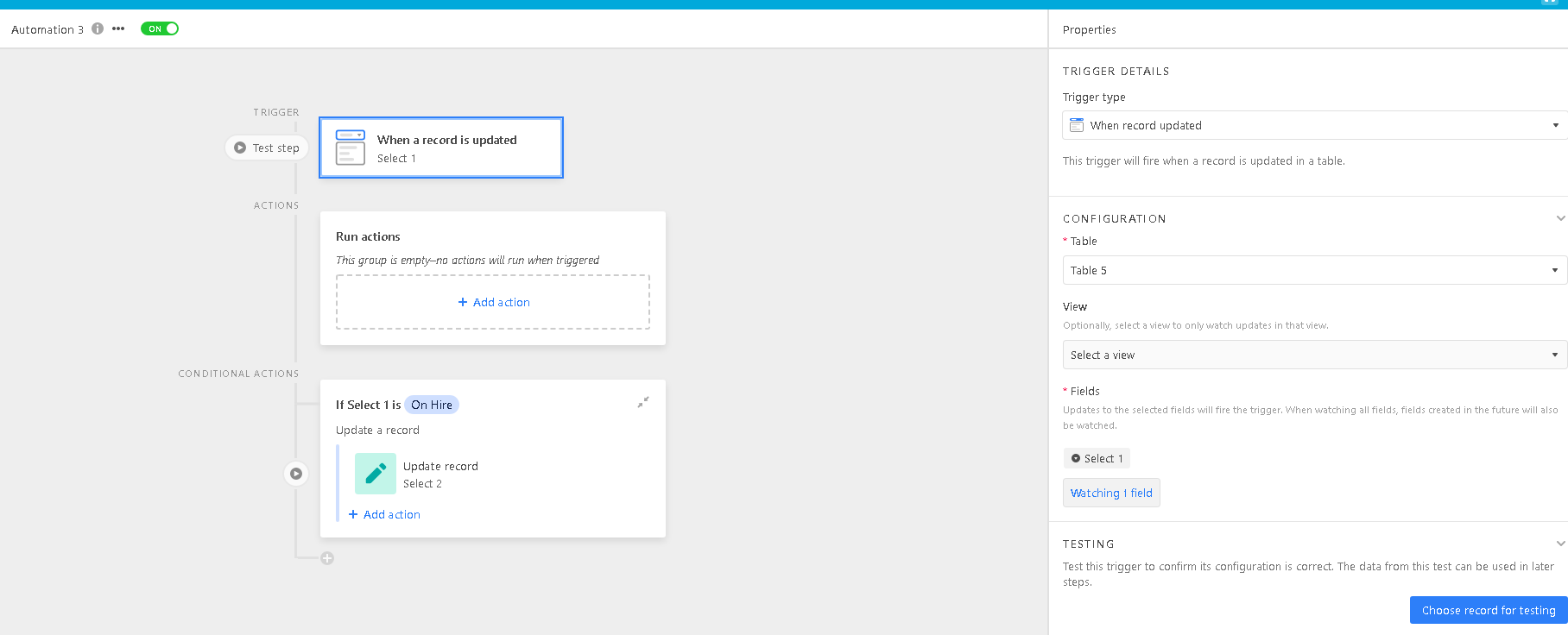
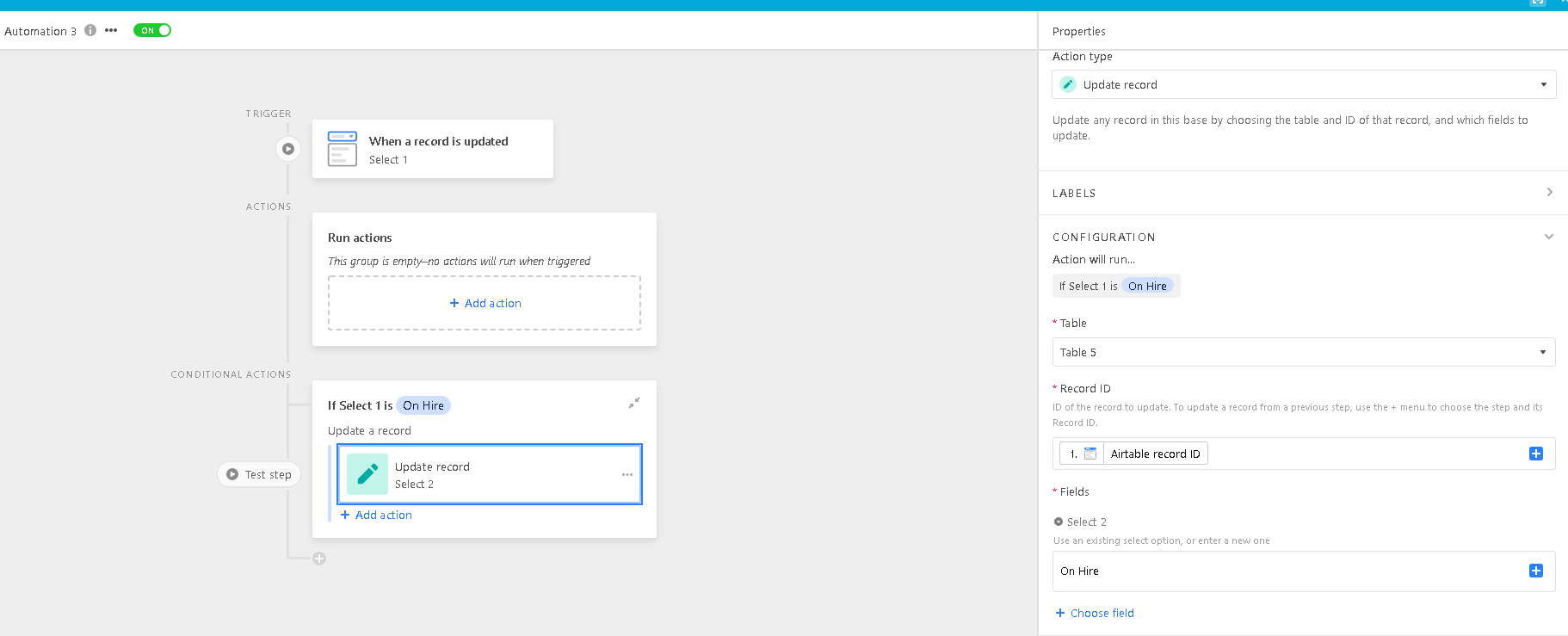
That makes sense, although I am having difficulty working it out. I am assuming I need the use the trigger ‘When a record is updated’ however when working the configuration it gets confusing. Can you give an example or how I could get a single select column to follow another single select column using the automation function?


Forum|alt.badge.img+16
  • Inspiring
  • April 7, 2022

I am happy to help. One thing I forgot to ask is if the two drop downs are in the same table. You didn’t say they are in separate tables so I am assuming they are in the same table. Its OK if they are not but that changes things a bit.

Also the situations where you don’t want the two fields to match are unknown so I don’t know how you want that set up.

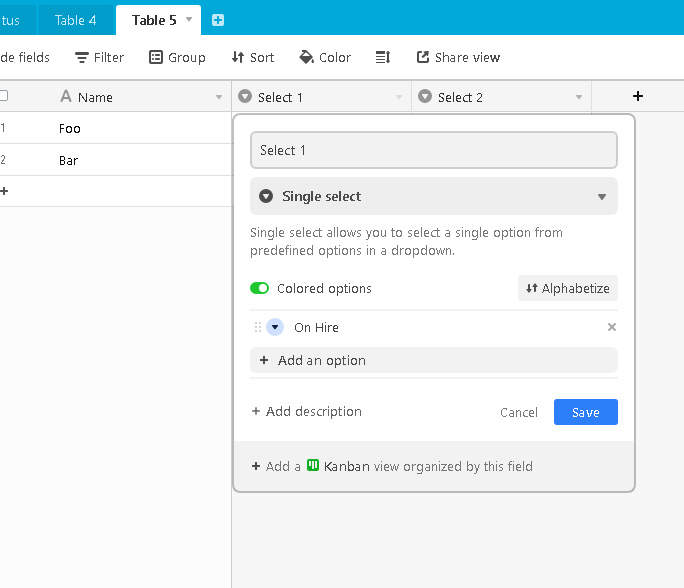
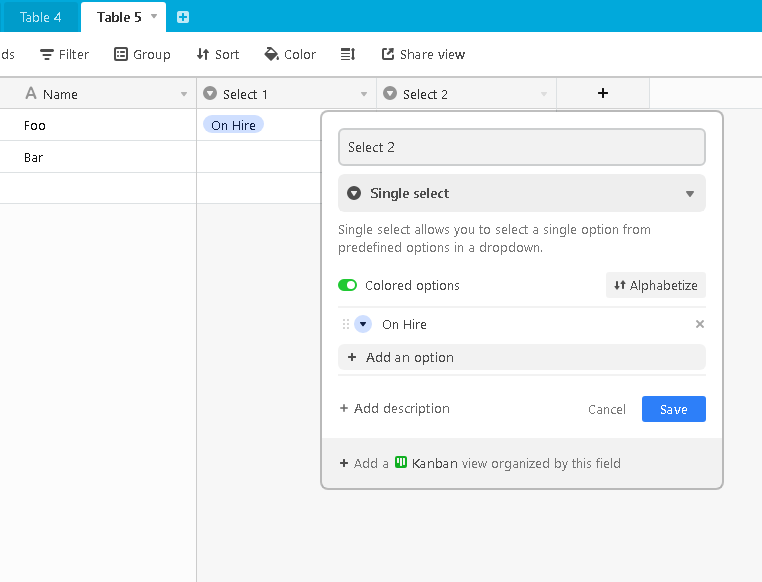
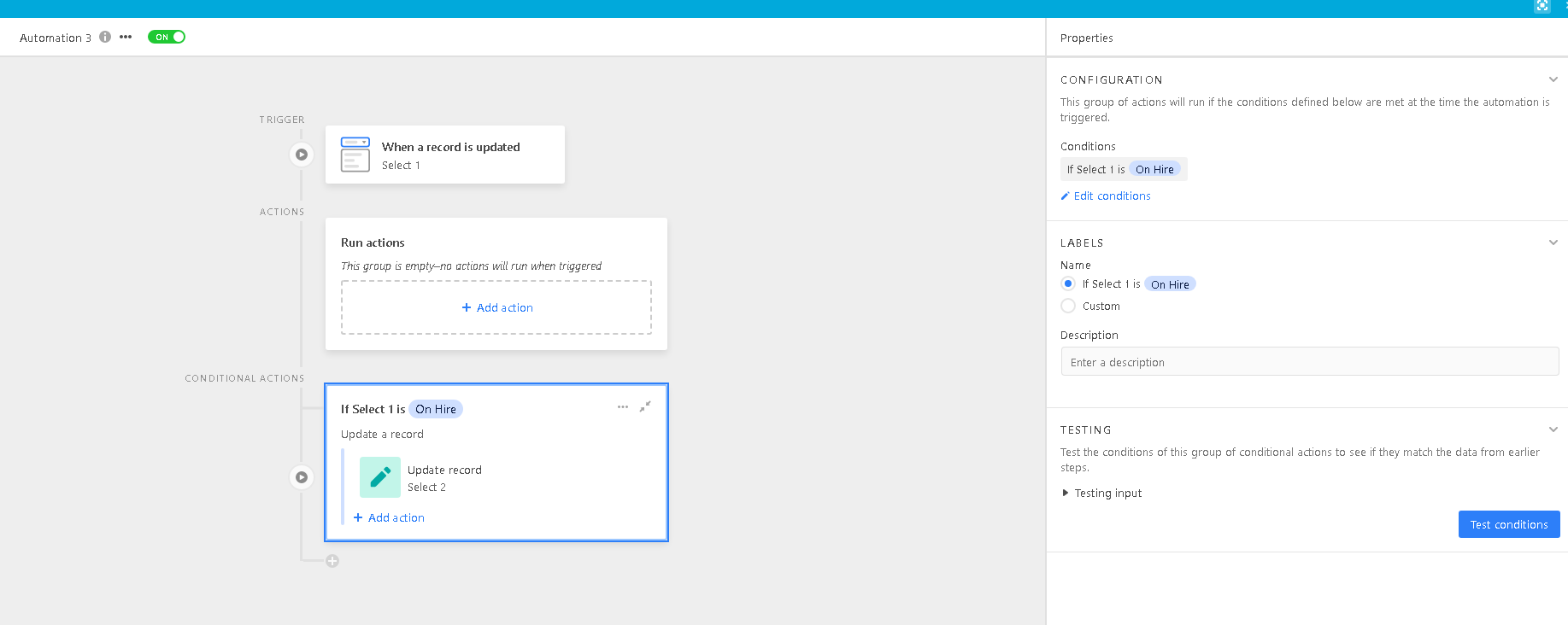
Here are all the screenshots and settings I made to match two dropdowns in the same table: