Hi,
I hope someone can help me. A the moment I have 3 columns:
Date Opened | Months | Expires
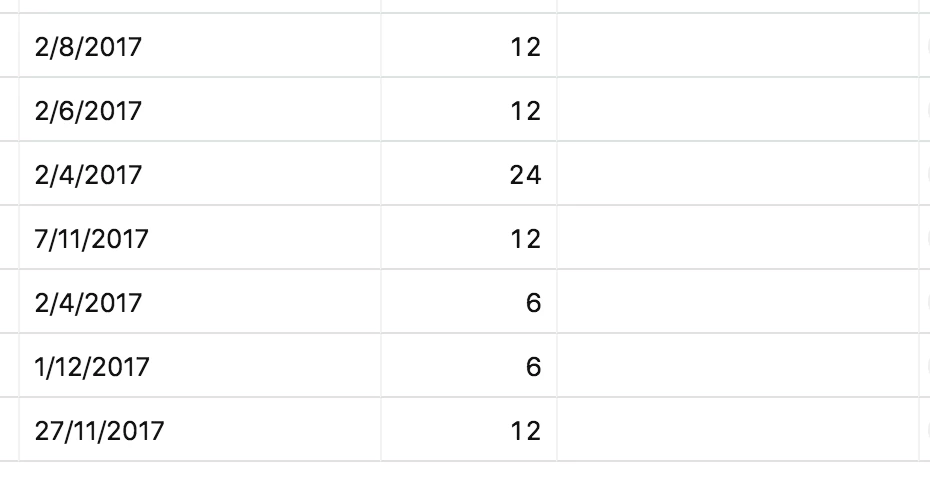
In the first column “Dates Opened” I have dates in the format DD/MM/YYYY and they will always be a date in the past or today. Th field type for this column is Dates.
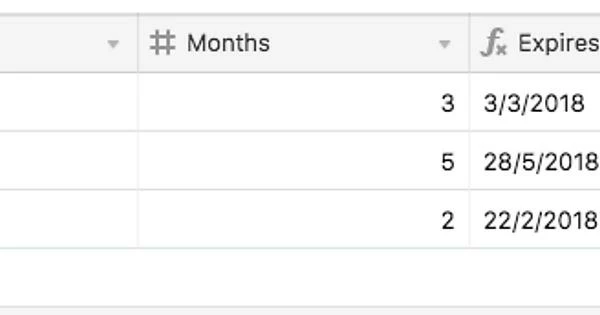
In the second column “Months” I have integer numbers. These numbers represent months. So the value 6 will be 6 months, etc. The field type for this column is Number
Now the third column “Expires” is where I would like to place the formula. I would like to get the date from the first column, and add x amount of months to it to create a new date in the format DD/MM/YYYY. So if the value of the second column is 6, I would like the third column to have a value where 6 months was added.
I hope that makes and would appreciate any help! I’ve attached a screenshot with example values.
I can see from here that it can be done with EDATE in Excel, but can’t see support for that in AirTable.
Thanks