Referencing Other Table in Primary Field

  • December 30, 2017
  • 7 replies
  • 126 views

Forum|alt.badge.img+19

Is it possible to reference another table in a primary field formula? I would love to be able to automatically add/remove records based on a checkbox value in a separate table.

We are using Airtable to keep track of email accounts and distribution lists for our company. A distribution list can be associated with singular email accounts as well as other distribution lists. For this reason we have two tables - “Email” and “Dist Lists”. “Email” lists all accounts including distribution lists which are distinguished with a checkbox, and a separate table, “Dist Lists” links back to “Email”. The problem is any time I create a distribution list I have to add the record to both “Email” and “Dist Lists”.

Any help would be greatly appreciated! Thank you!

7 replies

Forum|alt.badge.img+17

As you can see, you can’t do that. You can instead create a Linked Record field, and then select de Primary Field as a Formula, to play with the linked record.


  • New Participant
  • September 24, 2018

I know this topic is a long time ago, but what formula would I enter into the Primary Field? I’m still learning to use forumulars in Airtable so I appreciate any help.


Forum|alt.badge.img+17

I know this topic is a long time ago, but what formula would I enter into the Primary Field? I’m still learning to use forumulars in Airtable so I appreciate any help.


The Formula depends on the desired results and available Fields. Check the docs:


  • New Participant
  • September 24, 2018

The Formula depends on the desired results and available Fields. Check the docs:


Oh yes, I finally worked it out. Thanks anyway.


  • New Participant
  • January 16, 2019

Oh yes, I finally worked it out. Thanks anyway.


Looking to do the same thing. Any chance you could share your Formula for this? :slightly_smiling_face:


Kamille_Parks11
Forum|alt.badge.img+27

Looking to do the same thing. Any chance you could share your Formula for this? :slightly_smiling_face:


If you just want to display the name of the linked record, the formula would be just be the name of the linked record field wrapped in brackets. If you want to prepend or append anything to it the formula would be like 'Text to appear before'&{Name of field}&'text to appear after'


Forum|alt.badge.img+1
  • Inspiring
  • August 18, 2020

Looking to do the same thing. Any chance you could share your Formula for this? :slightly_smiling_face:


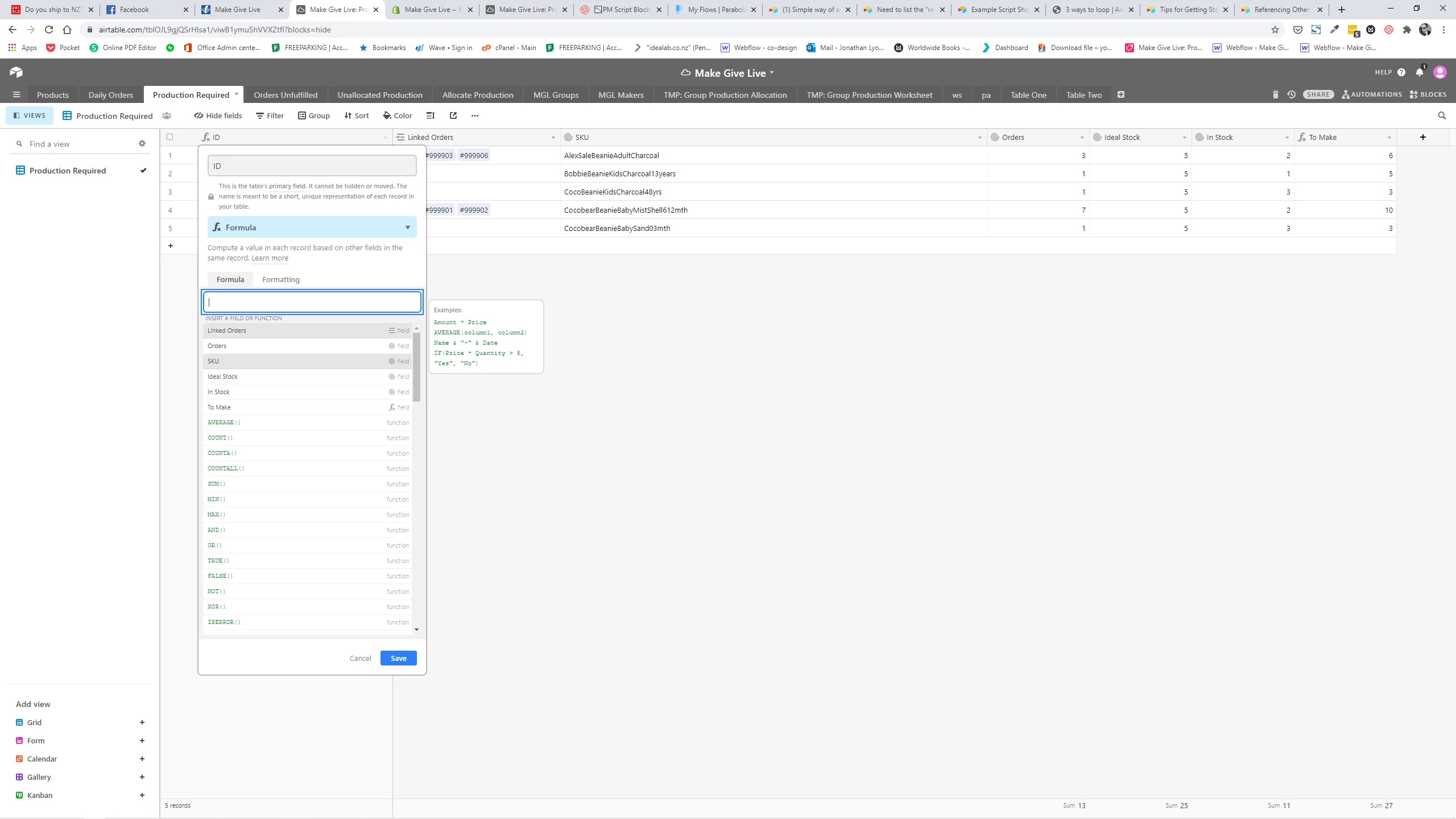
in your primary key field, change field type to formula, then click the name of the field you wish to use as your primary field. In my case below, I’ve used my SKU field which is a rollup field…

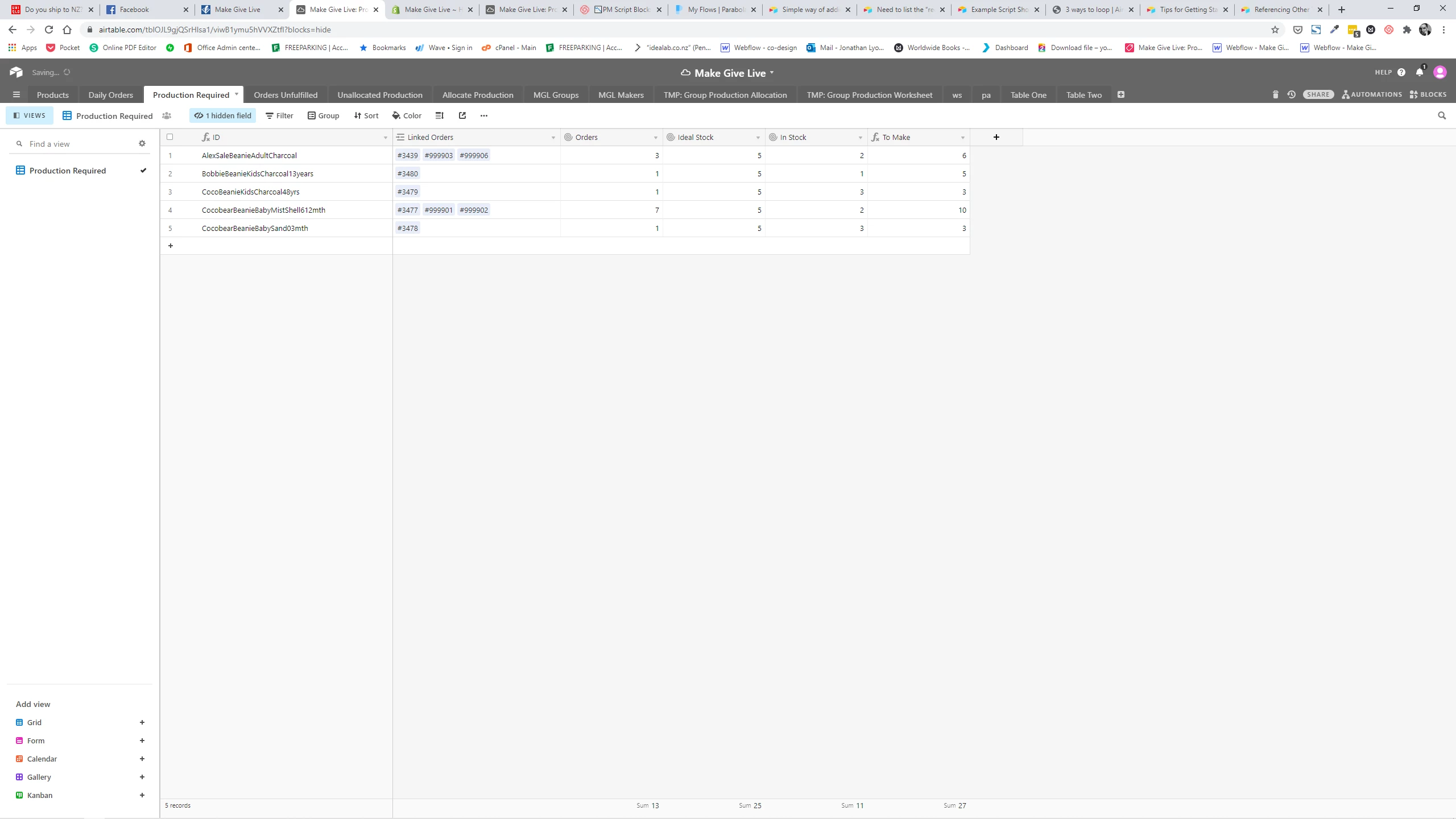
I then hide the field I’ve referenced (SKU)…