I'm new to automations on Airtable and am facing an unusual error:
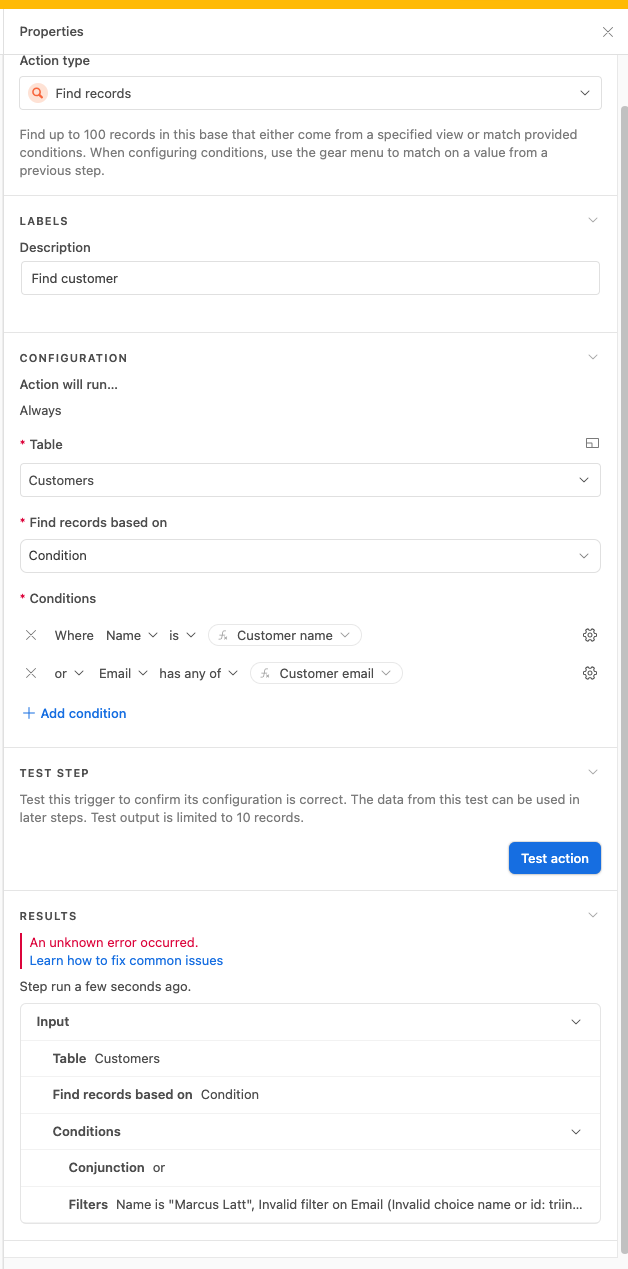
"Name is "foo", Invalid filter on Email (Invalid choice name or id: foo@bar.baz)"
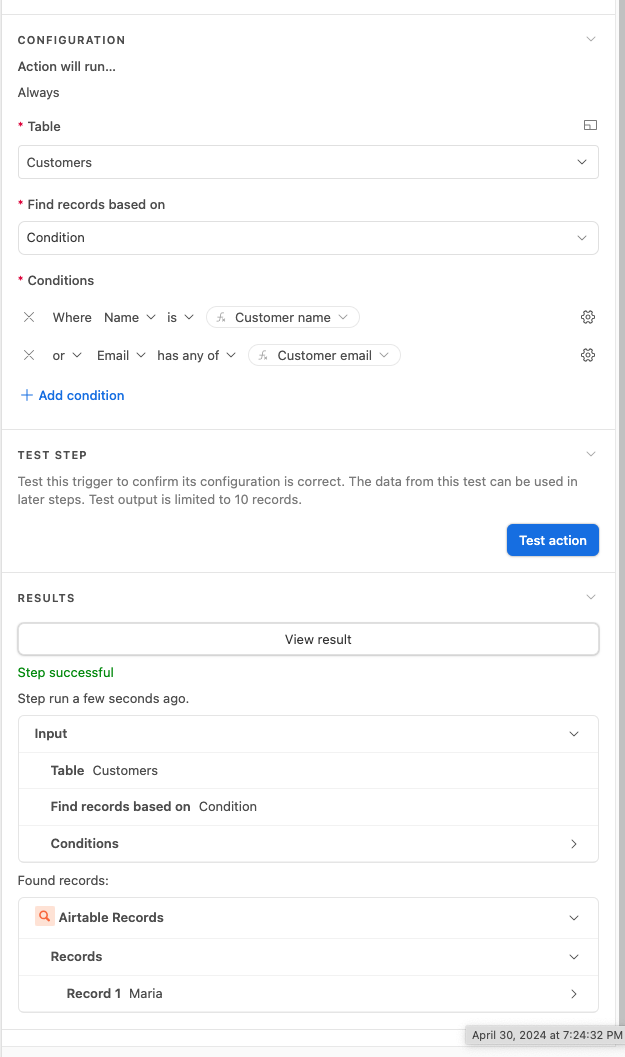
My "Find records" step has two conditions (OR), attempting to match on "Name" or "Email".
Here you can see a successful test, when a match is found:
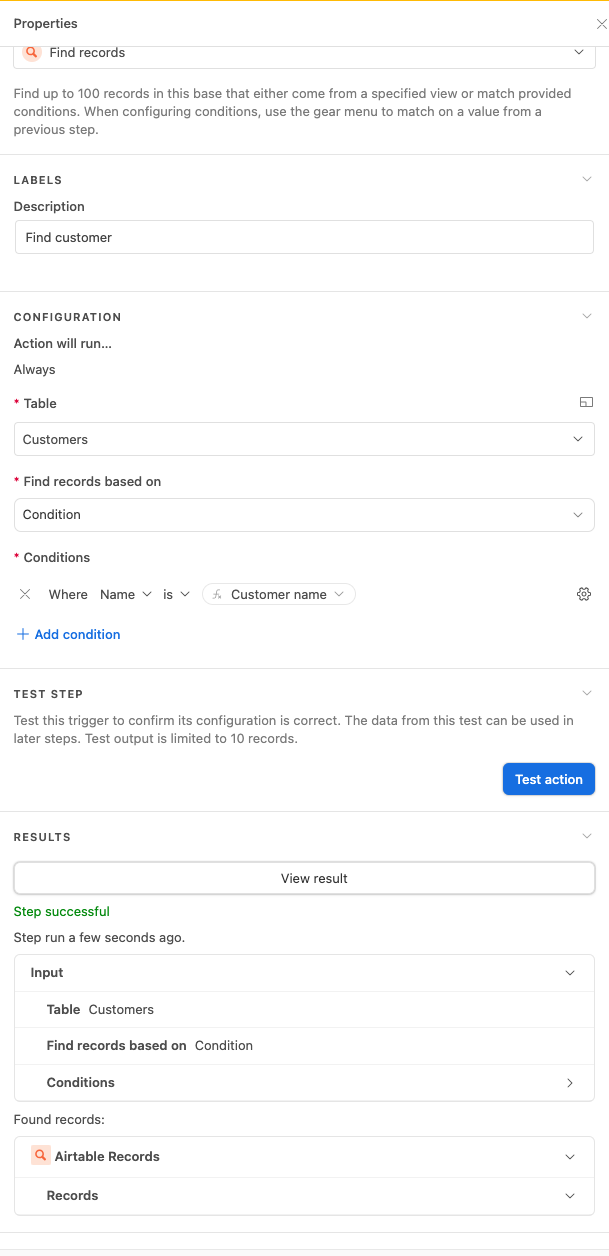
It is also successful when no match is found, BUT when only "name" is used, and not both name and email, finding 0 results (expected behaviour).
BUT when adding the email condition bac, when there are no matches, it gives the error:
This seems like a bug to me, can you advise? Thanks!!
Best answer by TheTimeSavingCo
Of course, thank you!
I created a new base, with two tables and a very simple automation to look up the email only. It's worth mentioning that the email field in the "Find records" table is a multi-value field.
Trigger: new record in Table 2
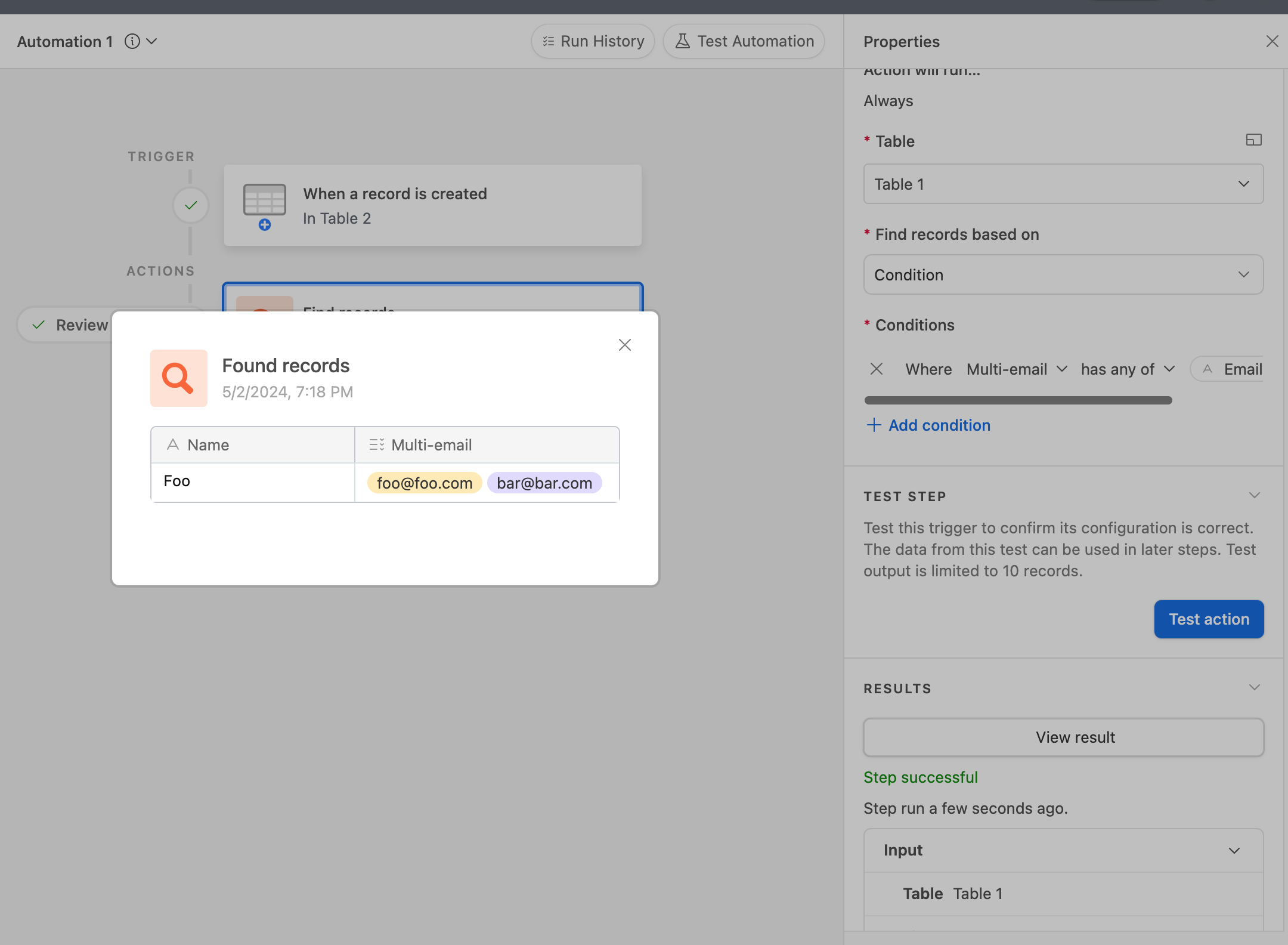
Find records: from Table 1, multi-email field (multiple select field)
When a matching record exists (correct behaviour):
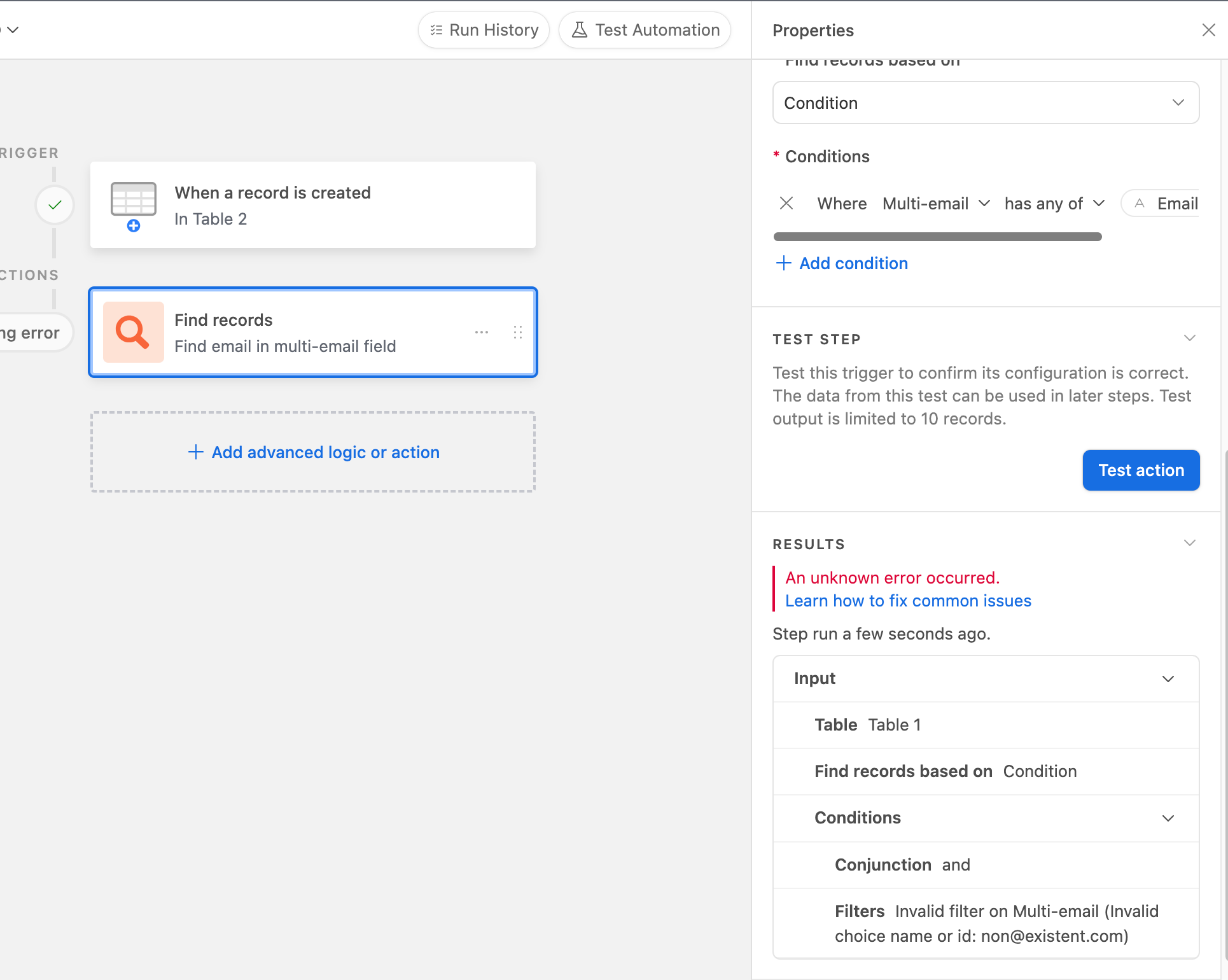
When no matches exist (error - expected "no records"):
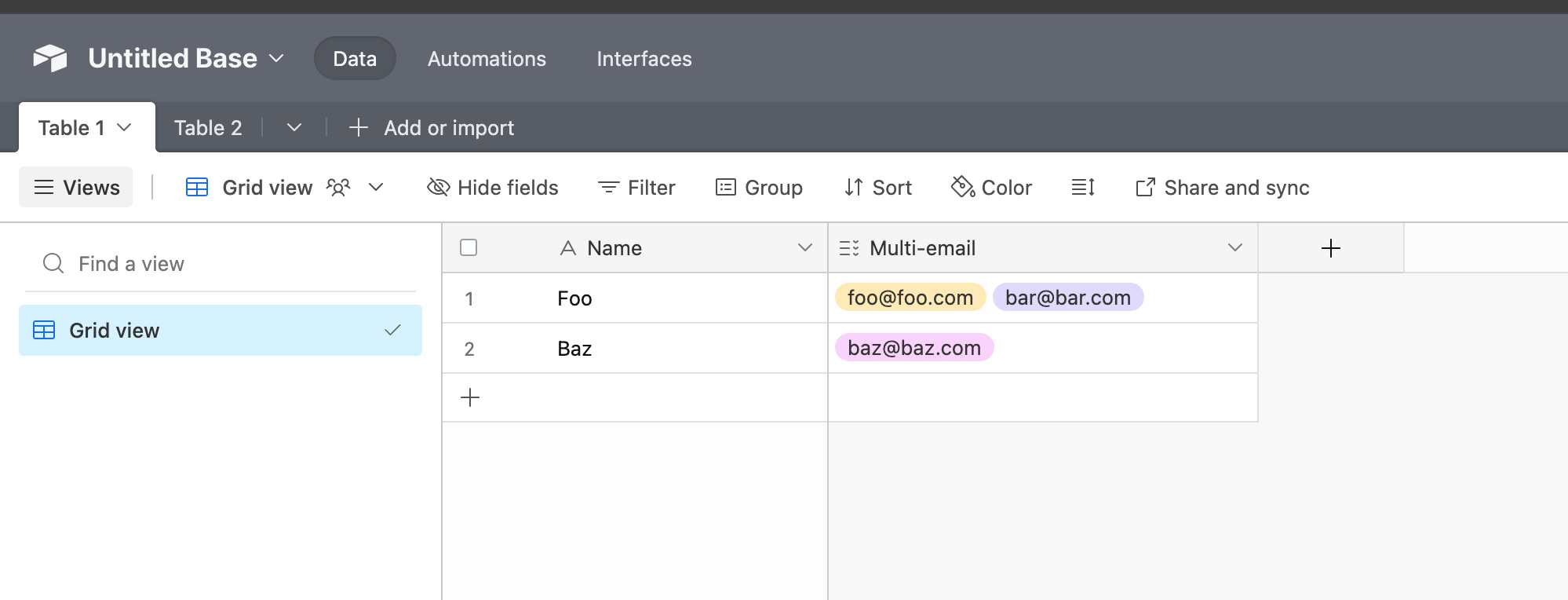
Table 1 (to look up records from):
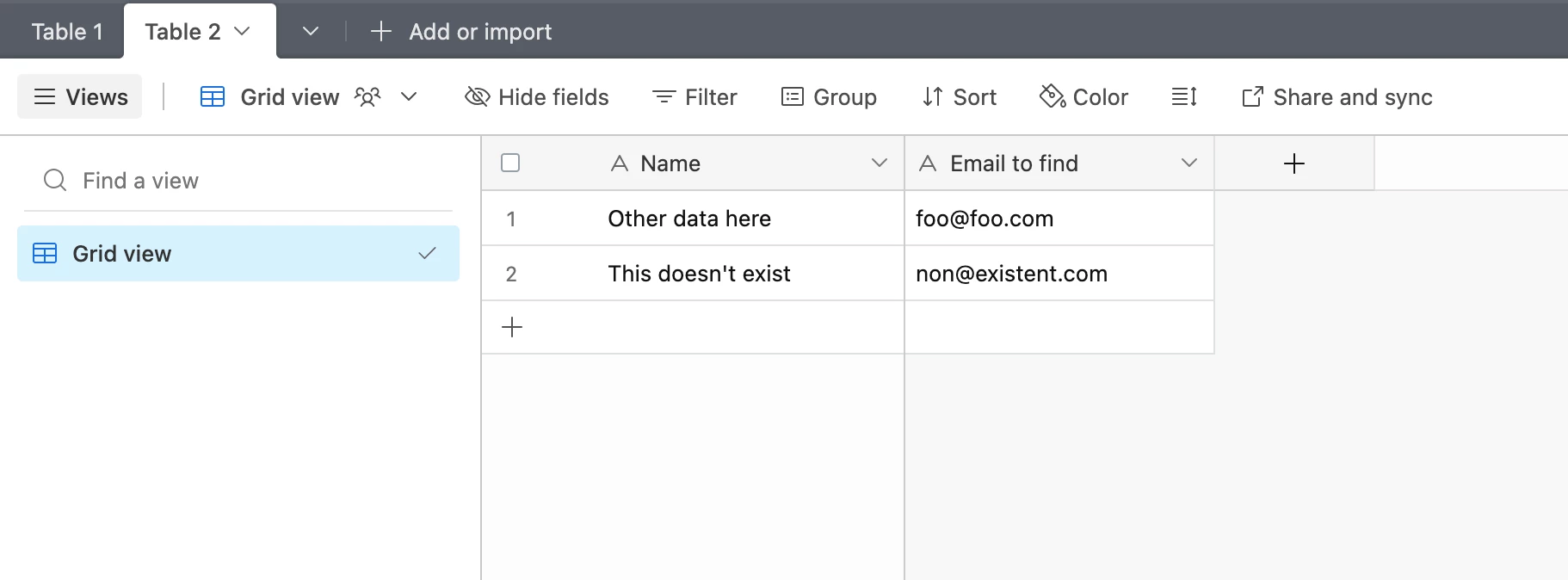
Table 2
Will send you a DM with a link to the base. Thank you!!
I got the invite, thanks! I think this is happening because when we try to do a "has any of" condition in a multiselect it expects us to pass it a select option instead of text
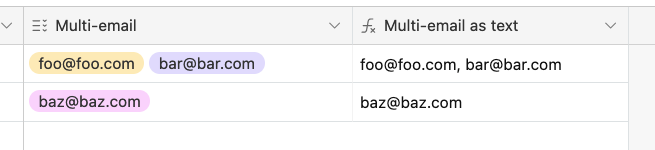
As a workaround, I created a formula field to output the multiselect options as text and used that in the condition and it seemed to do what you need!
Could you provide a read only invite link to the base with some example data? It's difficult to help you with this without access to the automation itself
Could you provide a read only invite link to the base with some example data? It's difficult to help you with this without access to the automation itself
Of course, thank you!
I created a new base, with two tables and a very simple automation to look up the email only. It's worth mentioning that the email field in the "Find records" table is a multi-value field.
Trigger: new record in Table 2
Find records: from Table 1, multi-email field (multiple select field)
When a matching record exists (correct behaviour):
When no matches exist (error - expected "no records"):
Table 1 (to look up records from):
Table 2
Will send you a DM with a link to the base. Thank you!!
I created a new base, with two tables and a very simple automation to look up the email only. It's worth mentioning that the email field in the "Find records" table is a multi-value field.
Trigger: new record in Table 2
Find records: from Table 1, multi-email field (multiple select field)
When a matching record exists (correct behaviour):
When no matches exist (error - expected "no records"):
Table 1 (to look up records from):
Table 2
Will send you a DM with a link to the base. Thank you!!
I got the invite, thanks! I think this is happening because when we try to do a "has any of" condition in a multiselect it expects us to pass it a select option instead of text
As a workaround, I created a formula field to output the multiselect options as text and used that in the condition and it seemed to do what you need!
I got the invite, thanks! I think this is happening because when we try to do a "has any of" condition in a multiselect it expects us to pass it a select option instead of text
As a workaround, I created a formula field to output the multiselect options as text and used that in the condition and it seemed to do what you need!