Converting numerical dates to month

  • July 8, 2018
  • 5 replies
  • 64 views

This is pretty simple problem, but I can’t figure out how to get this to work on Airtable. What I want to do is program a column with a function that converts information from a date column to another column in Month word form. Using Month () I can get it to work in Numerical form (i.e ‘12/14/89’ becomes ‘12’) But I can’t find a way to make it say ‘December’.


5 replies

  • Known Participant
  • July 9, 2018

Use DATETIME_FORMAT(Your_Date, ‘MMMM’)

See Supported format specifiers for DATETIME_FORMAT.


Forum|alt.badge.img+5
  • Inspiring
  • July 9, 2018

You’re looking for DATETIME_FORMAT() with the appropriate format specifier. For instance

DATETIME_FORMAT({Date},'MMMM')

will get you the month name.

Take a look at the specifier list; you can get it to do all sorts of things…


  • Author
  • New Participant
  • July 9, 2018

Use DATETIME_FORMAT(Your_Date, ‘MMMM’)

See Supported format specifiers for DATETIME_FORMAT.


Yes! Thanks so much!


  • New Participant
  • May 14, 2019

I am trying to pull a value from a field of a record if the date field is the current month. Does anyone know of a formula that does this


JonathanBowen
Forum|alt.badge.img+18

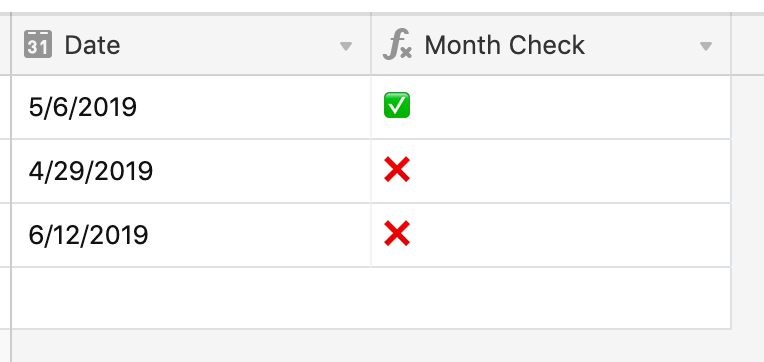
@Joshua_Owen - I’m guessing you want to check that the date field matches the current month and year, not just the month. If so, you could use the formula:

IF(DATETIME_FORMAT(Date, 'MM/YYYY') = DATETIME_FORMAT(NOW(), 'MM/YYYY'), '✅', '❌')

(but you can easily mod this if you do just want to check that the month is the current month - just remove the YYYY from both sides)

JB