
"Find()" function not finding a string within cell

  • January 6, 2020
  • 3 replies
  • 35 views

Forum|alt.badge.img+12

Hello,
So I’m attempting to find the string “Active” as so:
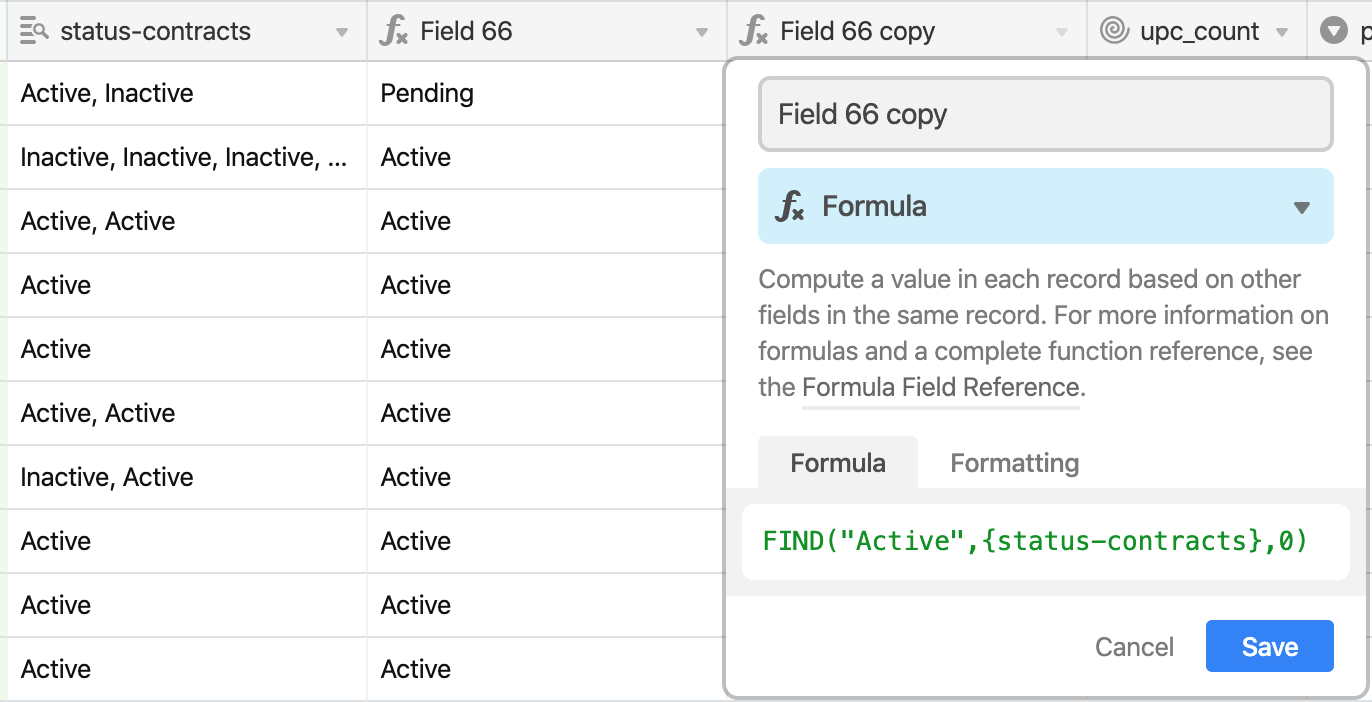
Yet it’s not picking up the string for a number of records (ex. should be 1 for the first record):
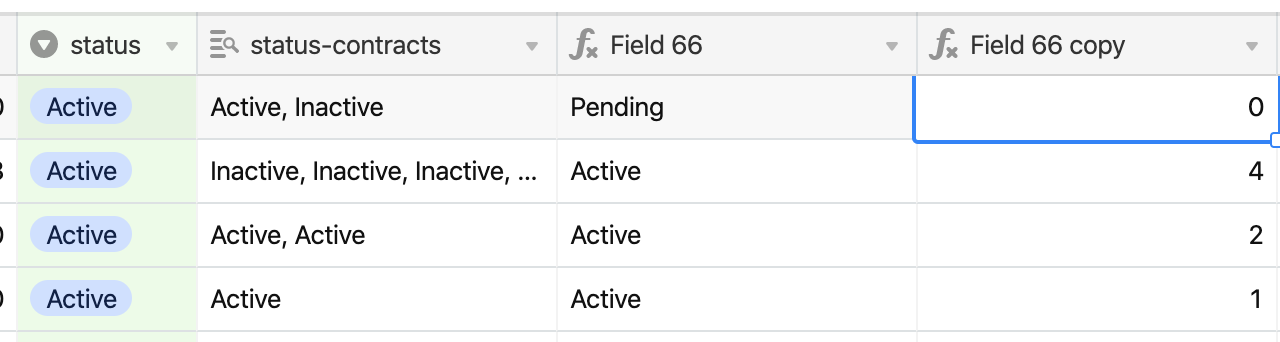
Why is this happening? Thanks!


3 replies

Forum|alt.badge.img+12

PS I’ve also not used the optional parameter of where to start, still have the same issue.


Justin_Barrett
Forum|alt.badge.img+21

This is happening because of the format of the data in the field you’re searching. You’re using a lookup field, which returns an array. The FIND() function is looking for a string, and (sadly) doesn’t automatically convert an array into a string. You need to force the conversion by concatenating the target field with an empty string, like this:

FIND("Active", {status-contracts} & "")

Forum|alt.badge.img+12

This is happening because of the format of the data in the field you’re searching. You’re using a lookup field, which returns an array. The FIND() function is looking for a string, and (sadly) doesn’t automatically convert an array into a string. You need to force the conversion by concatenating the target field with an empty string, like this:

FIND("Active", {status-contracts} & "")

Amazing! Makes so much more sense now. Thank you!
