
Solved

Formula and Calculation Help

  • October 31, 2023
  • 2 replies
  • 46 views

MilhoanDesign
Forum|alt.badge.img+10

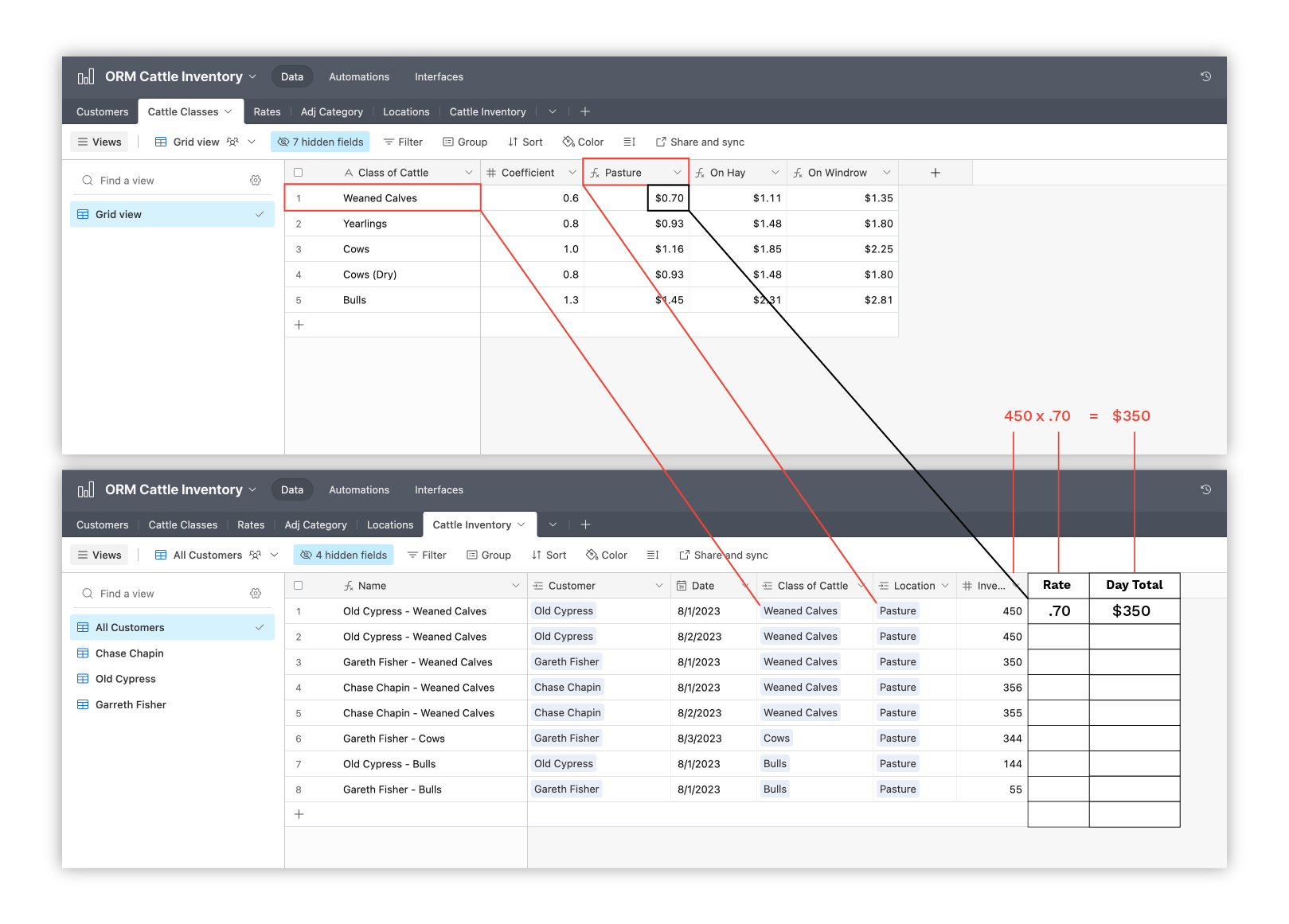
I am trying to solve the problem that I have illustrated in the image below. I am trying to create/calculate (see image) {Rate} and {Day Total}. In the below example, the first record for "Old Cypress - Weaned Calves," if the "Weaned Calves" == "Pasture" then pull in the value .70, and then multiply that value with the "Inventory" of 450. This will result in a "Day Rate" of $350. Any help will be appreciated! Thank you! 
Best answer by Arthur_Tutt

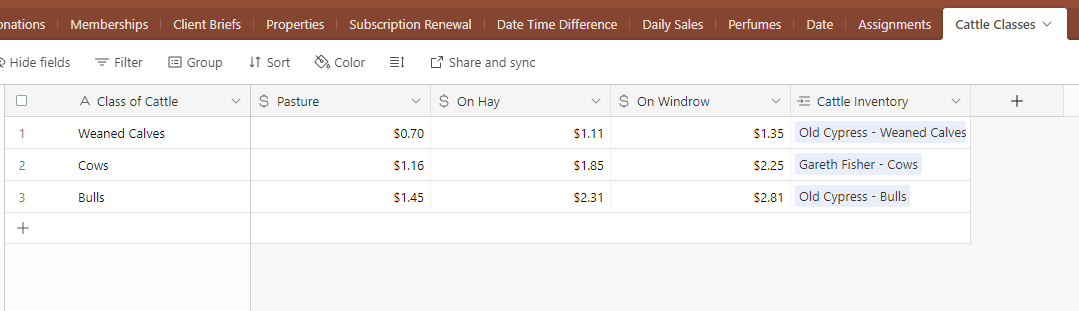
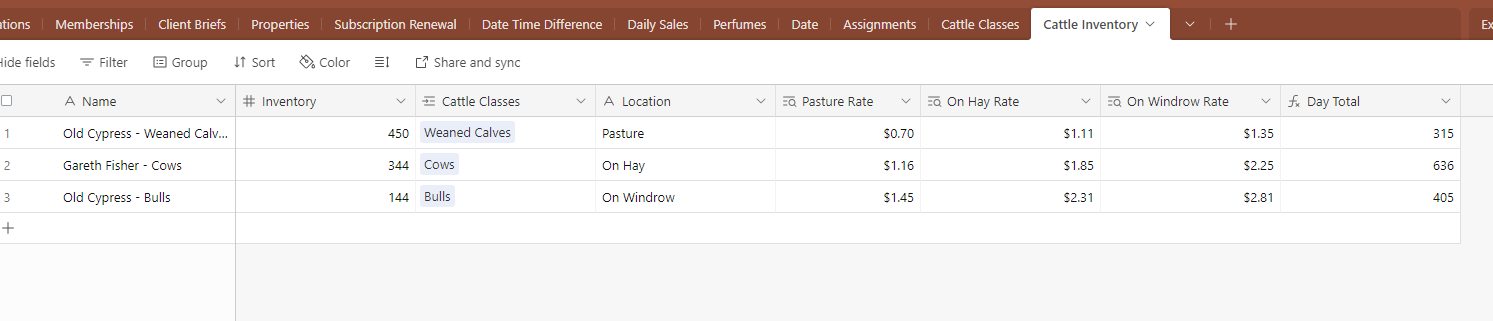
@MilhoanDesign Put together a formula you can use to calculate the day rate. Also recorded a quick Loom Video to take you though step by step how I set it up. 

Table Structure:

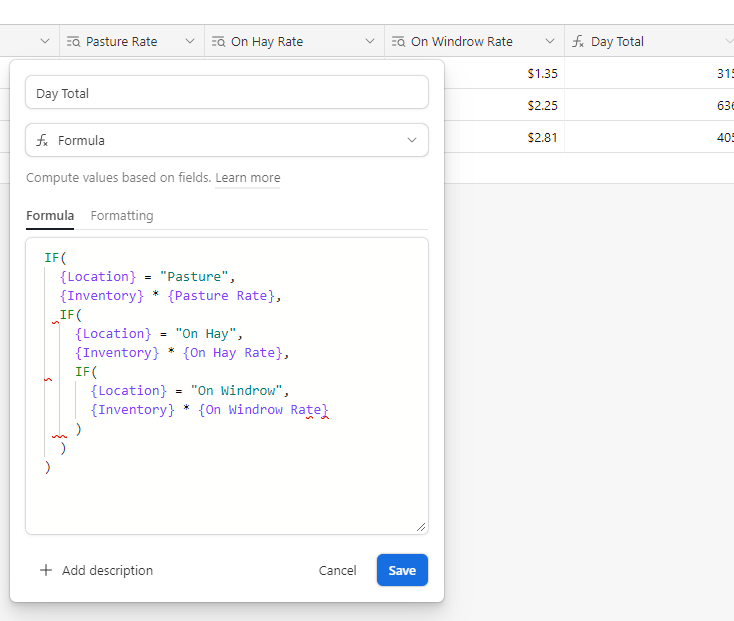
 Day Rate Formula:

IF( {Location} = "Pasture", {Inventory} * {Pasture Rate}, IF( {Location} = "On Hay", {Inventory} * {On Hay Rate}, IF( {Location} = "On Windrow", {Inventory} * {On Windrow Rate} ) ) )


2 replies

Arthur_Tutt
Forum|alt.badge.img+19
  • Brainy
  • Answer
  • October 31, 2023

@MilhoanDesign Put together a formula you can use to calculate the day rate. Also recorded a quick Loom Video to take you though step by step how I set it up. 

Table Structure:

 Day Rate Formula:

IF( {Location} = "Pasture", {Inventory} * {Pasture Rate}, IF( {Location} = "On Hay", {Inventory} * {On Hay Rate}, IF( {Location} = "On Windrow", {Inventory} * {On Windrow Rate} ) ) )


MilhoanDesign
Forum|alt.badge.img+10
  • Author
  • Inspiring
  • October 31, 2023

@MilhoanDesign Put together a formula you can use to calculate the day rate. Also recorded a quick Loom Video to take you though step by step how I set it up. 

Table Structure:

 Day Rate Formula:

IF( {Location} = "Pasture", {Inventory} * {Pasture Rate}, IF( {Location} = "On Hay", {Inventory} * {On Hay Rate}, IF( {Location} = "On Windrow", {Inventory} * {On Windrow Rate} ) ) )


Arthur,

Thank you so very much for helping me out with this; I knew it had to be much simpler than what I was trying to do and this works perfectly! 

Thank you again! 

Walker