How do I Concatenate with fields from another table?

  • March 27, 2019
  • 2 replies
  • 46 views

Forum|alt.badge.img

Here’s the idea:

I want to automatically fill a record’s Primary Field in TableA with a title that is a combination of the “Guest Name” from the same table AND the “Show Code” from TableB, a different table in the same base. However, the “Show Code” from TableB should be automatically determined by the “Show Name” also in TableB that is referenced in TableA’s linked field.

I feel like there most be an If, and, then something or other in there.

EXAMPLE FIELDS:

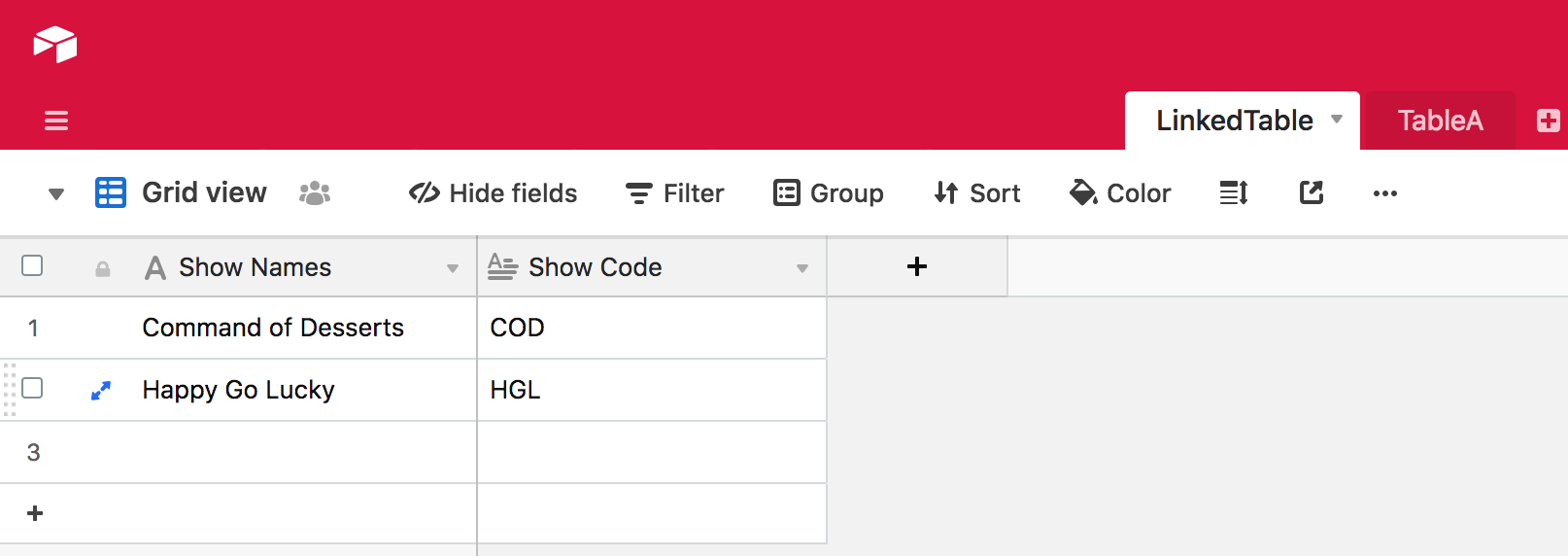
TableB Fields
SHOW NAME - “Command of Desserts”
SHOW CODE - “COD”

TableA Fields:
PRIMARY FIELD - “COD: Harry Morgan”
SHOW NAME - Linked to TableB’s Show Name

Please help me clarify my convoluted question and thanks for ignoring my ignorance . :grinning_face_with_sweat:

Best,
Chris

2 replies

JonathanBowen
Forum|alt.badge.img+18

Hi @Chris_Dukes - try this:

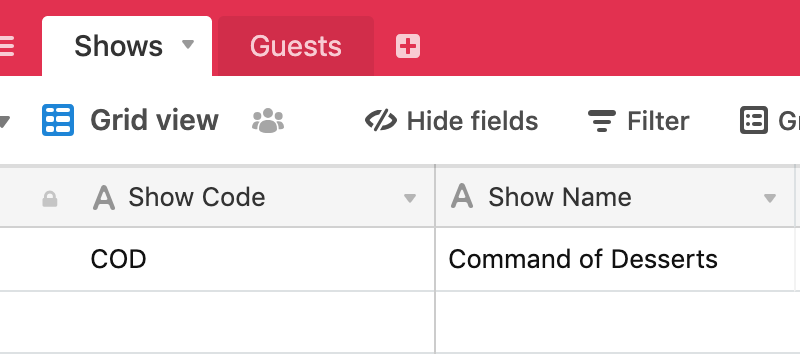
Your table B is as you describe:

Your table A is:

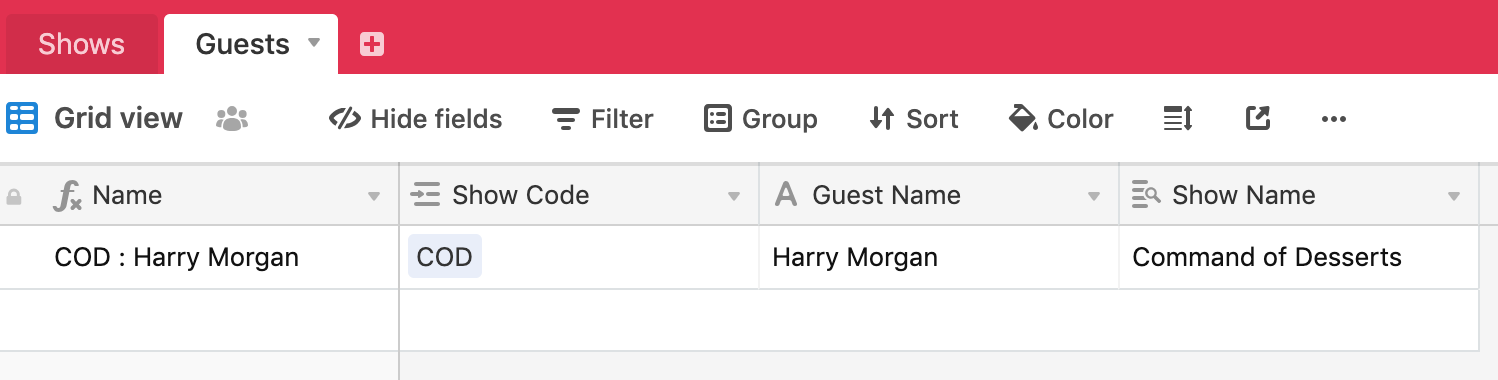
The name field is a formula, concatenating the Show Code and the Guest Name:

CONCATENATE({Show Code}, " : ", {Guest Name})

The Show Code field is a link to table B
The Guest Name is just entered text
The Show Name field is a lookup on Show Code to table B

So, you have to enter the guest name and pick the show code from the link, but the Show Name and the key field are automated.

Hope this helps!

JB


Forum|alt.badge.img
  • Author
  • Known Participant
  • March 29, 2019

Hi @Chris_Dukes - try this:

Your table B is as you describe:

Your table A is:

The name field is a formula, concatenating the Show Code and the Guest Name:

CONCATENATE({Show Code}, " : ", {Guest Name})

The Show Code field is a link to table B
The Guest Name is just entered text
The Show Name field is a lookup on Show Code to table B

So, you have to enter the guest name and pick the show code from the link, but the Show Name and the key field are automated.

Hope this helps!

JB