

Solved

Multiple IF formulas in one field

  • November 11, 2021
  • 2 replies
  • 83 views

Tiaan_Terblanch
Forum|alt.badge.img+8

Hi

Currently, I have 3-columns
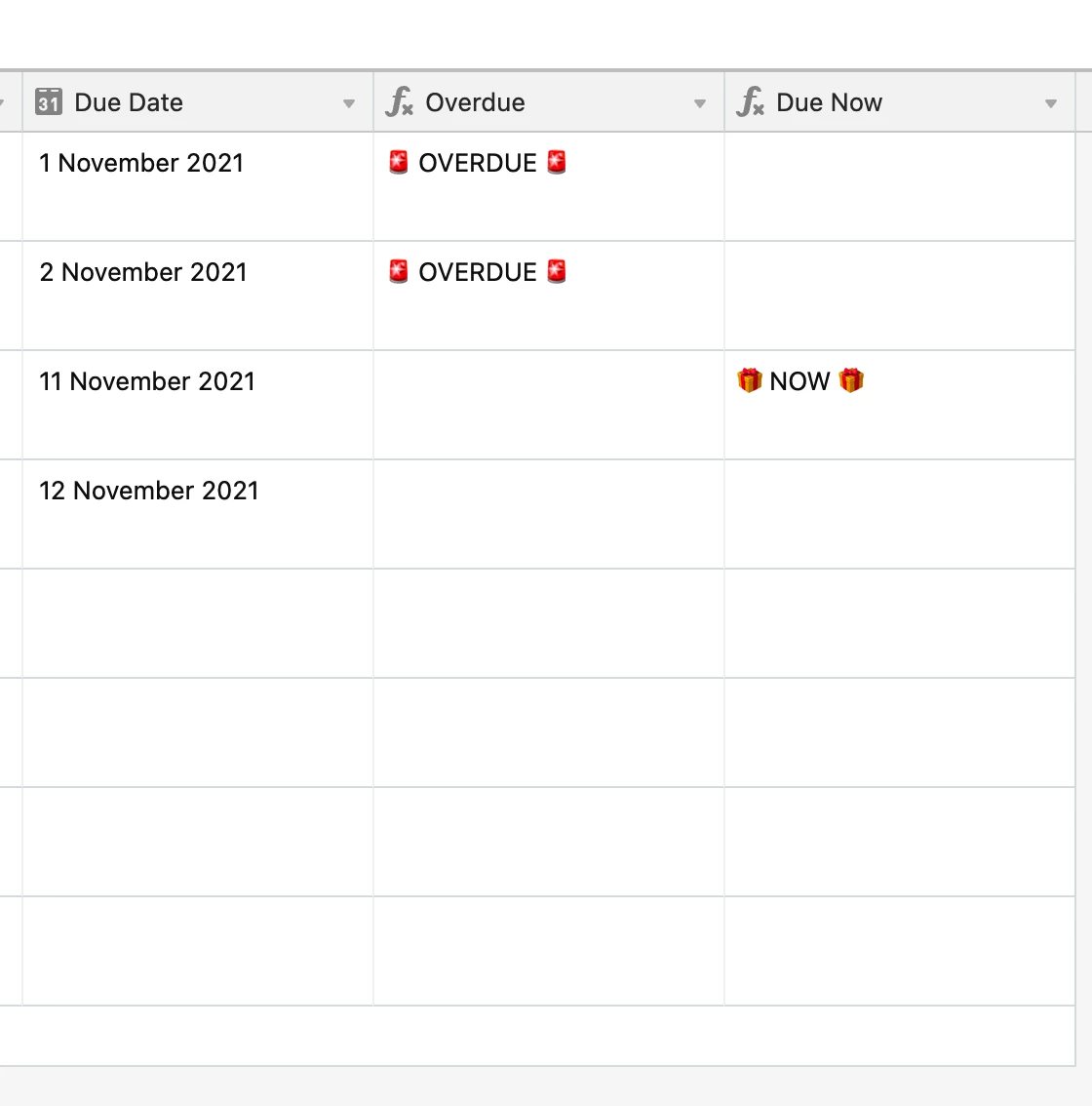
  • Due date (date field)
  • Overdue (formula)
    IF(IS_BEFORE({Due Date},TODAY()),“ :rotating_light: OVERDUE :rotating_light: ”,"")
  • Due Now (formula)
    IF(IS_SAME({Due Date},TODAY()),“ :gift: NOW :gift: ”,"")

I would love to see both results/formulas in the OVERDUE column. Then it is not necessary for both columns. That said, I am not finding the right way of merging these two formulas in one field/column.

Any help will be much appreciated.

Thank you

Best answer by Kamille_Parks11

IF() statements have three clauses: condition, value if true, value if false.

Your first formula’s value if false is "". Replace it with the entirety of your second formula.

View original
This topic has been closed for replies.

2 replies

Kamille_Parks11
Forum|alt.badge.img+27

IF() statements have three clauses: condition, value if true, value if false.

Your first formula’s value if false is "". Replace it with the entirety of your second formula.


Tiaan_Terblanch
Forum|alt.badge.img+8

IF() statements have three clauses: condition, value if true, value if false.

Your first formula’s value if false is "". Replace it with the entirety of your second formula.


Thank you so much; it worked.