Solved

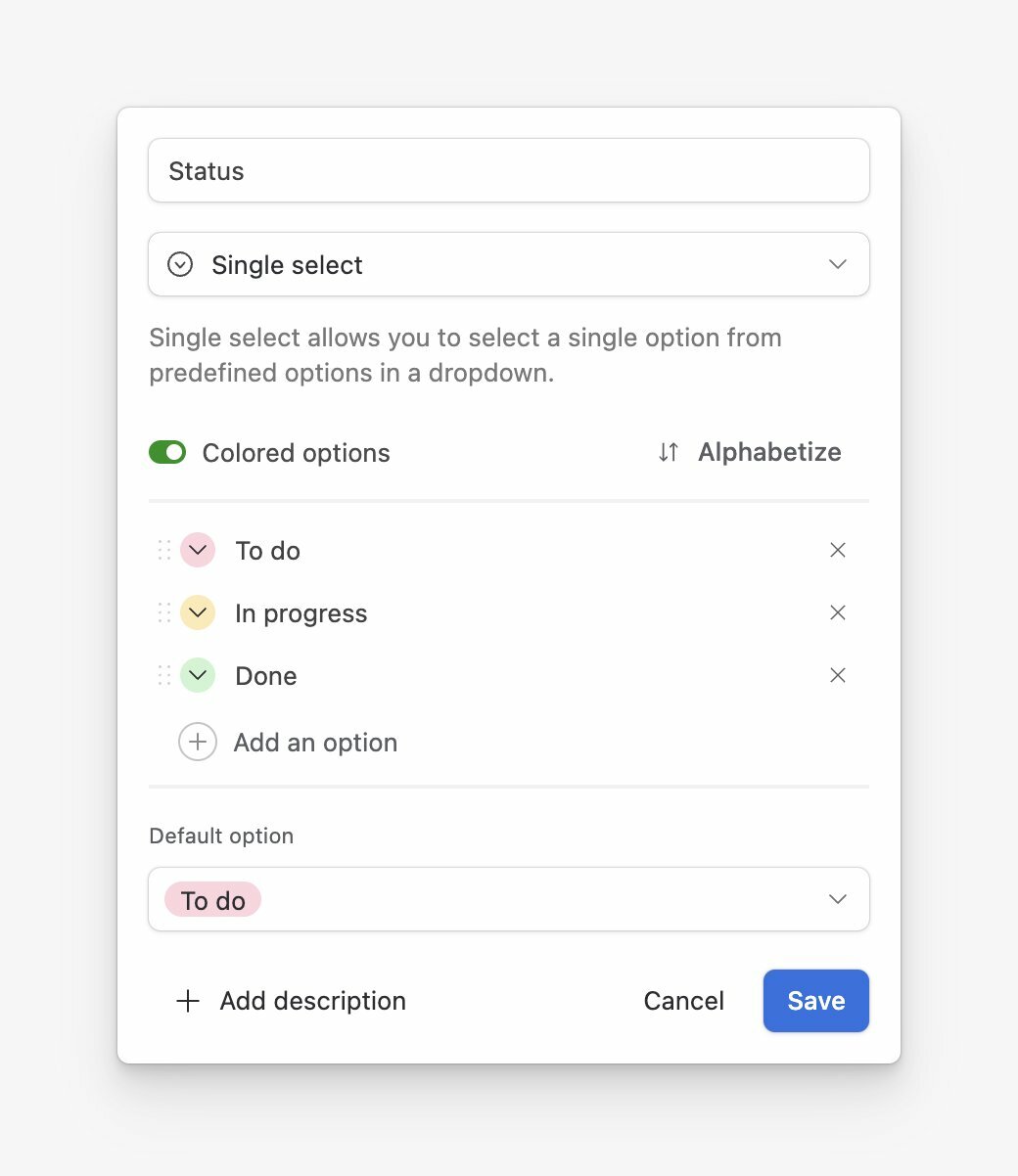
Default value for single select column?

  • October 12, 2018
  • 62 replies
  • 534 views

Show first post
This topic has been closed for replies.

62 replies

The newest workaround for setting a default value is to use an automation.


How have you been successful with this using automations? The trigger seems to give me the option that if “x” cell is blank, but the action seems to lead me nowhere. Do you know of a way for the action to autofill an option that I choose?


ScottWorld
Forum|alt.badge.img+35
  • Genius
  • October 5, 2020

How have you been successful with this using automations? The trigger seems to give me the option that if “x” cell is blank, but the action seems to lead me nowhere. Do you know of a way for the action to autofill an option that I choose?


@Justin_Petersen I would use the trigger for “when a record is created”.


@ScottWorld The trigger seems to work just fine (whether I am creating from a new record or triggering when the record matches conditions), it’s the action that I am just not getting. The action I am attempting to use is update record.


ScottWorld
Forum|alt.badge.img+35
  • Genius
  • October 6, 2020

@ScottWorld The trigger seems to work just fine (whether I am creating from a new record or triggering when the record matches conditions), it’s the action that I am just not getting. The action I am attempting to use is update record.


@Justin_Petersen You haven’t provided enough information. Do you have screenshots or a video?


  • New Participant
  • December 7, 2020

Just discovered Airtable. Really neat tool. Strongly considering to become a paying customer and take our team of 7.
Field defaults feature is the very first thing I had to google for after I started transferring an existing app from google sheets/scripts. It should really be available, Airtable.


ScottWorld
Forum|alt.badge.img+35
  • Genius
  • December 7, 2020

Just discovered Airtable. Really neat tool. Strongly considering to become a paying customer and take our team of 7.
Field defaults feature is the very first thing I had to google for after I started transferring an existing app from google sheets/scripts. It should really be available, Airtable.


Oddly, some field types give you the ability to specify a default field value, but not others. For the others, you can now do it with Airtable Automations. Not the ideal workaround, but it definitely works.


  • New Participant
  • February 5, 2021

Just discovered Airtable. Really neat tool. Strongly considering to become a paying customer and take our team of 7.
Field defaults feature is the very first thing I had to google for after I started transferring an existing app from google sheets/scripts. It should really be available, Airtable.


I became a paying customer anyway :slightly_smiling_face:
Albeit I can live without defaults for select columns, it will be a nice addition once it’s gonna happen.


Forum|alt.badge.img+10
  • Known Participant
  • March 4, 2021

Just adding my voice to this. Workarounds like Kuovonne’s are possible but this basic feature should be available. C’mon Airtable, it couldn’t possibly be this hard.


  • New Participant
  • April 21, 2021

I was able to work around this in three ways. Sorry if i don’t type my explanation out well:

  1. In form view, limit the number of “available” options to select and just pick the one you want to default to. Select ‘drop down’ and boom, its the only option by default in that form.
  2. Automation - Trigger - On New Record. Action - Write " Default " for field xx
  3. When grouping by a field, any new record in that grouping will default to the values of the fields grouped there by.

JM1234
  • April 21, 2021

+1 on this as a feature


This would be a really nice addition! Have to go around with an automation for now


Forum|alt.badge.img+13
  • Known Participant
  • July 7, 2021

About time please Airtable!


+1 on adding this feature.


  • New Participant
  • August 3, 2021

+1 for this simple yet powerful feature


  • New Participant
  • September 12, 2021

+1 seems like a quick fix but its years later now maybe I’m missing something?


  • New Participant
  • November 22, 2021

+1 on adding this feature


  • New Participant
  • November 22, 2021

This is really the very first thing I googled after creating a few test records. Come on…


Hannah_Wiginton
Forum|alt.badge.img+19

This is really the very first thing I googled after creating a few test records. Come on…


To create default values, you can use On2Air.

We have the default value option in both our On2Air Actions and On2Air Amplify apps.


With the Amplify app, you add the default values for your fields. Then every time you create a new record in Amplify, the default is automatically added.

Amplify is a record dashboard app that lets you customize how you view records, linked records, linked tables, and more. You can also edit and view any Google Doc, Sheet, or Slide directly inside Airtable.


The Actions app adds the default value as an automation.

With Actions, you also get an additional 60+ features that integrate with Airtable.

Features like creating Google Docs automatically with Airtable data, bulk create, edit, or delete multiple records, set default field values, copy fields, perform financial calculations, sync Google Sheets, and more.


  • New Participant
  • December 3, 2021

+1 for this feature request


  • New Participant
  • January 11, 2022

+1 for having a default value for single select.
Sure you can use automations - which we’re doing - or a formula field - which is an unnecessary extra field which makes things unnecessarily complicated. Or whatever grouping option.

None of them is really a good option though.


  • New Participant
  • January 17, 2022

Please do add this feature! I have multiple situations where this would solve my problem. I have setup an automation which gets me by. A default, however, is so much simpler


  • New Participant
  • January 25, 2022

UPVOTE! I agree with those above. I have a form that feeds one table. The table was originally two spreadsheets/projects that have been merged and are distinguished by the Origin field.
The form is specifically for ONE origin/project, not the other. I want the default drop down in the form to automatically tag the correct origin, rather than having the user choose. Even if told which one to choose they could get it wrong, user error and all. :winking_face:


  • New Participant
  • March 15, 2022

I immediately searched for how to do this upon switching to Airtable. 5 years waiting for this?


Forum|alt.badge.img+6
  • Participating Frequently
  • May 4, 2022

I immediately searched for how to do this upon switching to Airtable. 5 years waiting for this?


2022, Airtable please, we need this! Doesn’t seem so complex though


+1. This is needed, people.