Formula - for Insurance Start Date

  • July 10, 2018
  • 5 replies
  • 49 views

I need a formula to calculate a benefit start date. Our insurance benefits begin 60 days after the first of the month.
So if an employee start date is 8/13/2018 the Insurance Benefit date is 11/1/2018.
Has anyone done this? I have tried multiple combinations, but can not figure it out. Thanks!

This topic has been closed for replies.

5 replies

Forum|alt.badge.img+17

I would do:

  1. Get the start month
  2. Go to the first day
  3. Add 3 months

My formula:

DATEADD(
	DATETIME_FORMAT(
		'1-' & MONTH(
			{Start Date}
		) & '-' & YEAR(
			{Start Date}
		),
		'D-M-YYYY'),
	3,
	'month'
)


  • Author
  • New Participant
  • July 10, 2018

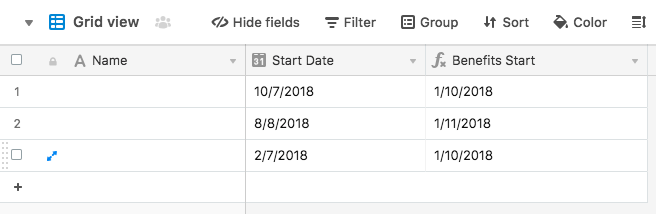
Thank you for getting me closer. The benefit start date needs to be the first of the month after 60 days. So if an employee start date is 8/13/2018 the Insurance Benefit date is 11/1/2018


  • Participating Frequently
  • July 10, 2018

Thank you for getting me closer. The benefit start date needs to be the first of the month after 60 days. So if an employee start date is 8/13/2018 the Insurance Benefit date is 11/1/2018


Hi Liz, that’s what Elias’ formula does, but it’s in D/MM/YYYY format. In your sheet this formula will use the date format you’ve chosen.
:slightly_smiling_face:


Forum|alt.badge.img+17

Hi Liz, that’s what Elias’ formula does, but it’s in D/MM/YYYY format. In your sheet this formula will use the date format you’ve chosen.
:slightly_smiling_face:


Thanks. I could use english date format or days greater than 12 (that can’t be months :slightly_smiling_face: ), but I think people only goes to the result and ignore the explanation (that is the important part!).


  • Author
  • New Participant
  • July 10, 2018

Thank you for your help!