Is there some way to do look up a count field without getting a circular reference?

  • January 7, 2020
  • 3 replies
  • 44 views

Kim_Trager1
Forum|alt.badge.img+23

I have 2 tables A & B

Table A links to table B and you can choose multiple records from B.

In a i got a count filed to count how many records are linked. If there is more than 2 linked I need a look up field back in table B that changes a formular field.
However from whatever angle I approach this I get into circular references.
Is there a way around this?

Basically when there is more than 2 linked records in table A, I need a field in the linked records in back Table B to do say something.


3 replies

JonathanBowen
Forum|alt.badge.img+18

Hi @Kim_Trager1 - this should work OK. Here’s what I did:

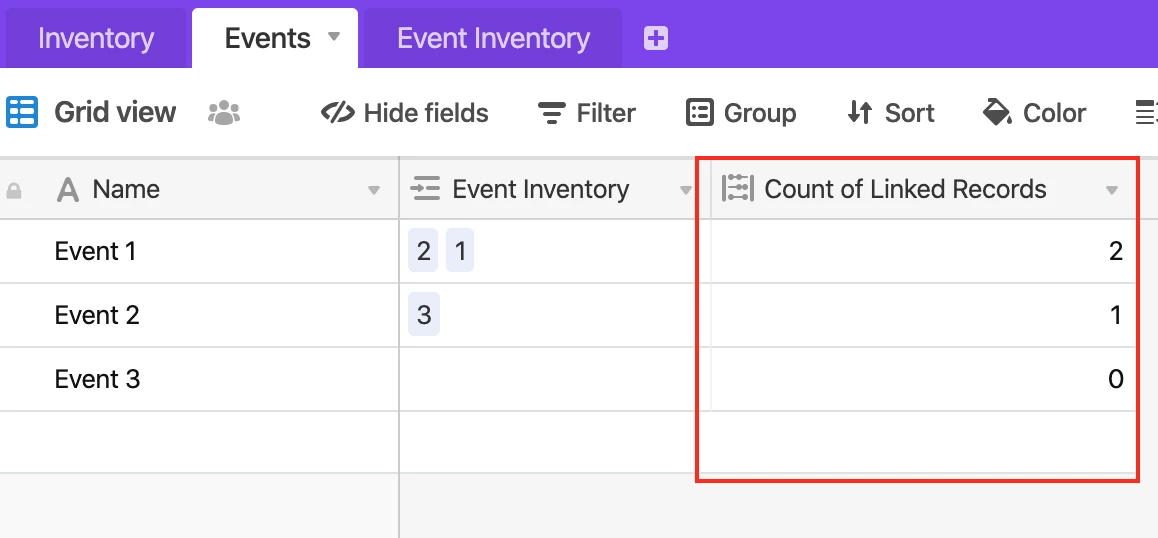
In table A create a count field which counts the number of linked records:

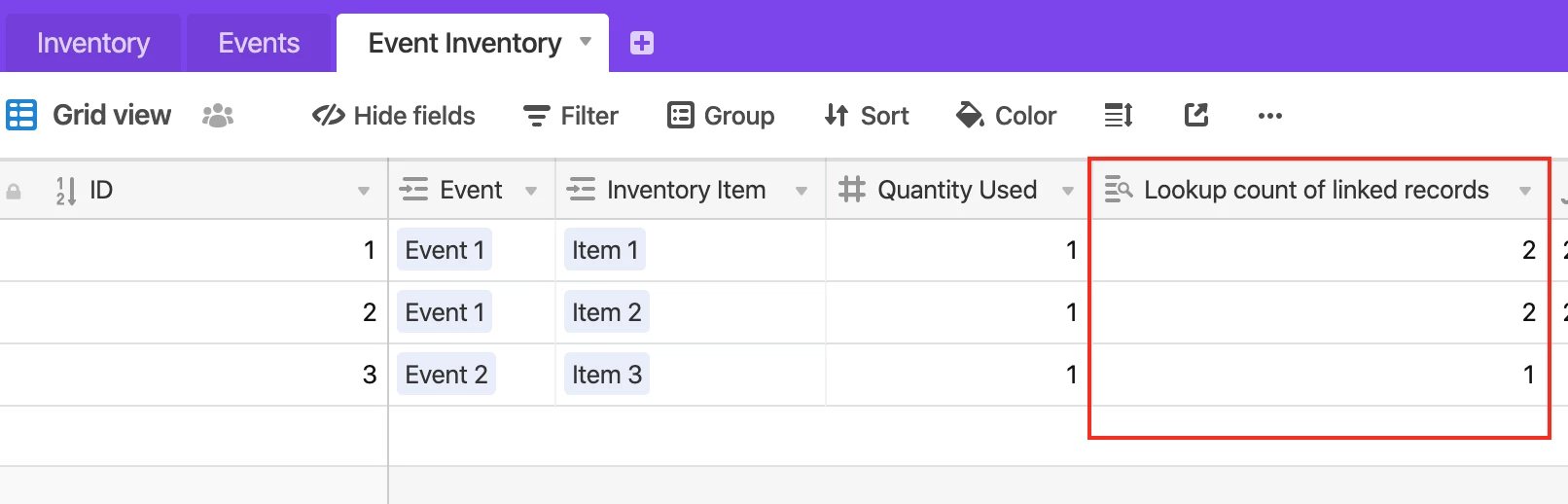
Then lookup this field back in table B (the linked table):

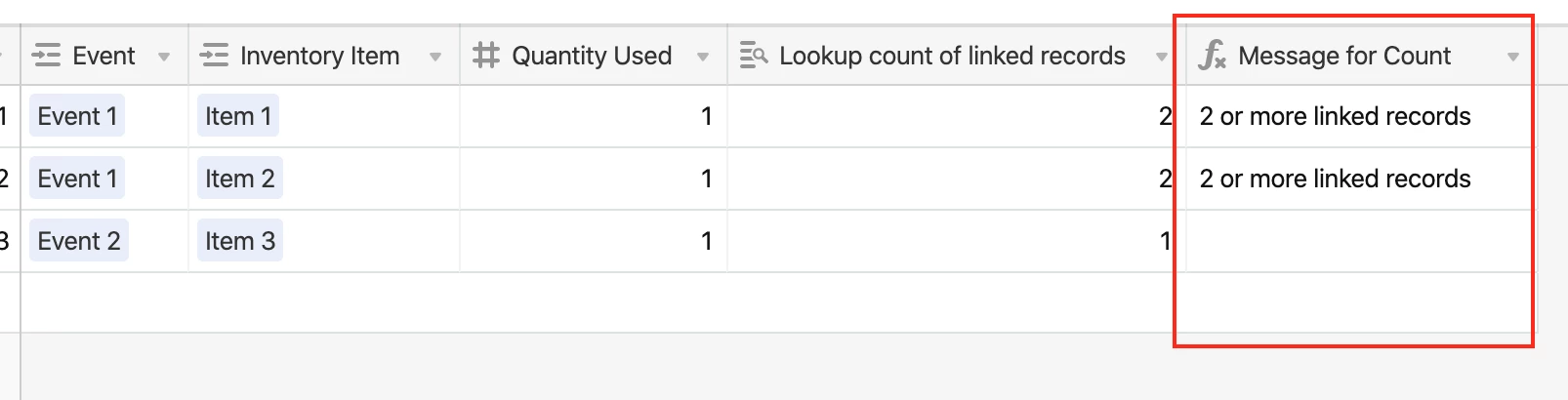
You should then be able to use this field to drive another field in table B. I added a formula field based on the lookup count field:

using:

IF({Lookup count of linked records} > 1, '2 or more linked records')

JB


Kim_Trager1
Forum|alt.badge.img+23
  • Author
  • Brainy
  • January 9, 2020

Hi @Kim_Trager1 - this should work OK. Here’s what I did:

In table A create a count field which counts the number of linked records:

Then lookup this field back in table B (the linked table):

You should then be able to use this field to drive another field in table B. I added a formula field based on the lookup count field:

using:

IF({Lookup count of linked records} > 1, '2 or more linked records')

JB


Thanks @JonathanBowen for getting back to me on this issue.

I’m embarrassed that I didn’t do this basic test before reaching out.
I thought I had narrowed down what had caused my circular ref error.

My base is a little more complicated and if I try what you just showed works I’m still getting a circular error. I’ve tried to debug, but can’t figure out exactly why the circular ref occurs.
Is there any particular reason why circular refs occur in the first place?


JonathanBowen
Forum|alt.badge.img+18

Thanks @JonathanBowen for getting back to me on this issue.

I’m embarrassed that I didn’t do this basic test before reaching out.
I thought I had narrowed down what had caused my circular ref error.

My base is a little more complicated and if I try what you just showed works I’m still getting a circular error. I’ve tried to debug, but can’t figure out exactly why the circular ref occurs.
Is there any particular reason why circular refs occur in the first place?


Hi @Kim_Trager1

You get circular references when Airtable can’t evaluate formulas because, for example, Field B depends upon Field A, but Field A also depends upon Field B. However, this sort of “paired” dependency is generally pretty easy to spot. More likely the dependancy is a bit more obscure, e.g.:

B depends on A
C depends on B
A depends on C

You can try this out to prove it to yourself with a set of simple “=” formulas.

Can you upload some screenshots of your fields or describe your tables? I’m sure it is possible to spot the conflict with a bit more detail.

JB