Solved

DATETIME_FORMAT problems

  • February 17, 2021
  • 2 replies
  • 15 views

Hi,
I’m new - sorry, ha ha!
I’m trying to put the date from my date field {Start time for Pre-Meeting} into an email automation but it outputs in the unfriendly format
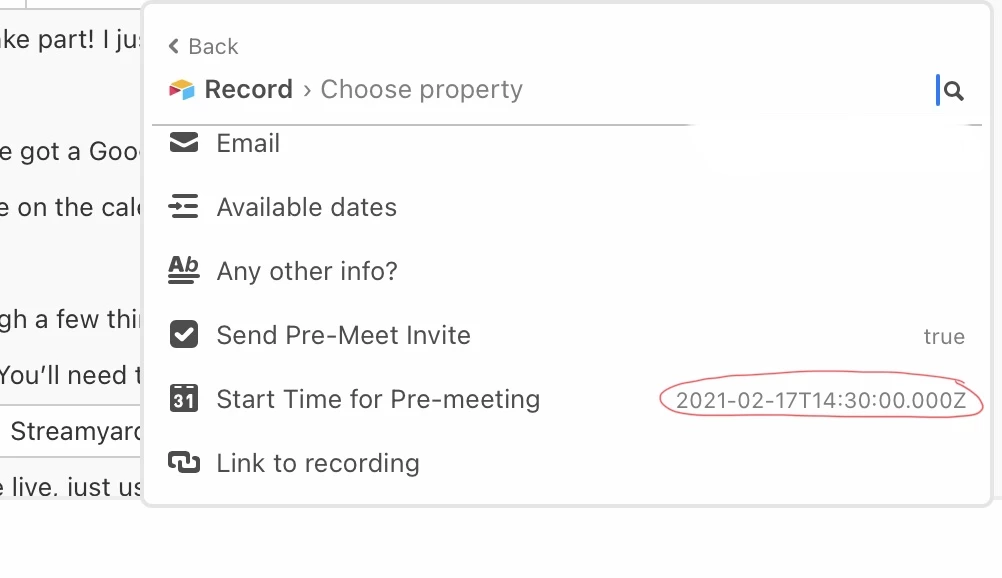
So I’m trying to re-format that date in a formula field using DATETIME_FORMAT but I keep getting error messages.
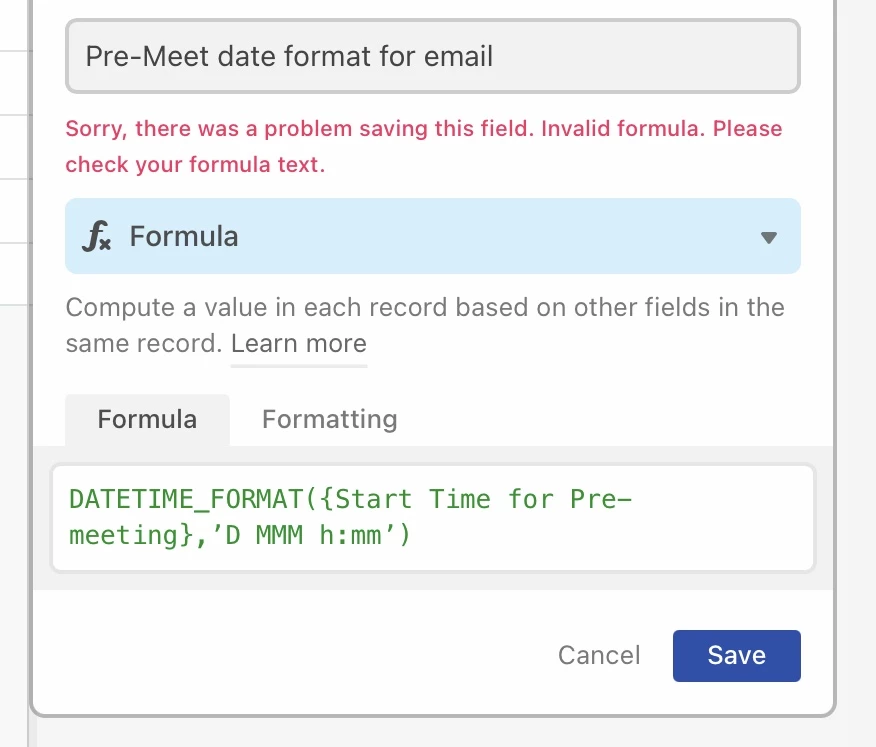
TIA for any help with this one!
Cara.

Best answer by Cara_Medus

Ah - I’ve solved my own problem. I’m using an iPad with keyboard, and ‘Smart Punctuation’ was turned on in the settings, affecting the inverted commas. Now it’s turned off it gives me straight ones - hooray!

2 replies

  • Author
  • New Participant
  • Answer
  • February 17, 2021

Ah - I’ve solved my own problem. I’m using an iPad with keyboard, and ‘Smart Punctuation’ was turned on in the settings, affecting the inverted commas. Now it’s turned off it gives me straight ones - hooray!


ScottWorld
Forum|alt.badge.img+35
  • Genius
  • February 17, 2021

Ah - I’ve solved my own problem. I’m using an iPad with keyboard, and ‘Smart Punctuation’ was turned on in the settings, affecting the inverted commas. Now it’s turned off it gives me straight ones - hooray!


Glad you solved it! Yep, this is one of the Top 10 Biggest Nightmares of Airtable. The formula field doesn’t understand any quotes besides straight quotes. Makes no sense whatsoever.