Share your best unusual AI use cases! Here's mine

  • December 22, 2025
  • 4 replies
  • 106 views

nroshak
Forum|alt.badge.img+9

Hey all! I have a great and somewhat unusual use case for AI field agents, & wanted to share.


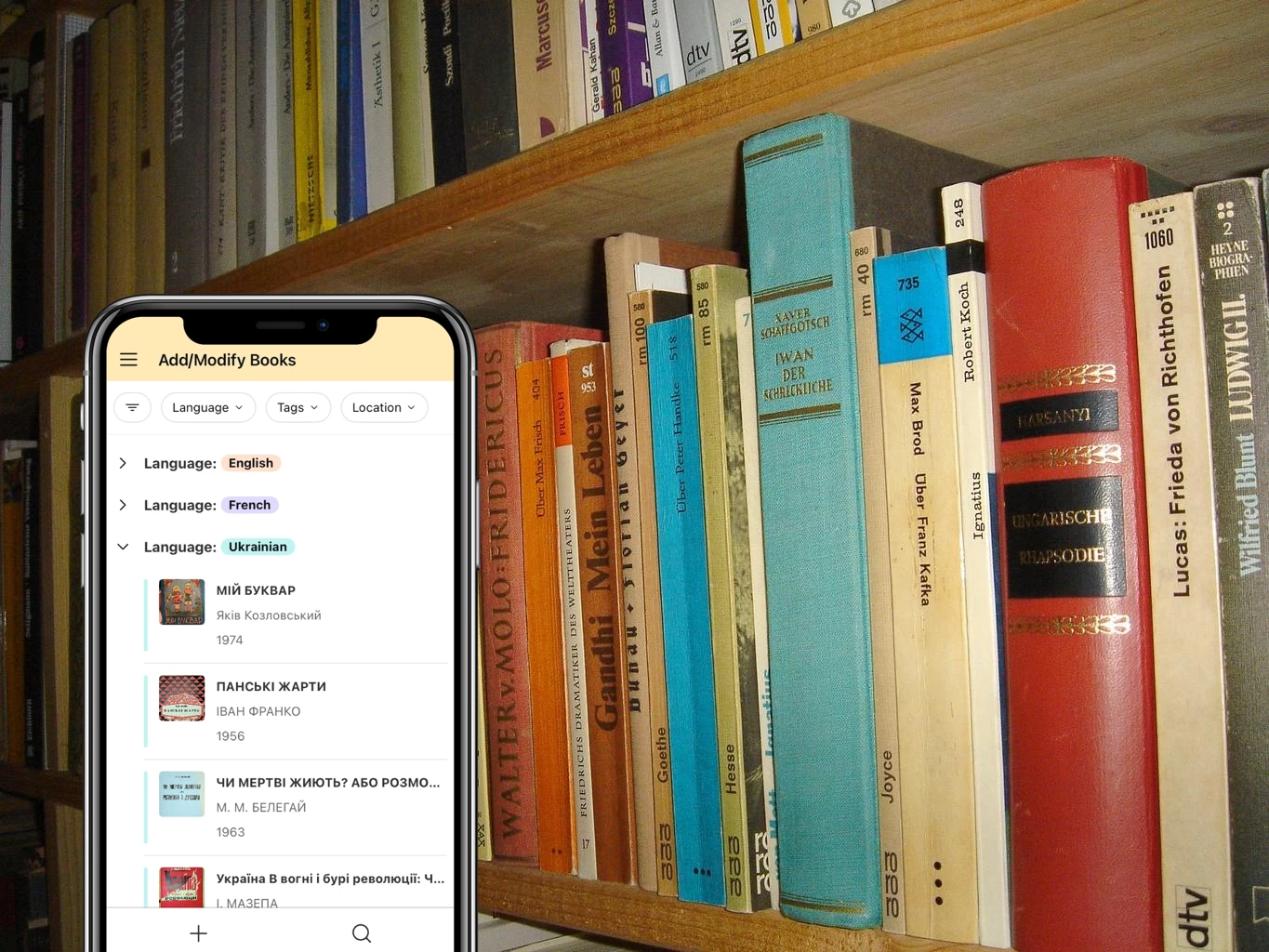
Use case: Catalogue old (pre-ISBN) books

How: Using ChatGPT 5.2 AI field agents to extract a book’s publication data from pictures of its front cover & front matter 

Why this is super handy: Using Airtable’s mobile app, I can snap two pics of a book with my phone and bam, catalogued! 

What makes this a good use case for AI field agents:

  • The agents aren’t 100 percent accurate, but since I have the scans in hand, I can easily review and correct mistakes
  • Even with the time taken to review/correct, this still saves me substantial amounts of time
  • Best of all, it works in multiple languages, even ones I’m not fluent in -- which makes it a huge time-saver! 

Check it out here: 

https://www.airtable.com/universe/expMYFf0tt6xBuAyH/ai-library-cataloguer
 

I’d love to hear about your best unusual AI field agent use cases. 


Natalka

4 replies

DisraeliGears01
Forum|alt.badge.img+21

Ooh, now this is a good use for AI

For a little I tinkered with the idea of using Airtable’s barcode scanner to log ISBNs and scrape WorldCat, but lightly tinkering with the AI prompts didn’t like to actually access WorldCat.

Also, love using the Universe to share your build!

Just downloaded it to take a look… one suggestion to try out is instead of Regex formula fields (very traditional Airtable!) to dissect the AI output, try the Generate Structured Data automation. I’ve gotten a test base to, in a single automation, take a movie title, scrap IMDB to create a paragraph of information, and then use the structured data automation to key/value the output and update the record fields. The only hallucination/errors I’ve gotten come at the text generation level not the structured data assignment level. 


Erica-Pascual
Forum|alt.badge.img+1
  • New Participant
  • December 22, 2025

Love this idea! I started down a similar path to log my book inventory and create a ‘read roadmap’ for myself for the new year. I plan to include my audiobook/e-book library in the base but haven’t looked into how to load the info quickly and easily. 


@nroshak , was there a trick you used to get your AI fields to analyze your images? Any time I’ve tried to set up an AI field to pull information from image, it tells me the file isn’t in a format it can read and the AI won’t run


nroshak
Forum|alt.badge.img+9
  • Author
  • Inspiring
  • January 2, 2026

@nroshak , was there a trick you used to get your AI fields to analyze your images? Any time I’ve tried to set up an AI field to pull information from image, it tells me the file isn’t in a format it can read and the AI won’t run

Hi Erica! I’ve had similar issues when using AI in an automation, but it worked well in field agents for me. That said, the model makes a big difference. Here is a field agent prompt that works for me with GPT-5.2:  

Use OCR to extract all of the text from the following picture of a book cover. Use the extracted text to create a JSON object that includes the language, title, author, and other text, following this format: "{

 "Full extracted text": "War and Peace The famous Russian novel by Fyodor Dostoyevsky"

 "Title": "War and Peace",

 "Author":" Fyodor Dostoyevsky",

 "Other text" :"The famous Russian novel by",

 "Language": "English"

}".

Here is the picture of a book cover: {BookCoverScan} Here is the JSON object:


GCheung
Forum|alt.badge.img+17
  • Community Manager
  • January 5, 2026

Incredible idea, ​@nroshak 😍