


Hi everyone,
We’re rolling out three new AI improvements to make Omni feel much closer to where you already work in Airtable: interfaces, records, and comments.
Here’s what’s new:
- Open Omni from any interface or record detail
- Omni, right where you’re working
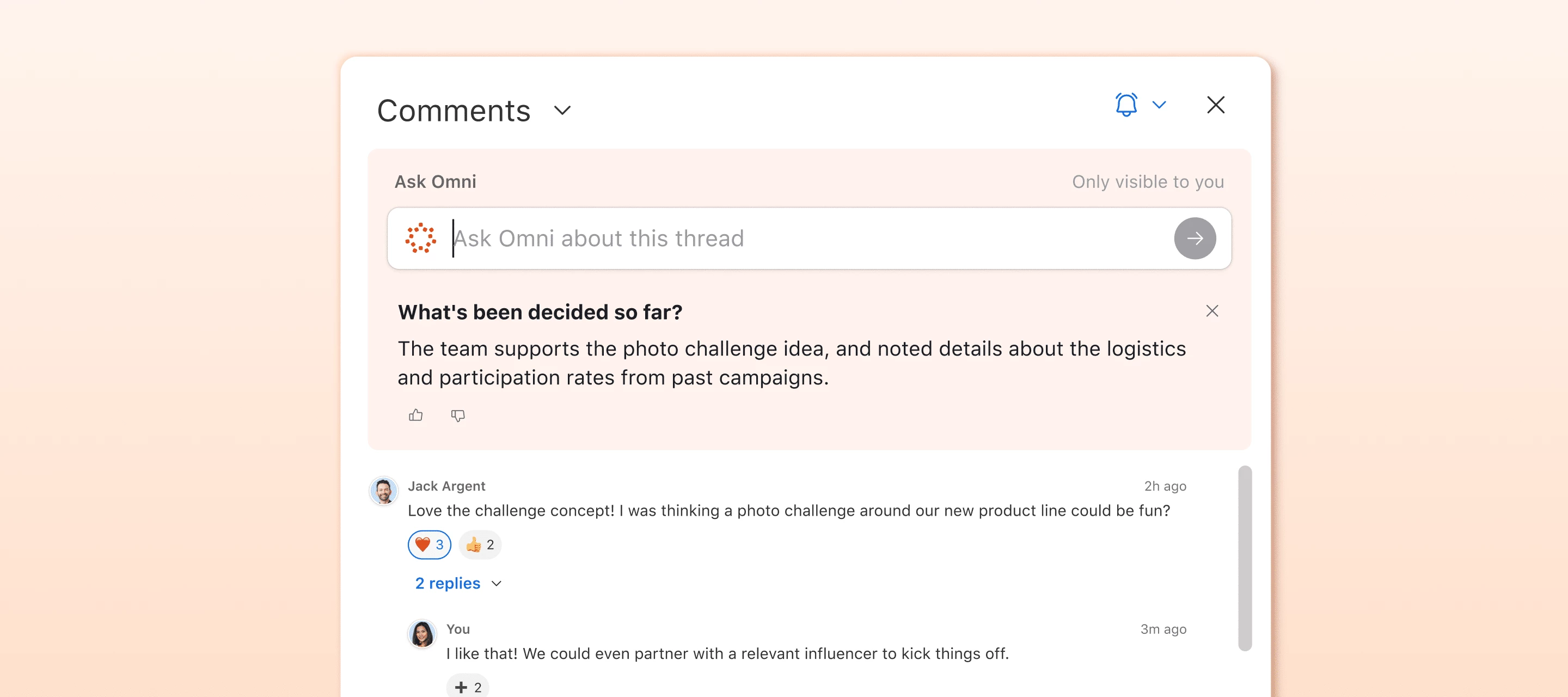
- Ask Omni questions about a comment thread
1. Open Omni from any interface or record detail
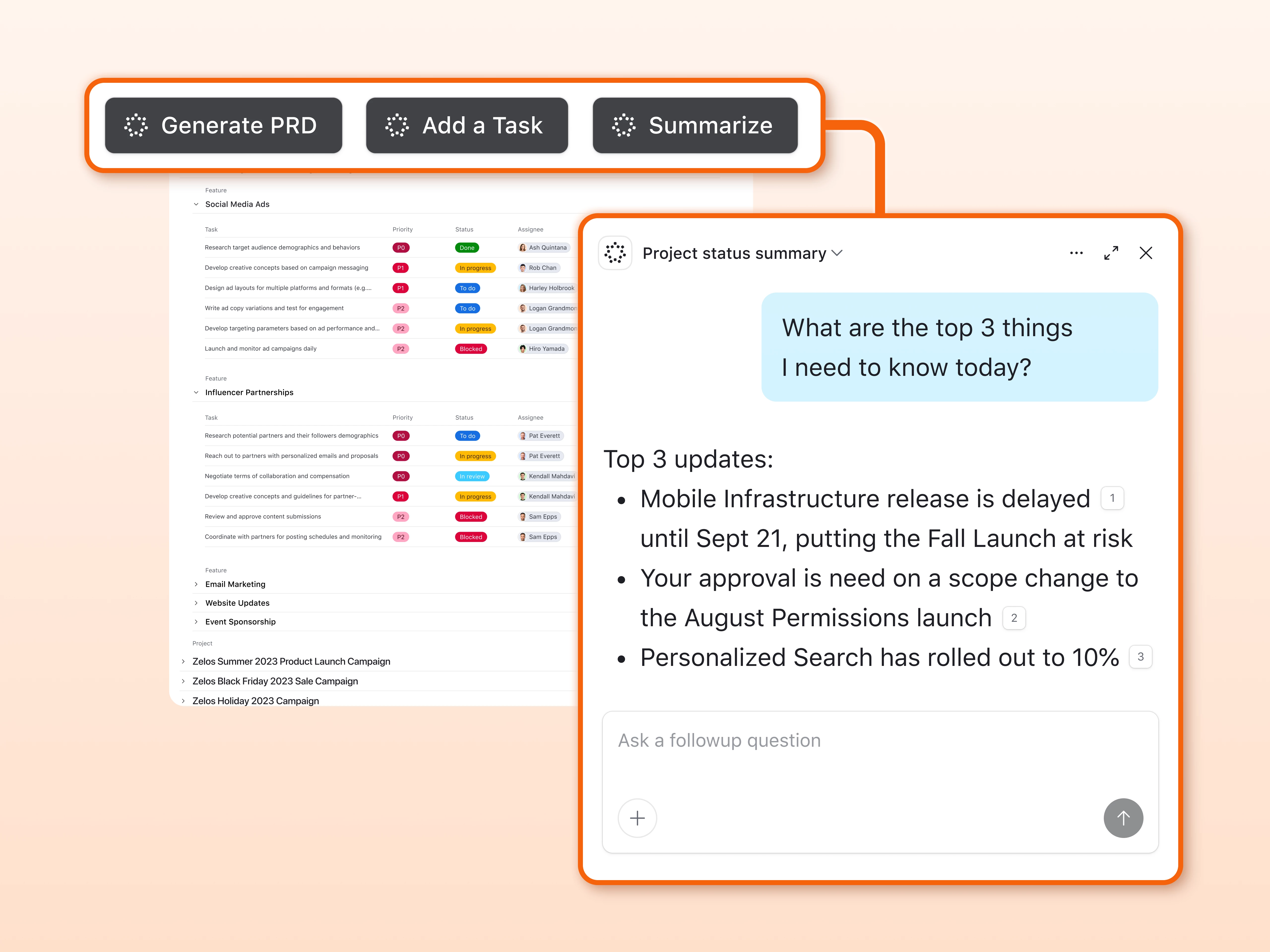
You can now add an “Open Omni” button to any interface page or record detail with prewritten, custom Omni instructions. With one click, viewers can instantly perform complex actions like AI-driven data analysis, generating reports, or creating new records.
Why this is useful
- Builders can insert high‑quality, prewritten Omni instructions directly into an interface or record detail.
- End‑users don’t have to write prompts or configure anything; they just click the button and Omni runs those instructions on the current record or view.
- This gives teams consistent, repeatable AI output and makes it much easier for more people to benefit from Omni without needing to be prompt experts.
How to use it
- In an interface, add a new button element (or edit an existing one)
- Choose “Open Omni” as the button action
- Write your custom Omni instructions
- Save and publish your interface
- Viewers can now click that button to launch Omni with custom instructions from that page or record detail
2. Omni, right where you’re working
Omni is starting to appear in more places throughout Airtable. This means you don’t have to stop what you’re doing to go open Omni.
You’ll now see Omni integration directly into common workflows like:
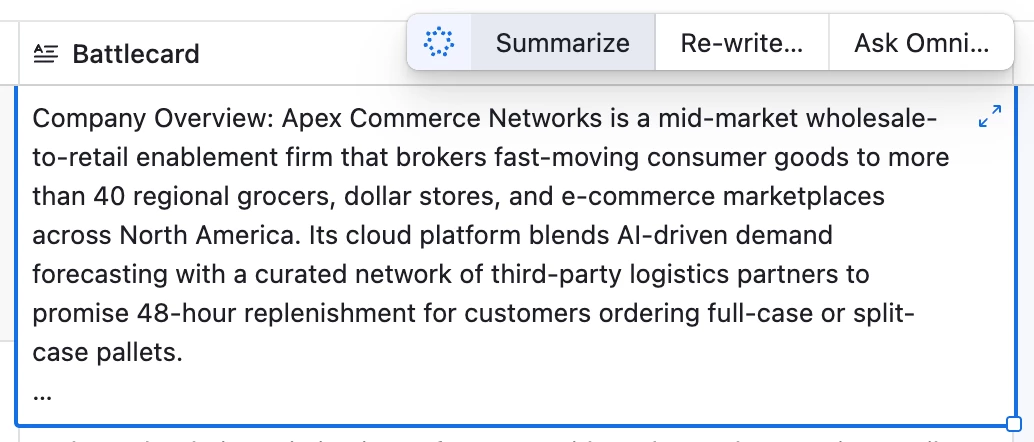
- Writing or editing long text fields
- Searching in a view or interface
- Adding a new table
For example, when you’re working in a long text field, Omni can help you draft, rewrite, or answer questions about the content as you type.
3. Ask Omni questions about a comment thread
For any record, you can now ask Omni questions specifically about the comments on that record.
Examples of questions you might ask:
- “What are the main decisions in this discussion?”
- “Are there any open questions that still need follow-up?”
- “Can you summarize the feedback from this thread in 3 bullets?”
Omni will read the comment thread for that record and answer based on that discussion.
How to use it:
- Open a record with comments
- Ask Omni a question about the comment thread (e.g. “Summarize this conversation”)
- Omni will respond using the information in the comments for that record
We’d love your feedback
Whether you’re on an interface, inside a record, or in the middle of a comment thread, these features are all about making Omni easier to access in the exact moment you need it!
These updates are rolling out now, and we’re excited for you to try them. As always, let us know how they work for you and where you’d like to see Omni show up next.