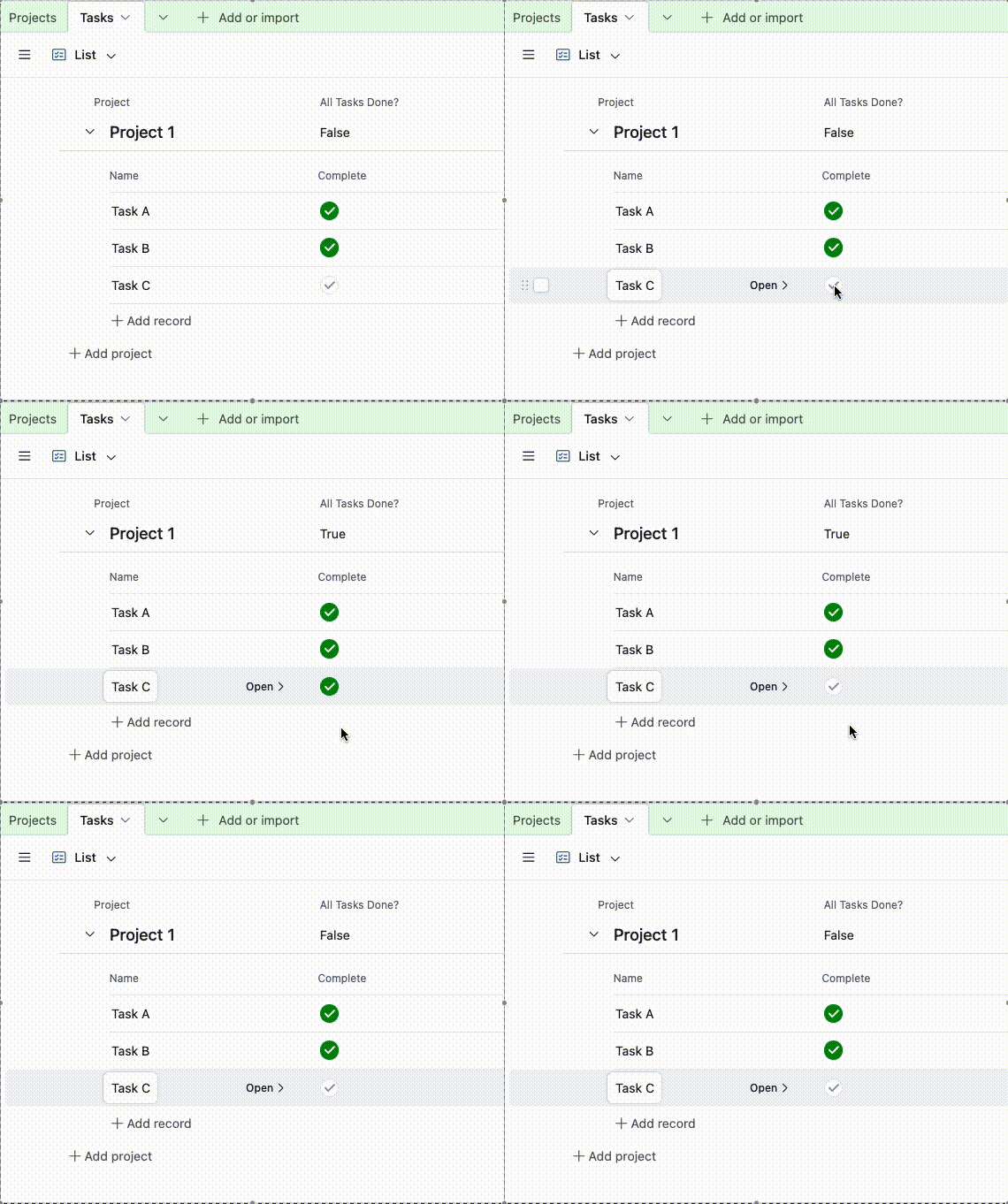

Hi Airtable community! 👋
I’m working on a base where I track projects and tasks. I have two tables:
✅ Projects – one record per project
✅ Tasks – linked to Projects (many tasks per project)
In the Tasks table, I have a checkbox field called “Completed”. What I’d like to do is:
➡️ When ALL tasks linked to a project are marked Completed, I want a field in the Projects table — like “All Tasks Done?” — to automatically update to checked.
➡️ If even one linked task is not completed, then “All Tasks Done?” should remain unchecked.
Right now, I’m trying to achieve this with:
-
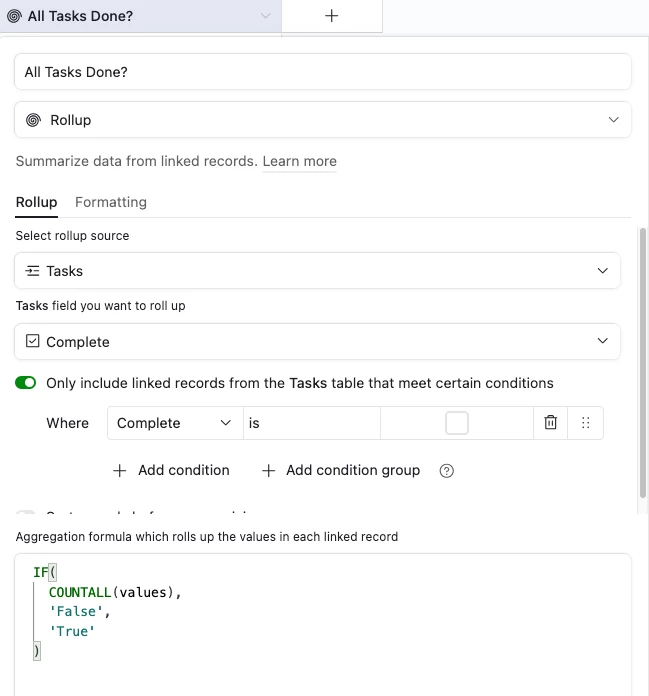
A rollup field in Projects that counts whether tasks are checked (
ARRAYUNIQUE(values)orCOUNTALL(values)), -
A formula field to decide if all tasks are completed.
But I’m stuck on getting the formula right so that it reliably returns TRUE/FALSE without manual intervention.
Here’s what I’m currently using in the rollup and formula:
📌 Rollup (Tasks → Completed):values
📌 Formula (Projects):IF({Completed Count} = {Total Task Count}, TRUE(), FALSE())
But this doesn’t always update the “All Tasks Done?” field when I check or uncheck a task.
Questions:
-
Is there a better way to structure this logic so that Projects updates automatically?
-
Do I need another rollup or formula?
-
Should I use an Automation instead — and if so, what trigger and action will work best?
What I’ve Tried:
✔ Rebuilding rollup to use ARRAYCOMPACT(values)
✔ Reordering fields
✔ Creating an automation that triggers when a task completes (but it only updates one record)
Thanks in advance for your help — really appreciate any suggestions! 🙏