Question

Automatically Generated Issue Numbers

  • January 29, 2026
  • 4 replies
  • 35 views

Forum|alt.badge.img+1

Hi guys, I’m looking to add an automation which assigns an 'issue number' when a new issue is recorded in my AirTable, either by intake form or manually adding in a new line. So the automation would need to understand that:

A) Issues can come in groups so there could be multiple issues raised under one issue type and that they will then all need the same issue number assigned to them.

EXAMPLE:

ISSUE #1

Product failure 1

Product failure 2

Product failure 3


ISSUE#2

Sizing problem 1


ISSUE #3

Color failure 1

Color failure 2


B) Take the next numerical number in the sequence and not duplicate an issue number that’s already recorded somewhere in the table. For example, if I have 10 issues, and issue 1-5 are open, and issues 6-10 are closed, then the automation would need to assign 'issue number 11' to the next issue that comes in not another 'issue number 6', because it's only focusing on the open issues and not taking into account the closed issues.


Any help or advice would be really appreciated.


Thank you so much

4 replies

TheTimeSavingCo
Forum|alt.badge.img+31

Hm, could you provide a screenshot of how your data’s set up please?

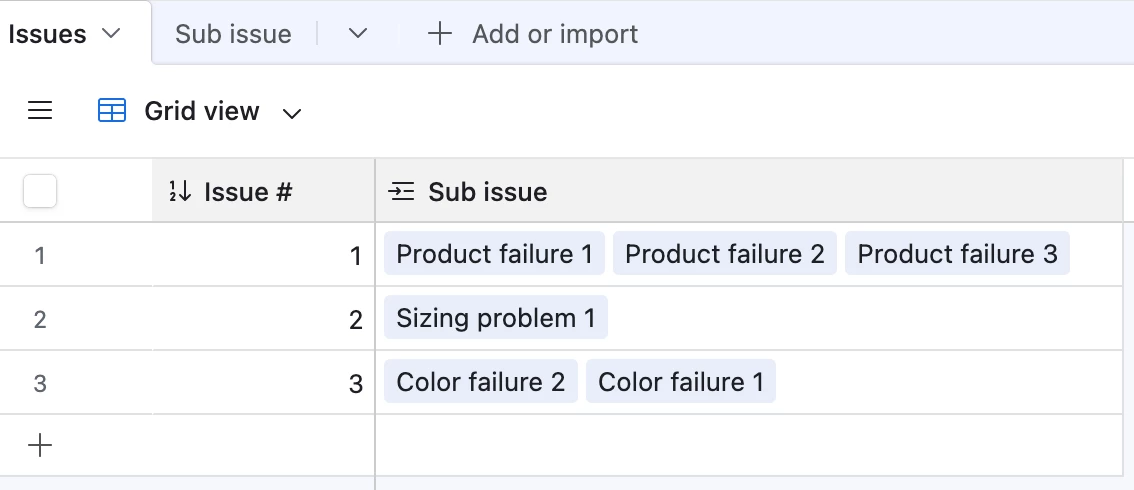
In my head it seems like we could use an Autonumber field for this if we had a Sub Issue table:


Feels like I’m missing something though, sorry about that!


Forum|alt.badge.img+1
  • Author
  • New Participant
  • January 30, 2026

Hey, 

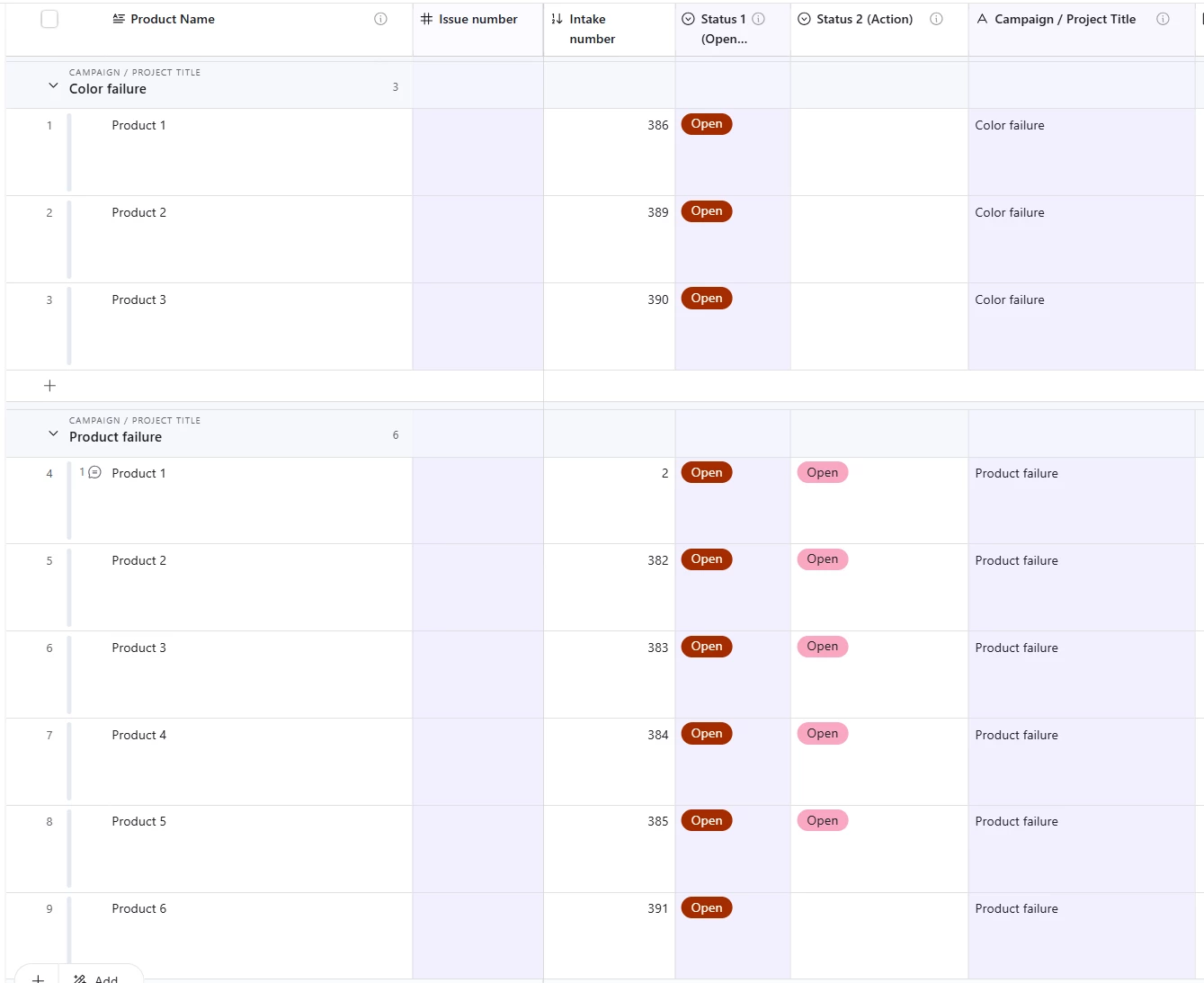
Thank you very much for jumping in to help. Please see an example below.

So essentially what I’m trying to do is have it set up so that the numbers populated under “# Issue number” will all be the same and grouped by issue. So the 3 products under “color failure” will all be issue ‘1’ and the 6 products under “product failure” will all be issue ‘2’ (and so on for all other issues).

In column “intake number” I  added an ‘automated number’ setup as an example of what happens when I use that function and this isn’t what I want, because each product issue get a separate number, they don’t stay in chronological order, so they aren’t taking into account other numbers that are there.

Any insights you have on getting to my ideal state would be really appreciated.


Thank you very much,


elijahcg
Forum|alt.badge.img+5
  • New Participant
  • January 30, 2026

@Kyle8 I don’t think I’m fully understanding the use case here, but if issues come in in groups and you want to preserve that relationship, I agree with ​@TheTimeSavingCo that linked records seem like they make the most sense. To me it seems like his suggestion does get you to your ideal state, provided you use the autonumber field on that “issue group” object (like in his screenshot) and not the “product issue” object like in your screenshot


TheTimeSavingCo
Forum|alt.badge.img+31

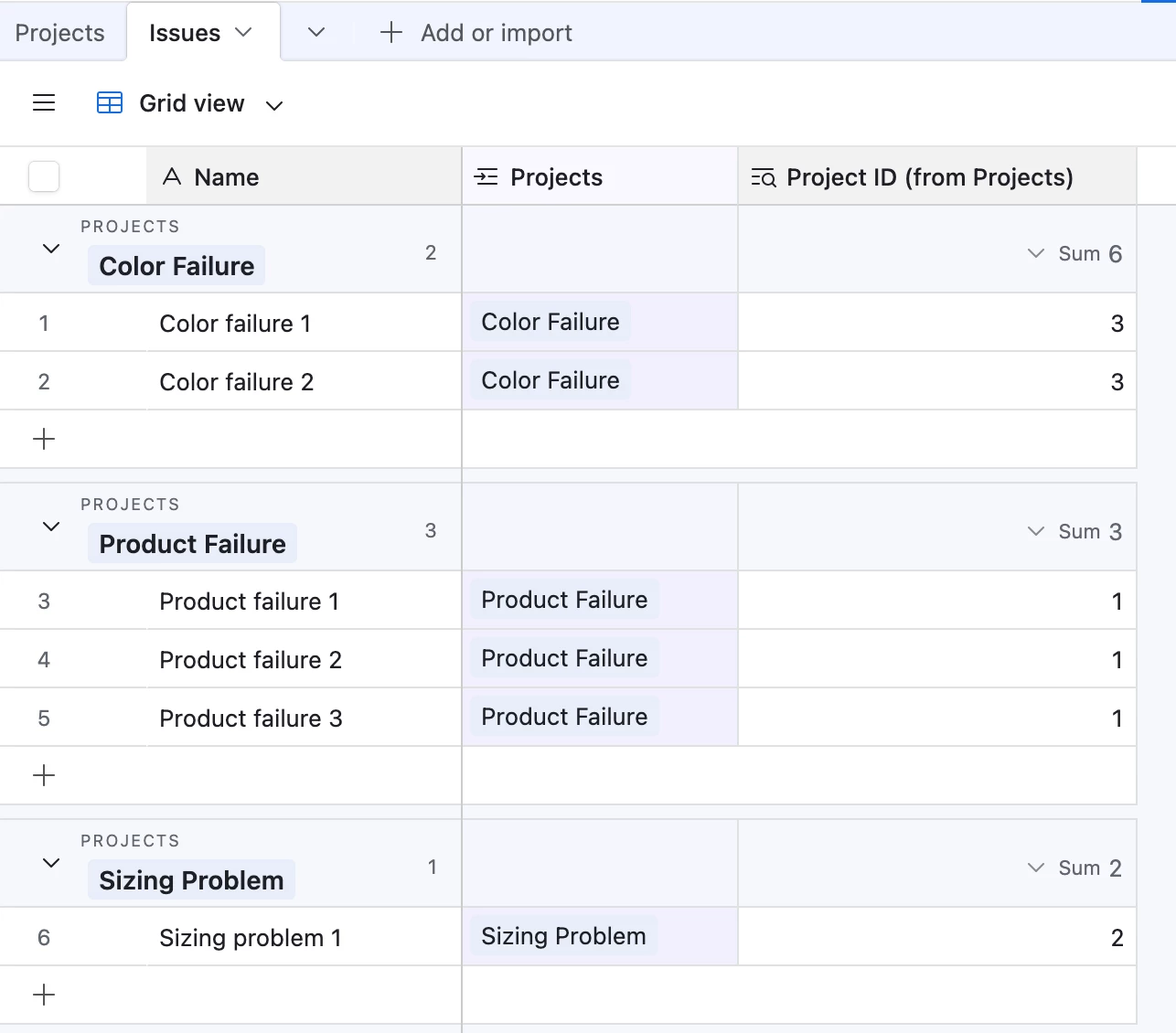
@Kyle8 Ah this is because I have a separate ‘Projects’ table and that’s where the Autonumber field is.  Could you try:

  1. Right click the header of the ‘Campaign / Project Title’ field
  2. Click ‘Edit field’
  3. Click ‘Link to another record’
  4. Click ‘Create a new table’ and name the table ‘Projects’

This’ll create a new ‘Projects’ table populated with all your existing data

In the ‘Projects’ table, add an Autonumber field and call it ‘Project ID’, and in the ‘Issues’ table create a lookup field to display that field.  Your end product should look something like this and I’ve set it up here for you to check out