

I have created an automation to add a record to a table called "Client View" when a checkbox is ticked in the record in the table called "Project Schedule". I want to control which fields show in the "Client View" record. But, my first struggle is I can't get almost any of the fields to show! In each record in the Project Schedule table, there are 13 regular fields, 3 linked fields from another table called "Project Catalog" and 10 lookup fields from those Project Catalog records. I don't need all of those fields to show in the new record, but I do need information from many of the linked and lookup fields to show as well as the record name and regular fields.
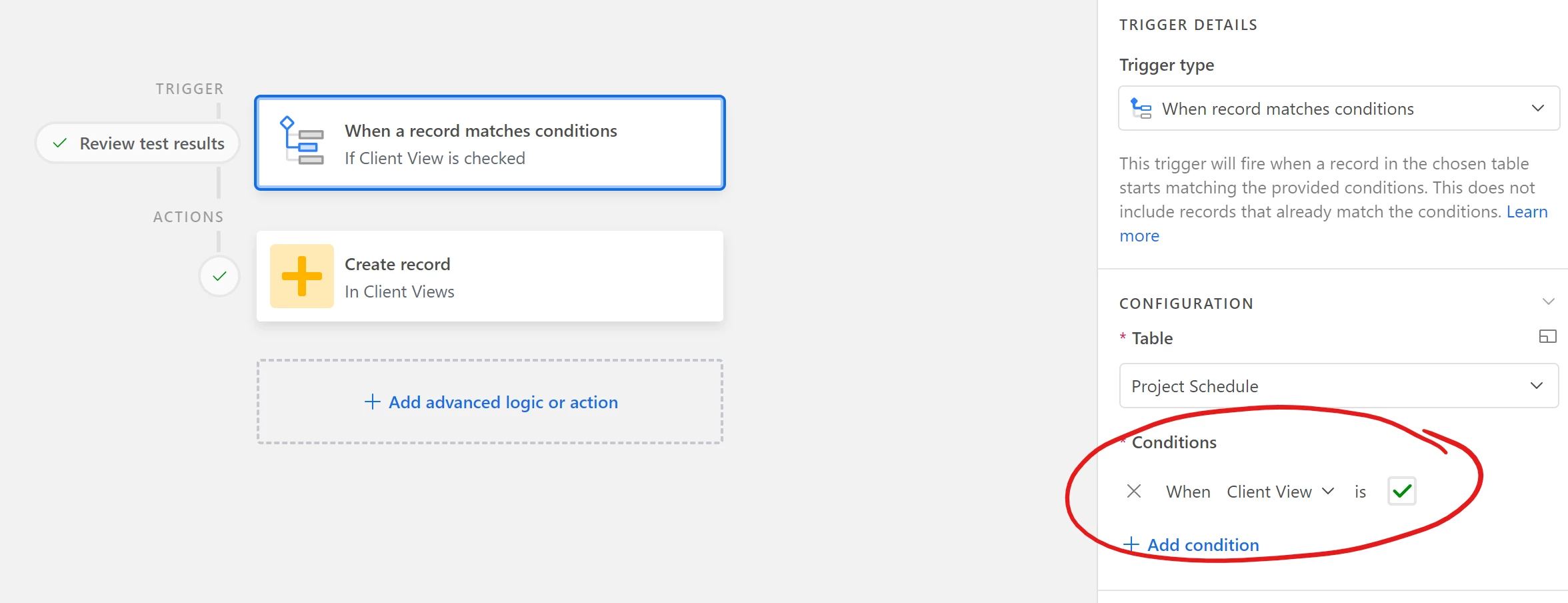
Trigger: when a box is checked in a record in Project Schedule...
Action: create a new record in Client View
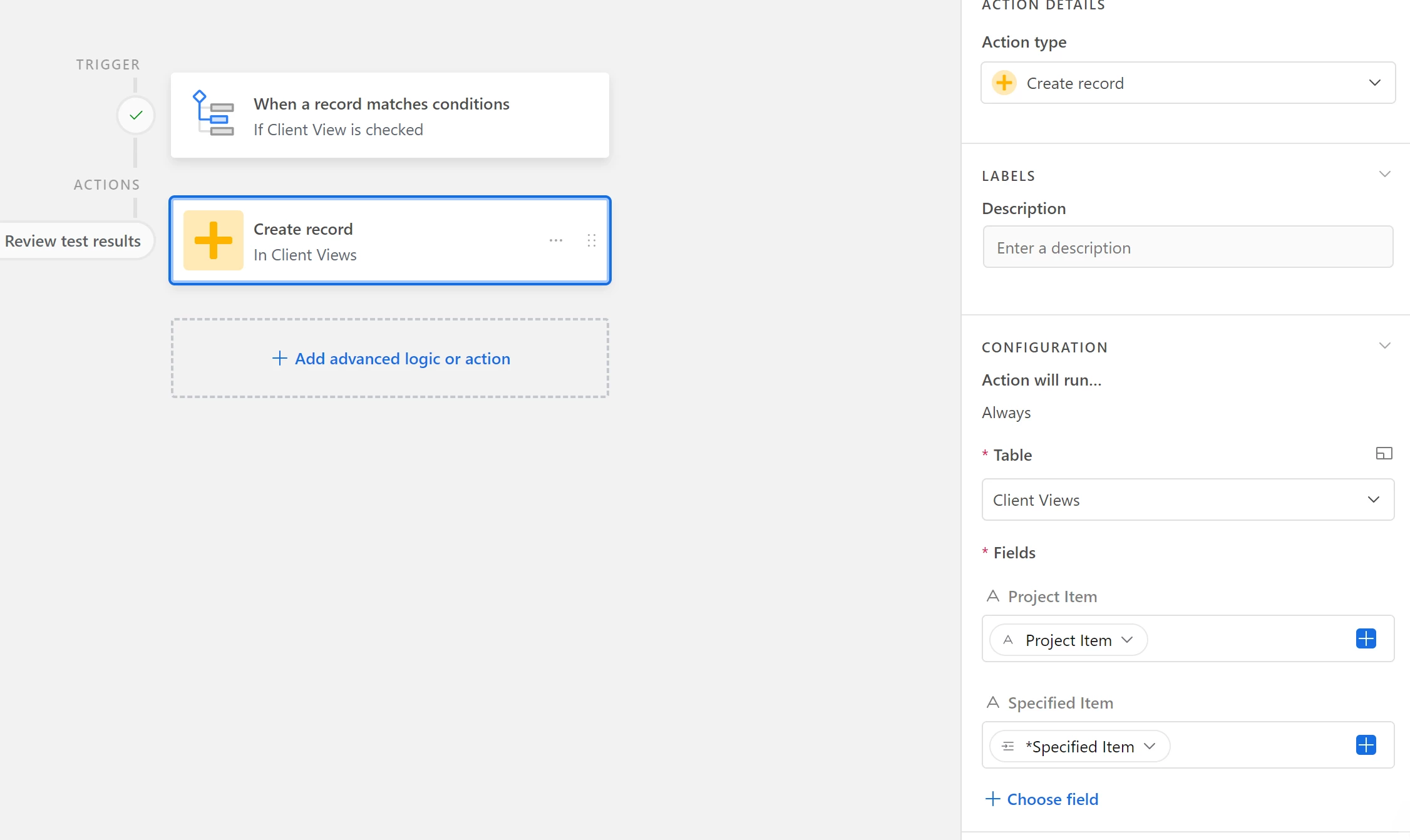
But when I select the fields I want to show in the new Client View record, I can only see 3 fields, not all of them. Am I misunderstanding the purpose of the "Configuration: Action will run..." section? This seems like it should be so simple..."copy these fields from this record to another table"
