Automation Based On Date

  • March 5, 2021
  • 3 replies
  • 32 views

Hello all,

Is there a way in automation to set the trigger based on a date in a field?
I’m trying to set Airtable to send a message to Slack when a Date in a field is due.

Thanks

3 replies

Databaser
Forum|alt.badge.img+25
  • Brainy
  • March 7, 2021

Hi @aalbadah and welcome to the community!

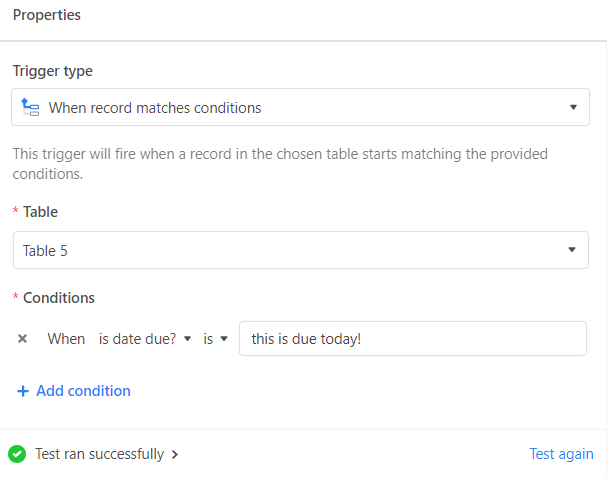
You can use a date field in the trigger “when a record matches conditions”, but in your case, since the trigger won’t be a specific date but the fact that it is due today, I would use a formula field that checks if a date is due. You could use that field to trigger your automation.


Forum|alt.badge.img
  • New Participant
  • January 12, 2022

Hi @aalbadah and welcome to the community!

You can use a date field in the trigger “when a record matches conditions”, but in your case, since the trigger won’t be a specific date but the fact that it is due today, I would use a formula field that checks if a date is due. You could use that field to trigger your automation.


Thank you for your reply, Databaser.

Could you please elaborate on how to create a formula field to check if a date is due?


Databaser
Forum|alt.badge.img+25
  • Brainy
  • January 13, 2022

Thank you for your reply, Databaser.

Could you please elaborate on how to create a formula field to check if a date is due?


The formula would be:

IF({due date}=TODAY(), "this is due today!")

More info for the automation here.

Trigger: “when a record matches conditions

Overview of actions here.