Automation intervals

  • October 11, 2020
  • 9 replies
  • 51 views

I created an automation to trigger an email when a record has been modified/updated.
Can I set that the “Action” will not happen immediately. let’s say after 10 min from the change?

Thanks

9 replies

Forum|alt.badge.img+5
  • Known Participant
  • October 21, 2020

Related request here. I send an email when a new record is created, but that means that often multiple emails are send, varying from an empty record (the first) up to the completed record (the last). A slight delay, or the possible to delay a trigger would be helpful.
For some triggers that are not urgent I created a work around by using a view in which the created or modified records from yesterday are shown, and use this grid for the email notification.


Forum|alt.badge.img+19
  • Inspiring
  • February 16, 2021

Check this out.


  • New Participant
  • July 2, 2022

Check this out.


Hi, thanks for recommending that solution, i read her comment. But where do i paste that formula?
Sorry, i am kinda new to this.

this is the formula she suggested.

IF(
AND(
{Attachment},
DATETIME_DIFF(
NOW(),
LAST_MODIFIED_TIME(Attachment),
‘minutes’
) > 1
),
“run automation”
)


Forum|alt.badge.img+19
  • Inspiring
  • July 3, 2022

Hi, thanks for recommending that solution, i read her comment. But where do i paste that formula?
Sorry, i am kinda new to this.

this is the formula she suggested.

IF(
AND(
{Attachment},
DATETIME_DIFF(
NOW(),
LAST_MODIFIED_TIME(Attachment),
‘minutes’
) > 1
),
“run automation”
)


You create a new formula field for it. Then you let the automation check for the value in this field.


  • New Participant
  • July 3, 2022

You create a new formula field for it. Then you let the automation check for the value in this field.


thanks for your reply.
Could you help me more?

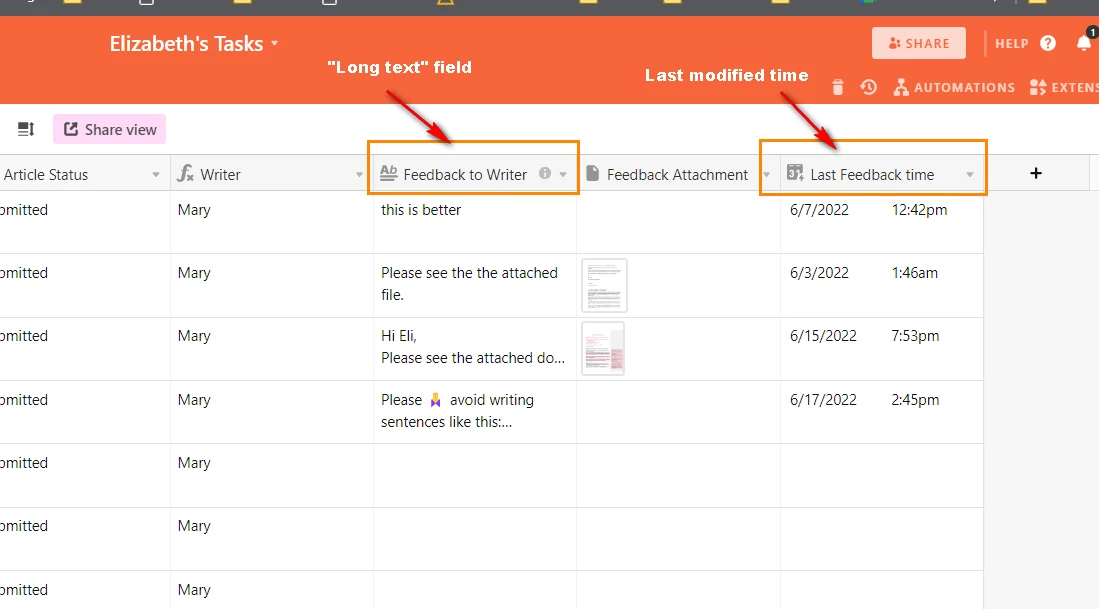
Here is my table i am using. I have marked the two column that are related to the automation trigger.

I want the automation bot send an email to an user 5 minutes after i have written something in the feedback to the writer" column. The last feedback time updates when i add something in the feedback to the writer column.

I need to create a new formula field and insert the formula there, right?
but i am struggling to edit the formula correctly based on my case.

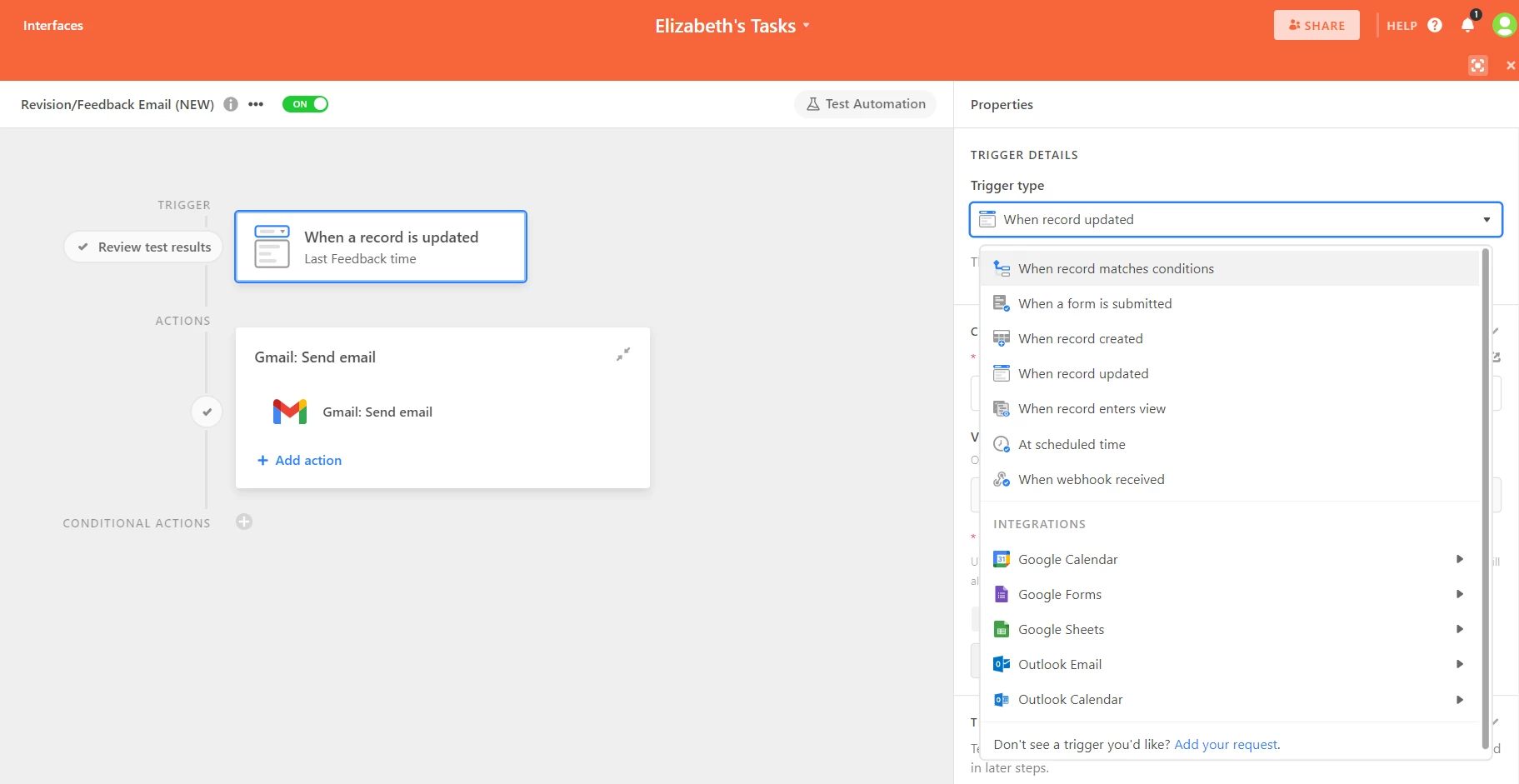
Also, in the automation trigger Details , how should the setting look like?

I appreciate your time in this :slightly_smiling_face:
Nafis


Forum|alt.badge.img+19
  • Inspiring
  • July 4, 2022

thanks for your reply.
Could you help me more?

Here is my table i am using. I have marked the two column that are related to the automation trigger.

I want the automation bot send an email to an user 5 minutes after i have written something in the feedback to the writer" column. The last feedback time updates when i add something in the feedback to the writer column.

I need to create a new formula field and insert the formula there, right?
but i am struggling to edit the formula correctly based on my case.

Also, in the automation trigger Details , how should the setting look like?

I appreciate your time in this :slightly_smiling_face:
Nafis


Just change the ‘1’ to ‘5’ (it’s the time difference in ‘minutes’).

I would use the first trigger and look for the flag (“run automation”) in the formula field you created in the former step.


  • New Participant
  • July 4, 2022

Just change the ‘1’ to ‘5’ (it’s the time difference in ‘minutes’).

I would use the first trigger and look for the flag (“run automation”) in the formula field you created in the former step.


okay, since i don’t want the feedback attachment to play a role in the automation, do not I need to adjust the formula accordingly? I am stuck there. :frowning:


Forum|alt.badge.img+19
  • Inspiring
  • July 4, 2022

okay, since i don’t want the feedback attachment to play a role in the automation, do not I need to adjust the formula accordingly? I am stuck there. :frowning:


Ah! So sorry, yeah, just change the two references from ‘Attachment’ into ‘{Feedback to Writer}’.

The first one checks if there’s a value in the field at all, the second one gives you basically the same value as your {Last Feedback time} field (which you don’t need for the setup to work - although it might be interesting for yourself).


  • New Participant
  • July 4, 2022

Ah! So sorry, yeah, just change the two references from ‘Attachment’ into ‘{Feedback to Writer}’.

The first one checks if there’s a value in the field at all, the second one gives you basically the same value as your {Last Feedback time} field (which you don’t need for the setup to work - although it might be interesting for yourself).


thanks mate! Its working! :grinning_face_with_big_eyes: