Question

Automation - pull in list from one table based on data entry in another table

  • October 24, 2025
  • 6 replies
  • 238 views

Forum|alt.badge.img+2

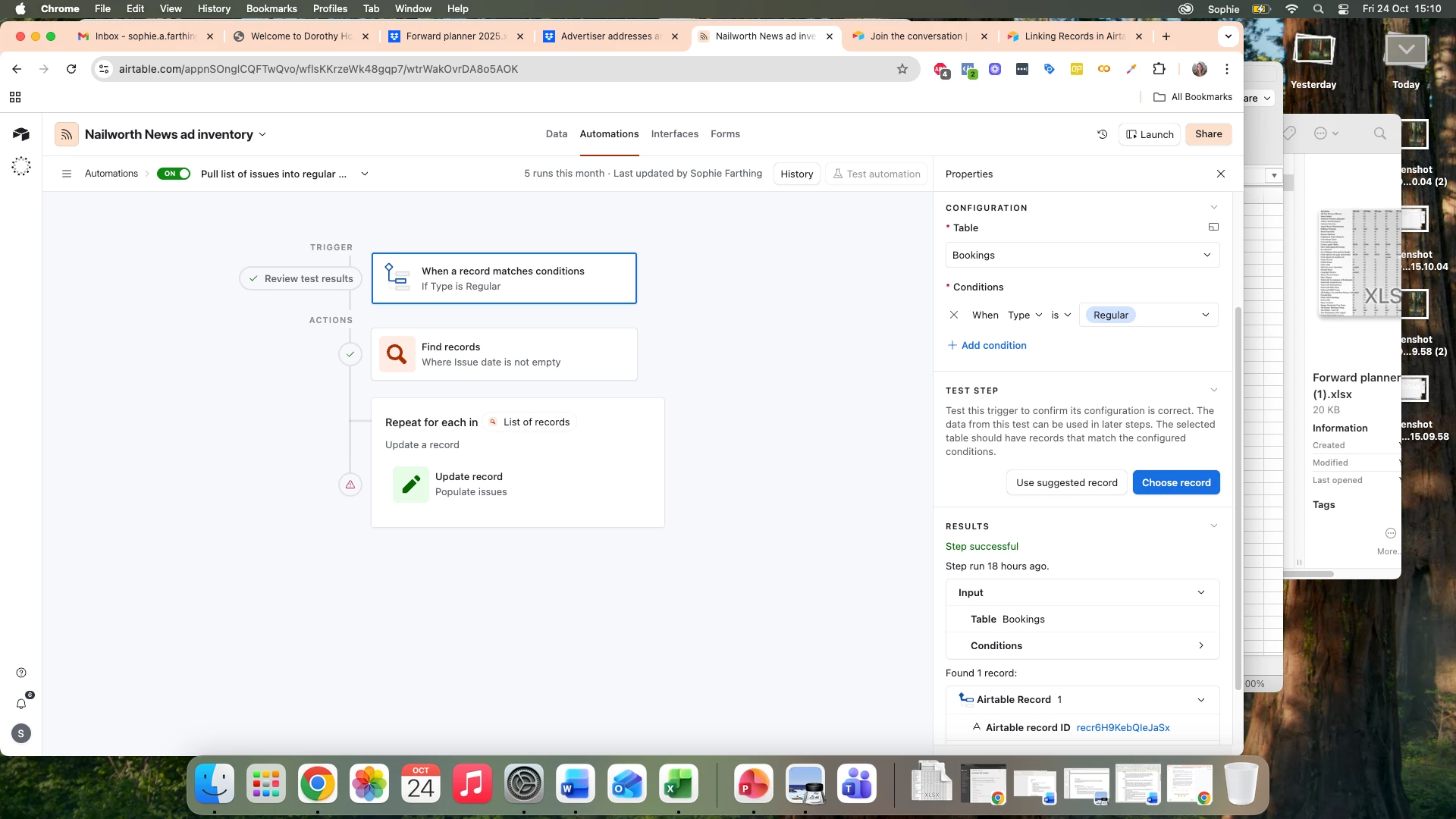
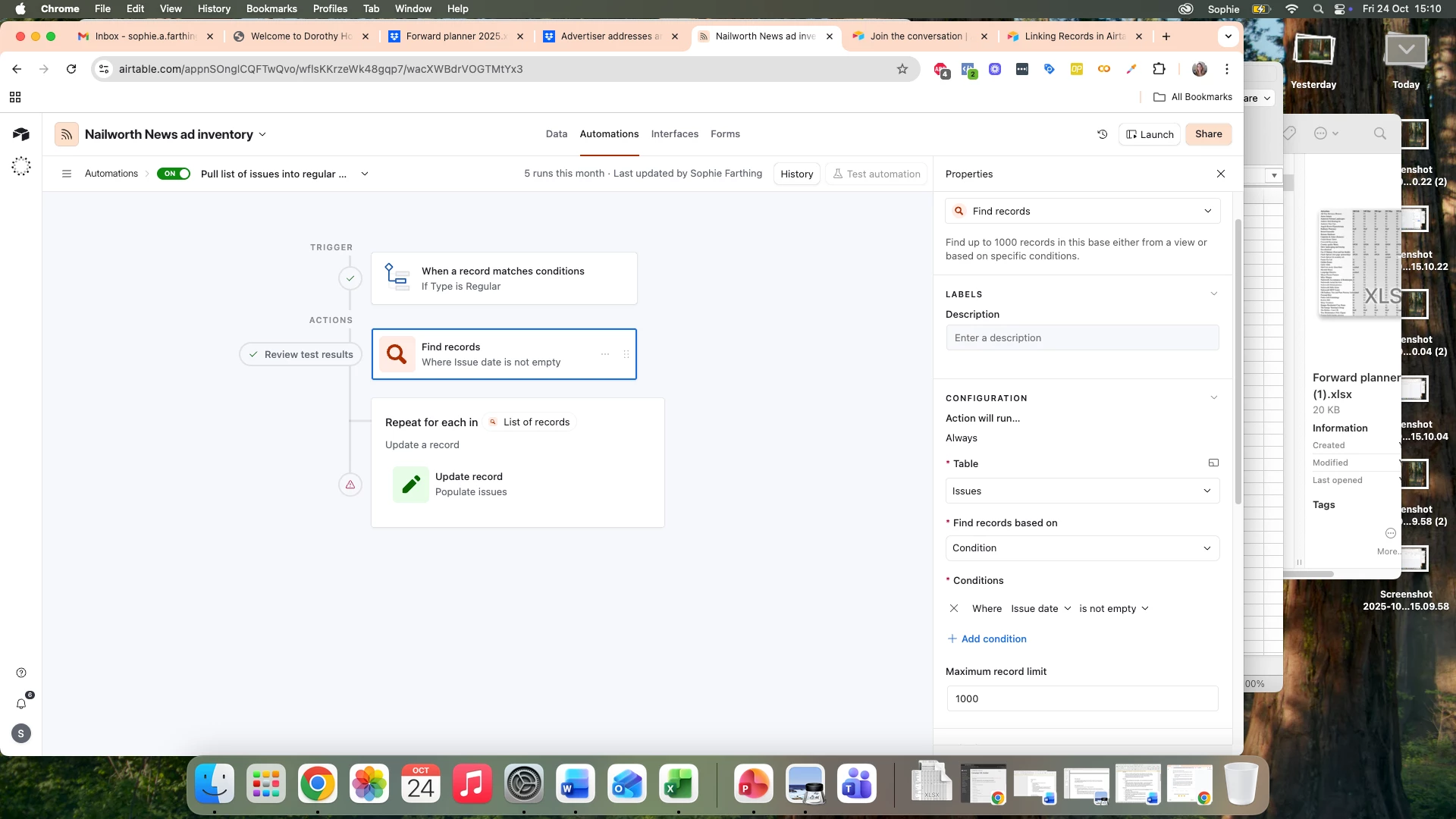
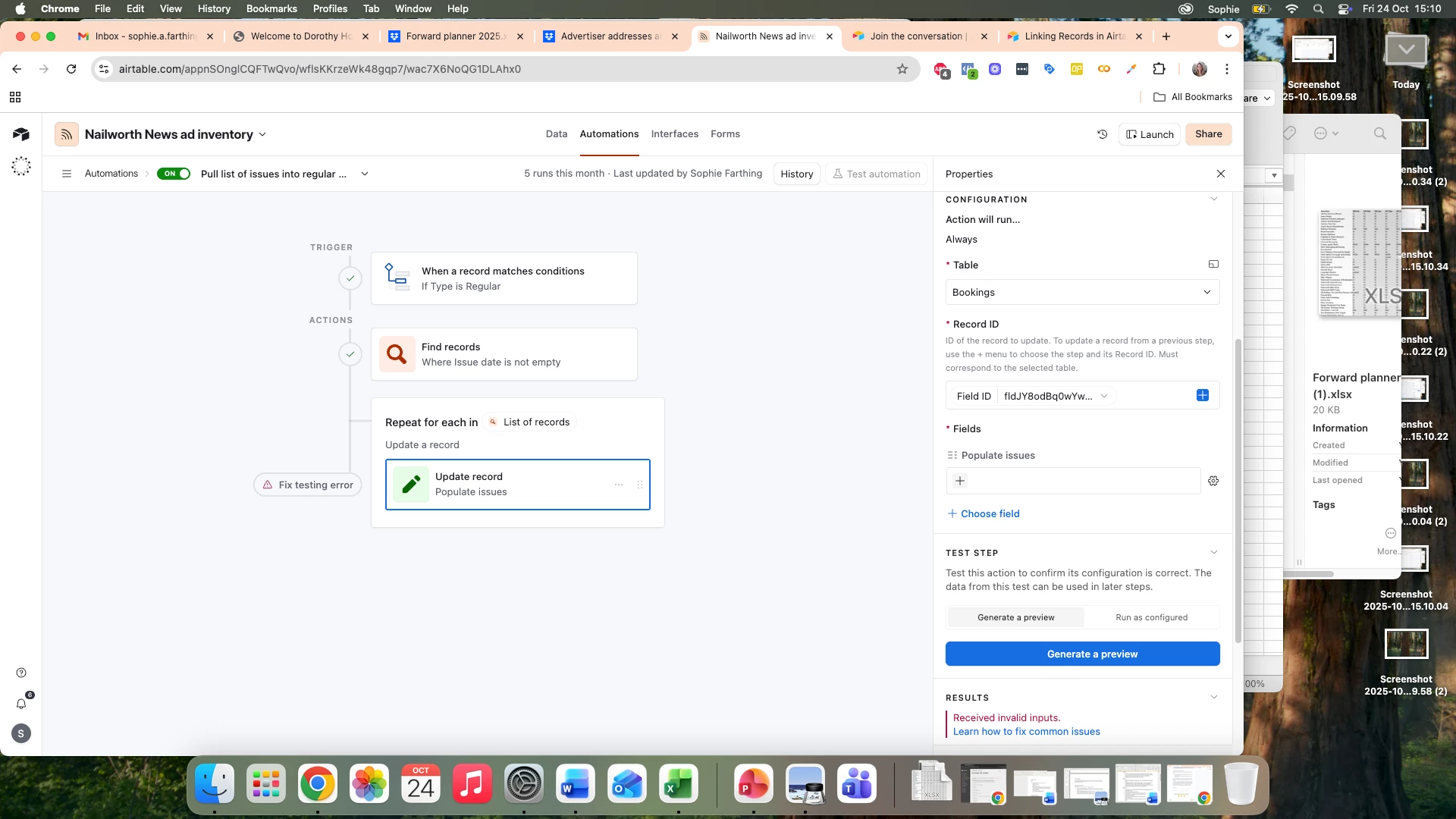
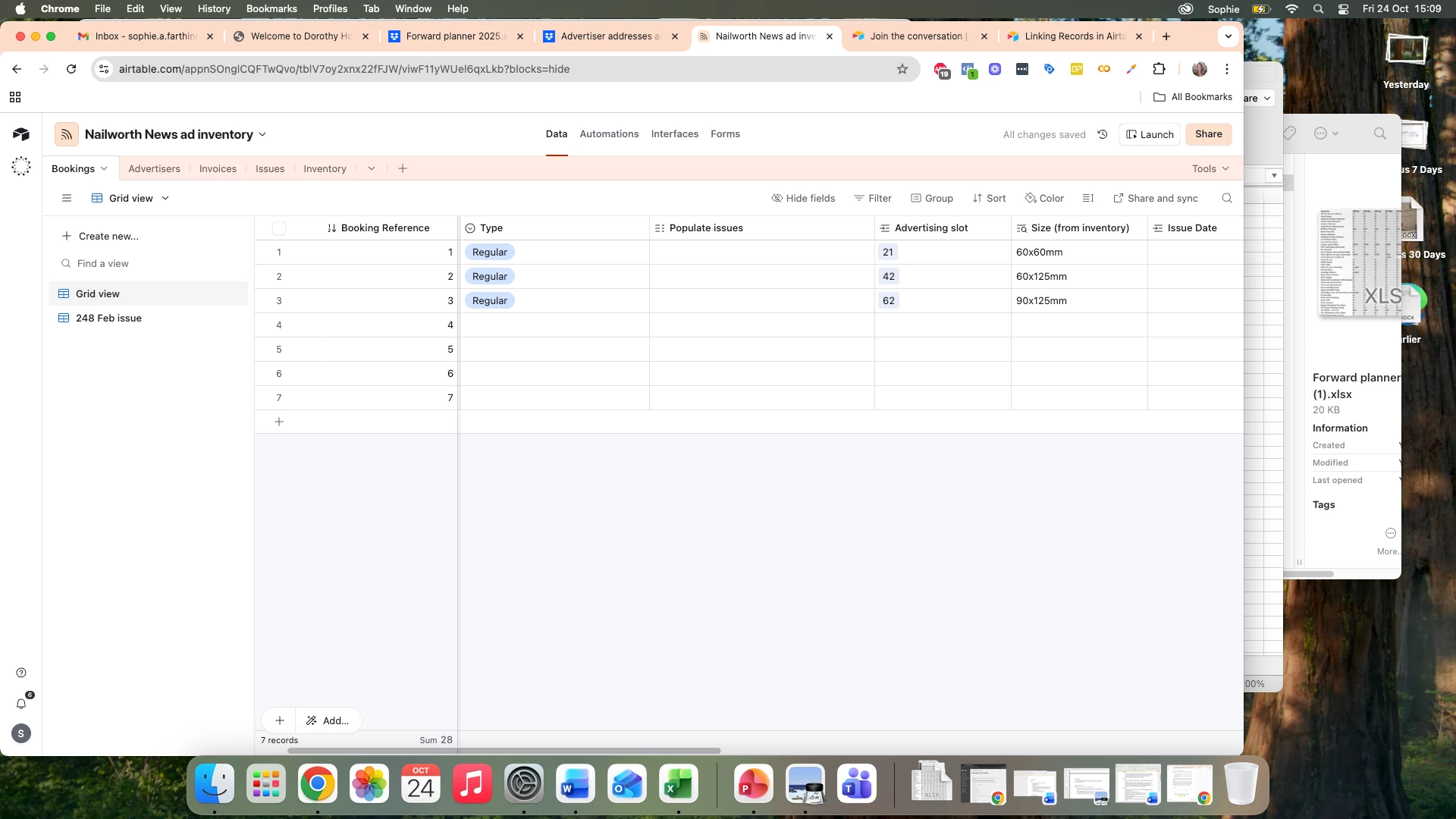
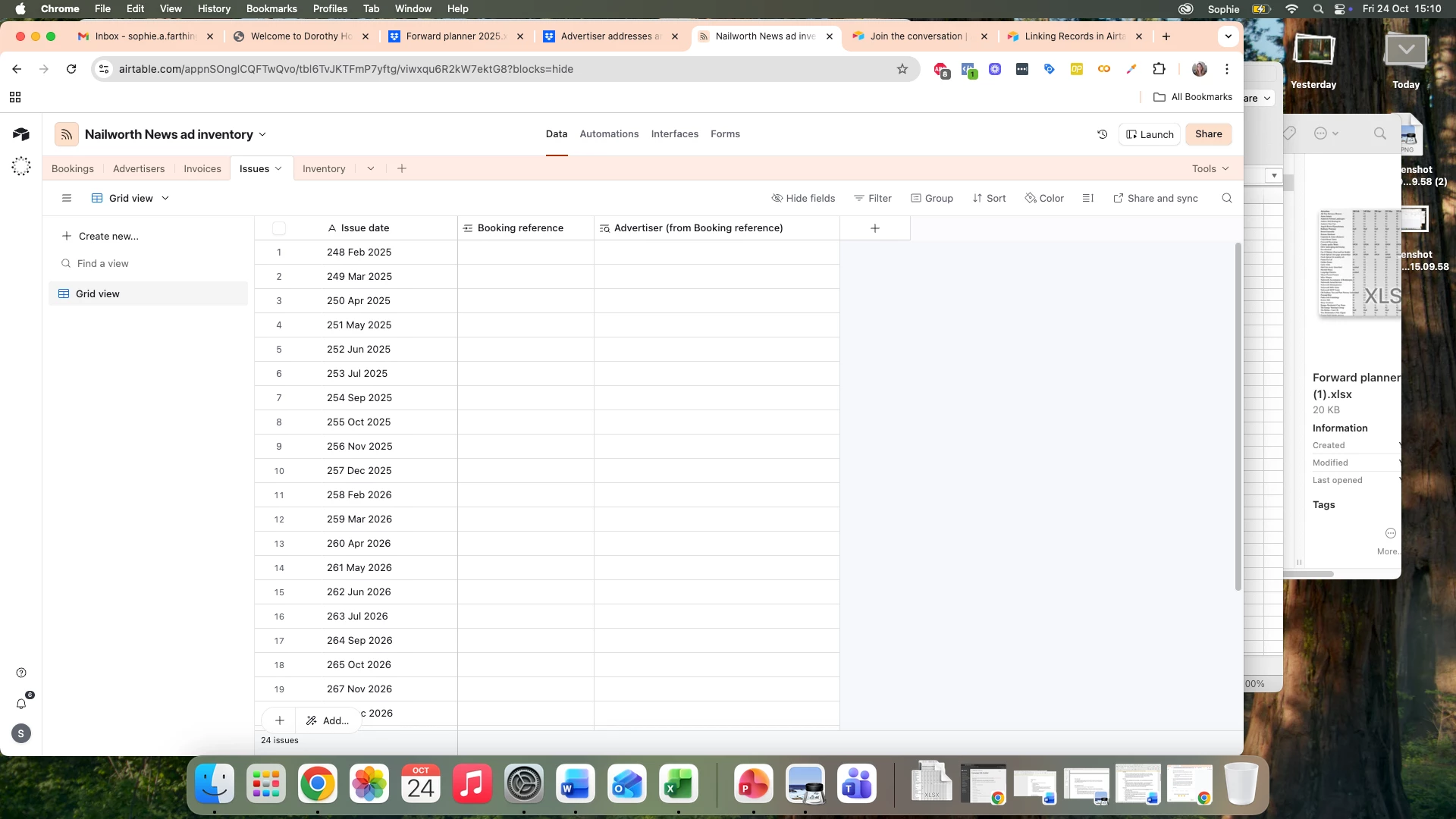
I’m trying to build an automation so that if I put ‘Regular’ in the ‘type’ column in the bookings table it will automatically populate the ‘populate issues’ column in the same table with all the entries in a list (‘issue date’) from the ‘Issues’ table. I can’t work out how to build this automation and get a ‘Received invalid inputs’ error. Can anyone help?
 

This topic has been closed for replies.

6 replies

TheTimeSavingCo
Forum|alt.badge.img+32

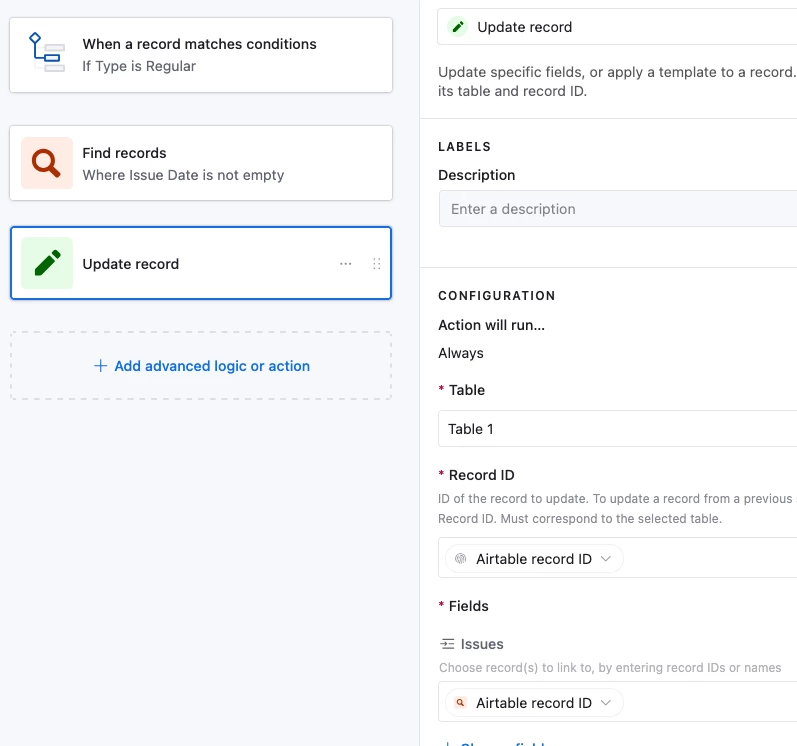
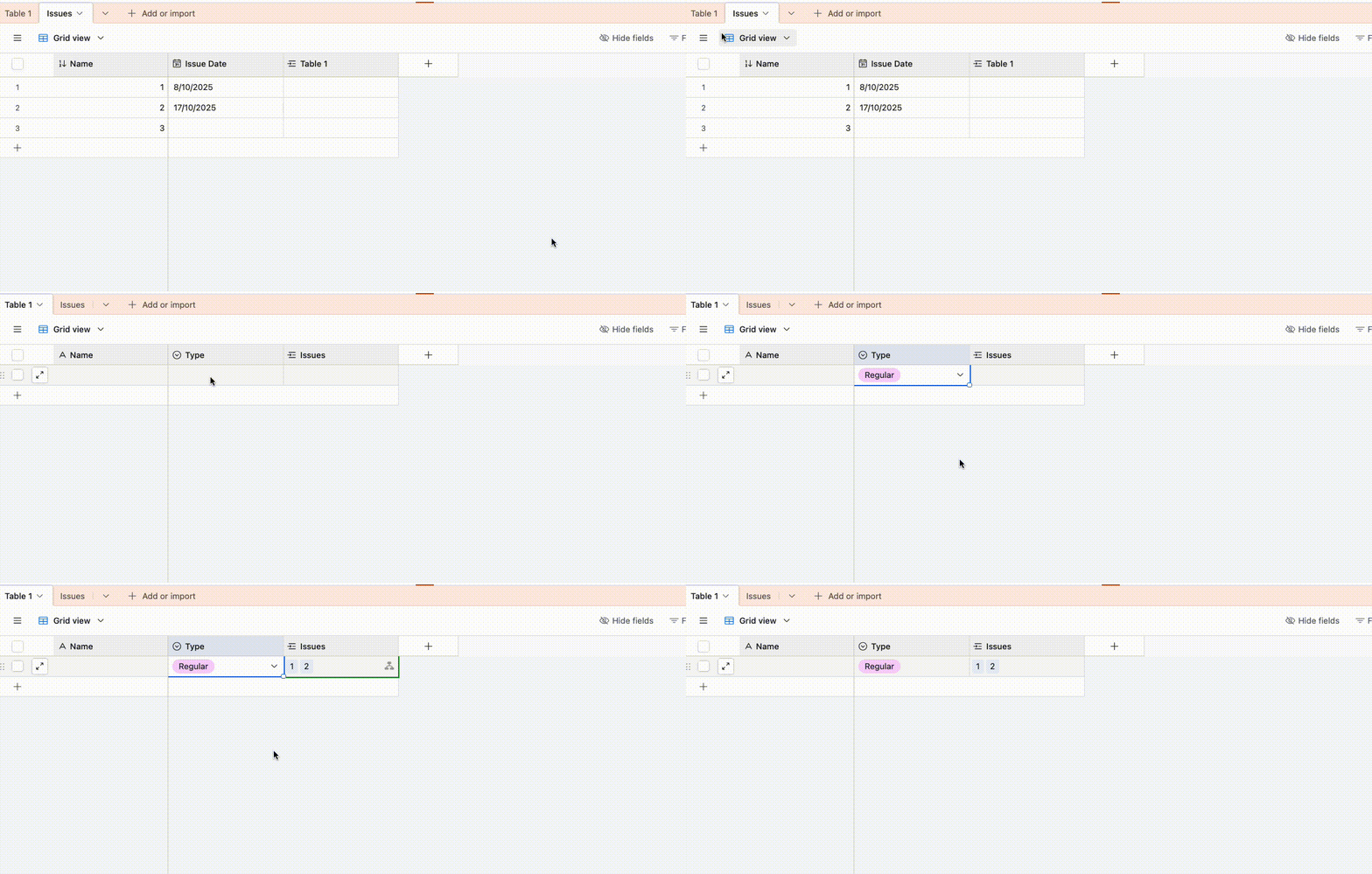
Hm assuming your end goal is for that ‘Regular’ record to be linked to all the found records, then you could do this instead and I’ve set it up here for you to check out:

And this is what it looks like in action:

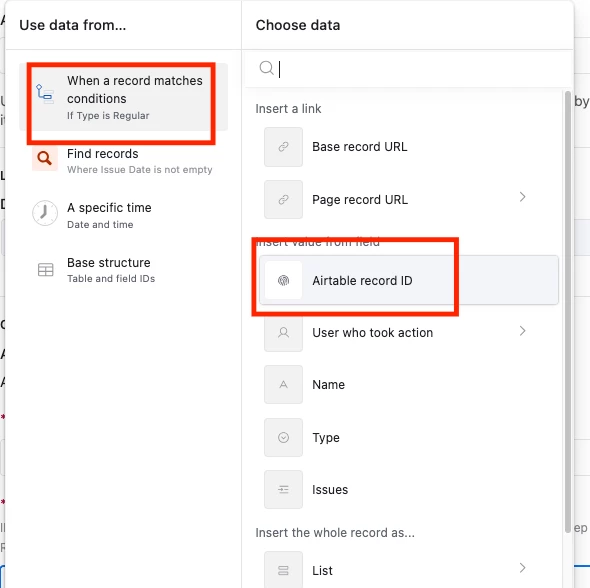
The record ID is the triggering record’s ID:


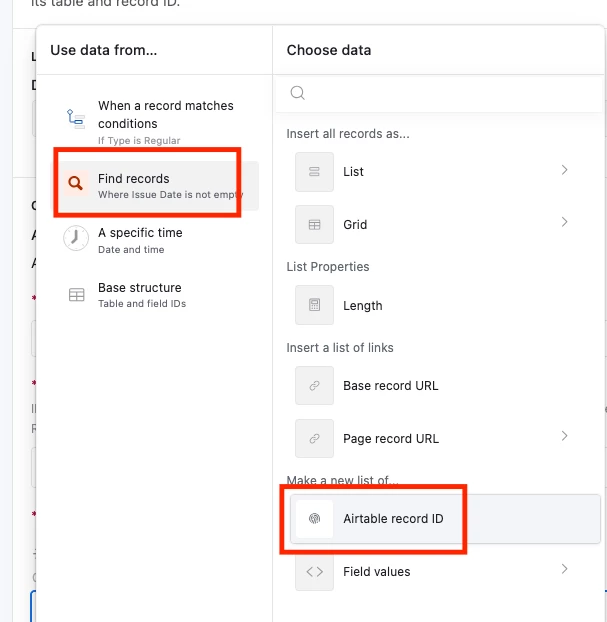
And the linked field is populated with the IDs of all the found records:


Forum|alt.badge.img+2
  • Author
  • New Participant
  • October 24, 2025

This is amazing - thank you so much Adam. I spent hours trying to work out how to do this and was about to give up - really appreciate your help! Can I just check - will the issues field in table 1 update automatically if the issues are changed in the column/table it pulls from?


TheTimeSavingCo
Forum|alt.badge.img+32

Hmm, data changes of linked records will show up automatically via lookup / rollups, but the links themselves won’t change I’m afraid.  What would be changing on the issues side?

I do free half hour calls and would be happy to jump on a quick Zoom with screenshare to try to help too!  


Forum|alt.badge.img+2
  • Author
  • New Participant
  • October 30, 2025

So sorry for the delayed reply. I think you are right - the issues shouldn’t update too often so think this solution will work. Many thanks for your help.


Forum|alt.badge.img+1
  • New Participant
  • November 10, 2025

I am new to Airtable,facing issue as i have two tables owner and tenant having data property type,subtype,location,budget range,urgency criteria in both.

I want to update/ fetch matched data when iwner/ tenant enters their data through chatbot automation in table.

When I do set up with update record automation & set condition but it shows error/ find result shows zero records.

Can anyone help me? Please


hrmbassociate
Forum|alt.badge.img
  • New Participant
  • January 6, 2026

Only linked record fields can be automatically filled up by automations; simple text lists cannot. Verify that the record field "populate issues" is linked to the Issues table. Then, when Type = "Regular," start the automation and update that field. The "invalid inputs" error will appear if the field types don't match.