I want to look up certain related Procedure Records in my “PNP” table, then I want to add all the related Procedure Records to one field in every Work Record in another table. SO:
Triggers: Possibly every time a Work record is created? or on a time schedule? A button?
Step 1: Look up all related Procedures records based on a Work Record category field
Step 2: For every Work Record, add all the related Procedures records to a “PNP” field
Should be easy right? Just some ideas here but it didn't work at all..
Best answer by TheTimeSavingCo
+1 for Jon’s solution about using a new Category table instead
---
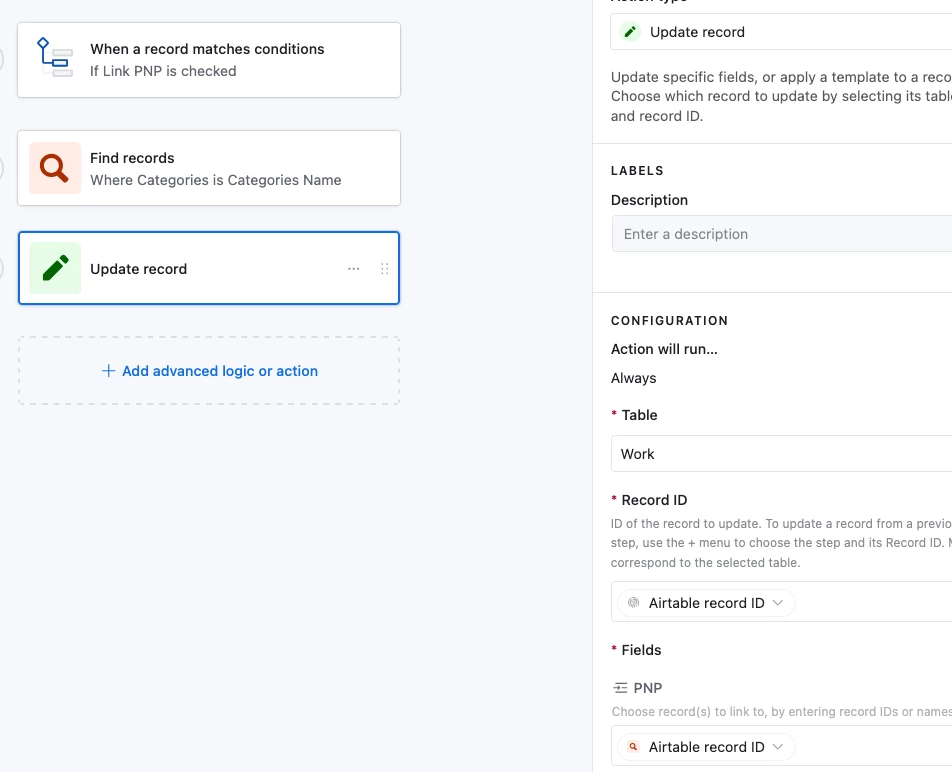
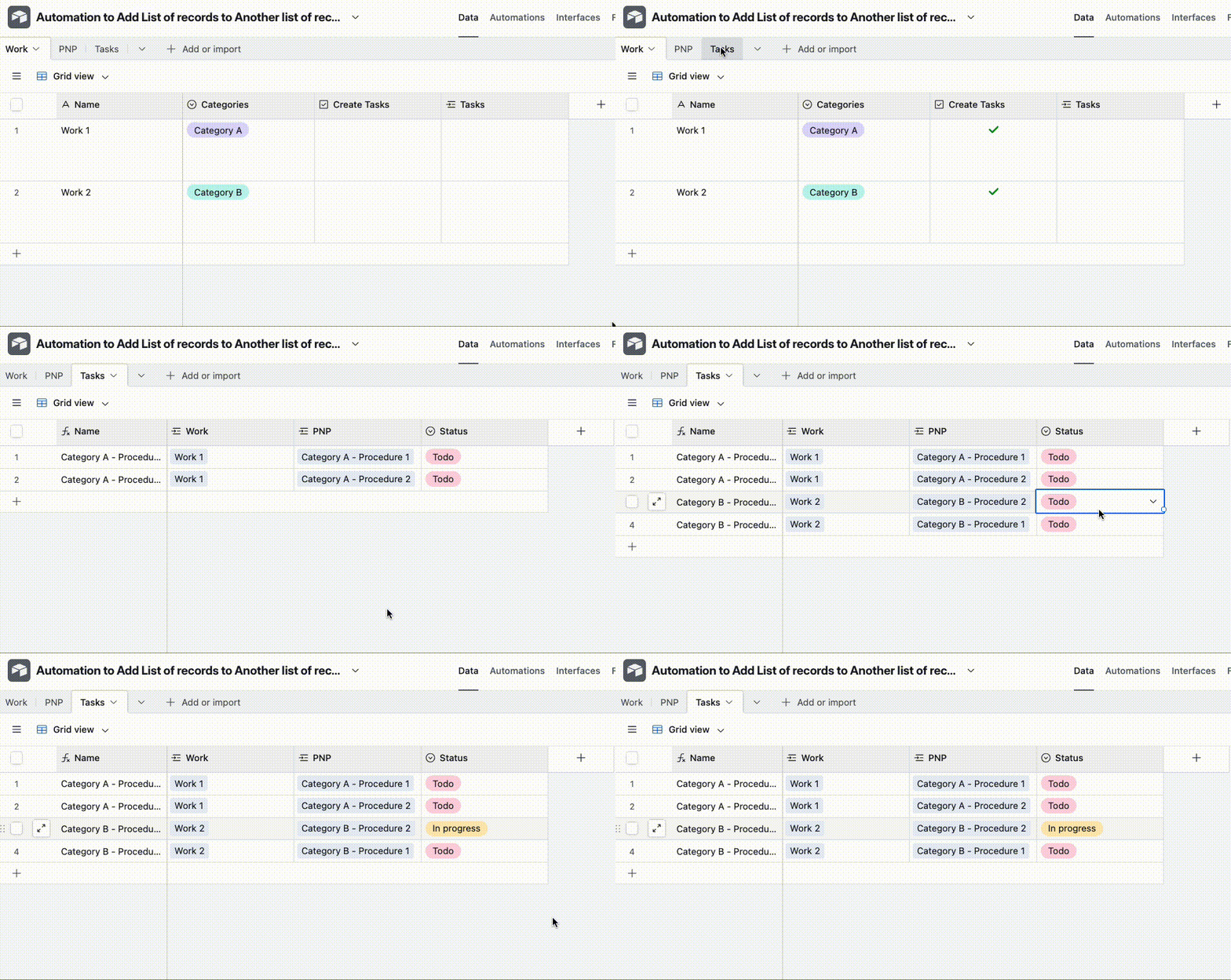
To get your original idea of linking the PNP records for a Category to a Work record, the automation would look like this and I’ve set it up here for you to check out
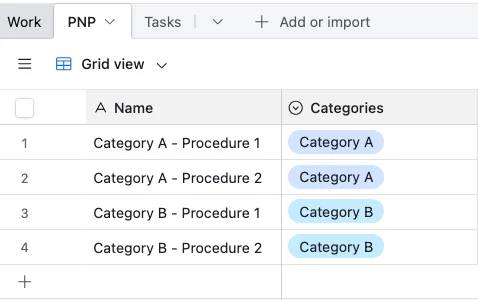
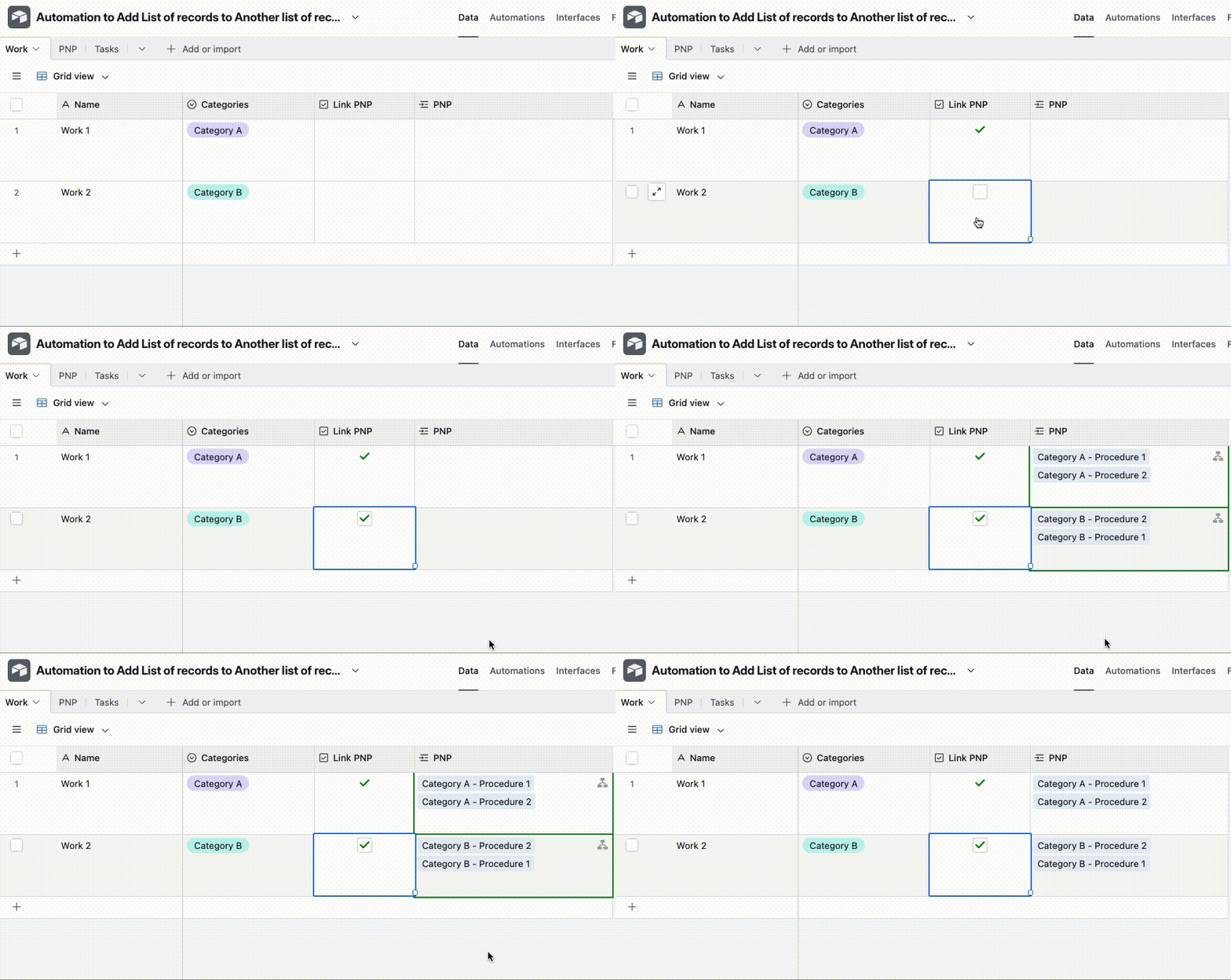
And here’s how it would look in practice: PNP records:
Automation running:
Assuming you want to track the statuses of each Procedure for each Work record, I would suggest using a new Tasks table and an automation to help you create the records, which would look something like this:
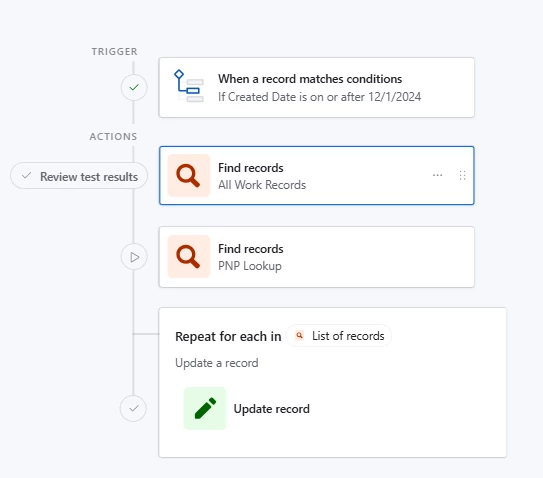
It looks like your current setup will look up a bunch of PNPs, then a bunch of Work Records, then insert all those PNPs into all your Work Records, sound about right?
Architecturally, I’d skip automations altogether. If what drives the PNPs is the ‘Category’, then:
make a ‘Category’ table
Link the relevant PNPs to that Category
assign the Category to your Work Records as you currently do (presumably in a select)
lookup the PNPs, from the Category, into your Work Record
Not only does this skip automations, it’s just tighter from a data point of view, i.e. if you add a PNP to a Category, you probably want that to cascade to all relevant Work Records.
If you need to / want to do it in an automation, triggering on A WORK ORDER when ITS ‘Category’ changes probably makes the most sense. In this case you’d only be fetching PNPs relevant to the current work record any applying it to that work record. You probably don’t want to cycle through ALL work records EVERY time a new one arrives.
+1 for Jon’s solution about using a new Category table instead
---
To get your original idea of linking the PNP records for a Category to a Work record, the automation would look like this and I’ve set it up here for you to check out
And here’s how it would look in practice: PNP records:
Automation running:
Assuming you want to track the statuses of each Procedure for each Work record, I would suggest using a new Tasks table and an automation to help you create the records, which would look something like this:
@Jon_NiftySolutions Thanks! I hate making more tables lol I have so many already. But that’s not out of the question. I need to try a few things but essentially I called it a Work Record as a generic term.
Several tables are designed for specific tasks to be performed and in them are records that need “Work done” or in my case Quality Control reviews.
The category is specific for each table, ie Static.
My thought was that when the record was created or when new PNPs are added, it would link them as an easy access resource
As I create and update Procedures for that task I put them in the PNP table with the correct associated Category, so maybe that is already done per your advice?
@TheTimeSavingCo Very nice thanks I will have to look at that ,I was thinking about using a button but a check box is a good idea! I will mess around and get back.!