Question

Automations: Check for duplicates: What Am I doing Wrong??

  • January 20, 2026
  • 6 replies
  • 34 views

Forum|alt.badge.img+2

I’ve been going through tutorials and step-by step instructions, and I can’t figure out why my automation is not working properly. Please help!

I have two tables (Export and Projects), each with a field called “Slug”. When a record is created in the Export table, I need an automation to check the Projects table and compare the “Slug” fields. If there is a match, no action is required. If there is no match, then a new record needs to be create in the Projects table.

Here are my automation steps:
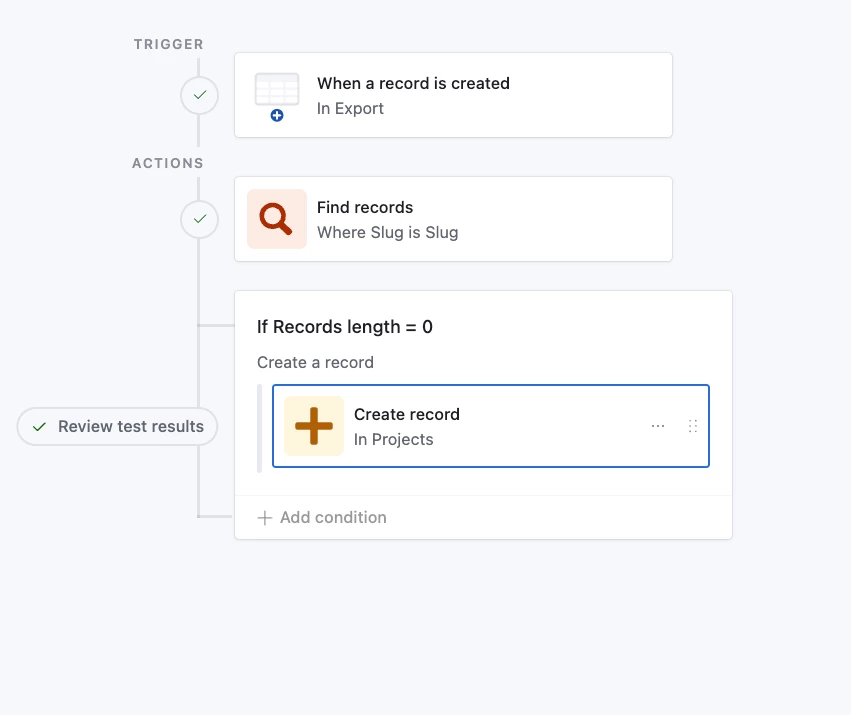
The trigger: When a record is created in the Export table.

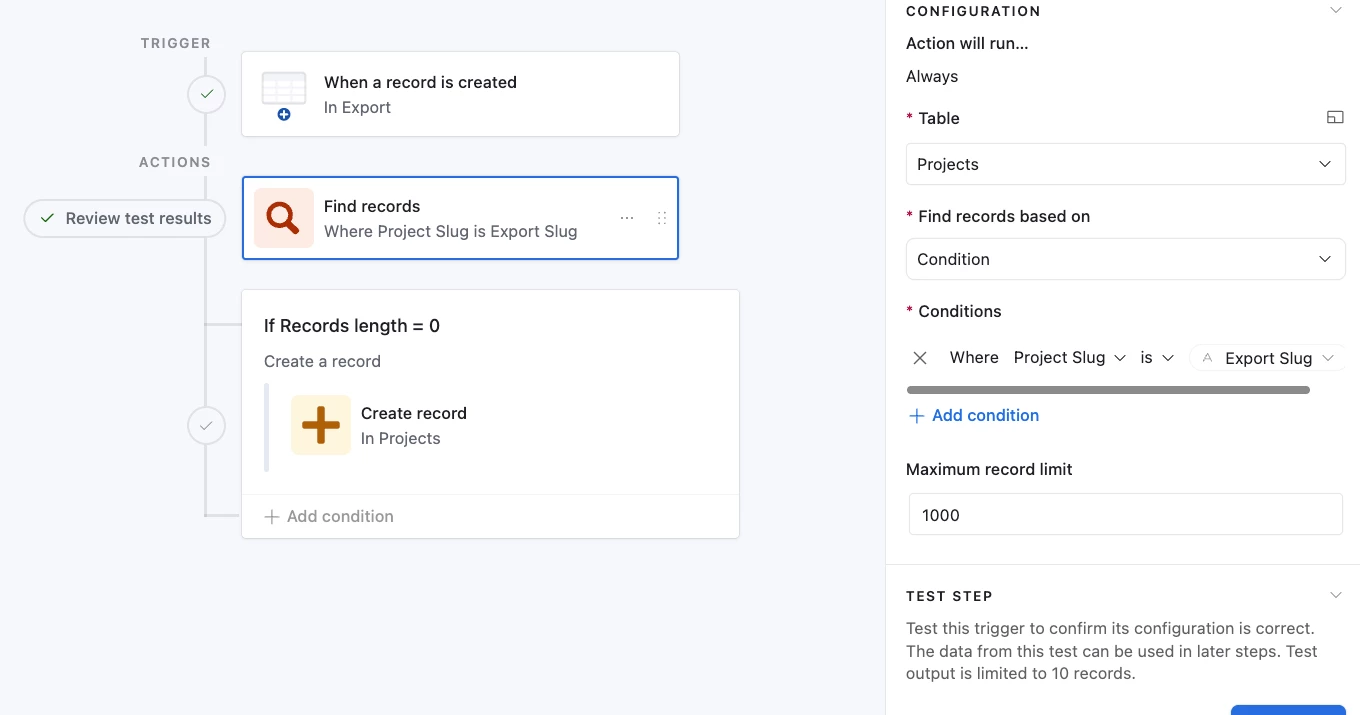
Find records: Where Slug in the Projects table is equal to Slug in the Export table

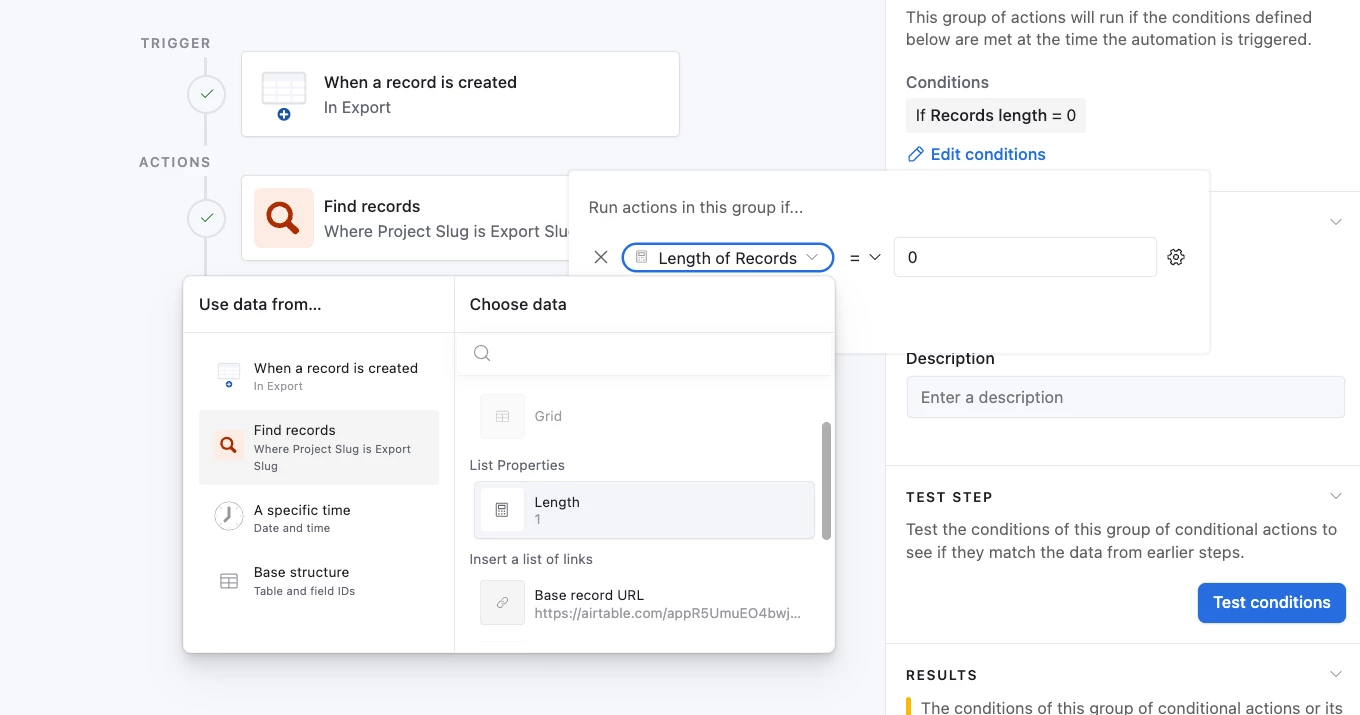
If [Find Records > List properties > length] = 0, then create a new record in Projects.

Except, no new record gets created.

6 replies

Mike_AutomaticN
Forum|alt.badge.img+28

Hey ​@Dawn Després-Smyth,

What is it not working? Meaning, does the first Find Records action block not find any matches?
It does find, but it then does not create the Projects record?
Other?

In addition to answering such question, it would really help if you could send some screenshots of each of the setups on you steps, including (and specially) that of the conditional logic.

Mike, Consultant @ Automatic Nation 
YouTube Channel 


Forum|alt.badge.img+2

Hi ​@Mike_AutomaticN ,

A new record doesn’t get created in the Projects table, even if I create a record with a unique Slug in the Export table. (I changed the Slug names to differentiate them).

Configuration for Find Records
Configuration of the condition.


Forum|alt.badge.img+2

@Mike_AutomaticN , I changed the trigger to “When a record matches conditions” to check if the Export Slug is not empty, and now it works. I still don’t understand why the “When a record is created” trigger wasn’t working, though.


ScottWorld
Forum|alt.badge.img+35
  • Genius
  • January 20, 2026

@Dawn Després-Smyth 

It wasn’t working because the trigger “when a record is created” triggers on your blank record before you entered any data into the record.

That trigger should NOT be used unless:

  1. Your records are coming in through the API.
  2. Your records are coming in through a form.
  3. You want to run an automation on a blank record.
  4. You are importing records from a CSV file. 

Hope this helps!

If you have a budget and you’d like to hire the best Airtable consultant to help you with this or anything else that is Airtable-related, please feel free to contact me through my website: Airtable consultant — ScottWorld


Mike_AutomaticN
Forum|alt.badge.img+28

Oh yes! ​@ScottWorld above seems to be pointing in the right derection.

Maybe one additional use case for such record creation trigger:
- When records are coming through a CSV (or other) import.

Either that was the case, OR you were not running the automation live but testing it with unmatching data on your tested version of the trigger. For testing purposes you need to re-run the test if values on the record have changed. Hope this makes sense.

Feel free to reach out if you have any other question. Happy to hear this has been solved on your side.

Mike, Consultant @ Automatic Nation 
YouTube Channel


ScottWorld
Forum|alt.badge.img+35
  • Genius
  • January 20, 2026

Great addition, ​@Mike_AutomaticN ! I will actually add that into my list above as #4. Thank you!

- ScottWorld, Expert Airtable Consultant