Question

Can I search a Google Sheets row to find a matching Airtable record?

  • December 4, 2025
  • 2 replies
  • 112 views

Forum|alt.badge.img+1

Hello! I am banging my head against a wall trying to figure this out--maybe someone here can help!


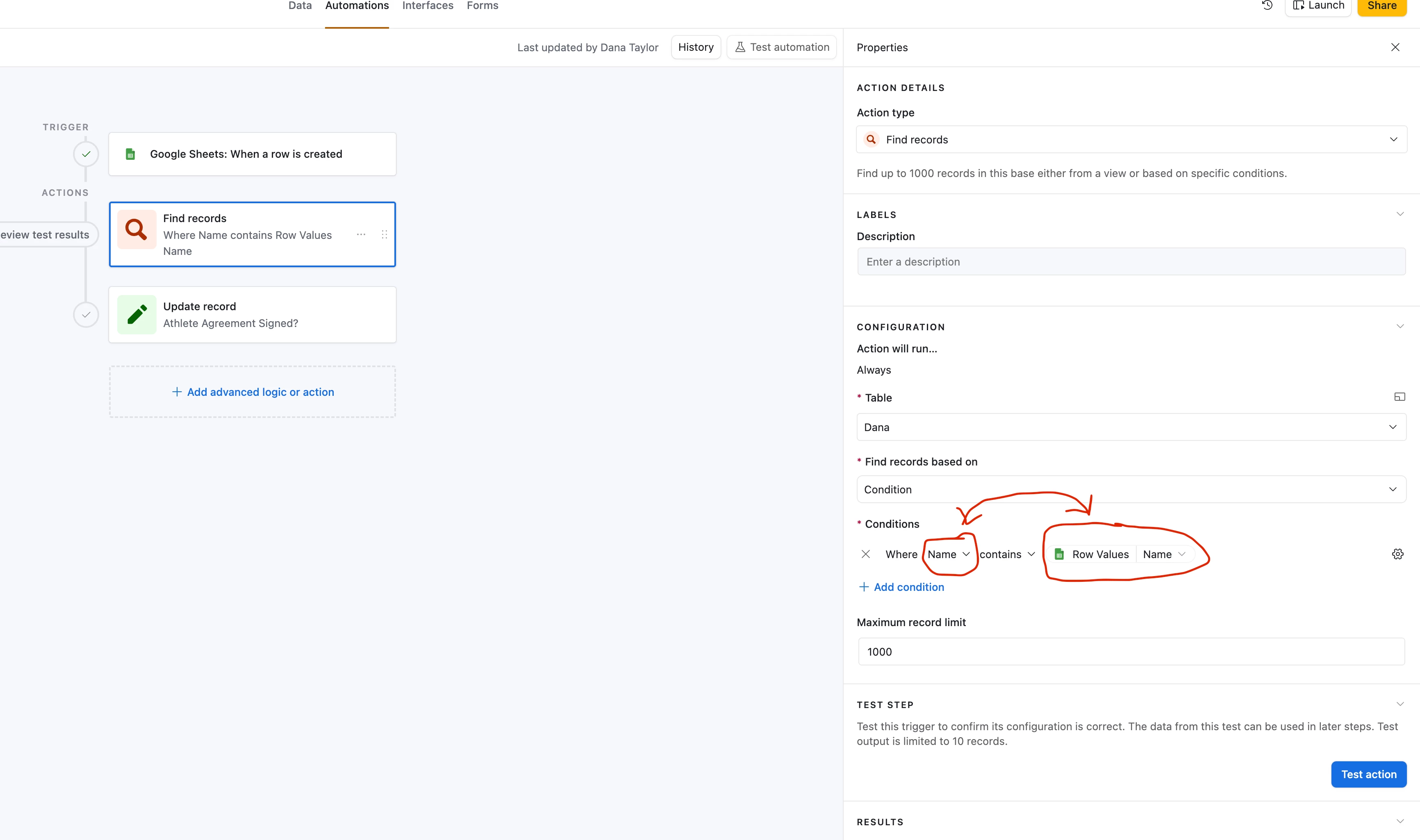
I want to update an Airtable record based on receiving a new email. The emails are automatically logged by subject line in Google Sheets. The subject line contains the same “Name” that matches the Airtable record, but it also contains other information--so the information in the Google Sheets cell does not match the Airtable field exactly.


I would like to search the Google Sheet and find the Airtable record based on the information in the cell, but it seems like I can only locate the Airtable record if the information in the Sheet matches exactly.


Basically, is there a way to swap these two fields, so that the automation is searching for the “Name” field in Airtable from the Google Sheet?


2 replies

TheTimeSavingCo
Forum|alt.badge.img+31

Hm, does this sound right?

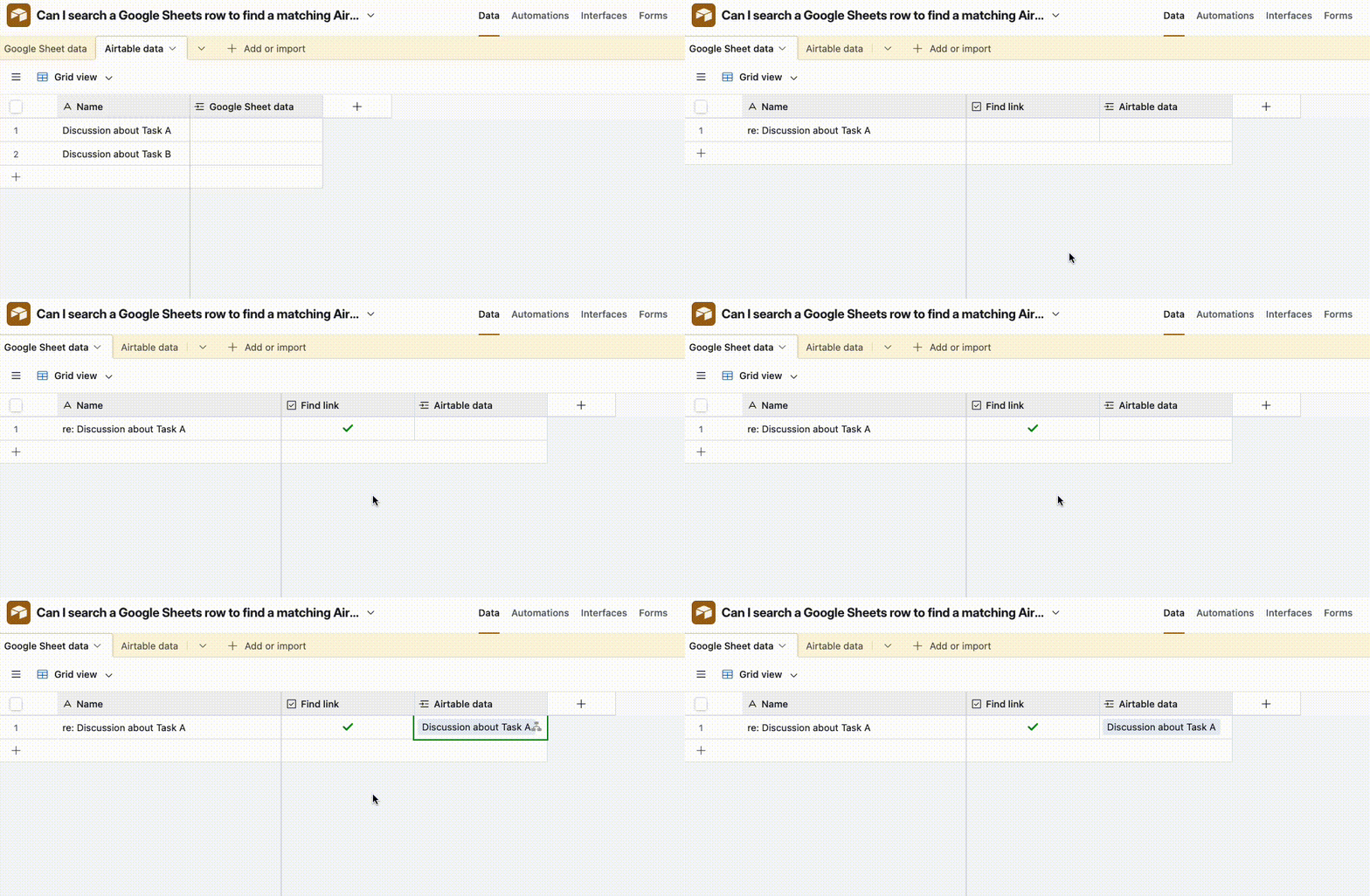
  1. Sheets has a row with ‘Name’ value ‘re: Discussion about Task A’
  2. Airtable has a record with the ‘Name’ value ‘Discussion about Task A’
  3. When the automation triggers, you want the automation to be able to find the record 

If so, I think you’ll need a script for this I’m afraid and I’ve put something together here for you to check out

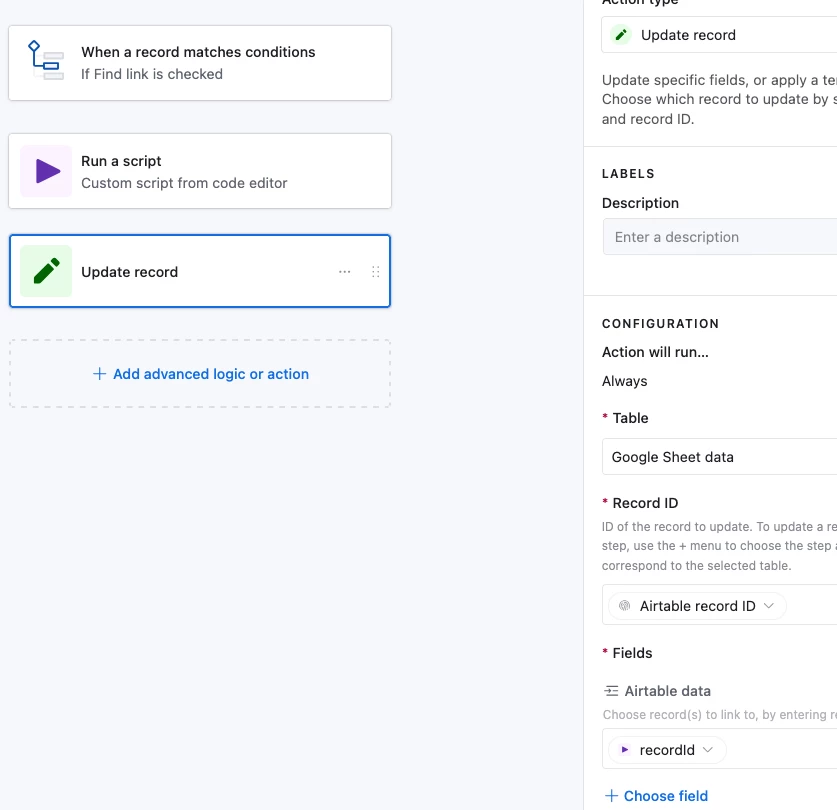
The automation runs a script that looks for any records in ‘Airtable data’ whose ‘Name’ appears anywhere inside the text coming from the record in ‘Google Sheet’ data and outputs the first one it finds.  We then use the output in an ‘Update record’ step

And here’s the script:

let { googleSheetsNameValue, airtableDataTableId, airtableDataNameField } = input.config();

let query = await base.getTable(airtableDataTableId).selectRecordsAsync({
fields: [airtableDataNameField]
});

let matchedRecord = null;

for (let record of query.records) {
let name = (record.getCellValueAsString(airtableDataNameField) || "").toLowerCase();

if (name && googleSheetsNameValue.toLowerCase().includes(name)) {
matchedRecord = record;
break;
}
}

if (matchedRecord) {
output.set("recordId", matchedRecord.id);
}
else{
output.set("recordId", '');
}

Setting up the input variables might be a bit tricky, let me know if you hit any issues and I’ll see what I can do to help!


Forum|alt.badge.img+1
  • Author
  • New Participant
  • December 8, 2025

Yes that sounds correct! I haven’t had time to try this out yet but I’ll give it a shot this week and report back. Thank you for your help!