Question

Comma in a field

  • January 14, 2026
  • 3 replies
  • 13 views

Forum|alt.badge.img+8

I have an automation that copies fields from one table to another once the checkbox is selected.


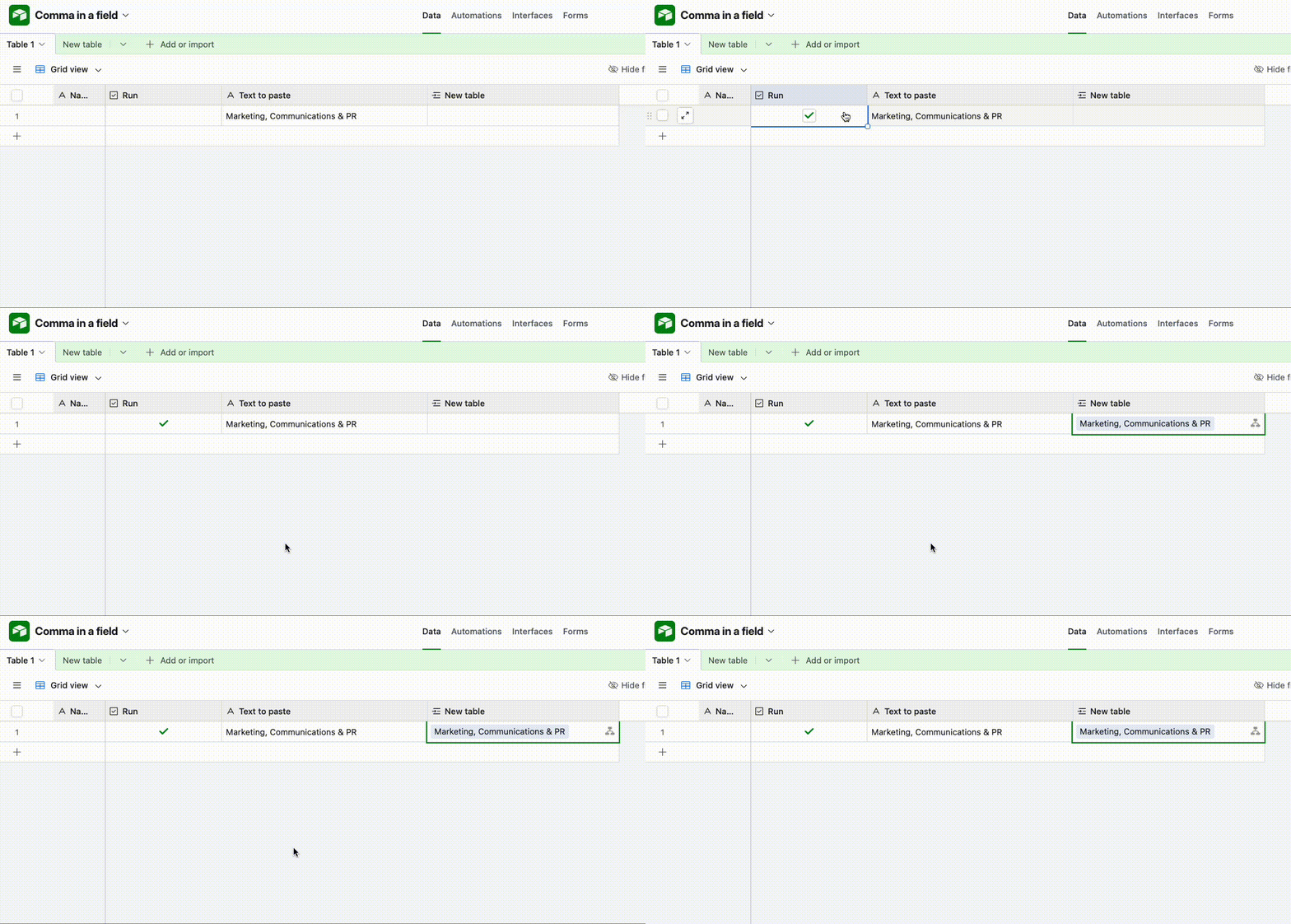
One of the field is “Marketing, Communications & PR”. When the automation runs, it splits it into two items “Marketing”, “Communications & PR”. I want to have it as one sector when it is copied to the 2nd table.


I tried some of the ideas mentioned previously but got confused. I can try “Marketing Communications & PR” which might solve the problem but don’t like it.

Is it possible to solve this issue?


Thanks a lot.
3 replies

TheTimeSavingCo
Forum|alt.badge.img+31

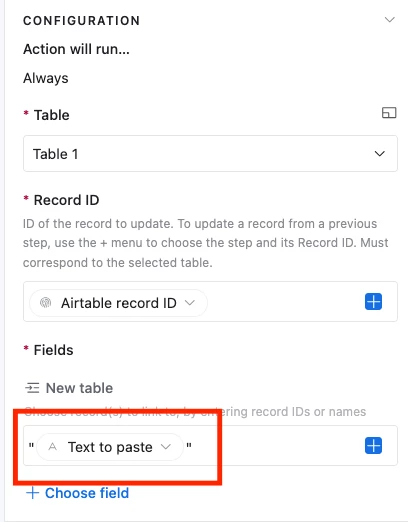
Try wrapping your value in quotes in the automation setup:


Mike_AutomaticN
Forum|alt.badge.img+28

Hey ​@SenRath,

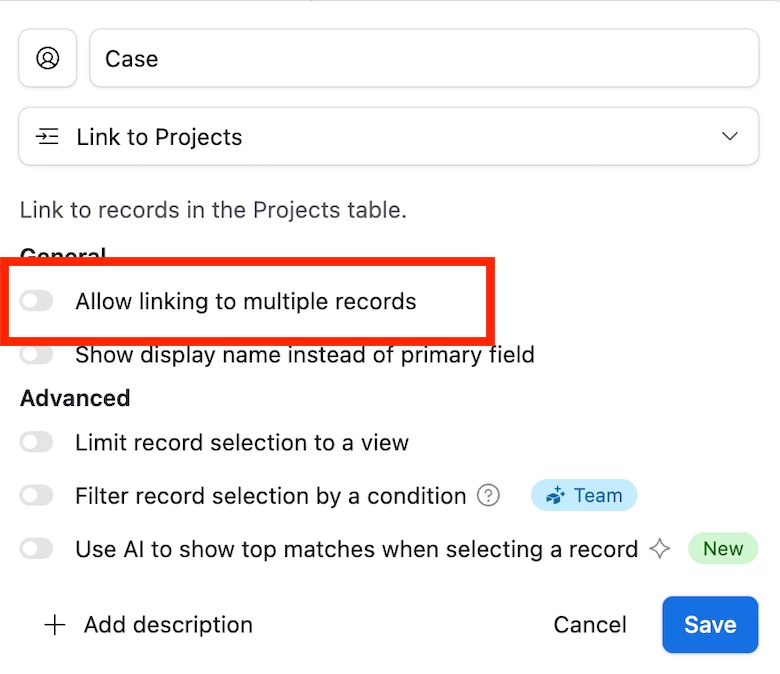
Should the linked record field support multiple records linked through it, or only one?
It seems that you currently have this setup to support multiple links. If that is not needed, you can just toggle off the “Allow linking to multiple records” and I think that should be it and work. -see screenshot below. 


Otherwise, you can go with Adam’s suggestion above which should also work!

Mike, Consultant @ Automatic Nation 
YouTube Channel


Mike_AutomaticN
Forum|alt.badge.img+28

Just for further context. If you allow multiple links and you don’t wrap your value in quotes Airtable will understand that you are passing a comma separated list of values. As your primary field on the linked table is probably a free text field, then it is creating the value for you.

Also interesting (at least for me lol): If you don’t want your automation to create new records on your linked table, you might want to have the primary field to be a fomrula which just references a different free text field. In this way when pushing values via the automation it will not create new records if one with such name does not exist.

Sorry if this is confusing, but this might also be a workarond (and even security check) for your system!

Feel free to reach out as needed if you have any question.

Mike, Consultant @ Automatic Nation 
YouTube Channel