Solved

Create a new invoice with automatic invoice number creation

  • December 12, 2025
  • 6 replies
  • 57 views

Forum|alt.badge.img+17

I am going around and around a lot on this problem and still trying to fin. d the right way to go.

I have a table of invoices. The invoices are numbered sequentially. Right now I have to enter each invoice number by hand after checking a summary table I made that lists the latest invoice number used +1 from a formula.

I would like to have the “latest number used +1” inserted into the invoice number field of the new invoice being created. I imagine that it I not as hard was I am making it. I will tell you that I am TERRIBLE at automations. I find them unintuitive and frustrating. It’s probably me.

But I am guessing that an automation is what I need..

So invoice table is “Invoices: House” and summary table is “Invoice: Next invoice Number”. The summary invoice numbers in the “Invoice: Next invoice Number” table are in a rollup field and the Invoice Numbers in the “Invoices: House” field is a numbers field if that matters.

Any help is appreciated.

Best, Scott
Best answer by Scott_Brasted

What I am trying to do in a broad sense is stop having to manually add invoice numbers. We call it computer as typewriter syndrome.

In a more micro sense I would like to create a new invoice in an Interface and have the new invoice already have the next sequential invoice number inserted from a summary table. The summary table gets its numbers from a formula in a Rollup field that takes the last invoice created in the invoice table and adds 1 to it.

So I do not know how to get the number from the summary table formula field to the invoice number field of the invoice table.

Best, Scott

6 replies

ScottWorld
Forum|alt.badge.img+35
  • Genius
  • December 12, 2025

You would just need to create an autonumber field. However, autonumber starts at 1, so if you want to force it to start at a higher number, create a formula field that equals the autonumber field + whatever number you type in.

- ScottWorld, Expert Airtable Consultant 


Forum|alt.badge.img+17
  • Author
  • Inspiring
  • December 12, 2025

Hi, thanks for the response. I have tried several angles of attack with autonumber. But AirTable’s AN field is about as problematic as MS Access’s. Both are made for a very specific reason and neither want to be bent to the will of a developer. So I need to find a way to create an advanacable number. Hence the automation. But I was serious when I said I am TERRIBLE with automations. They do not speak to me. I find them beyond frustrating. I know a lot people love them and there are myriads of YouTube videos explaining them. But I haven't found one that works for me. And ChatGPT is not very good at making them work. Good at scripst, but automations, not so much. 

Best, scott


Mike_AutomaticN
Forum|alt.badge.img+28

Hey hey ​@Scott_Brasted!


I don’t think I’m fully following what your specific issue is. Would you share some more detail?

Are you trying to get sequential numbering per client rathen than in general?


Mike, Consultant @ Automatic Nation 


Forum|alt.badge.img+17
  • Author
  • Inspiring
  • Answer
  • December 14, 2025

What I am trying to do in a broad sense is stop having to manually add invoice numbers. We call it computer as typewriter syndrome.

In a more micro sense I would like to create a new invoice in an Interface and have the new invoice already have the next sequential invoice number inserted from a summary table. The summary table gets its numbers from a formula in a Rollup field that takes the last invoice created in the invoice table and adds 1 to it.

So I do not know how to get the number from the summary table formula field to the invoice number field of the invoice table.

Best, Scott


Forum|alt.badge.img+17
  • Author
  • Inspiring
  • December 14, 2025

In the simplest terms this is want I want to do . . . 

When I create a new record in the “Invoices:House” table

I want to

Find the record in the “House” rollup field in the “Invoice: Next invoice Number” summary table

Then

Insert that number in the “Invoice #” field in the “Invoices:House” table

Does this help?

Best, Scott


TheTimeSavingCo
Forum|alt.badge.img+31

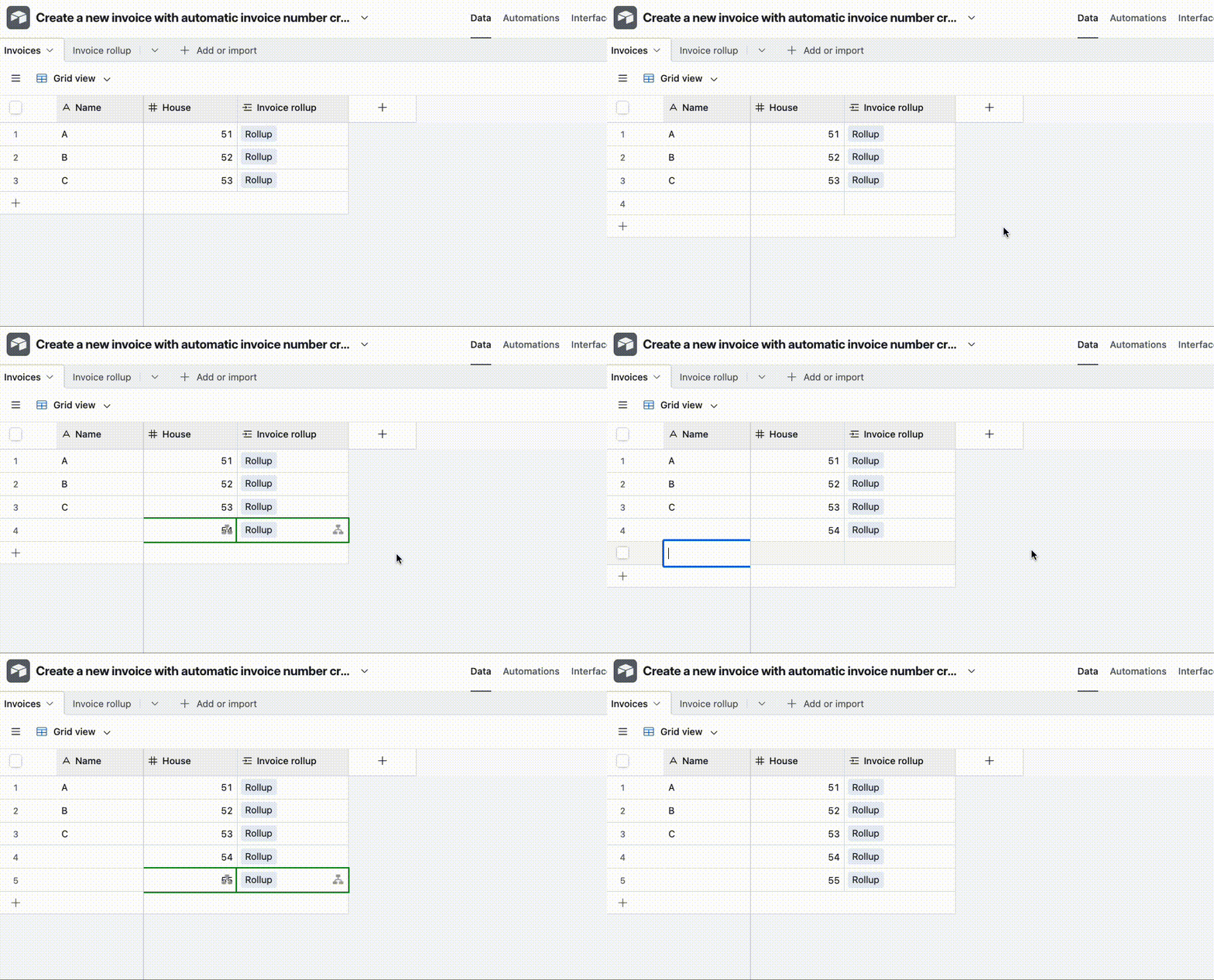
Does this look right?  If so I’ve set it up here for you to check out and you can duplicate the base into your own workspace to review the automation

If you’re having trouble with the setup, if you private message me an invite link to your base I can help you set it up too!


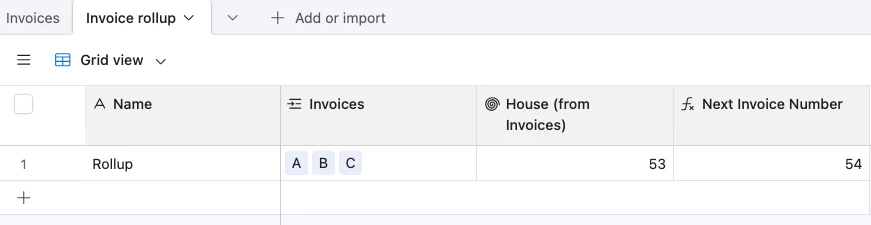
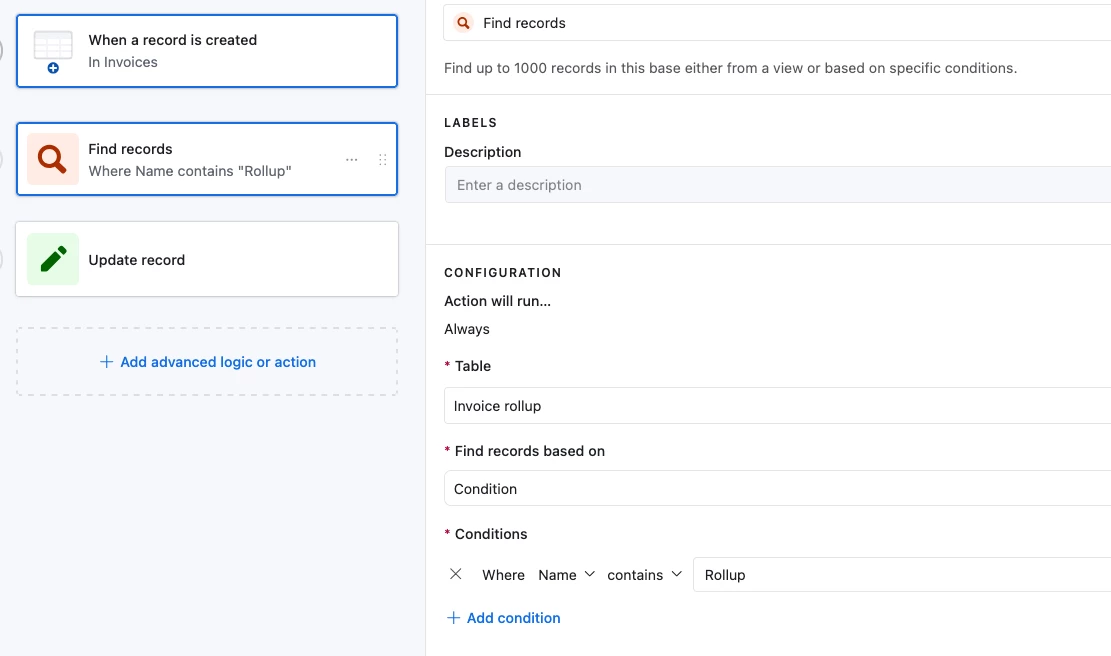
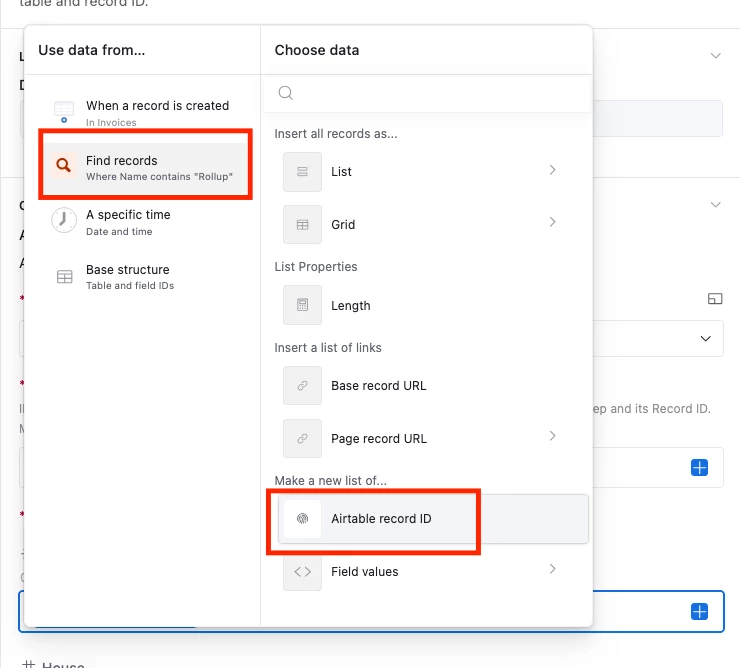
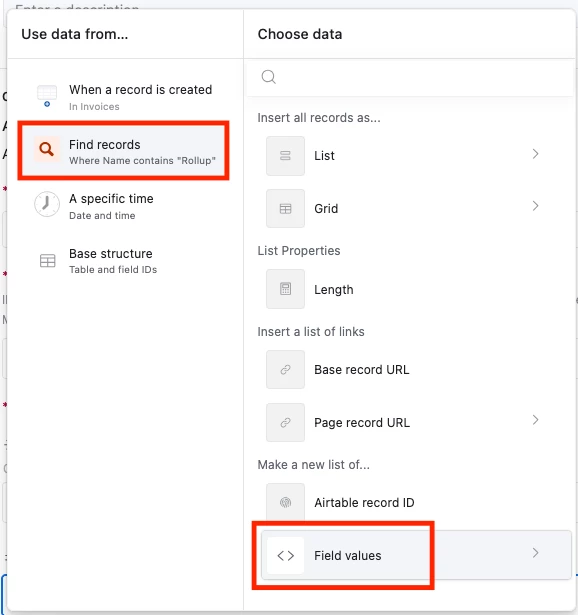
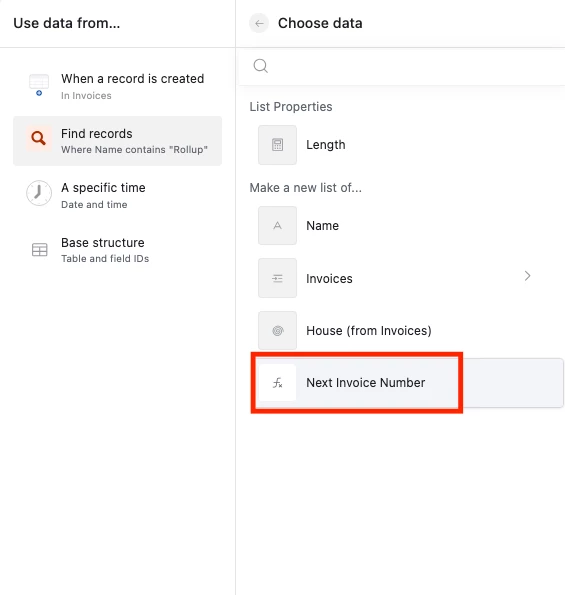
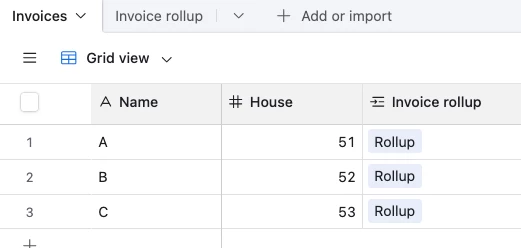
Whenever a new record gets created in ‘Invoices’, the automation will trigger and look for a record in ‘Invoice rollup’ where the name is 'Rollup’

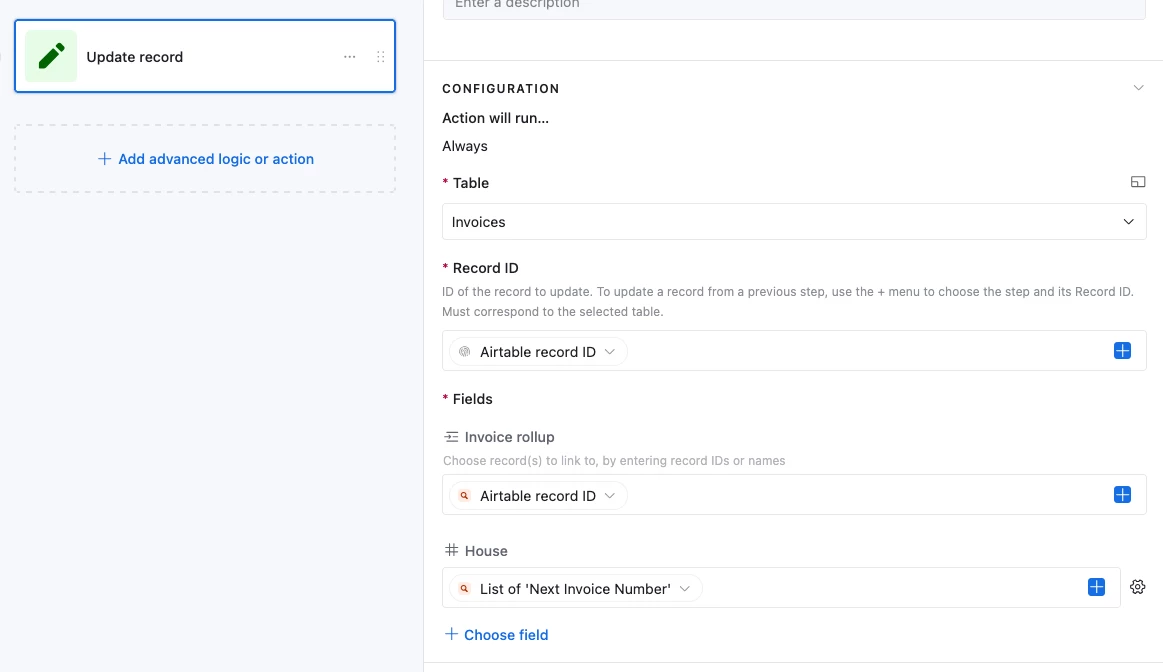
It will then update the triggering record:

  1. Link it to the 'Rollup’ record, thus updating the rollup number for the next Invoice record
  2. Place the 'Next Invoice Number’ value into the ‘House’ field


Invoice Rollup value:


House value: