

Google calendar create events wrong time

  • September 25, 2020
  • 9 replies
  • 67 views

Forum|alt.badge.img+4

Hello everyone, I work at an NGO and I’m trying to put together a booking system so people from a specific program can set up a meeting with someone from the team through a form.

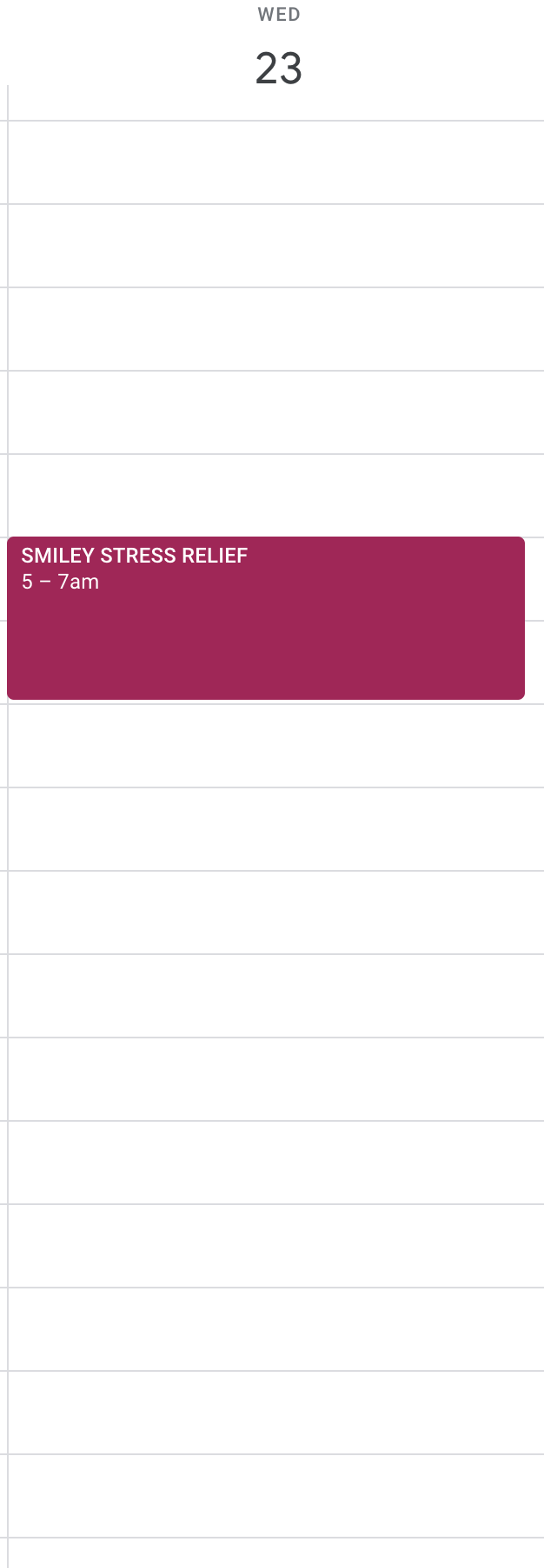
I did everything, but I’m having problems with the Google Calendar automation. It works, but I don’t know why it creates the event two hours later from the time on the date field. I’m guessing this has to do with timezones? but I haven’t been able to figure it out :disappointed_relieved:
can someone help me ? Thank you!!
9 replies

  • New Participant
  • October 8, 2020

Hey !
I’ve the same problem here ! Have you found some solutions ?
Thanks in advance !


  • New Participant
  • November 17, 2020

Hey !
I’ve the same problem here ! Have you found some solutions ?
Thanks in advance !


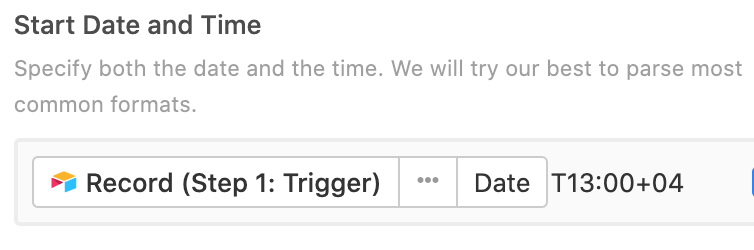
Guys, you just need to add the zone designator directly after the time. For example T13:00+04. It meens 13:00 in UTC+4. See the attached picture If you already have the time in your Date and Time field, just add the time zone offset, something like this: Date and Time+04


Forum|alt.badge.img+1

Does this mean that I should add a time zone indicator of what the time is in Local(as the sended) or the destination of the participant?


  • New Participant
  • June 16, 2021

Hello, I’m trying to figure out a solution for this as well.

I’m currently subscribed my google cal using the Airtable calendar URL. I have a start and end time and date for each entry; however whenever it shows up on my Google Cal the times are off.


Here is the formula on the End Time column (DATEADD({Shoot Date},2,‘hours’)

Any help will be great!


  • New Participant
  • March 7, 2022

Hello, I’m trying to figure out a solution for this as well.

I’m currently subscribed my google cal using the Airtable calendar URL. I have a start and end time and date for each entry; however whenever it shows up on my Google Cal the times are off.


Here is the formula on the End Time column (DATEADD({Shoot Date},2,‘hours’)

Any help will be great!


Hi,
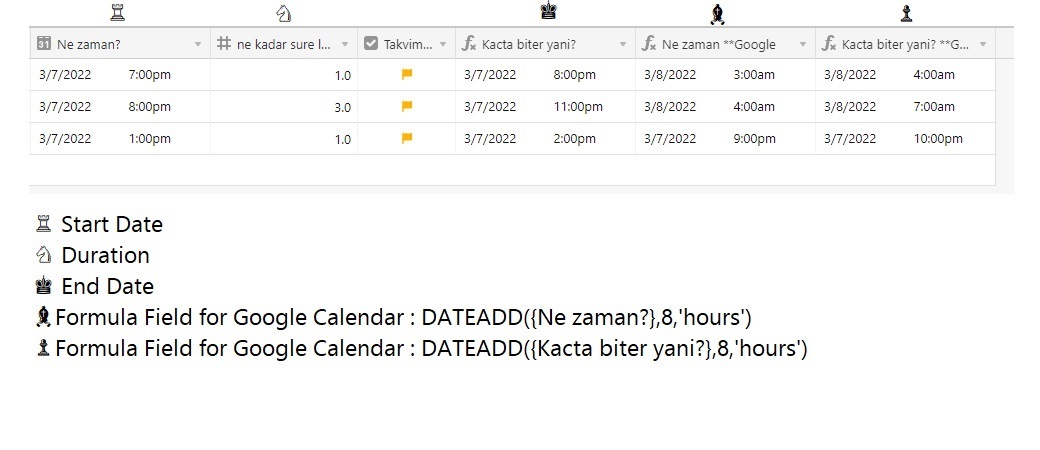
I had the same issue, and I found an easy workaround for this. I calculated the time difference between Date fields and Google calendar event after I created the event using Airtable automation. Both for start and end dates, I created 2 formula fields to add that time difference (+8 hours on my example) using DATEADD() function and dynamically add those fields into Google Start and End date fields in the automation.I, then hide the fields.FYI: Automation is triggered when I mark the checkbox (Field Name: ‘Takvim…’). Please let me know if you could find something more reasonable.


Forum|alt.badge.img+5
  • Participating Frequently
  • April 25, 2022

Did anyone find a solution on this? What baran_alpo shows us is pretty unconfortable since yo have to change all the formulas when the time chages in your country.

I tried revil_fahreev solution but it doesnt work


Hey there,

Has a solution been found on this issue ?
Same as @David_Alonso, I find the 1st solution pretty unconfortable and the other one won’t work…
It would be really useful to find something as I wan’t to avoid using Zapier here (which does the job pretty well though)
Thanks


Forum|alt.badge.img+4
  • Author
  • New Participant
  • May 23, 2022

Hey there,

Has a solution been found on this issue ?
Same as @David_Alonso, I find the 1st solution pretty unconfortable and the other one won’t work…
It would be really useful to find something as I wan’t to avoid using Zapier here (which does the job pretty well though)
Thanks


Hello!

I have been using this formula: DATEADD({Date},-2,‘hours’)

So I create two other columns for the start time and the end time and then for my automation I use the formula column.

It’s not the most practical solution, but it works!
Hope it helps you :slightly_smiling_face:


Forum|alt.badge.img+3
  • New Participant
  • July 2, 2024

Hello!

I have been using this formula: DATEADD({Date},-2,‘hours’)

So I create two other columns for the start time and the end time and then for my automation I use the formula column.

It’s not the most practical solution, but it works!
Hope it helps you :slightly_smiling_face:


Hi, do you know how to hide the start time completely when sending a record from Airtable to GCal via automation? I don't want any time visible.