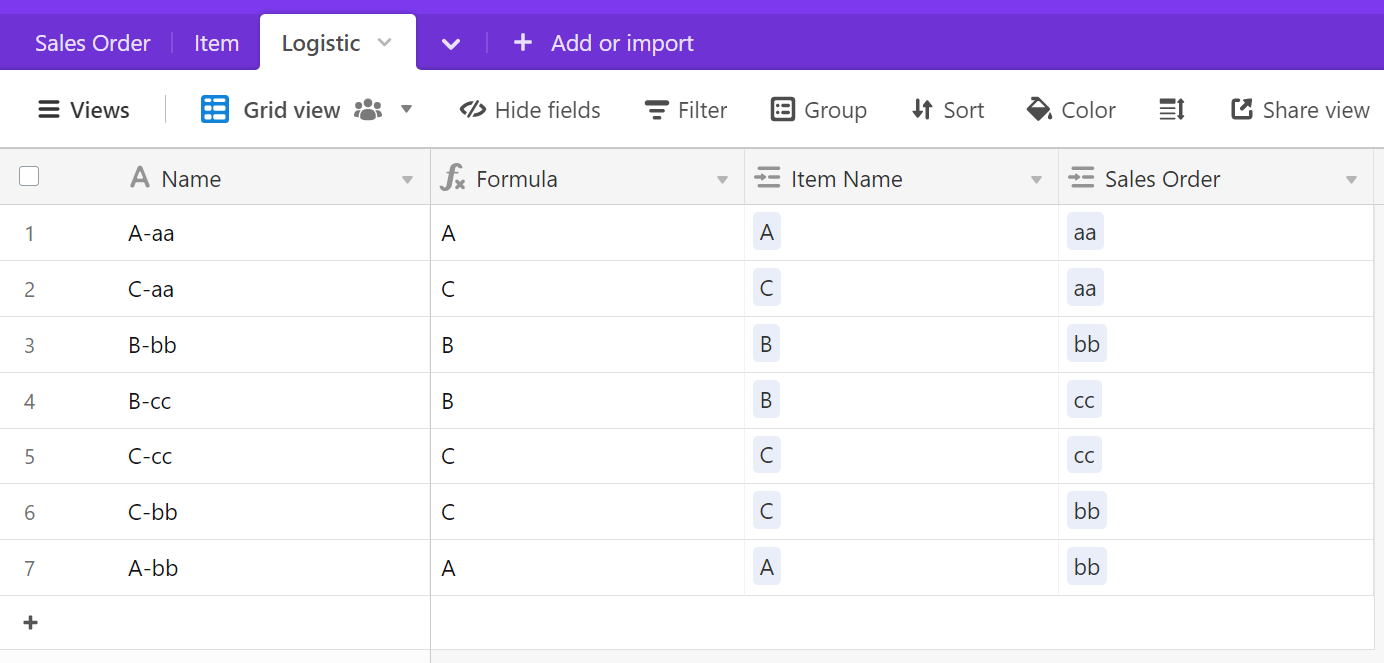
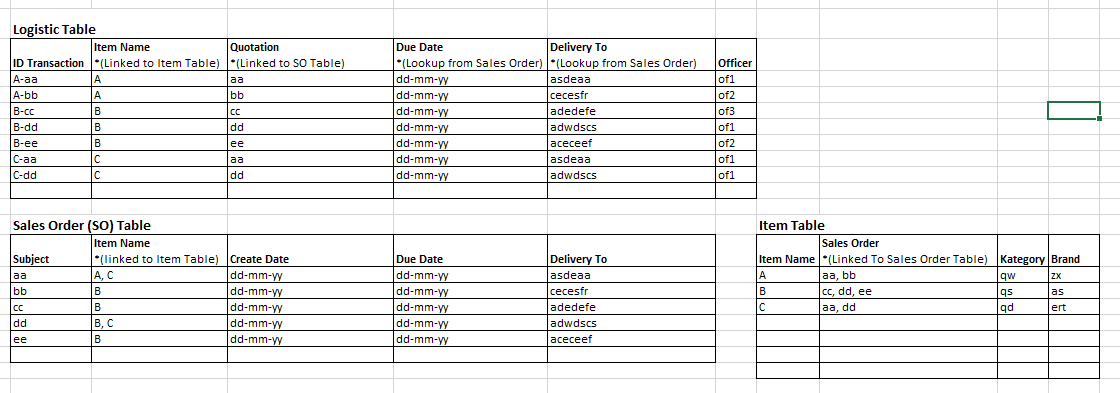
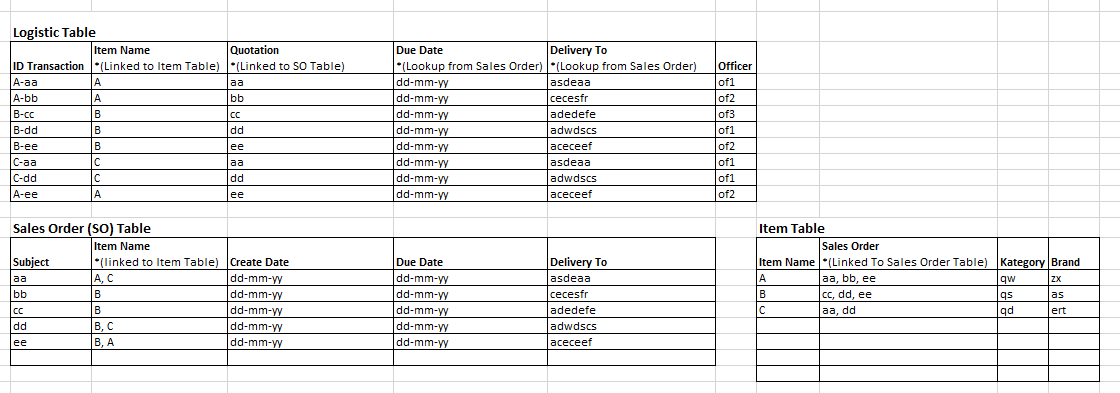
Typically, Airtable works by doing the reverse of what you’re asking: you create a new record in the Logistics table and fill in the {Item Name} and {Quotation} fields (both of which would be of the Link to Record field type).
It sounds like you want to link Items to a Sales Order, and have Airtable automatically create a new record in Logistic for each unique pairing. That’s been done a number of ways in solutions found on this forum. I would recommend searching for “junction table” or “create junction records automatically” or something to that effect. Solutions include Automations and Scripts.
You could for instance try doing this:
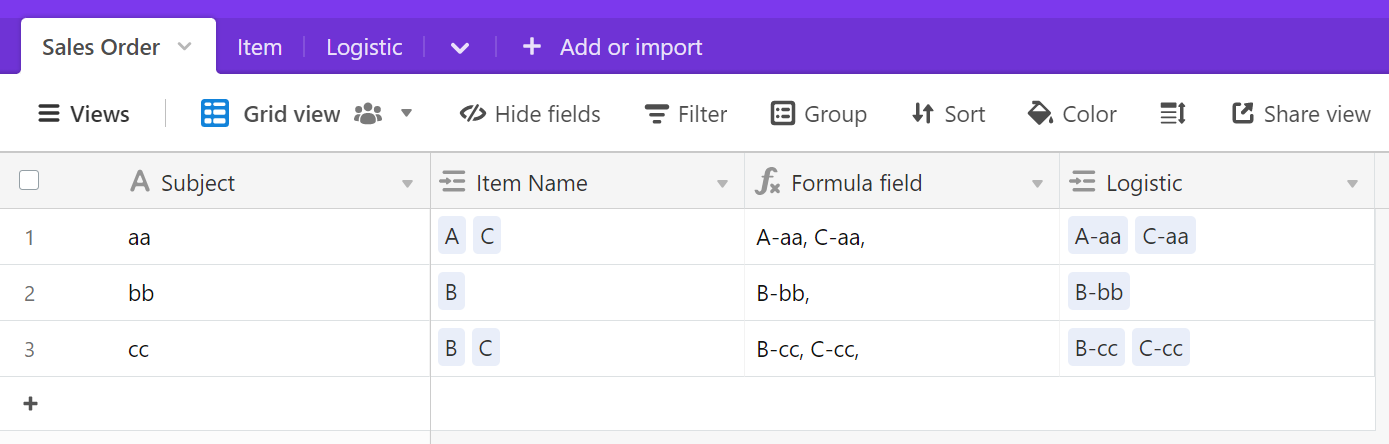
- Create a Formula field in the Sales Orders table that creates the names of each Logistics table record:
IF(
  AND({Subject}, {Item Name}),
  SUBSTITUTE({Item Name}&',', ',', '-' & {Subject} & ',')
)
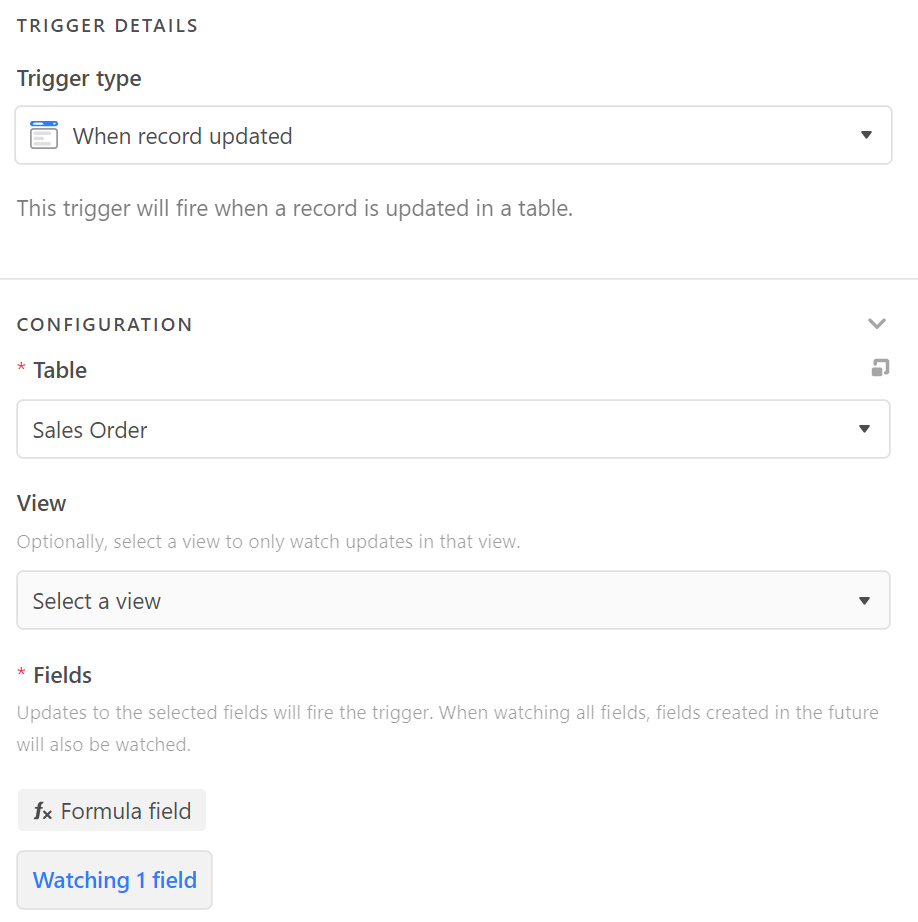
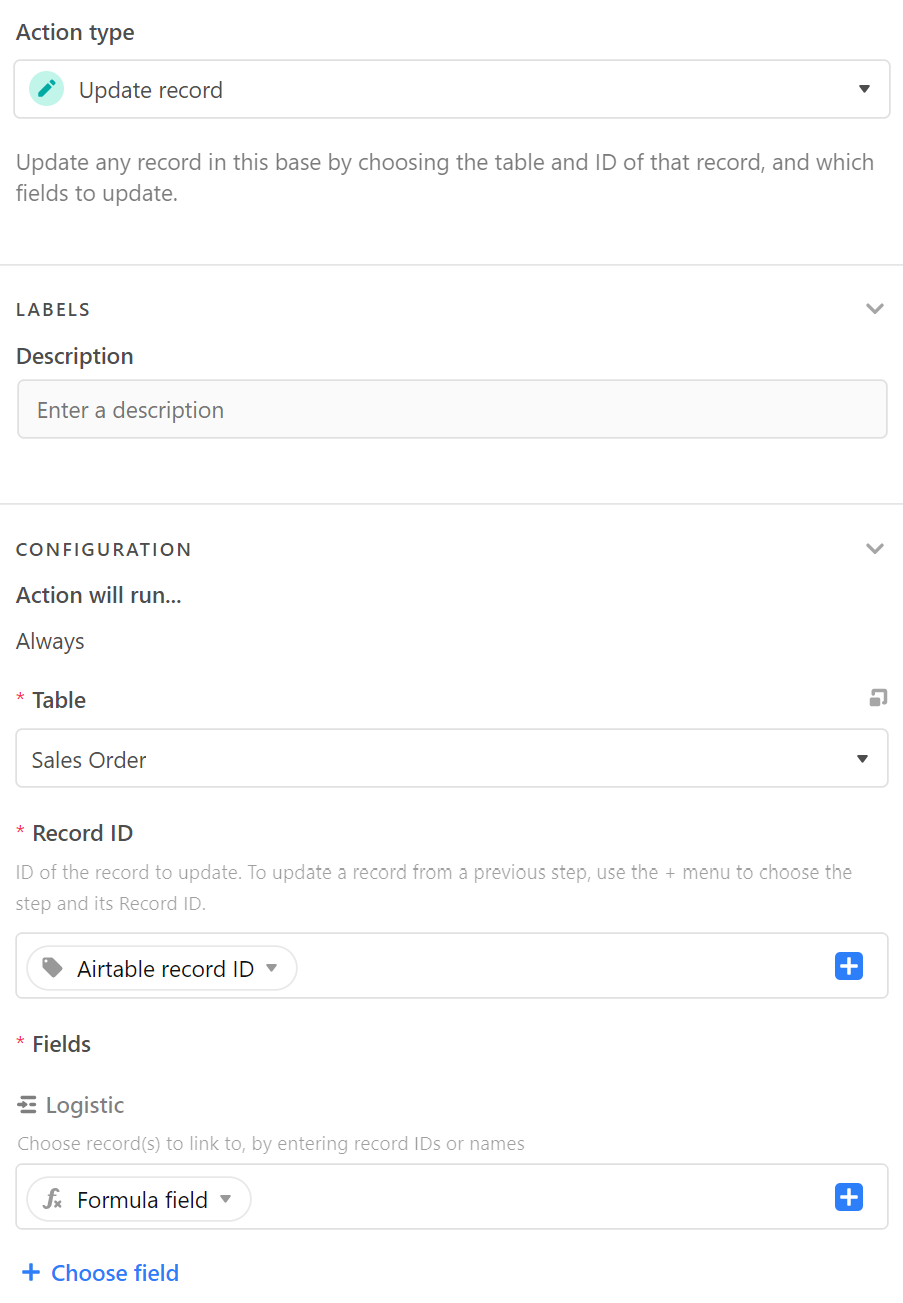
- Use an Automation that copies the value of the Formula field into a Link to Record field pointing to Logistic table.
Trigger:
Action:
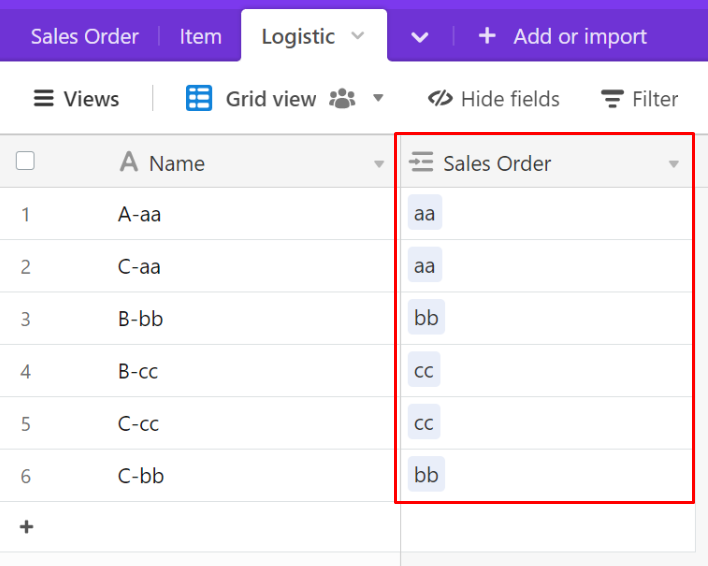
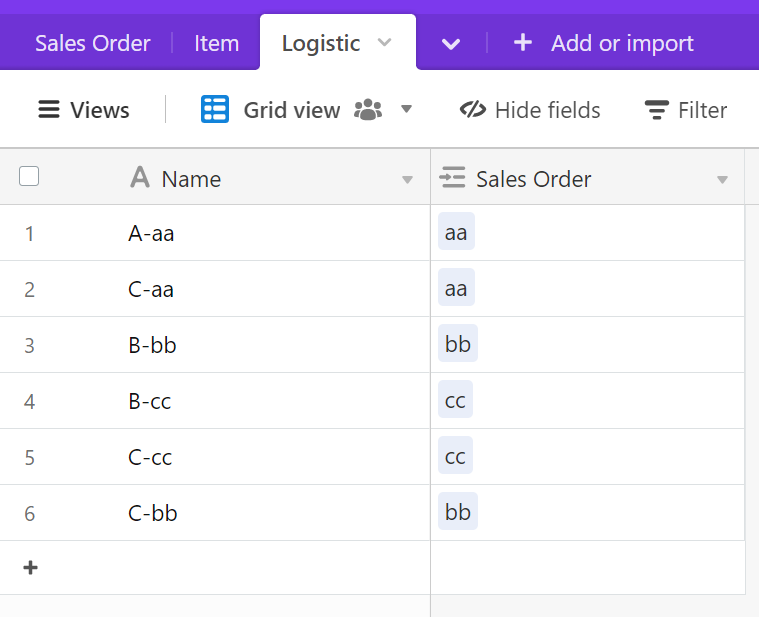
Now you’ll have this in your Logistic table automatically.
To link the Item to the Logistic record, you could use a similar strategy as above.
4. Create a Formula field in the Logistic table that gets the Item name:
SUBSTITUTE(Name, '-'&{Sales Order}, '')
- Create an Automation that copies the Formula into the Link to Item field. (Same concept, except the trigger would be “when record is created”)
End Result (before you add your Lookup fields)