Question

Make updates/changes to my base table from meeting notes table

  • January 29, 2026
  • 6 replies
  • 50 views

Forum|alt.badge.img+1

Goal: To update records in my base table when changes are made to an existing meeting notes document or a new meeting notes is saved. I’d like to review the changes so I can approve or reject any changes before the records are updated in Airtable.

Situation: I currently have my meeting notes saved in Google Drive which n turn is  synced to my base in Airtable. When changes are made to an existing meeting note or a new meeting note is saved, it's reflected in my ‘Internal Meeting Notes” table in my base. So the sync works fine

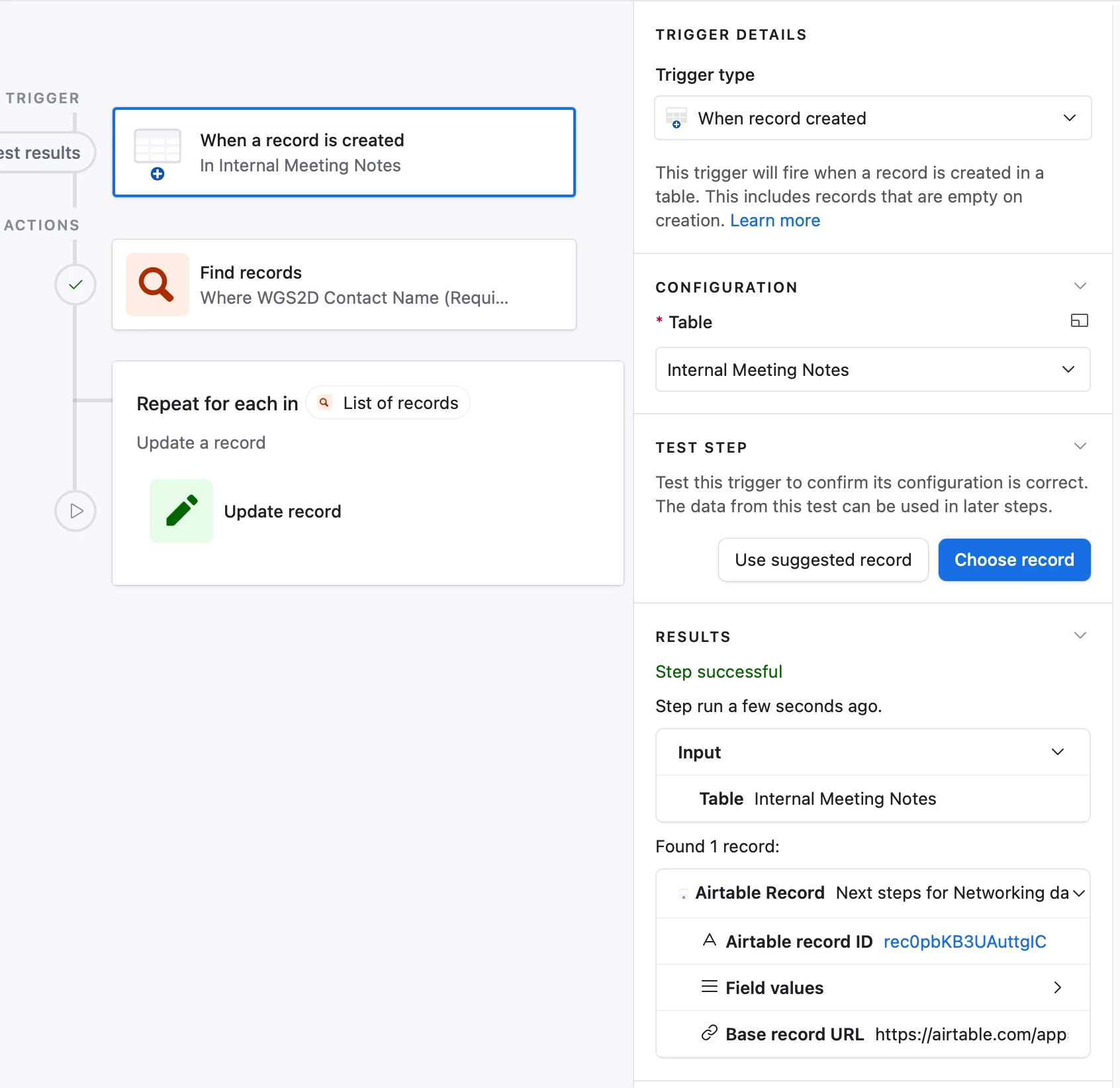
Issue: I created an automation to incorporate a trigger that activates when updates or changes are made to the 'Internal Meeting Notes' table;  an action was added to find records, generate AI-driven suggestions for updates, and subsequently update records based on the generated content. Here is a screen shot of the automation. The issues I have are that, I'm getting an error in the “Find record step” as well as the “Update Record” step. See automation screen shots below
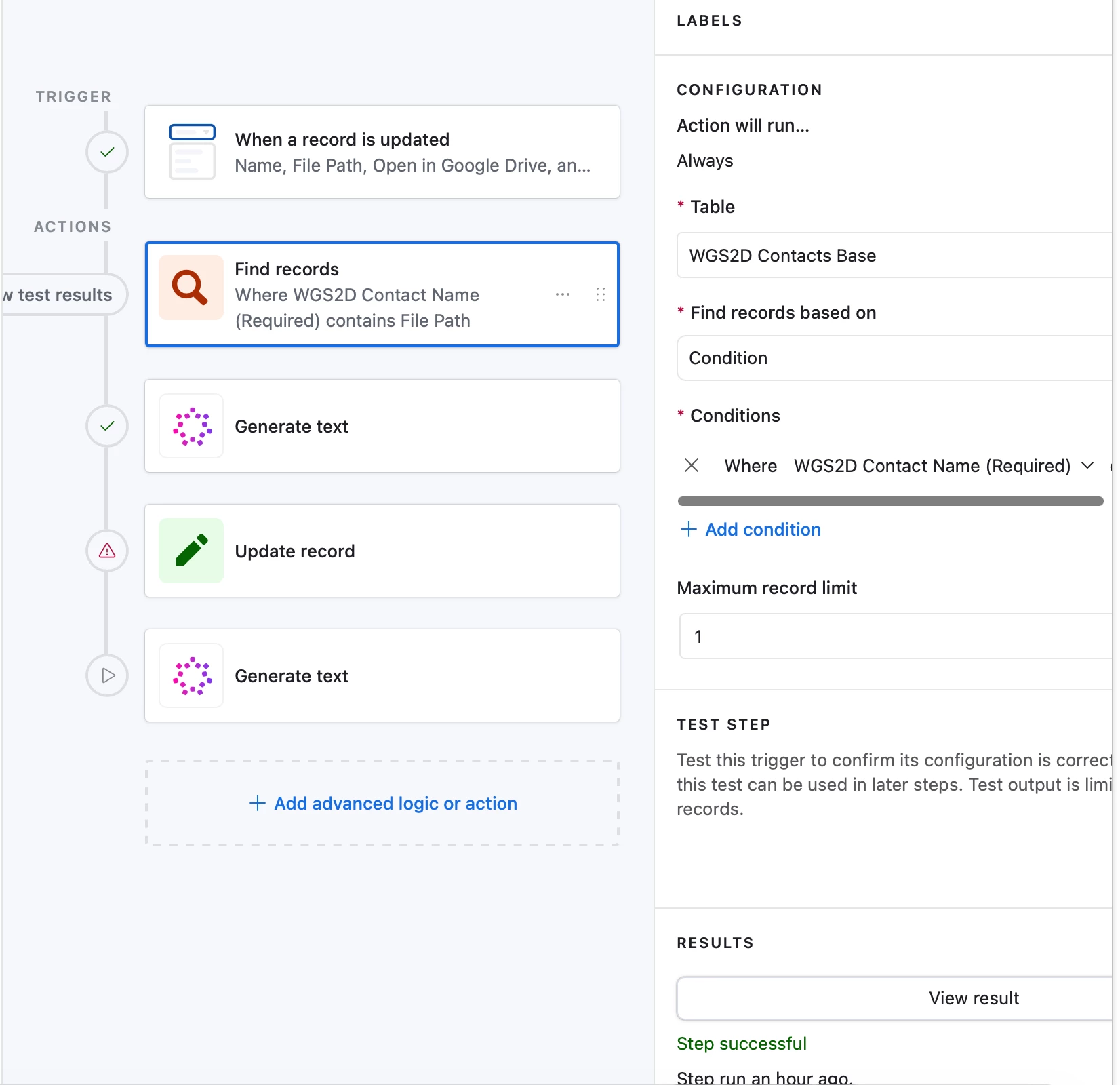
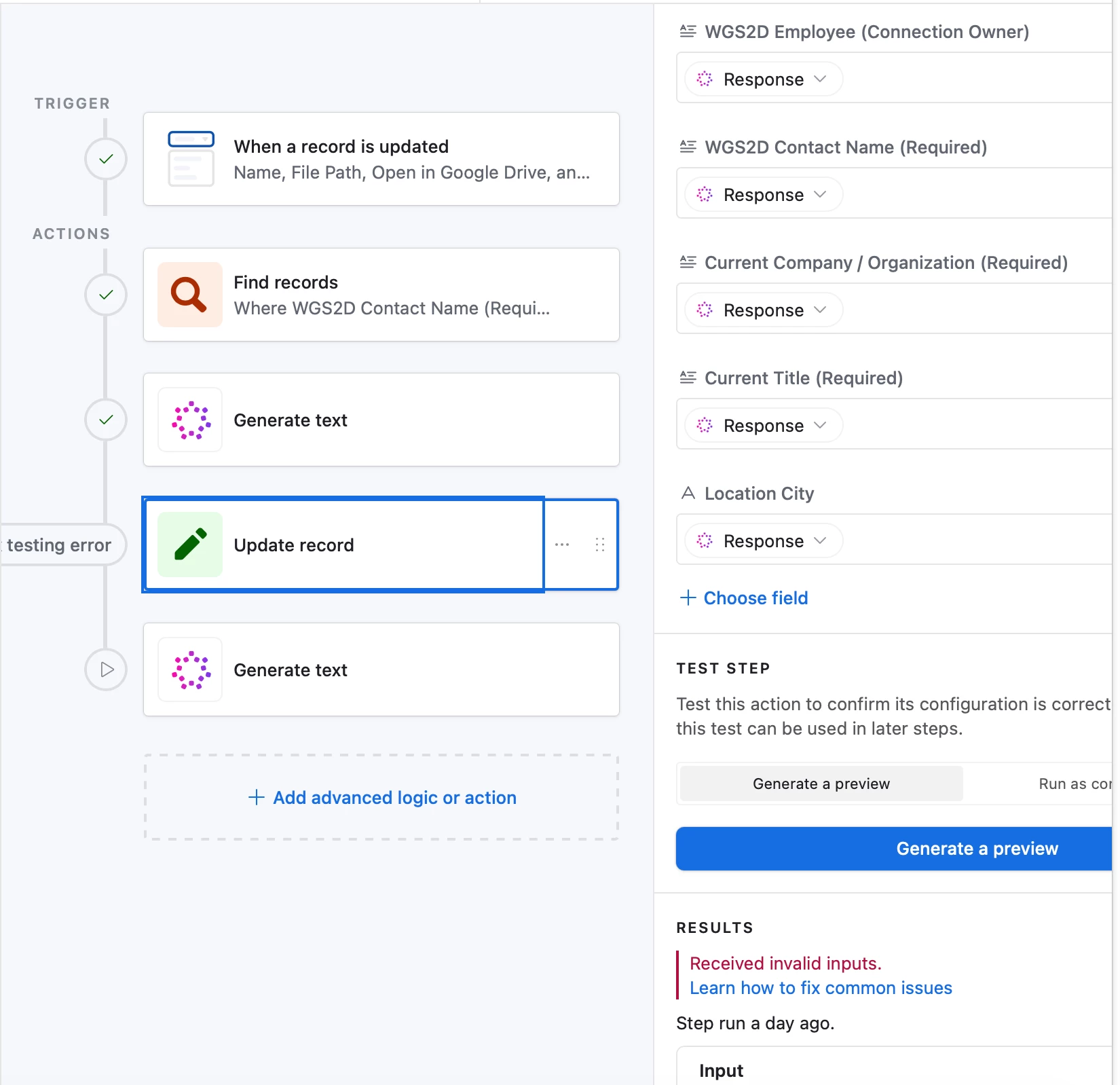


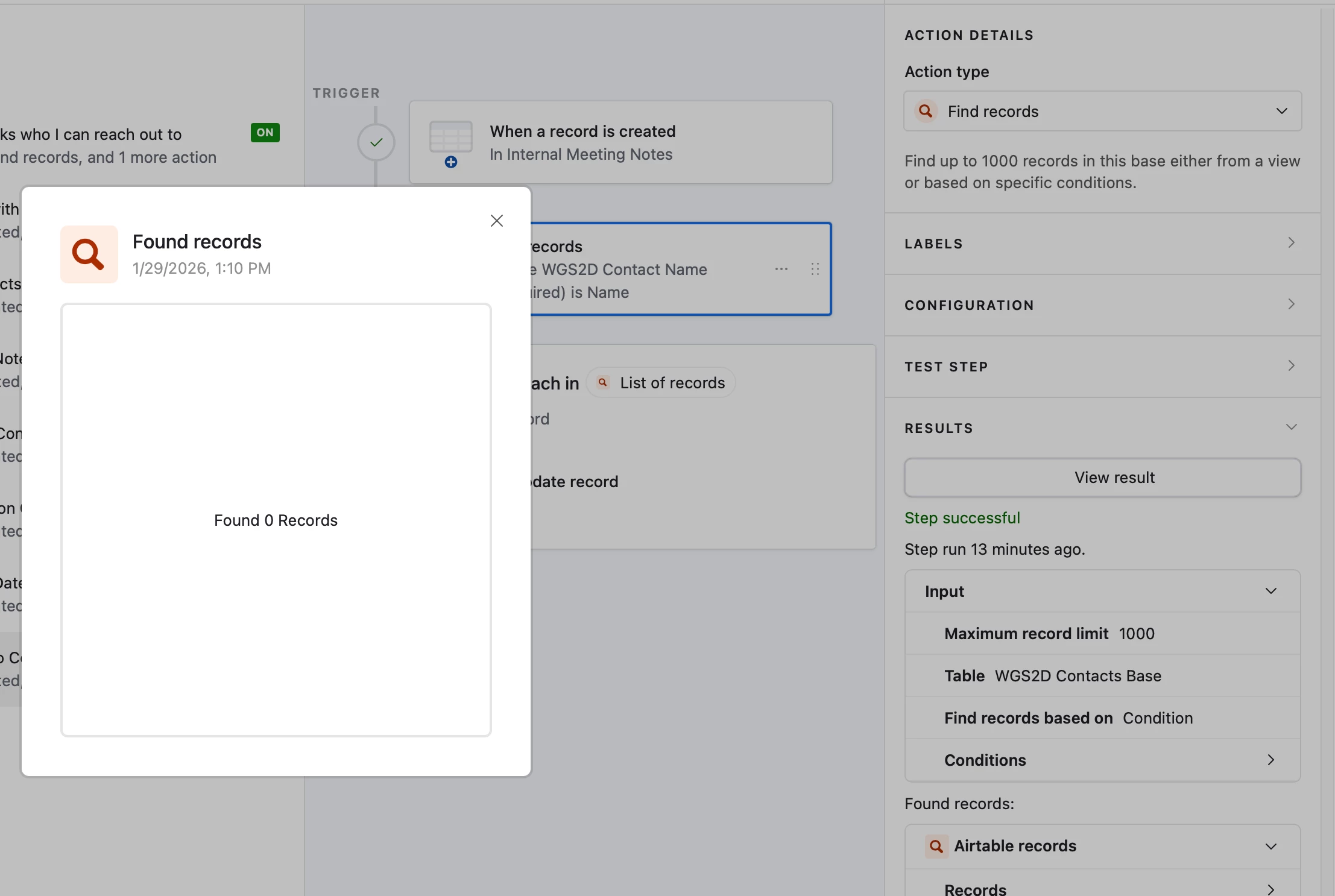
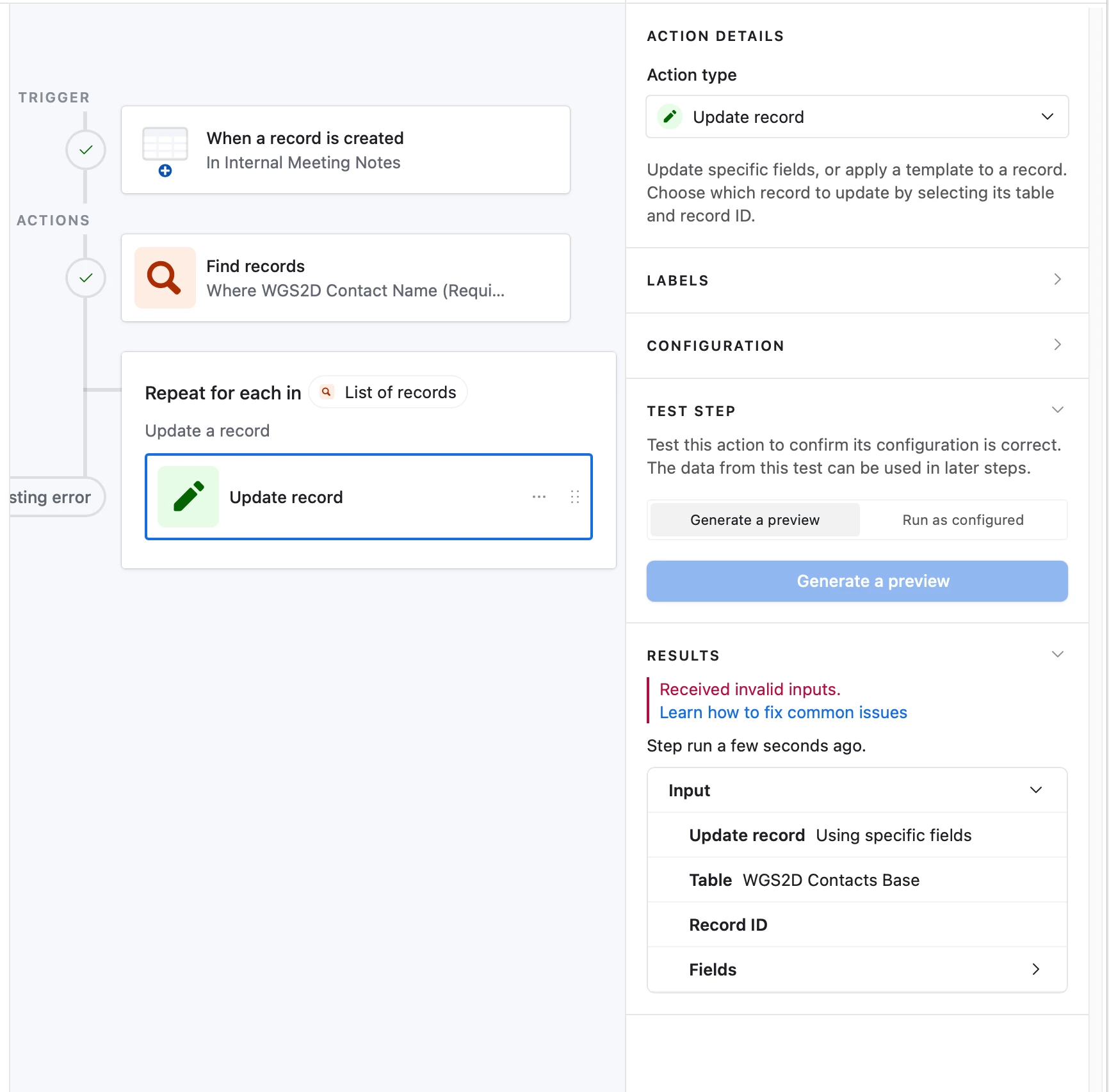
When I run the automation, the Find record returns 0 records. The Updated record fails with “invalid inputs” I assume this is because it returns no record so there’s nothing to update or change.


Help Needed: Provide guidance on my automation configuration or kindly share if there’s a simpler or better way to achieve this. 
 

Thank You.

6 replies

DisraeliGears01
Forum|alt.badge.img+21

Hmm, could use some more screenshots. The one you included of the Find action says it’s successful, but you said you’re getting an error. Usually what’s helpful is seeing configuration for selecting the records for the various actions, as often folks get tripped up with identifying records for the automation to run on.

The first step to debugging automations is always to re-run test steps from the start, that can sometimes clear up issues. 

Another thing that might be useful is using the generate structured data automation to break down the generated text into key value pairs if you intend for it to feed into multiple fields. 


Forum|alt.badge.img+1
  • Author
  • New Participant
  • January 29, 2026

Thanks for the swift response. Perhaps let me restate what I'm trying to achieve. 

I’d like the records in my base table (the records in various fields) be auto updated if the data needs to change. Example, if I currently work for company A and I move to company B, how can my base table record field “Company” be updated with Company B information tied to my name . I know there are no code platforms like Zapier, Make that can achieve this but wondering if there’s a way to simply do this in Airtable through automation or some type of integration or scripting, 


Hope this helps


DisraeliGears01
Forum|alt.badge.img+21

Thanks for the swift response. Perhaps let me restate what I'm trying to achieve. 

I’d like the records in my base table (the records in various fields) be auto updated if the data needs to change. Example, if I currently work for company A and I move to company B, how can my base table record field “Company” be updated with Company B information tied to my name . I know there are no code platforms like Zapier, Make that can achieve this but wondering if there’s a way to simply do this in Airtable through automation or some type of integration or scripting, 


Hope this helps

This is a bit different question to the automation question from above (because that had to do with incorporating uploaded meeting notes, etc).

On a simple level, all this is solved in Airtable by utilizing linked records and lookup fields. Assuming you have contact and company tables that are linked, then when you change companies, you can have a lookup field on your contact table with Mailing address (or whatever) that changes whenever you change the linked record. 


ScottWorld
Forum|alt.badge.img+35
  • Genius
  • January 29, 2026

@Sam_ 

Yes, as ​@DisraeliGears01 mentioned above, you would accomplish this with linked record fields and lookup fields.

I discuss linked record fields & lookup fields in depth in my free Airtable training course, which you can take for free by signing up for a free 30-day trial with LinkedIn Learning.

Note that my course is very outdated because it was created many years ago in 2020 using one of the earliest versions of Airtable. It was created before automations even existed, and it was created years before interfaces existed!

However, the core concepts of building a base remain the same to this day — such as working with linked record fields, working with lookup fields, and how to properly structure your base.

Hope this helps!

If you have a budget and you’d like to hire the best Airtable consultant to help you with this or anything else that is Airtable-related, please feel free to contact me through my website: Airtable consultant — ScottWorld


Forum|alt.badge.img+1
  • Author
  • New Participant
  • January 29, 2026

I just retried this.

 When a record in the “Internal Meeting Notes” table is created, it will find matching contacts in the “WGS2D base“ table based on the name and update it.

So I added a contact name’s seniority level and location city in the internal notes file. This should have caused the “Find Record” trigger to say that two records were founds. However it said no records found the “Find records” step


Now getting this error on the update step


elijahcg
Forum|alt.badge.img+5
  • New Participant
  • January 30, 2026

@Sam_ You’re still not really showing enough to be able to help you troubleshoot. At a minimum, we’d need to see the Configuration section of that “find records” step. It would also be helpful to see the data that you think it should be returning from that search.