

My Automation is not waiting for the full user input

  • September 14, 2021
  • 2 replies
  • 30 views

Forum|alt.badge.img+9

Hi there,

I have a simple short text field that I want to monitor for changes.
Basically the user inputs a OneDrive Folder Name and I send data to an integromat webhook containing that folder name so that integromat can look up the folder ID and send it back to airtable.

However, I am experiencing strange behaviour:

When I update the field and type in for example “PWC”, the automation already triggers when I enter “P” but i haven’t fnished entering. Do you know how to prevent this?

Cheers,
Konrad
2 replies

Forum|alt.badge.img+9
  • Author
  • Known Participant
  • September 14, 2021

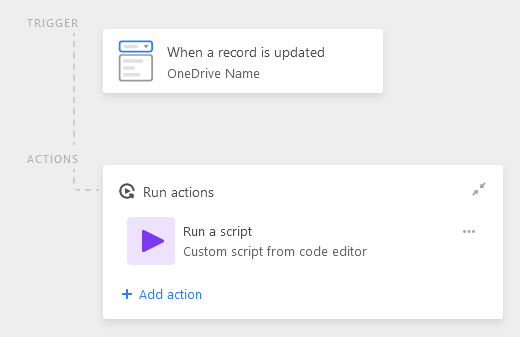
This is the automation setup


Kamille_Parks11
Forum|alt.badge.img+27

This is the automation setup


You need to trigger on a more “sure” event. One option is to use a checkbox field to signify when you’re ready for the automation to fire (when record matches conditions: checkbox is checked), and use an update record step to remove the checkbox after the script runs.
