Hi, I am looking for help with dates and quarters - we have several date fields across multiple tables that currently use each a LONG formula to calculate fiscal quarters (with specific start and end dates, not just first/last day of the month). I am hoping to find a way to use a table with start/end dates to populate the quarter fields in these other tables. I don’t want to use linked records, I think that would be too difficult to manage given our volume of data. I don’t think I can do it with a formula because I need information from separate tables. Is there a way to do this with an automation? Something like...when X date field is updated, find value from Y table?
Thanks for your advice!
Best answer by TheTimeSavingCo
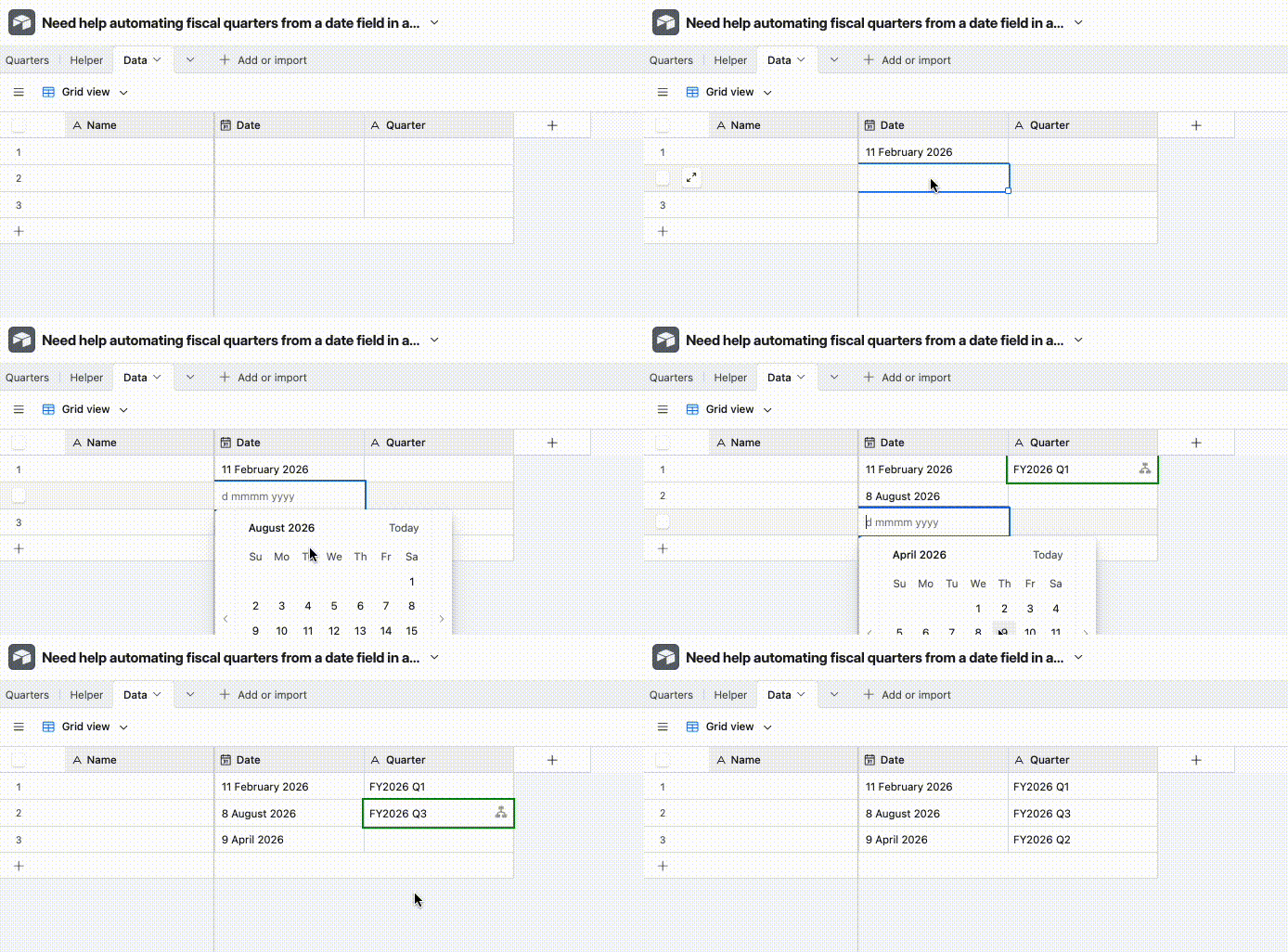
Yeap that’s doable and I’ve set it up here for you to check out
The major downside to this is that you’d need one automation per date field per table you want to track though, and I don’t know how feasible that is given we can only have 50 automations per base
May I know why you don’t like using the formula system? Wondering whether it’s possible to help you with making that easier instead?
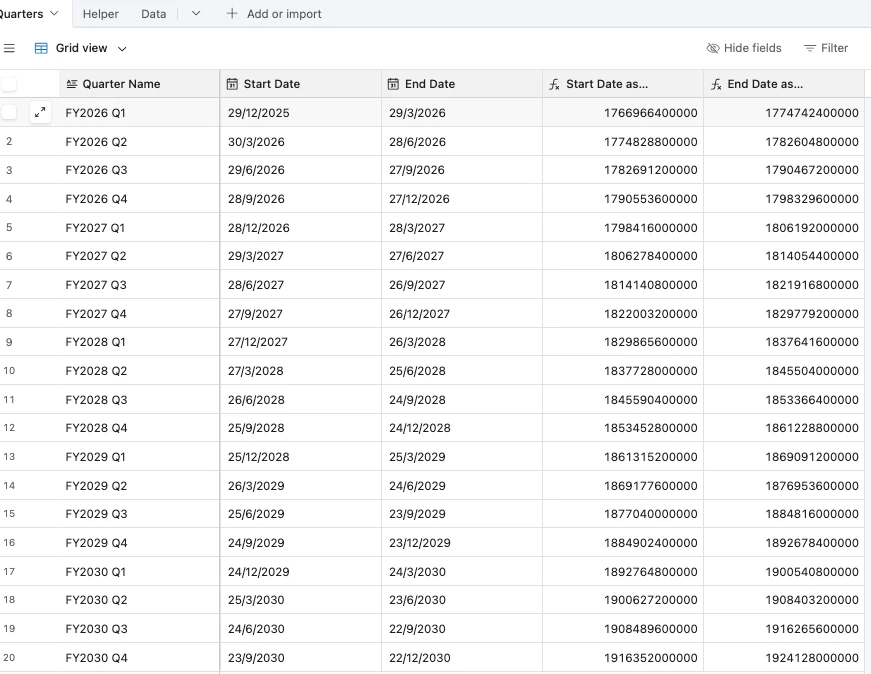
The automation system works with a Quarters table that you’ll need to keep updated, and every time a Date field gets updated an automation will trigger to look in the Quarters table for the appropriate quarter
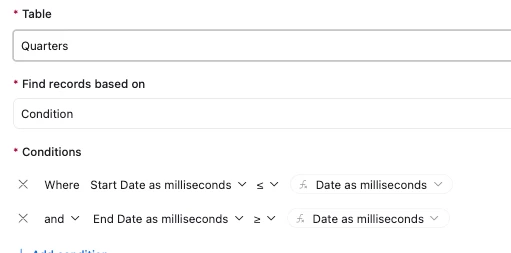
The main tricky bit to this is that Airtable doesn’t let us do Date comparisons in a ‘Find Record’ step, and so to get around that we need to convert our dates into milliseconds:
In order to convert the actual Date value we want to check into milliseconds, we have two options:
In the table where that date field exists, create a new Formula field to handle it like so:
DATETIME_FORMAT({Date},'x') + 0
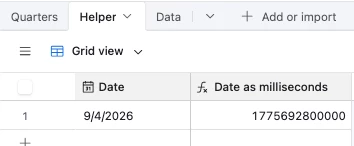
Create a Helper table where the automation dumps the date value and use the formula field from there
The setup above uses this option as I find it slightly neater to set up
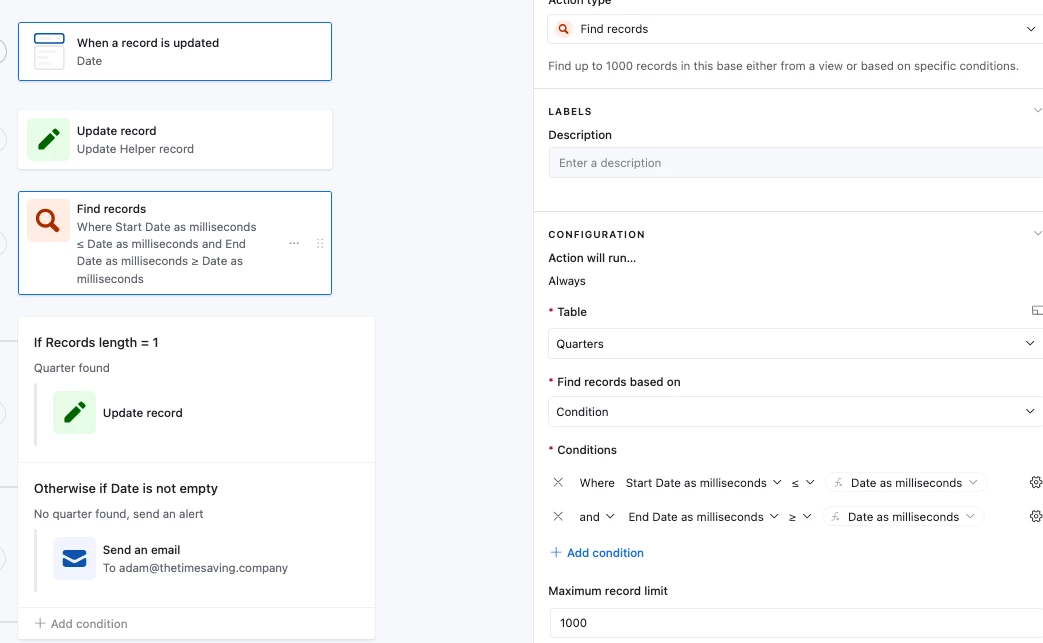
And so the automation does the following:
Pastes the ‘Date’ value into the Helper table’s ‘Date’ field
This allows us to use the date as milliseconds value:
“Find Record” step that looks for the appropriate quarter:
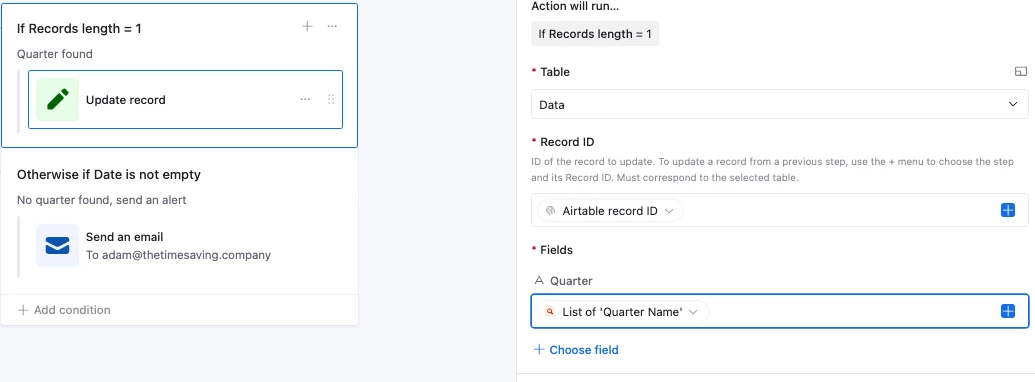
And then an Update Record step to put in the found quarter name, and if it can’t find it, email you an alert
This is a classic use case for airtable script node in automations. https://chatgpt.com/g/g-GuMycukiN-vik-s-scripting-helper Explain the table and field schema to this chatbot and build incrementally to resolve issues. It is AI, so use safe practices, such as labeling the read and write fields at top of the script to ensure it doesn’t cause unintended changes.
Yeap that’s doable and I’ve set it up here for you to check out
The major downside to this is that you’d need one automation per date field per table you want to track though, and I don’t know how feasible that is given we can only have 50 automations per base
May I know why you don’t like using the formula system? Wondering whether it’s possible to help you with making that easier instead?
The automation system works with a Quarters table that you’ll need to keep updated, and every time a Date field gets updated an automation will trigger to look in the Quarters table for the appropriate quarter
The main tricky bit to this is that Airtable doesn’t let us do Date comparisons in a ‘Find Record’ step, and so to get around that we need to convert our dates into milliseconds:
In order to convert the actual Date value we want to check into milliseconds, we have two options:
In the table where that date field exists, create a new Formula field to handle it like so:
DATETIME_FORMAT({Date},'x') + 0
Create a Helper table where the automation dumps the date value and use the formula field from there
The setup above uses this option as I find it slightly neater to set up
And so the automation does the following:
Pastes the ‘Date’ value into the Helper table’s ‘Date’ field
This allows us to use the date as milliseconds value:
“Find Record” step that looks for the appropriate quarter:
And then an Update Record step to put in the found quarter name, and if it can’t find it, email you an alert