Question

Need help with automation updating scheduled interview date in one table if shoot date updated in different table

  • December 11, 2025
  • 3 replies
  • 10 views

Forum|alt.badge.img+2

Good afternoon, everyone,


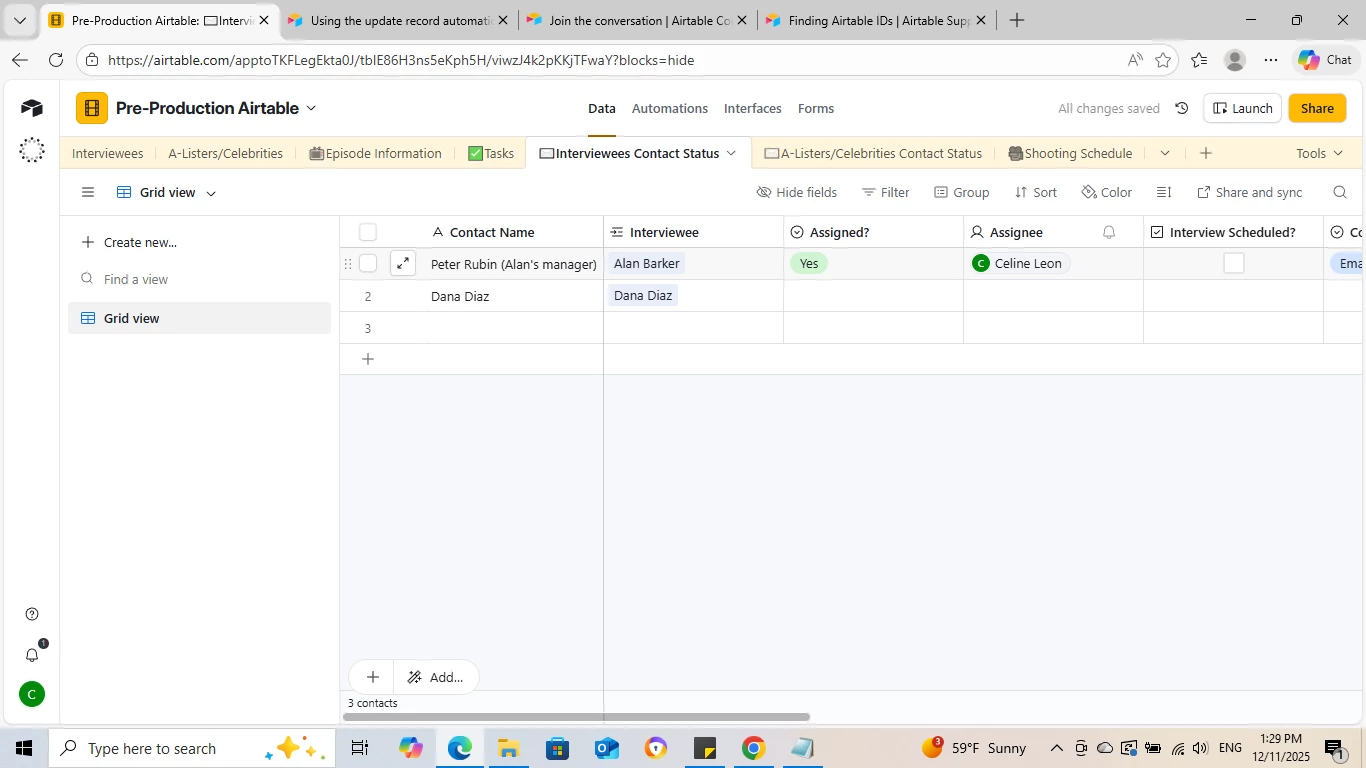
I’m now trying to set up my tables so when “Shoot Date” is updated in the “Shooting Schedule” table, the box is checked under “Interview Scheduled?” in “Interviewees’ Contact Status” for the corresponding interviewee, in this case, Alan Barker.
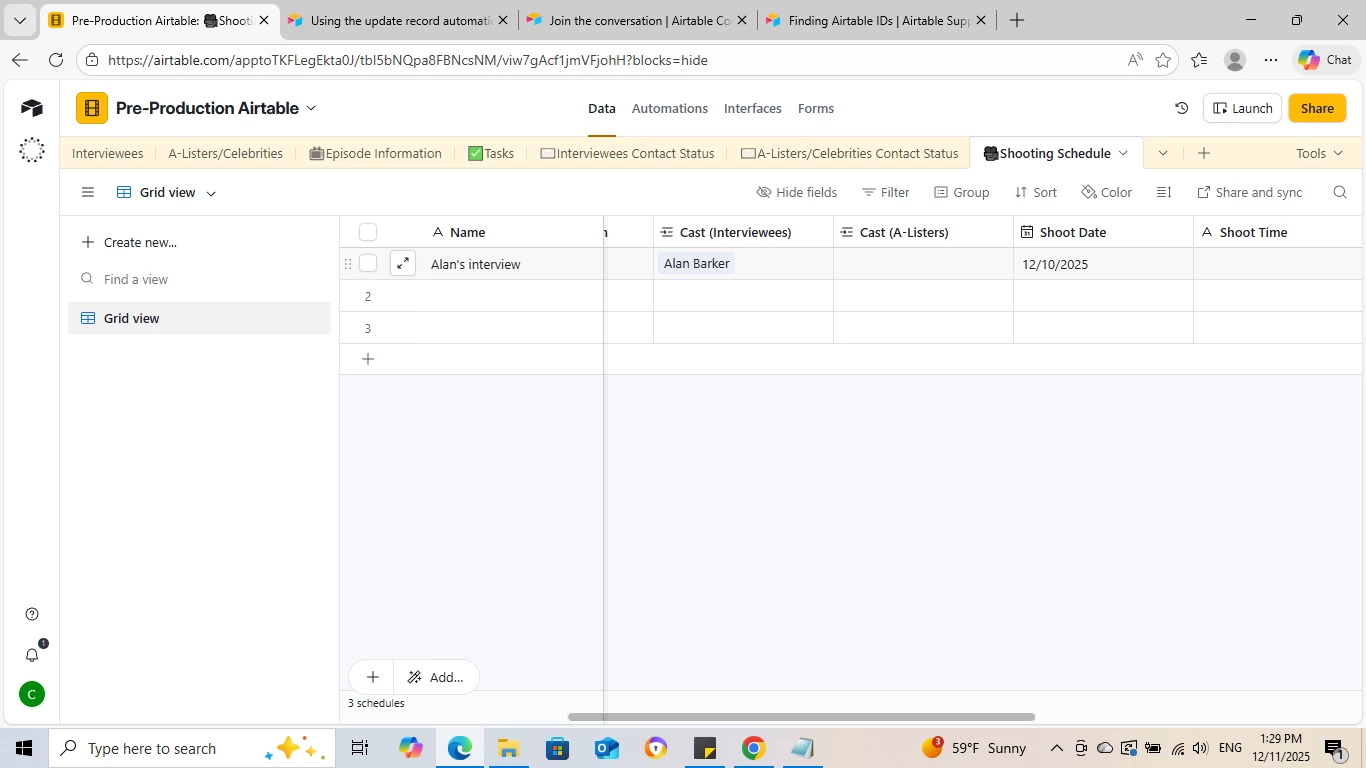
 

Shooting Schedule
Interviewee Contact Status

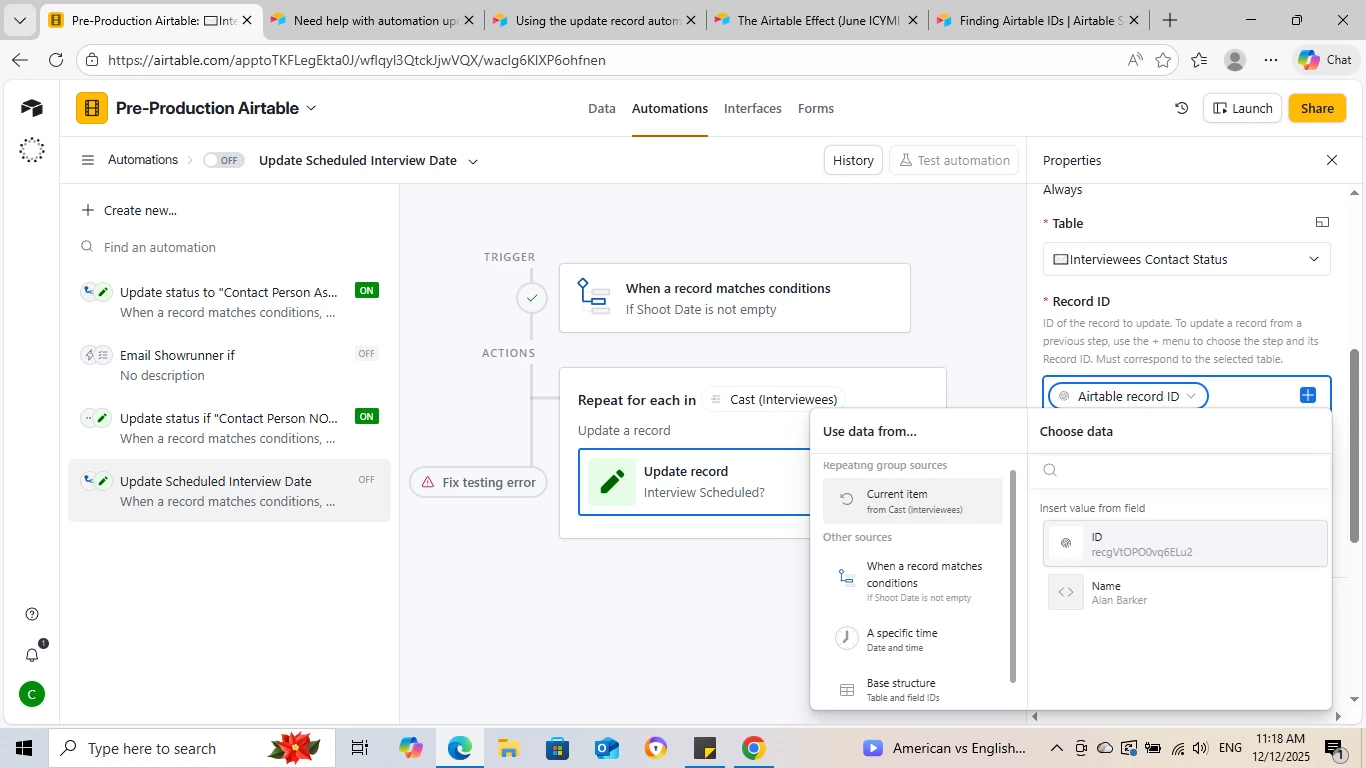
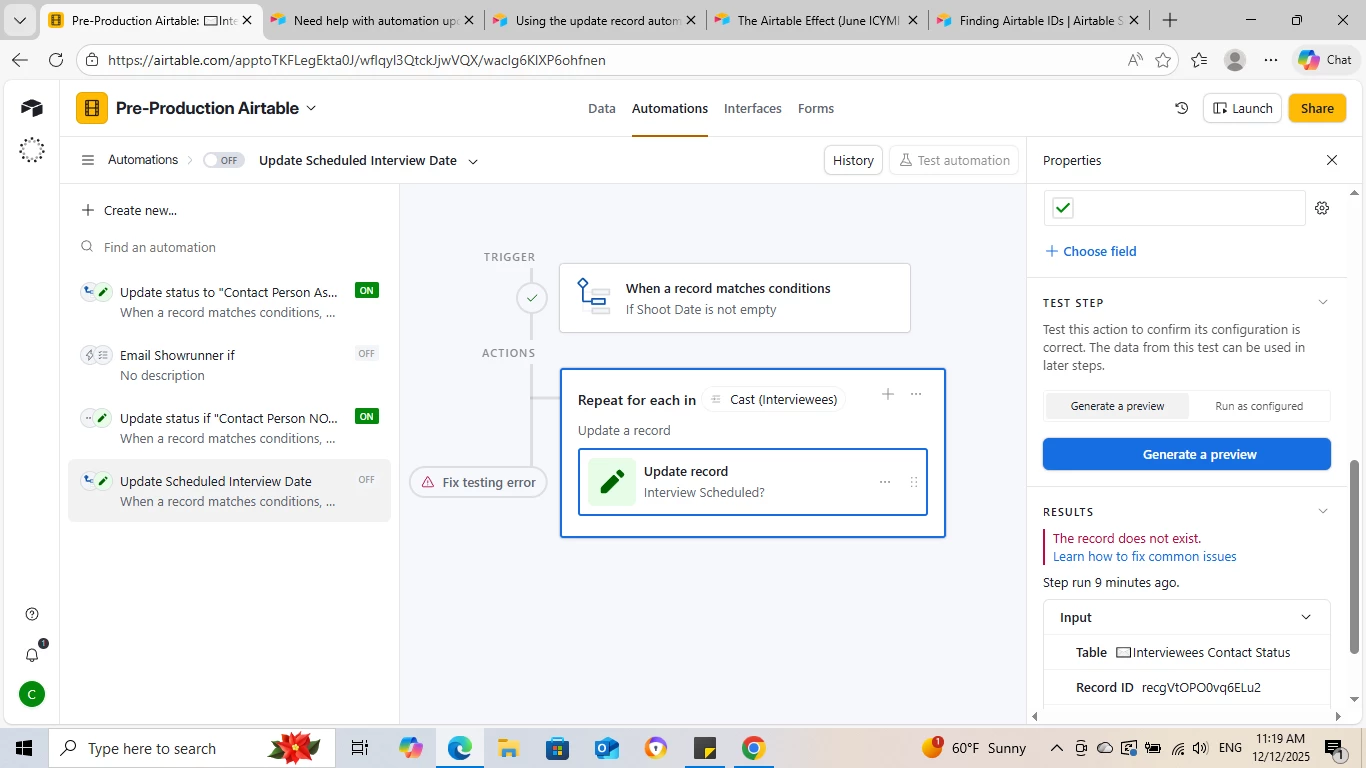
However, I’m running into issues when setting up the automation. I think I’ve pinpointed what the issue is based on reading previous threads in this forum with similar problems to mine which is that the Record ID is not changing from the ‘Trigger’ to the ‘Action’ step:
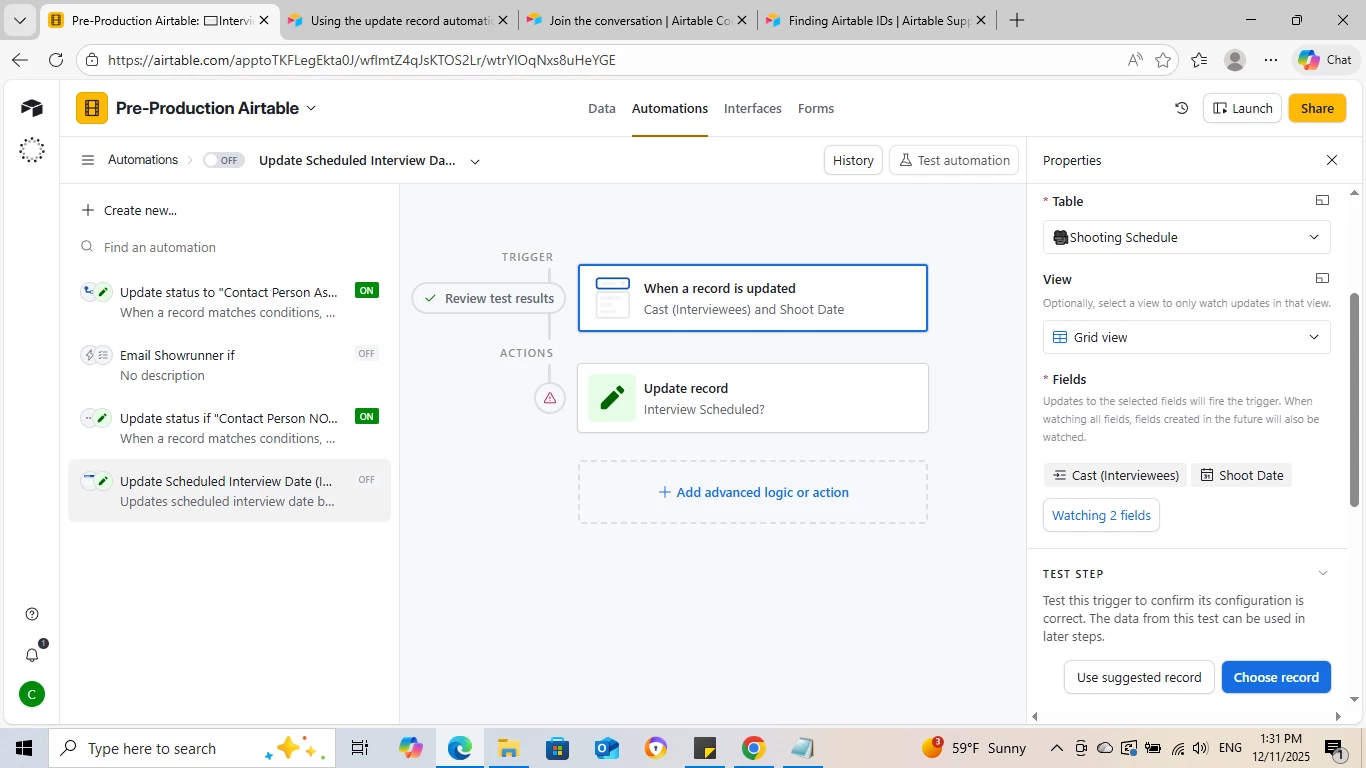
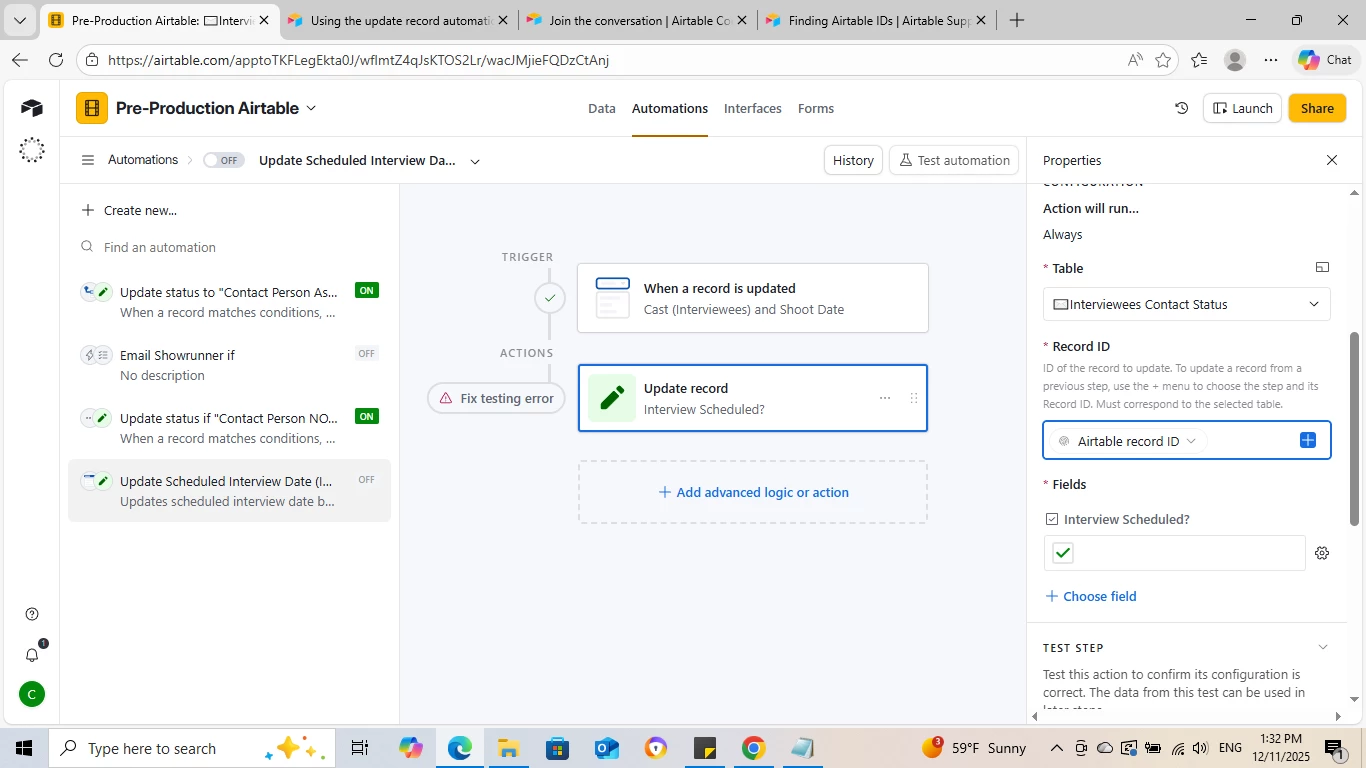
Automation

So, I’m kind of stuck as I don’t know how to find a different Record ID so I can get the ‘action’ to work successfully.

TROUBLESHOOTING I’VE DONE SO FAR:

For the trigger step, I’m not entirely sure how many fields I’m supposed to select. I only selected “Shoot Date” initially and the automation didn’t work so I thought the issue might be I didn’t select “Cast” which is a linked record to the database of interviewees to help it find the corresponding person who’s “scheduled interview” field must be updated.

But now I’m wondering - is the issue with the linked field in “Shooting Schedule” itself? Should I link it to “Interviewees Contact Status” instead of the whole database of Interviewees?

Thanks!

3 replies

DisraeliGears01
Forum|alt.badge.img+21

I do think adding the Cast(Interviews) field to the watch is unnecessary, but I expect where you’re running into the real problem is you’re using the RecordID from the trigger for the update action, when the update is taking place in a different table. 

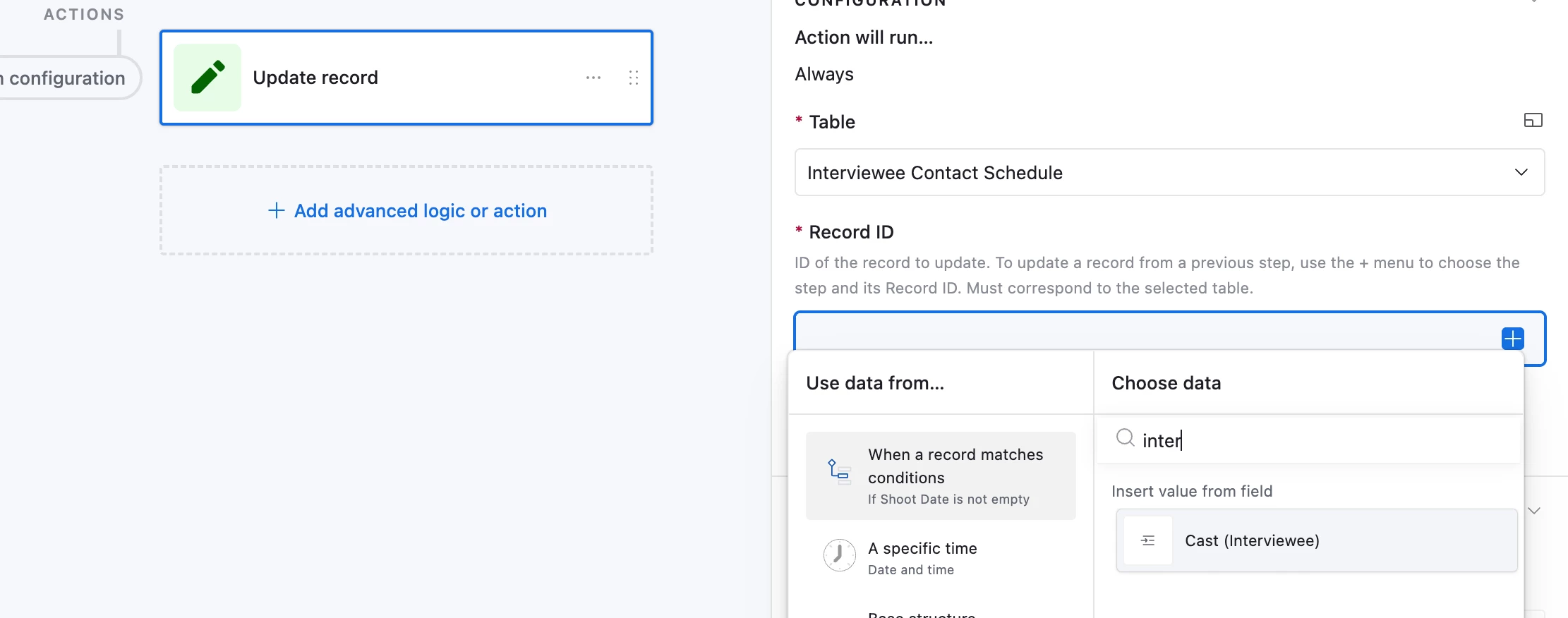
In the Record ID field for the update automation you should put the Cast(Interviews) field contained within the record identified by the trigger. That way the automation knows which record in the other table to modify. 


sally_andsundry
Forum|alt.badge.img+9
  • Participating Frequently
  • December 11, 2025

Hi Celine,


Let’s breakdown the ask:

I’m now trying to set up my tables so when “Shoot Date” is updated in the “Shooting Schedule” table, the box is checked under “Interview Scheduled?” in “Interviewees’ Contact Status” for the corresponding interviewee, in this case, Alan Barker.

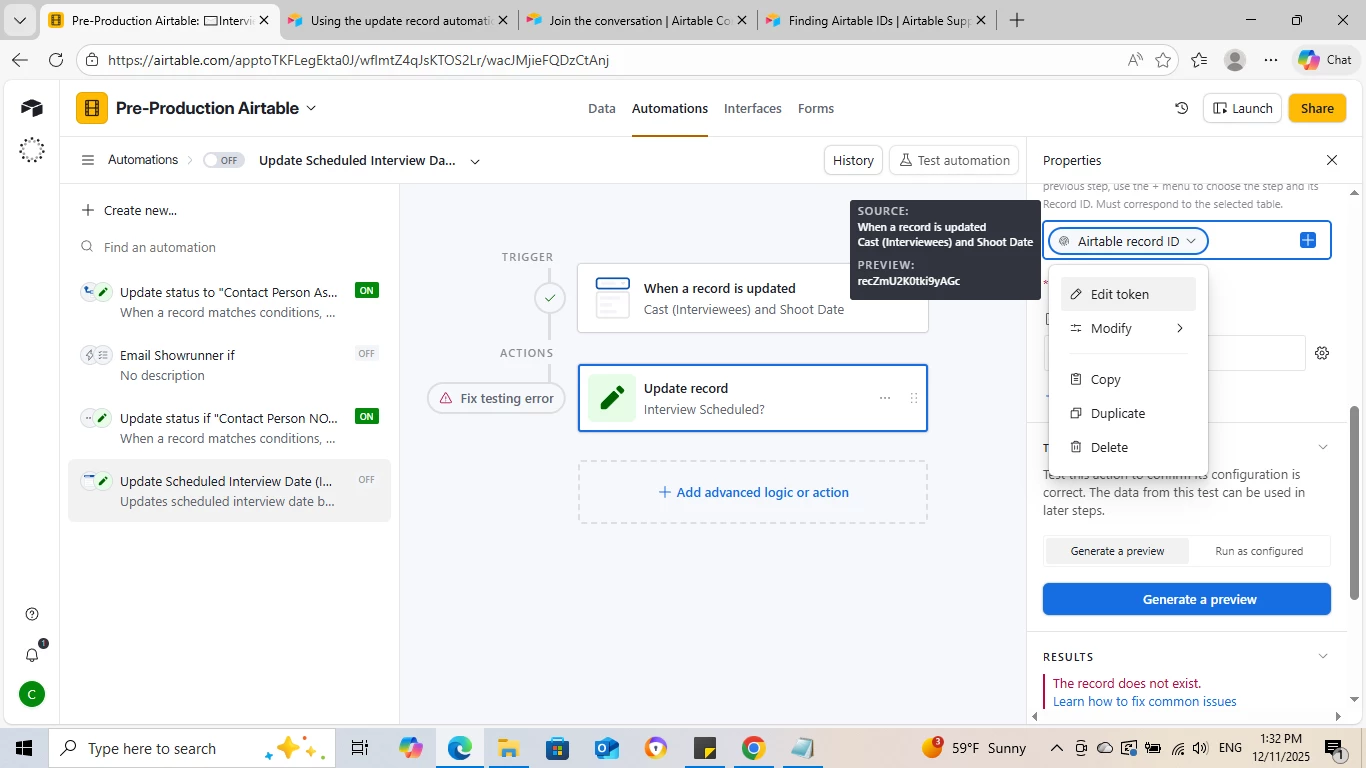
However, I’m running into issues when setting up the automation. I think I’ve pinpointed what the issue is based on reading previous threads in this forum with similar problems to mine which is that the Record ID is not changing from the ‘Trigger’ to the ‘Action’ step:
 

What we want:

  1. When I have a Shoot Date
  2. The Interviewee linked to that Shoot has been contacted.

It looks like from your screenshots you had selected the Trigger’s record ID, which belongs to the Shooting Schedule table.


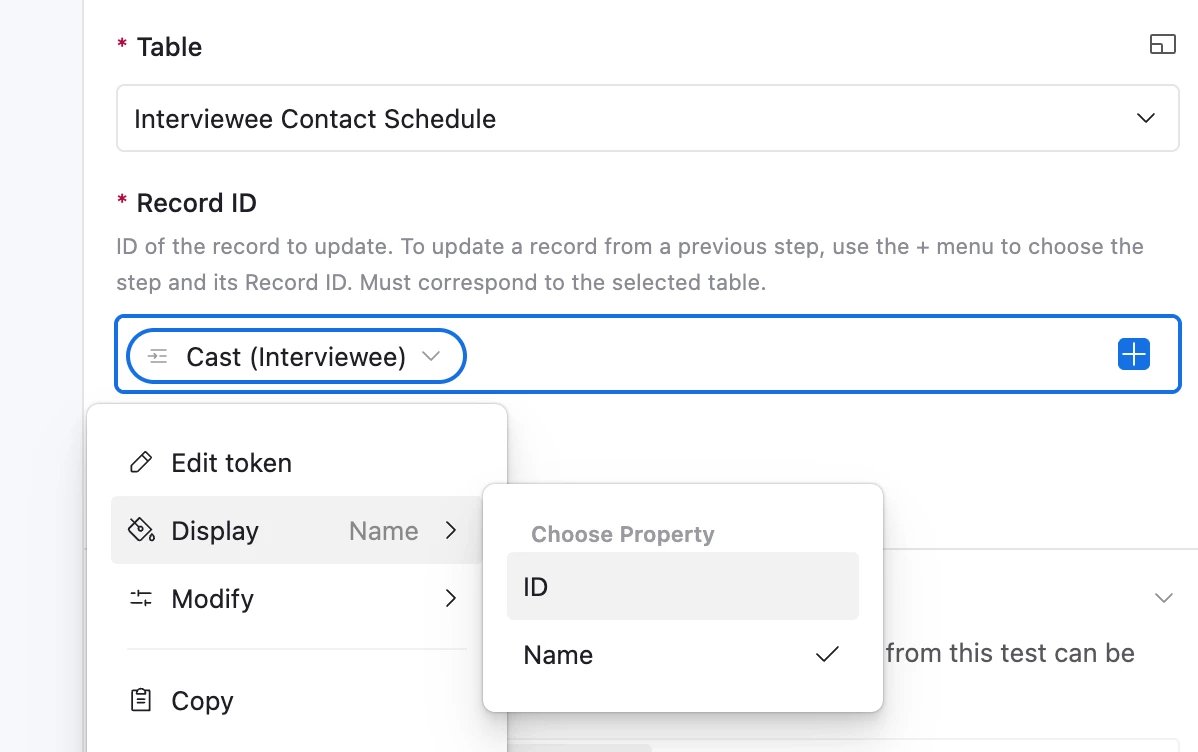
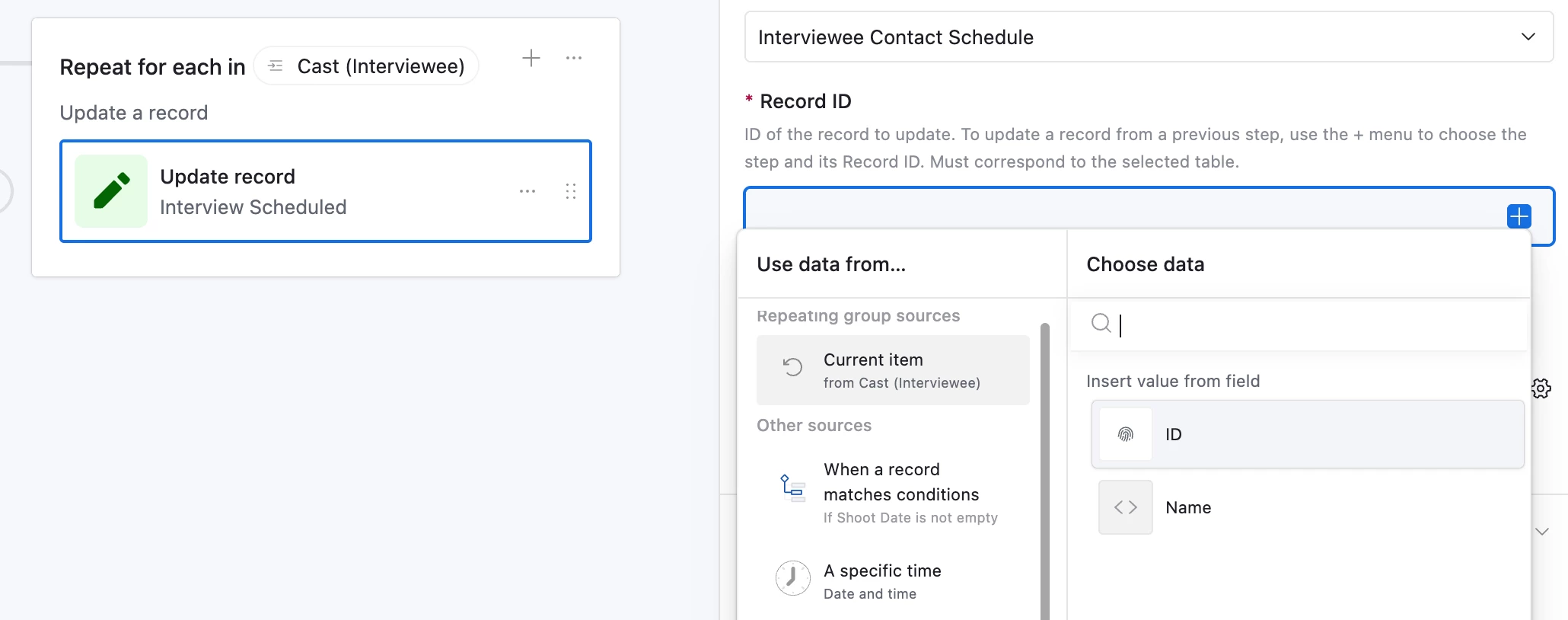
A neat trick here is that you can actually insert IDs from a linked record.


Make sure you select ID after clicking it though, Airtable defaults to Name.


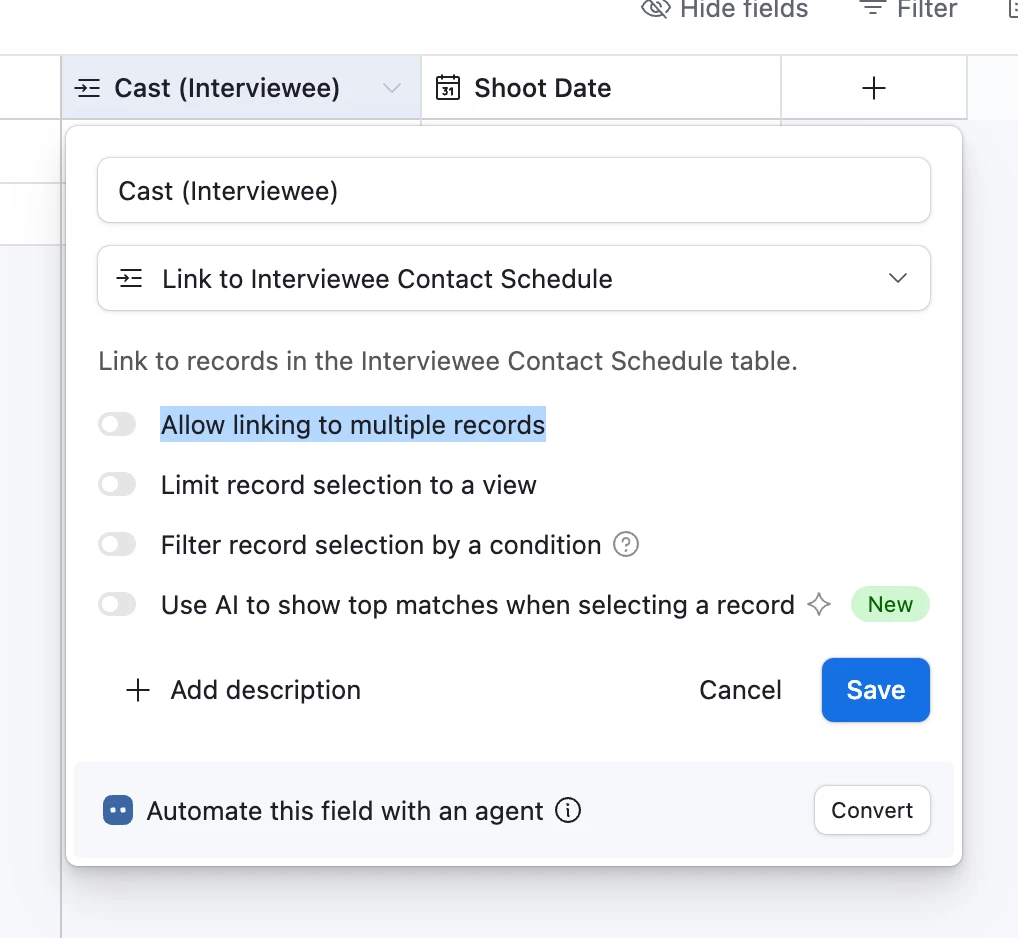
HOWEVER! This method is not fool-proof, The Update step will still error out if you get multiple IDs like “recXXXXXXX, recYYYYYYYY” because it is looking for a clean “rec____________”. To prevent this, toggle off “Allow linking to multiple records”. Or keep reading. :)


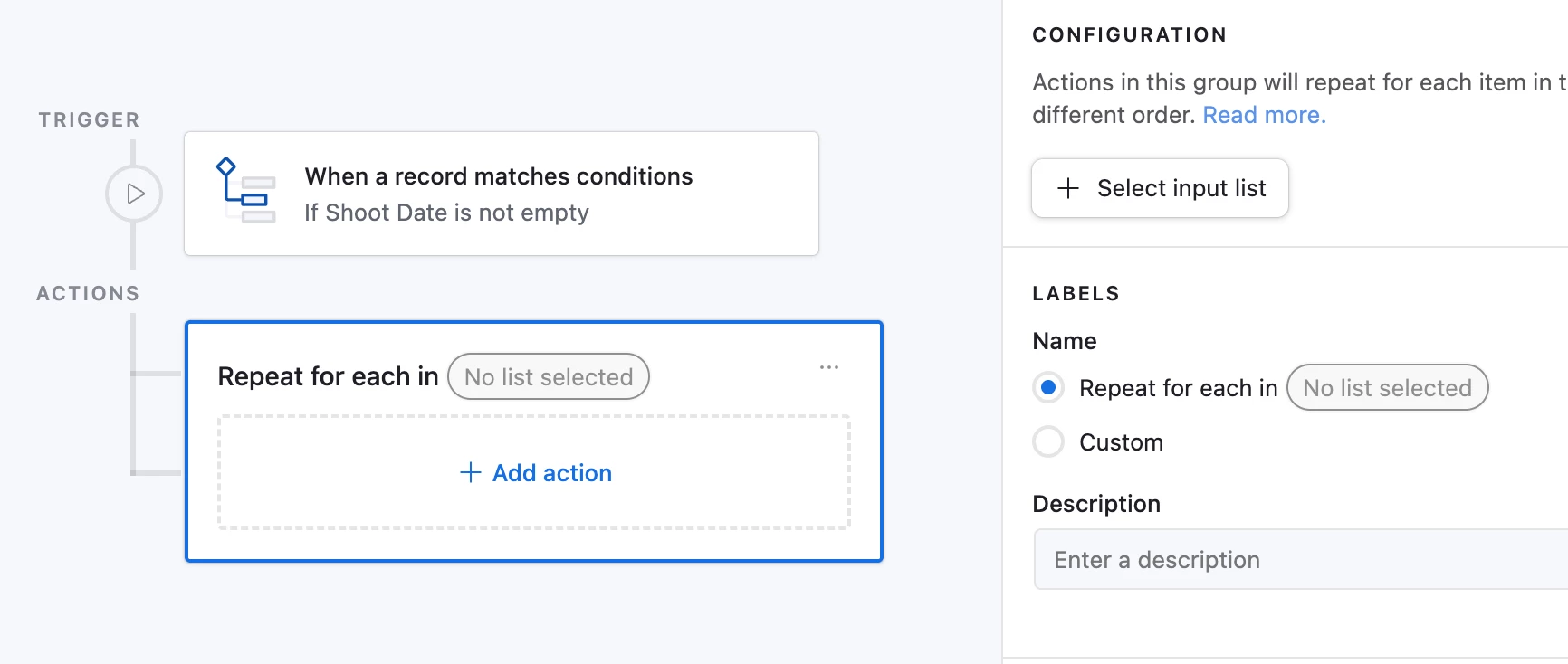
FANCY REPEATING STEPS!

If you actually would have multiple interviewees all interviewed on the same day, use a repeating group! This will still work even if there’s only 1 interviewee.

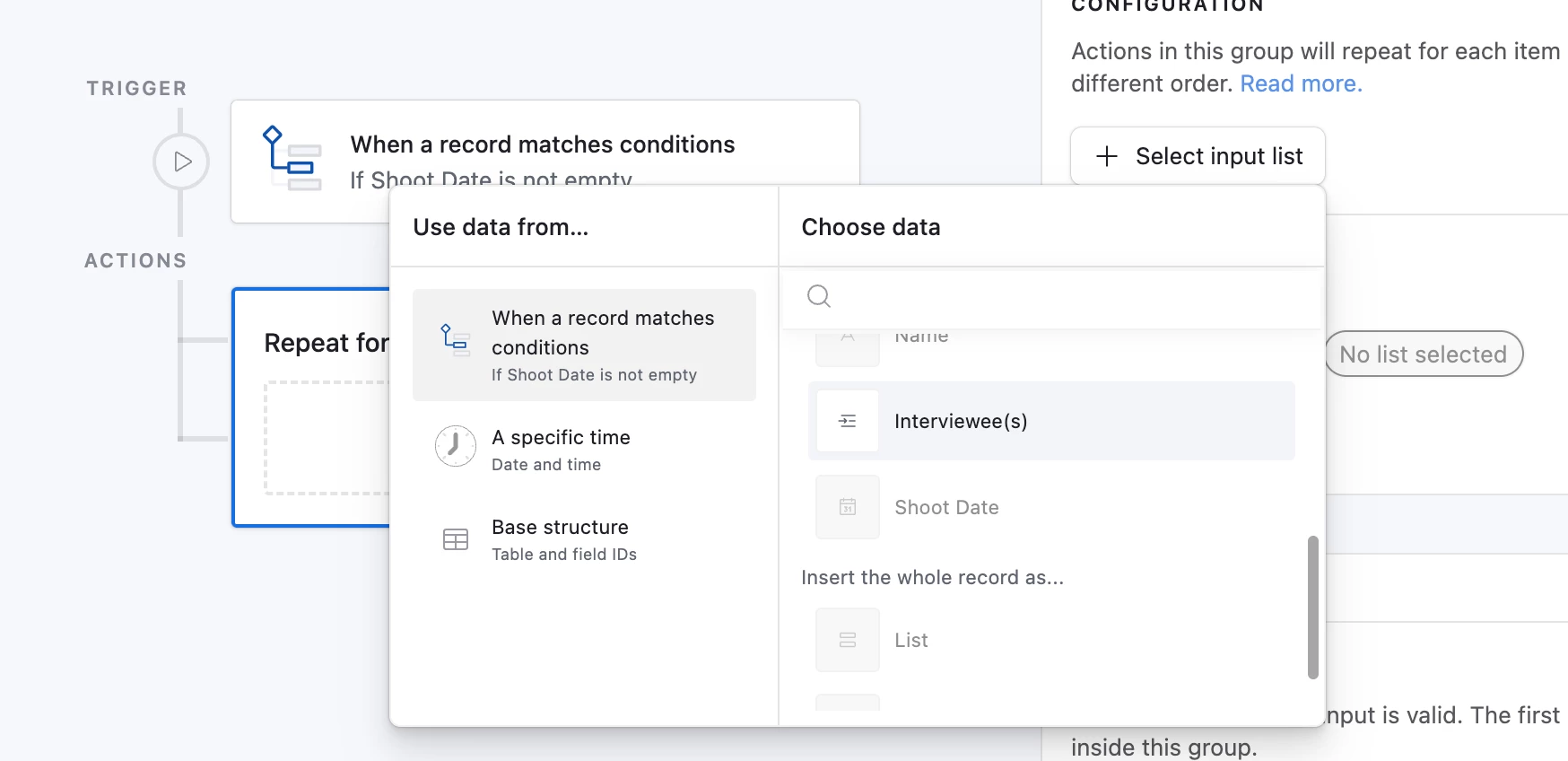
  1. Add a Repeating Step at the bottom of the automation.
  1. For Input list, select the field where Interviewees are linked, it becomes the “list” it “loops” through.
    • If one cast, updates the one,
    • if many casts, updates them one by one,
    • if none, nothing happens
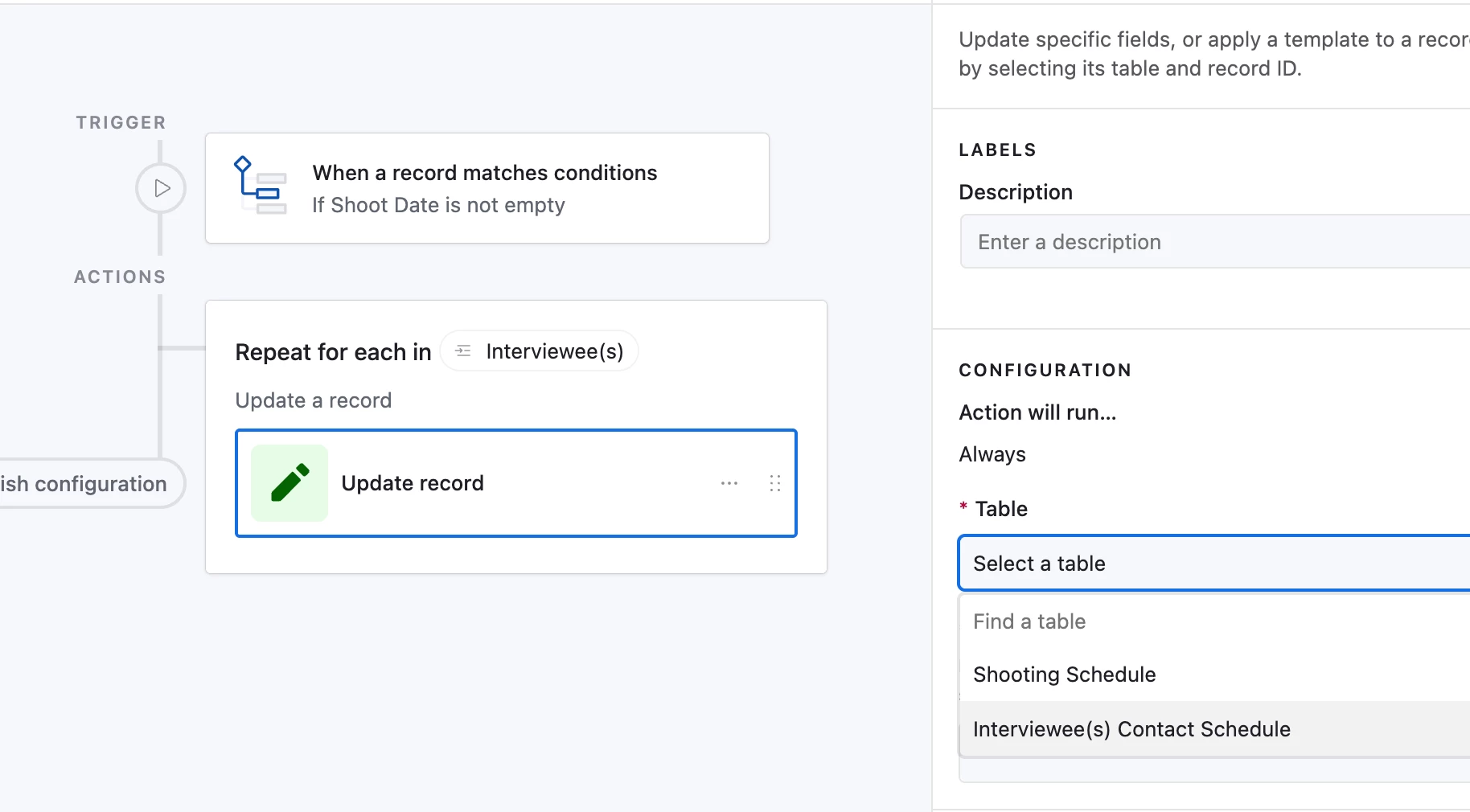
  2. Add the Update record step in the repeating group.

  3. This time, use the ID from the “Current item” for which record you want to update in the Interviewee table.


  4. Now we ensure we are pulling the Cast’s record ID, and will always only process one record at a time.


Help this helps!


TheTimeSavingCo
Forum|alt.badge.img+31

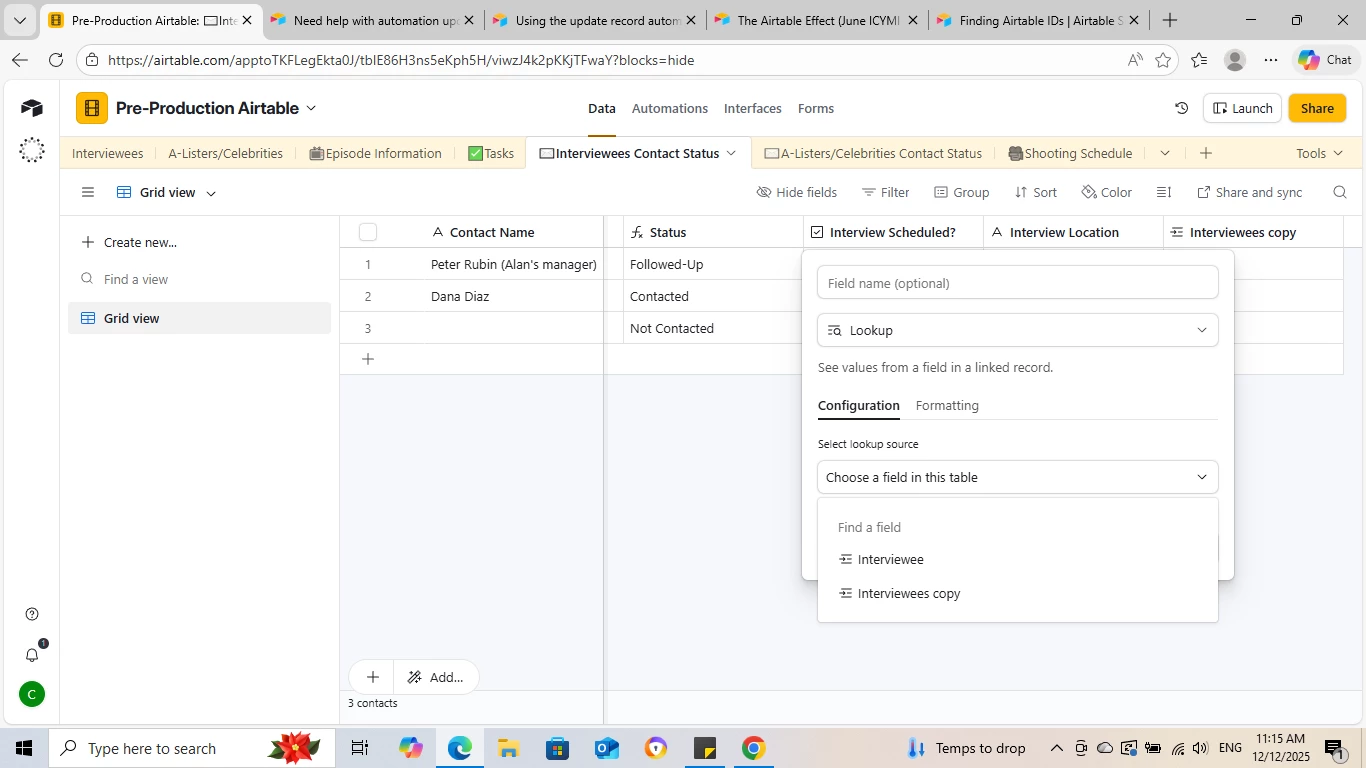
Might be worth considering adding a lookup field in ‘Interviewees Contact Status’ to display the Shoot Date value?  Tells you the same thing as the ‘Interview scheduled?’ checkbox and wouldn’t need an automation