Solved

organizing contacts in airtable for apartments that have multiple contacts (tenants) per apartment

  • Nov 20, 2024 2:28 PM UTC
  • 2 replies
  • 96 views

Forum|alt.badge.img+4

Currently I have one apartment per row and the tenants #1 name, tenant #2 name, tenant #1 email, tenant #2 email as column name with the tenants info on the row. This hard to export the data this way or to sync to a crm with zapier. what is the best way to organize the contacts/ tenants in general so that easier to export or sync via zapier to a third party crm like cloze.


Best answer by Ron_Daniel

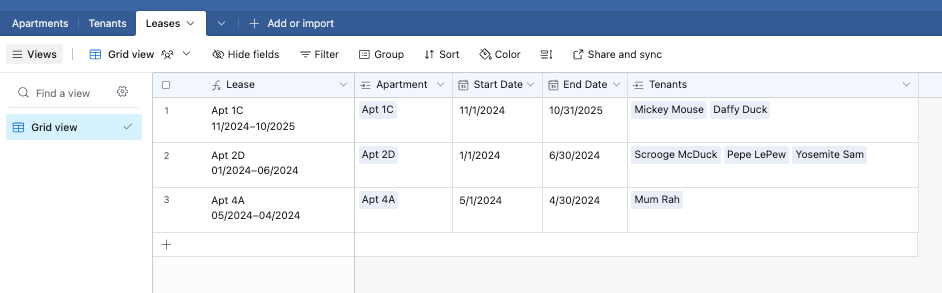
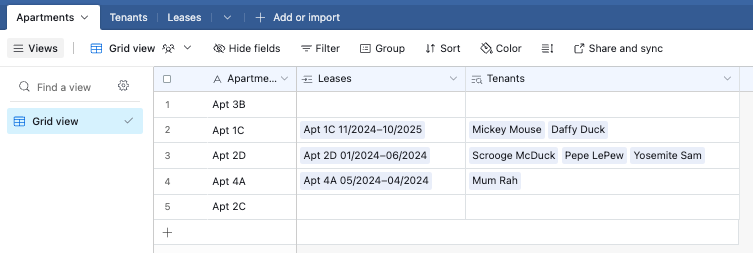
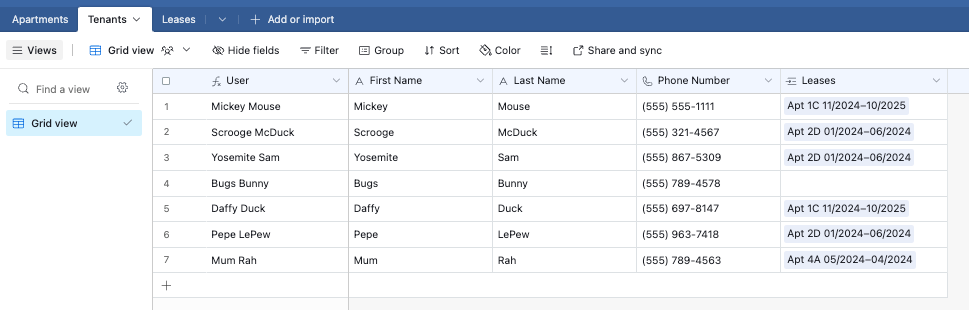
I'd suggest making three tabs, so that you can see not only who's in each apartment, but also keep track of the apartment's next lease when things change:

View original
This topic has been closed for replies.

2 replies

TheTimeSavingCo
Forum|alt.badge.img+32

Hm how you export it to each service is going to vary depending on how that service ingests data I'm afraid

As a general recommendation, try creating a new table called "Tenants" with the fields for the tenant info, and then create a linked field to the Apartments table.  That way you can have multiple tenants without having to create "Tenants #1", "Tenants #2", "Tenants 3" etc


Ron_Daniel
Forum|alt.badge.img+21
  • Inspiring
  • Answer
  • Nov 20, 2024 9:30 PM UTC

I'd suggest making three tabs, so that you can see not only who's in each apartment, but also keep track of the apartment's next lease when things change: