Solved

Outlook event ID ending up in Calendar field

  • December 18, 2025
  • 3 replies
  • 21 views

Gloria_Bennett
Forum|alt.badge.img+6

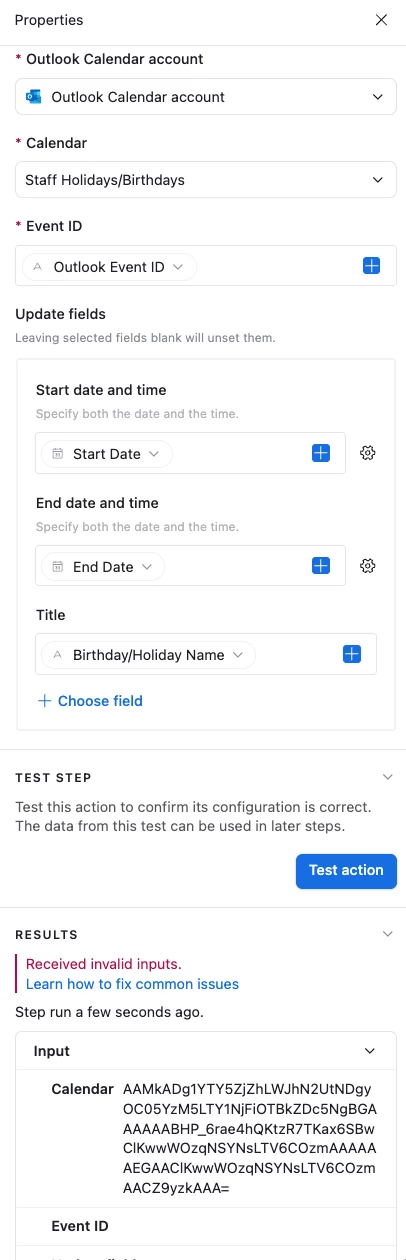
Hi All. I have a problem that I hope is just a result of me missing something simple. I have an automation creating Outlook events from a list of Airtable holidays and birthdays. The “create” automations work fine. I was also able to capture the Event IDs from the Outlook events in the corresponding record in Airtable. Now I’m trying to generate a second automation for record updates using the event IDs and am running into an issue. When I input the data, the “Event ID” field shows up in the “Calendar” field, and the Event ID field is blank, so the automation won’t run. Photo included. 

Any ideas?


Best answer by DisraeliGears01

My first inclination here is to make sure a record in your base has an Outlook Event ID, and then re-run the trigger and re-run the test action. If you were building these simultaneously it’s easy to build the create action, then the update action, but the update action won’t work unless it has an active calendar event ID to modify. If you built the trigger in the update before you have the info in Event ID and selected a test record, it’ll keep pulling a blank version until you re-run the trigger. 

3 replies

DisraeliGears01
Forum|alt.badge.img+21

My first inclination here is to make sure a record in your base has an Outlook Event ID, and then re-run the trigger and re-run the test action. If you were building these simultaneously it’s easy to build the create action, then the update action, but the update action won’t work unless it has an active calendar event ID to modify. If you built the trigger in the update before you have the info in Event ID and selected a test record, it’ll keep pulling a blank version until you re-run the trigger. 


Gloria_Bennett
Forum|alt.badge.img+6
  • Author
  • New Participant
  • December 18, 2025

My first inclination here is to make sure a record in your base has an Outlook Event ID, and then re-run the trigger and re-run the test action. If you were building these simultaneously it’s easy to build the create action, then the update action, but the update action won’t work unless it has an active calendar event ID to modify. If you built the trigger in the update before you have the info in Event ID and selected a test record, it’ll keep pulling a blank version until you re-run the trigger. 

This was exactly it. I knew I was missing something simple - I always forget to reselect the record before retesting. Thank you! If anyone else comes across this: I ran the create automation once on its own so that the event id could actually generate in the table, and then reselected that record to test the edit step.


Mike_AutomaticN
Forum|alt.badge.img+28

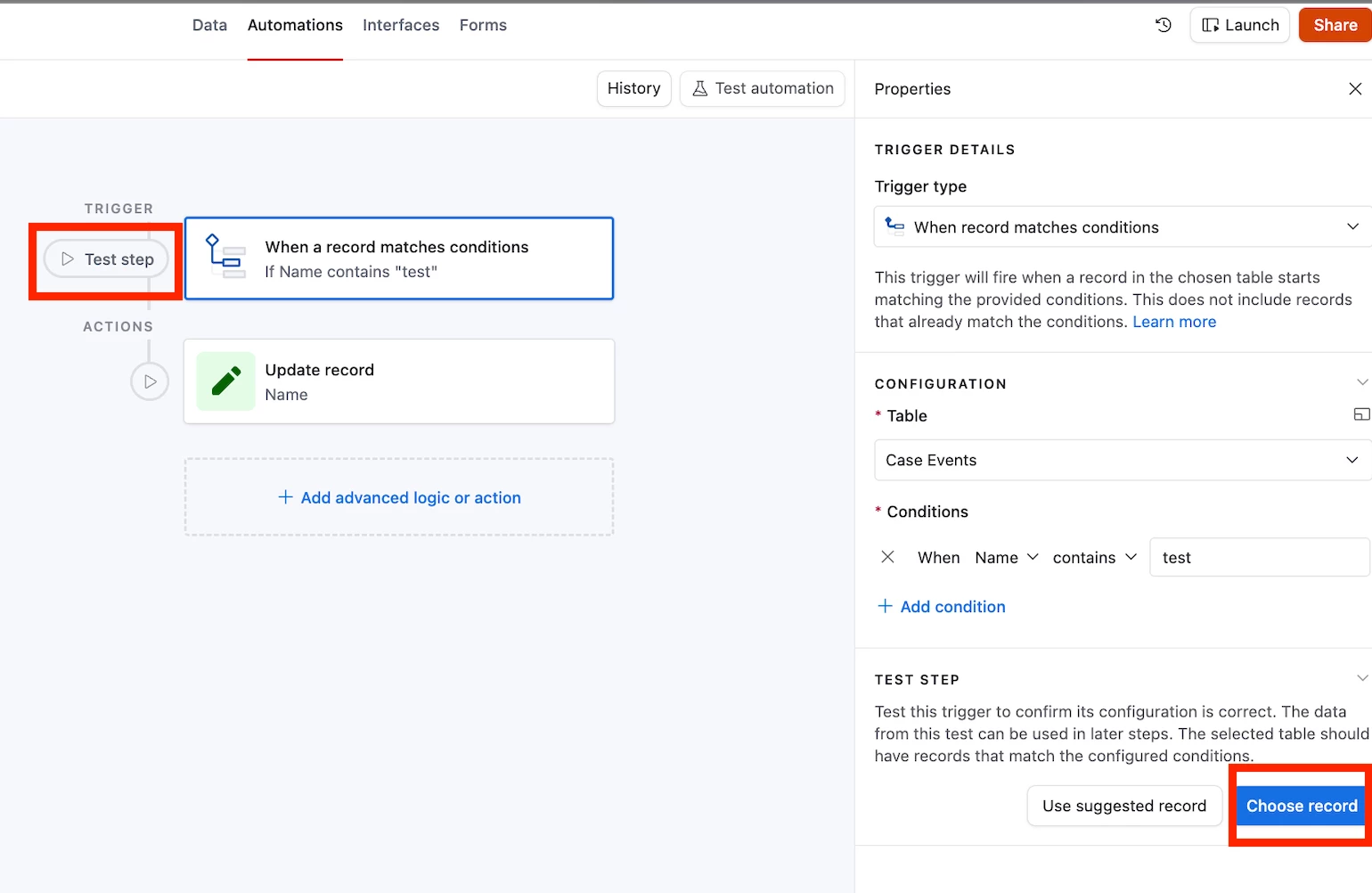
Screenshot below for further reference in case it helps future readers :D


Mike, Consultant @ Automatic Nation 
YouTube Channel