Pass linked records data to an Integromat Webhook

  • May 25, 2022
  • 13 replies
  • 63 views

Forum|alt.badge.img+10

Hi :slightly_smiling_face:

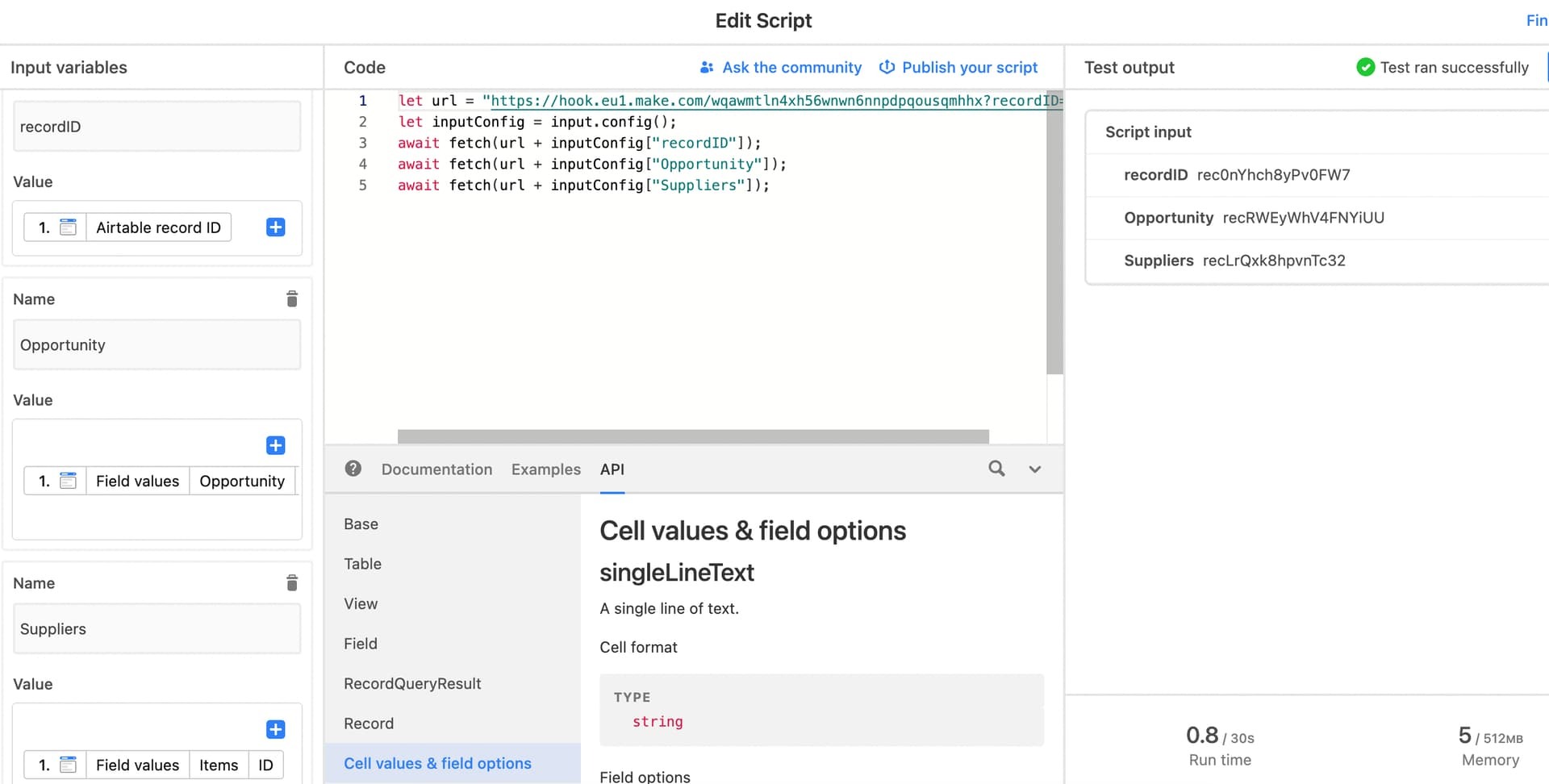
I would appreciate some help. I am using automation to send Airtable records to Integromat webhook and I have successfully managed to send and work with data “recordID”. That is also the trigger in the first step of the automation “When record updated”.

The remaining two Input variables are linked files, and I can not manage to receive data from linked files in Integromat.

Maybee these two lines should me rewriten since they are linked files?
await fetch(url + inputConfig[“Opportunity”]);
await fetch(url + inputConfig[“Suppliers”]);
Thak you,
Pjero

13 replies

ScottWorld
Forum|alt.badge.img+35
  • Genius
  • May 25, 2022

Yes, that is possible.

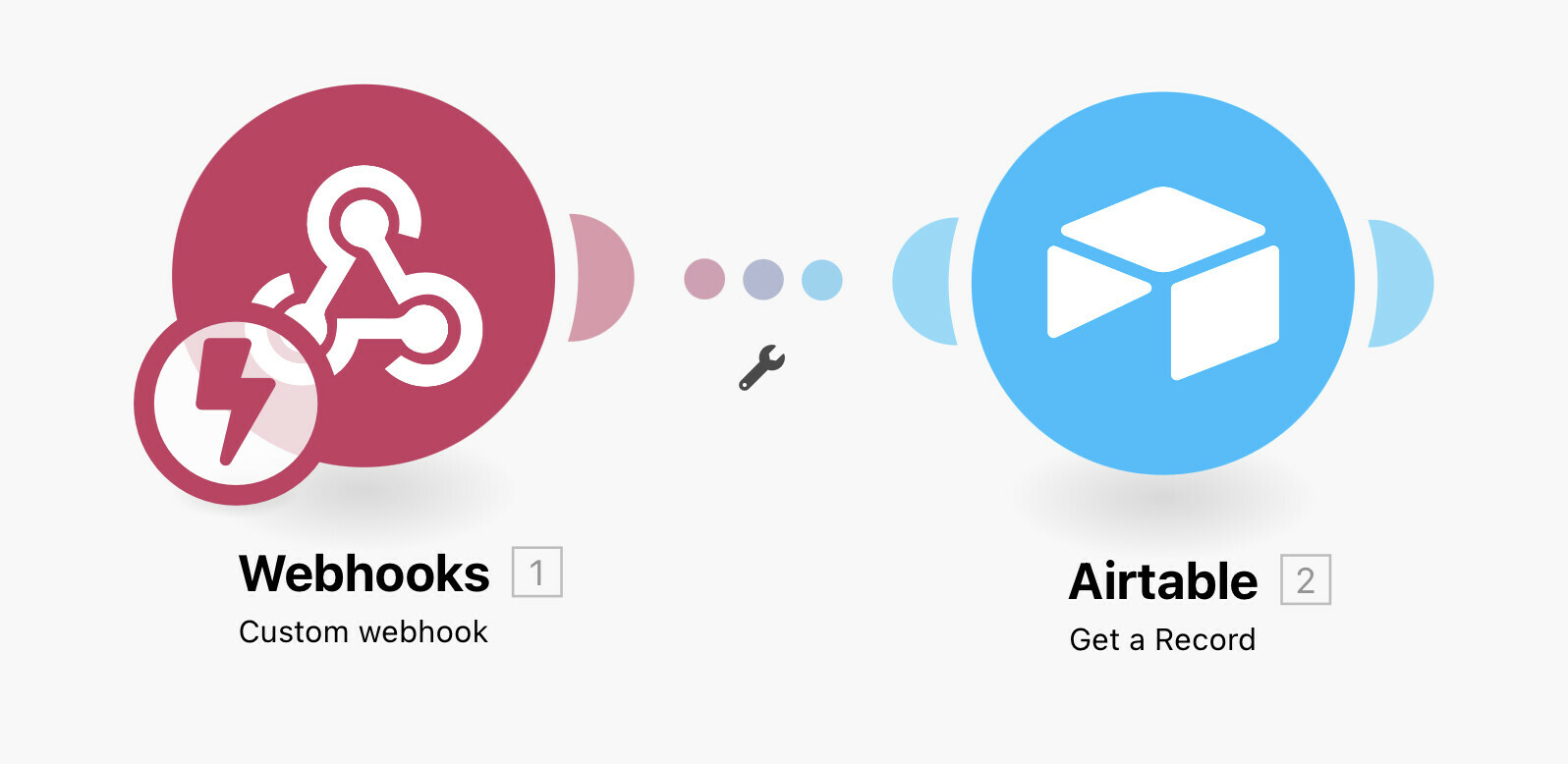
However, the much easier way is to just send the Record ID to Make.

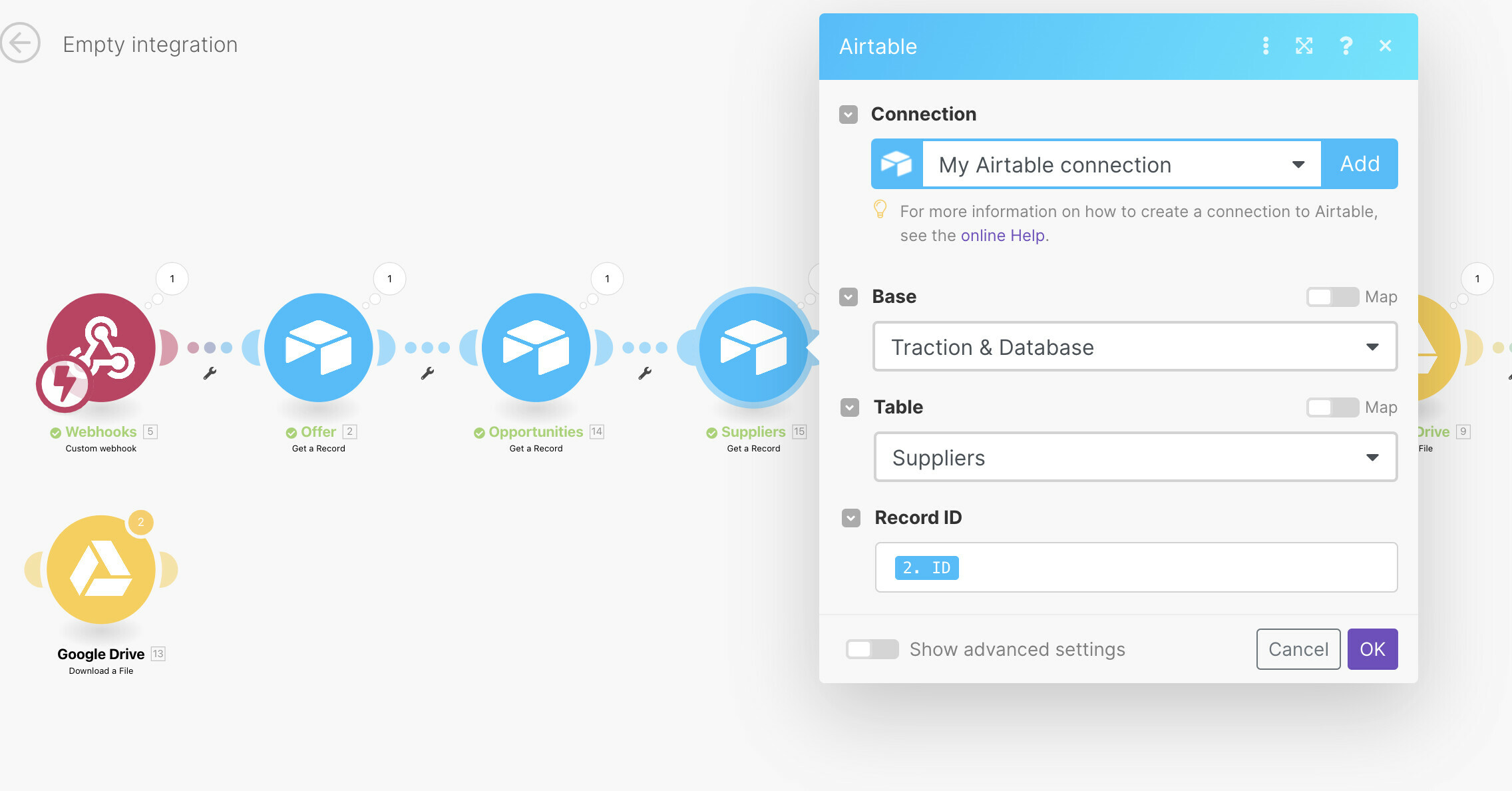
Then, you would use the Airtable — Get A Record module to pull in all the field values, including the linked record IDs.

Please see screenshot below on how to do this.

Also, I give all the scripts that you will need to use for either of these approaches (your approach or my approach) in this thread:

Instantly triggering a Make automation from Airtable using a webhook

Also, for those who are new to Make, I’ve assembled a bunch of Make training resources in this thread.

I also give live demonstrations of how to use Make in many of my Airtable podcast appearances here.

p.s. If you have a budget for your project and you’d like to hire an expert Airtable consultant to help you with any of this, please feel free to contact me through my website: Airtable consulting — ScottWorld 


Forum|alt.badge.img+10
  • Author
  • Known Participant
  • May 25, 2022

Yes, that is possible.

However, the much easier way is to just send the Record ID to Make.

Then, you would use the Airtable — Get A Record module to pull in all the field values, including the linked record IDs.

Please see screenshot below on how to do this.

Also, I give all the scripts that you will need to use for either of these approaches (your approach or my approach) in this thread:

Instantly triggering a Make automation from Airtable using a webhook

Also, for those who are new to Make, I’ve assembled a bunch of Make training resources in this thread.

I also give live demonstrations of how to use Make in many of my Airtable podcast appearances here.

p.s. If you have a budget for your project and you’d like to hire an expert Airtable consultant to help you with any of this, please feel free to contact me through my website: Airtable consulting — ScottWorld 


I did that, and I manage to get the fields visible, but it does not pull the values. :man_shrugging:


ScottWorld
Forum|alt.badge.img+35
  • Genius
  • May 25, 2022

I did that, and I manage to get the fields visible, but it does not pull the values. :man_shrugging:


I can’t see how you’ve configured those modules.


Forum|alt.badge.img+10
  • Author
  • Known Participant
  • May 25, 2022

I can’t see how you’ve configured those modules.


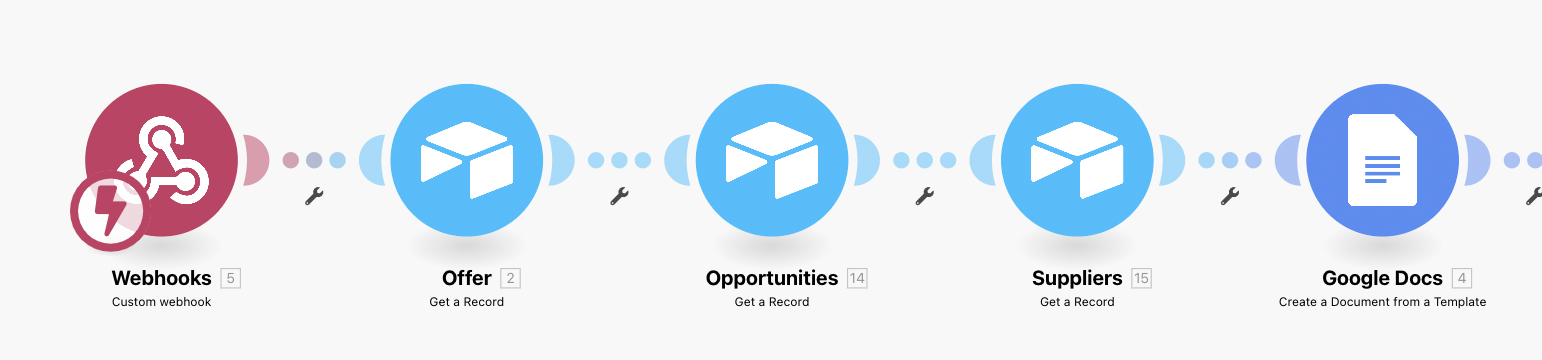
On google docs(document I am creating) I receive only data from “Offers”, Airtable module…


ScottWorld
Forum|alt.badge.img+35
  • Genius
  • May 25, 2022

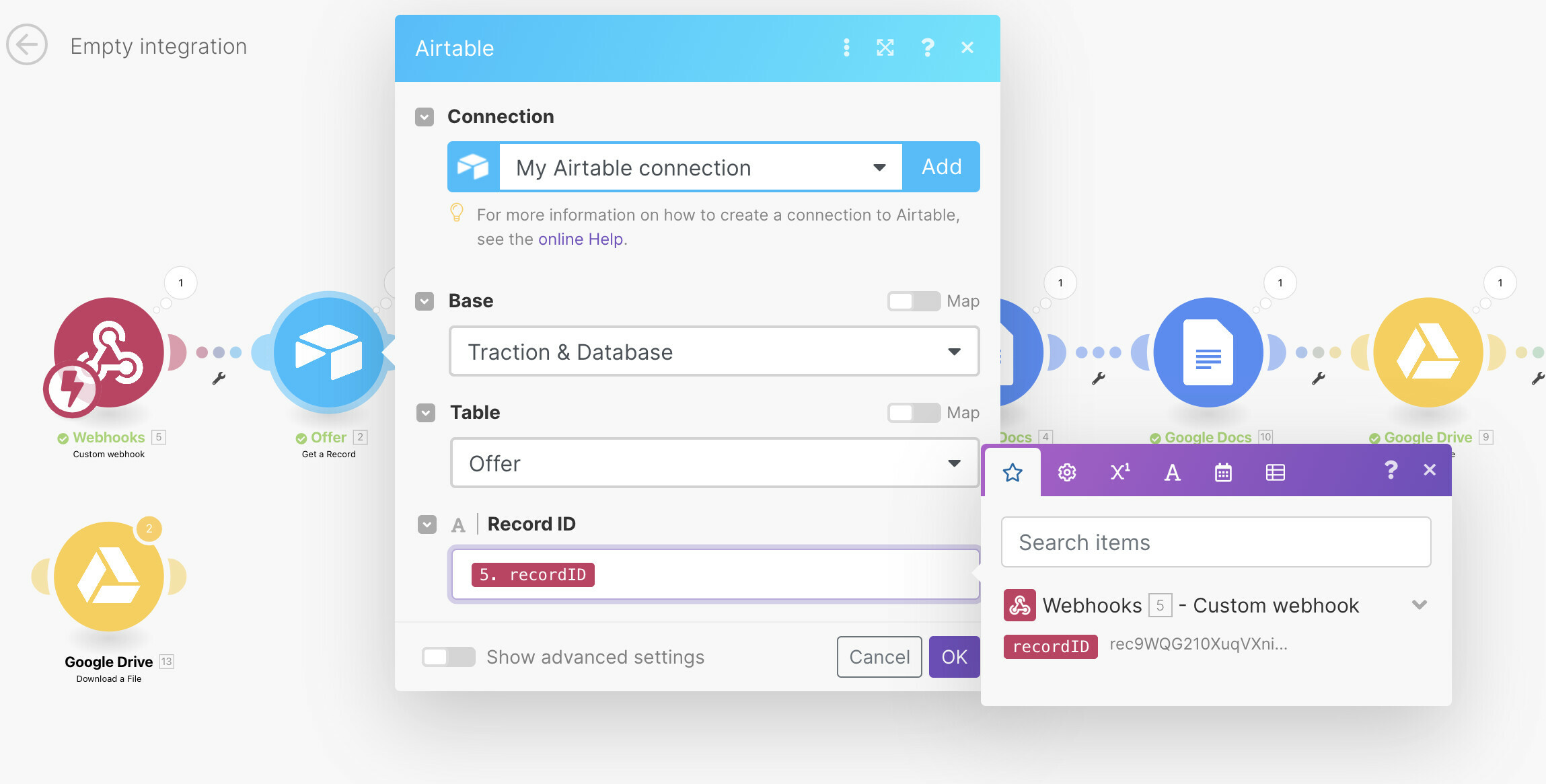
You’re not using the right ID for your linked records. You have to pull the IDs from the linked record fields.


Forum|alt.badge.img+10
  • Author
  • Known Participant
  • May 25, 2022

You’re not using the right ID for your linked records. You have to pull the IDs from the linked record fields.


Could you share how to point to the right ID?


ScottWorld
Forum|alt.badge.img+35
  • Genius
  • May 25, 2022

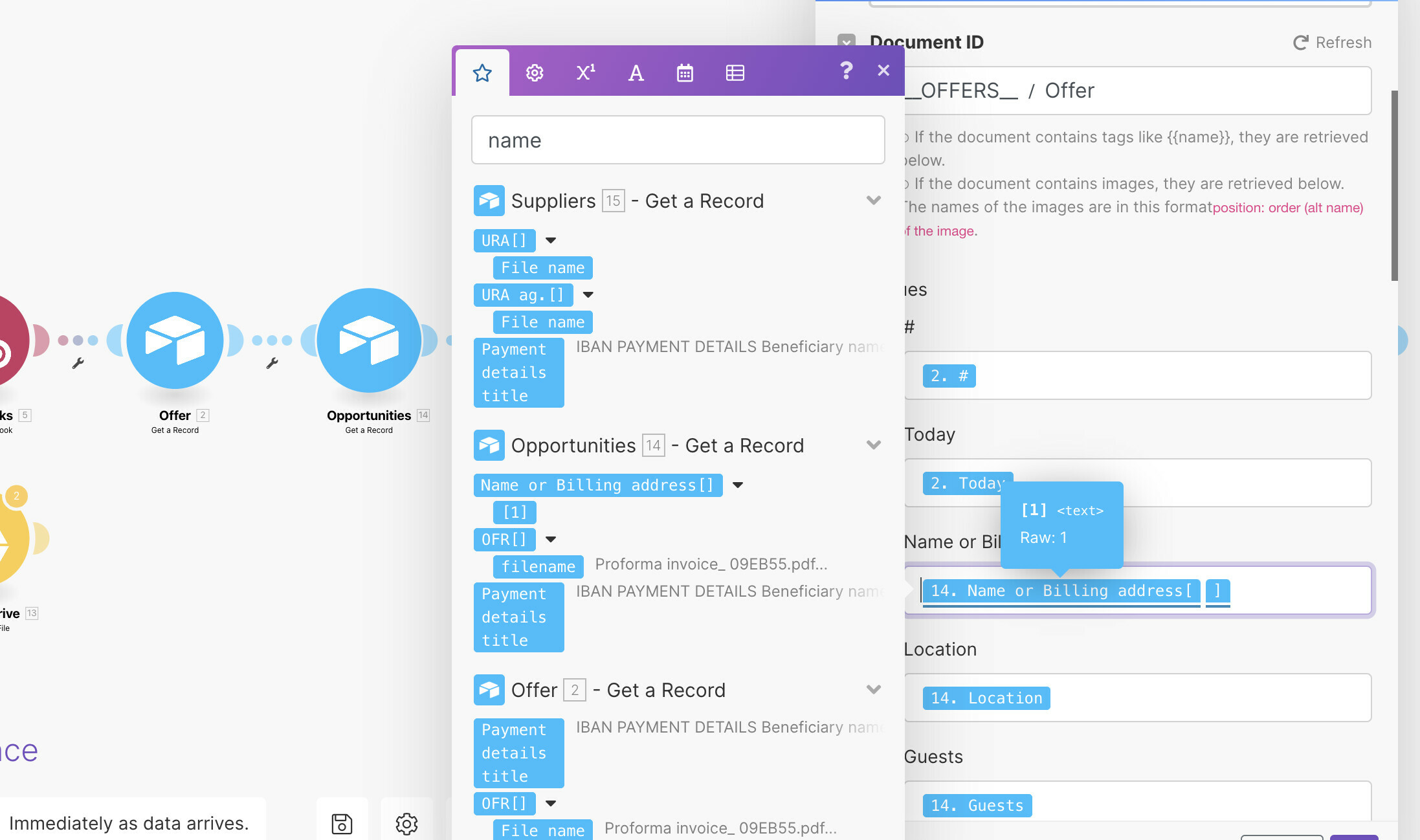
In the box where you chose the ID, you can choose different field values from your #2 module. If you don’t see the values, send another record to the webhook — a record that has all the fields filled in.


Forum|alt.badge.img+10
  • Author
  • Known Participant
  • May 25, 2022

In the box where you chose the ID, you can choose different field values from your #2 module. If you don’t see the values, send another record to the webhook — a record that has all the fields filled in.


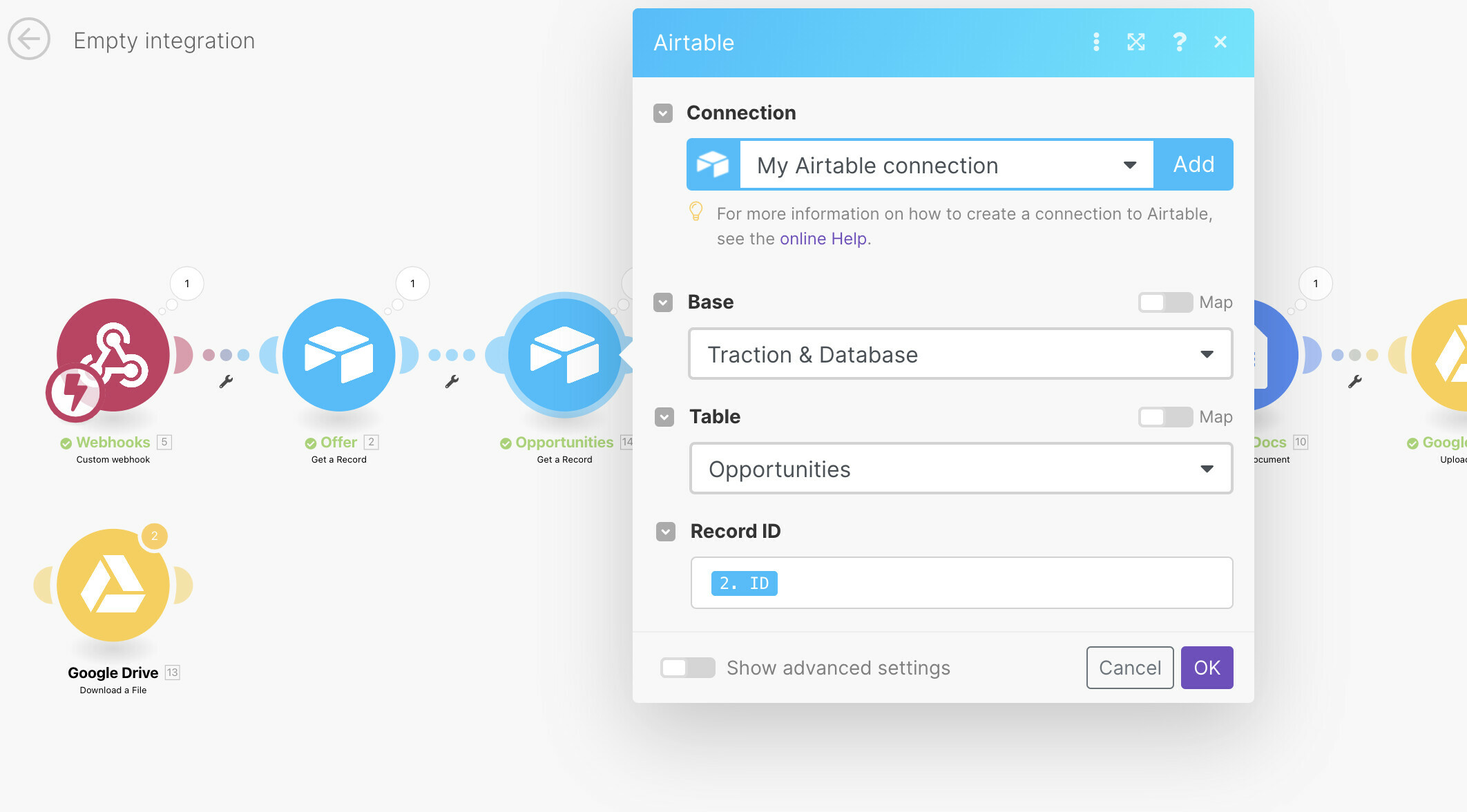
In the third record, I choose the record ID of the linked Opportunity record in that base and I still do no see value from that linked record? Do you have an idea of I might be doing wrong? Please see the screenshots below.


Forum|alt.badge.img+10
  • Author
  • Known Participant
  • May 25, 2022

In the third record, I choose the record ID of the linked Opportunity record in that base and I still do no see value from that linked record? Do you have an idea of I might be doing wrong? Please see the screenshots below.


I figured out that the problem is when I have two records in a linked field… I works fine with one linked field, but two give an error. Is there a solution to that?


ScottWorld
Forum|alt.badge.img+35
  • Genius
  • May 25, 2022

I figured out that the problem is when I have two records in a linked field… I works fine with one linked field, but two give an error. Is there a solution to that?


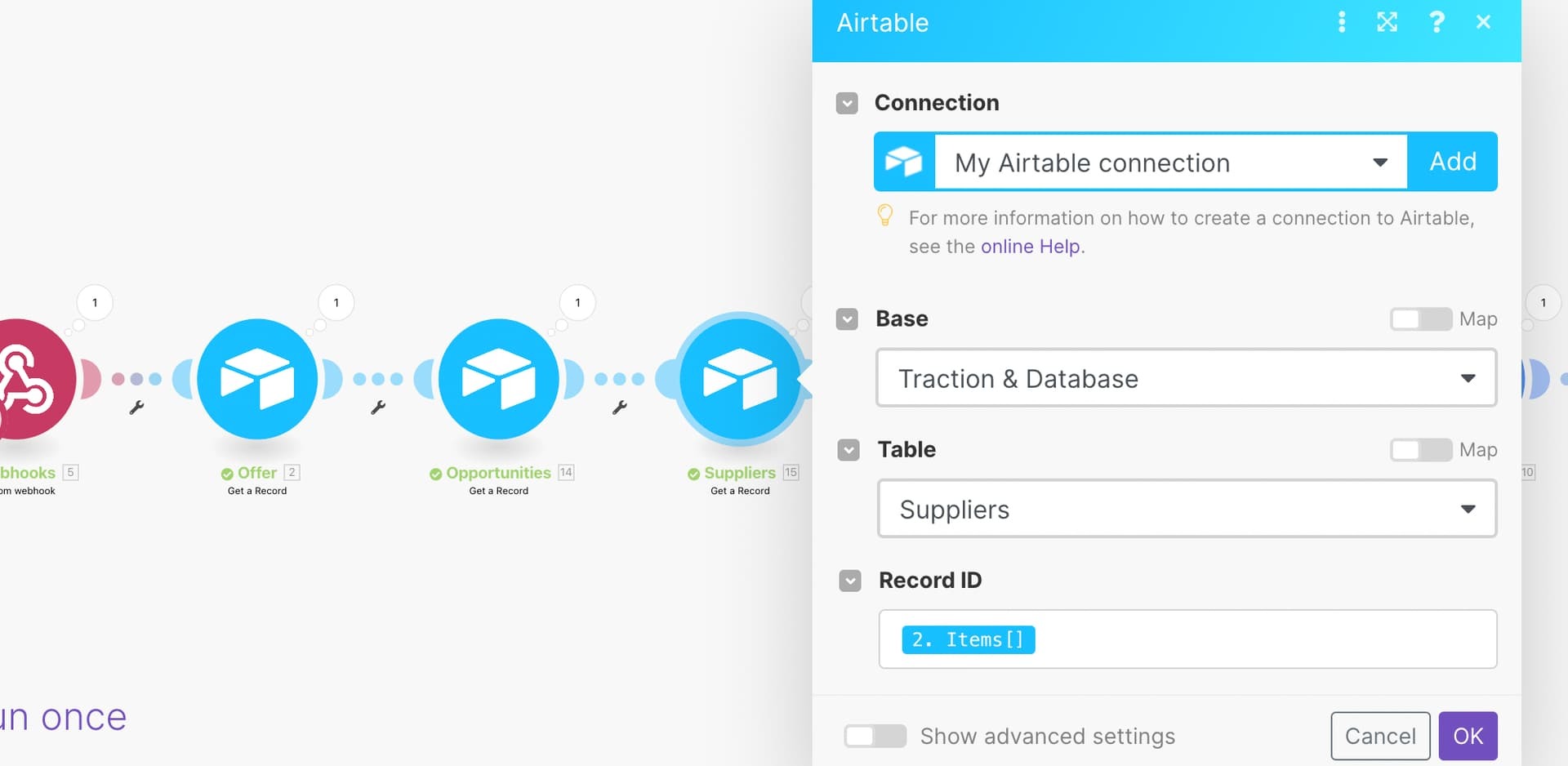
The linked record field returns an array of Record ID’s, and you can’t pass an array to the “Get A Record” module, which is only expecting a single Record ID.

You saw that if your array only contains a single Record ID, it will work because it’s only passing a single Record ID, but if you have an entire array of Record ID’s, it won’t work.

If you want to do it manually, you will have to choose the #1 option underneath the name of the field if you want the 1st linked record, and the #2 option underneath the name of the field if you want the 2nd linked record.

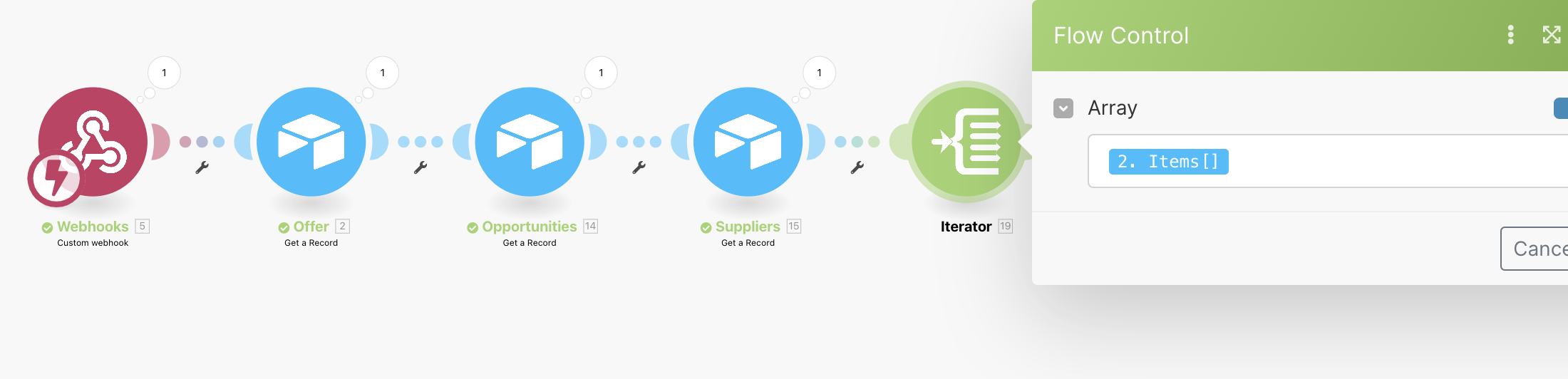
If you want ALL the linked records, regardless of quantity, then you’ll have to use the “Iterator” Module to iterate through the array, so it will send one Record ID at a time to the Get A Record Module.


Forum|alt.badge.img+10
  • Author
  • Known Participant
  • May 25, 2022

The linked record field returns an array of Record ID’s, and you can’t pass an array to the “Get A Record” module, which is only expecting a single Record ID.

You saw that if your array only contains a single Record ID, it will work because it’s only passing a single Record ID, but if you have an entire array of Record ID’s, it won’t work.

If you want to do it manually, you will have to choose the #1 option underneath the name of the field if you want the 1st linked record, and the #2 option underneath the name of the field if you want the 2nd linked record.

If you want ALL the linked records, regardless of quantity, then you’ll have to use the “Iterator” Module to iterate through the array, so it will send one Record ID at a time to the Get A Record Module.


I’m not quite sure where should I use the Iterator. This is my scenario now. I just added Iterator. Should I iterate what I am currently using as a Record ID in Suppliers or?


ScottWorld
Forum|alt.badge.img+35
  • Genius
  • May 25, 2022

Sorry I can’t help you further, because it would take me a long time to train you on all the nuances on Make or create a sample scenario for you.

I wouldn't have the time to train you on how to assemble your particular Make scenario for free, but if you'd like to hire me, feel free to contact me through my website.

Otherwise, I would recommend opening up a support ticket with their technical support team here, who can help you piece it all together.


Forum|alt.badge.img+10
  • Author
  • Known Participant
  • May 26, 2022

Sorry I can’t help you further, because it would take me a long time to train you on all the nuances on Make or create a sample scenario for you.

I wouldn't have the time to train you on how to assemble your particular Make scenario for free, but if you'd like to hire me, feel free to contact me through my website.

Otherwise, I would recommend opening up a support ticket with their technical support team here, who can help you piece it all together.


Thank you Scott, for your help so far. I will contact support.