Question

Pb with an automation

  • January 27, 2026
  • 5 replies
  • 26 views

Forum|alt.badge.img

Hello everybody

I have 2 connected tables : Contact and Contact Behavior
In Contact Behavior, I want to follow the way my contacts interact with my posts, my communities.
In Contact, I have the general information about my Contact with a formular

I connected Contact with Contact Behavior in 1 to 1 relashionship.
All I want is, when I create a new contact in Contact Table, it creates automatically the contact in Contact Behavior

In Contact, I have the forname, lastname, mail, phone and I generate by a formula the Complete Name (Lastname&” “&forname)

In Contact Behavior, the first field is the Complete Name.

My automation is :
Trigger : when a contact is created in Contact table
Update the entry in Contact Behavior with this argument
. Origin table : Contact
. Id of the entry : Airtable record ID

Field in Contact Behavior : CompleteName

When I run the test, everything seems OK
When I add a new contact it doesn’t worl

Do you have a suggestion please

 

5 replies

DisraeliGears01
Forum|alt.badge.img+21

First thought is your trigger, it sounds like you’re using “When Record is created”. Unless you’re adding information via a form, that’s a tricky trigger because the record is created when you click the + in the data layer (and inherently no information is contained at the moment of creation). I would add a checkbox field and change the trigger to “When condition = checked” and see if it works then.

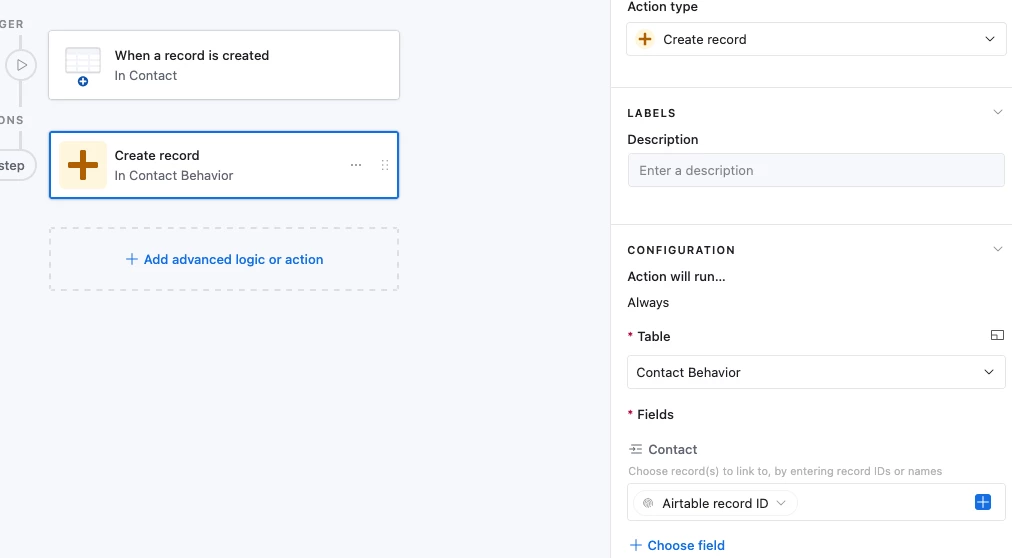
Another thought is whether you’re using Create a Record or Update a Record as your automation action. If you’re creating a record in Contact Behavior, it needs to be a Create action, not an Update action. 


johov
Forum|alt.badge.img
  • New Participant
  • January 27, 2026

For the trigger timing, you could also use "When record matches conditions" where CompleteName is not empty. This ensures the formula has calculated before running, without needing an extra checkbox field.

And yes, definitely use Create record action, not Update, since no Contact Behavior record exists yet for new contacts.


DisraeliGears01
Forum|alt.badge.img+21

For the trigger timing, you could also use "When record matches conditions" where CompleteName is not empty. This ensures the formula has calculated before running, without needing an extra checkbox field.

I briefly considered this and the issue is that if they are typing in data (as opposed to copy/paste) then the Complete name field will be filled in as they type in one of the name fields. 

There’s always script delays, or perhaps you wrap the Complete Name formula with an IF statement that leaves it blank until both fields have data, but these are more complicated solutions for someone just getting started with automations. 


TheTimeSavingCo
Forum|alt.badge.img+31

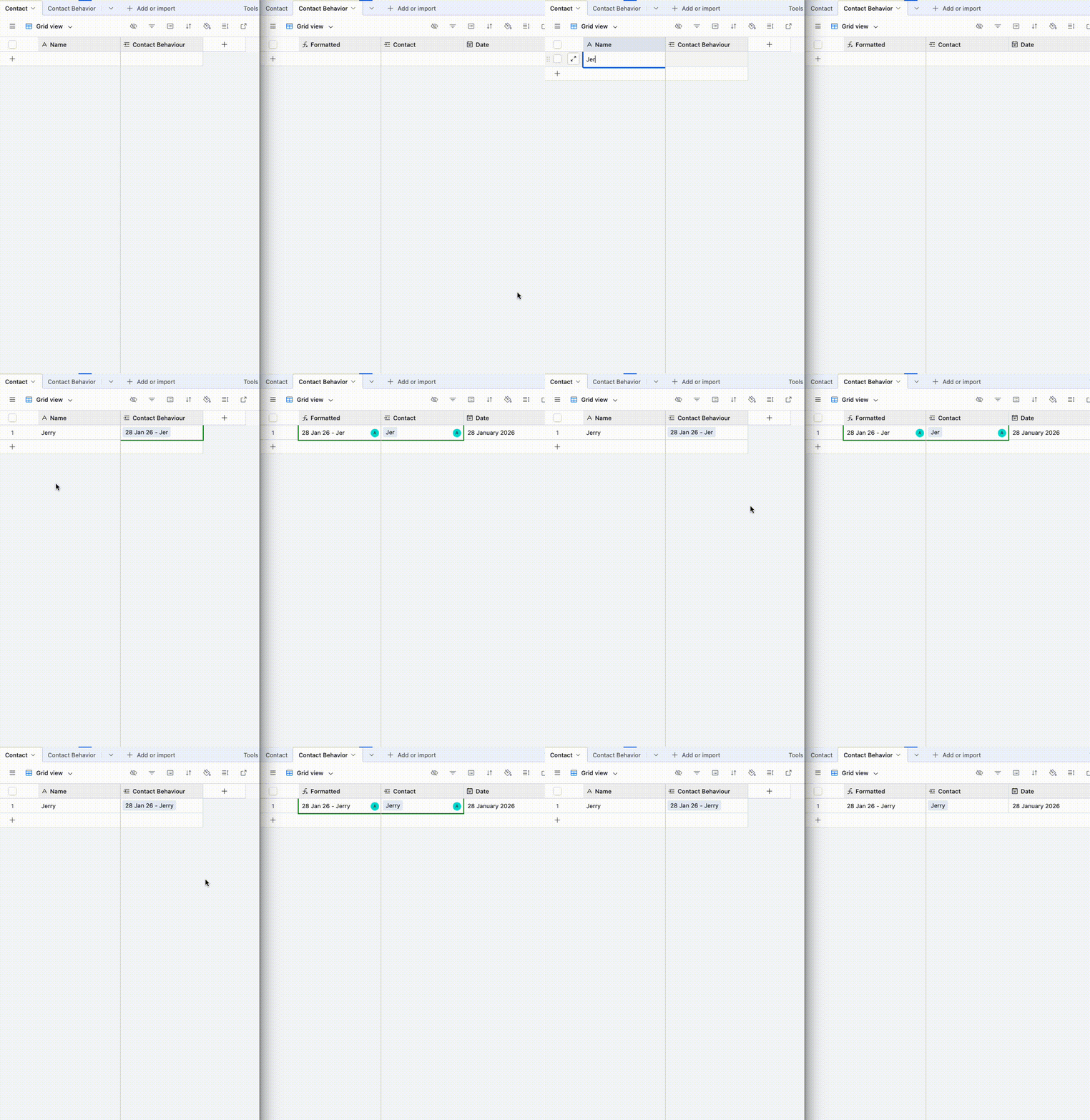
Does this look right?  If so I’ve set it up here for you to check out


The automation triggers when a record is created in Contact, and creates a new record in Contact Behaviour, linked to the original contact record:

As the records are already linked, there’s no need to create a text field in Contact Behavior to store the name, we’d add a lookup field to pull over any data that we wanted or use the linked field value if that worked, does that make sense?


Alexey_Gusev
Forum|alt.badge.img+25
  • Brainy
  • January 28, 2026

Hi,

Of course you might have special reasons to do it in such way, but usually, when my records in two tables have strong one to one relationship, I found that the best way to manage it to avoid overengineering, is to put them in the same table and use views to distinguish different sets of columns.