Question

Slack Blocks - what am I missing

  • December 2, 2025
  • 4 replies
  • 93 views

Graham Reed
Forum|alt.badge.img+6

I’m wanting to automate posting of Slack messages using the Block framework, to simply have a nice  URL button, but when I submit even example code pulled from Slack’s API docs, the code simply posts as text, the blocking doesn’t seem to apply.

What am I missing? Is there something either in Airtable or Slack to turn Blocks on? 

4 replies

TheTimeSavingCo
Forum|alt.badge.img+31

Hm, could you provide some screenshots of the end result and links to the documentation you’re working with?  Would love to help but need more details!


Graham Reed
Forum|alt.badge.img+6
  • Author
  • Participating Frequently
  • December 11, 2025

ScottWorld
Forum|alt.badge.img+35
  • Genius
  • December 11, 2025

Hi ​@Graham Reed ,

There is not a way to create blocks in Slack using Airtable’s built- in Slack integrations.

However, if you know JavaScript, you can write your own custom JavaScripts to accomplish this.

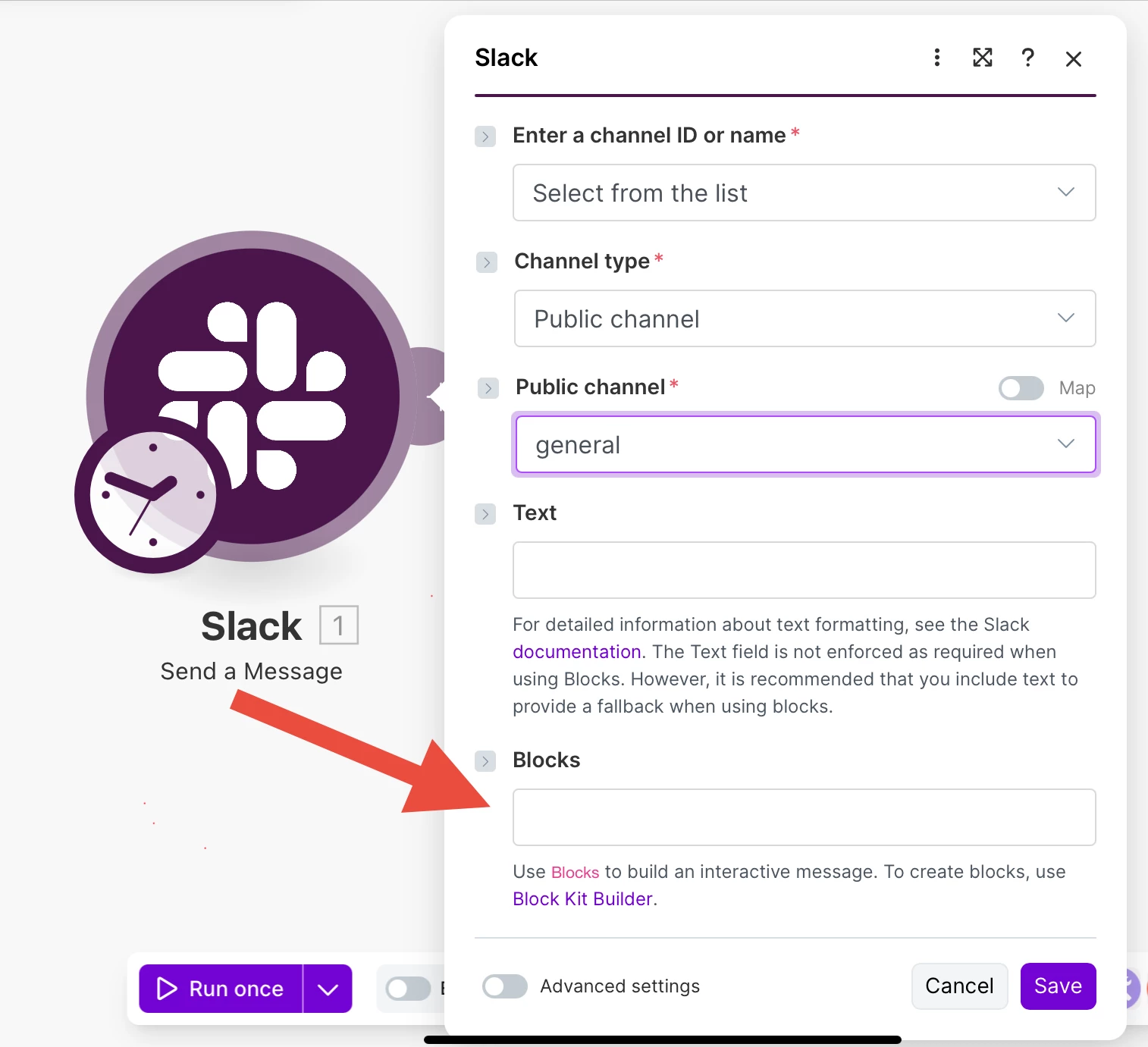
For an easier way of doing this that doesn’t require writing JavaScript code, you can turn to Make’s advanced automations which DOES support Slack blocks.

Check out the screenshot below.

The only issue here is that if you’ve never used Make before, it may take you a while to learn it, so I’ve assembled a bunch of Make training resources in this thread. For example, here is one of the ways that you can instantly trigger a Make automation from Airtable

Hope this helps!

If you’d like to hire the best Airtable consultant to help you with anything Airtable-related, please feel free to contact me through my website: Airtable consultant — ScottWorld


TheTimeSavingCo
Forum|alt.badge.img+31

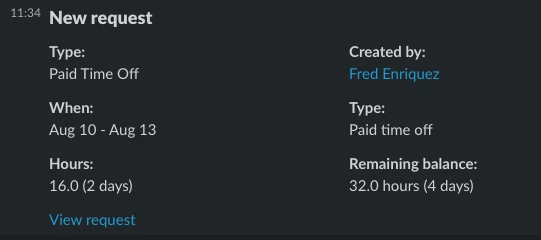
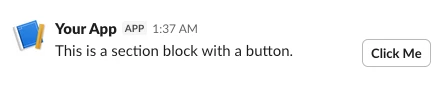
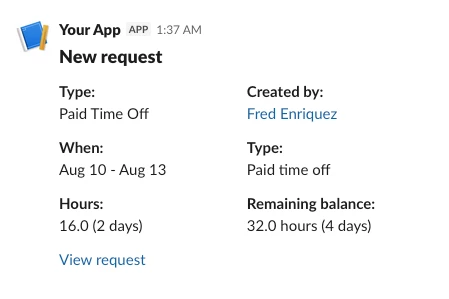
I sent off test and managed to get these:

And these are the previews from the docs, so I think this is what you’re looking for?
 

Here’s the code:
 

let token = input.secret("SLACK_TOKEN")

let response = await fetch("https://slack.com/api/chat.postMessage", {
method: "POST",
headers: {
"Authorization": `Bearer ${token}`,
"Content-Type": "application/json; charset=utf-8"
},
body: JSON.stringify({
channel: "general",
"blocks": [
{
"type": "section",
"text": {
"type": "mrkdwn",
"text": "This is a section block with a button."
},
"accessory": {
"type": "button",
"text": {
"type": "plain_text",
"text": "Click Me",
"emoji": true
},
"value": "click_me_123",
"action_id": "button-action"
}
}
]
})
});

let result = await response.json();
console.log(result);
output.set('result', result);
let token = input.secret("SLACK_TOKEN")

let response = await fetch("https://slack.com/api/chat.postMessage", {
method: "POST",
headers: {
"Authorization": `Bearer ${token}`,
"Content-Type": "application/json; charset=utf-8"
},
body: JSON.stringify({
channel: "general",
"blocks": [
{
"type": "header",
"text": {
"type": "plain_text",
"text": "New request",
"emoji": true
}
},
{
"type": "section",
"fields": [
{
"type": "mrkdwn",
"text": "*Type:*\nPaid Time Off"
},
{
"type": "mrkdwn",
"text": "*Created by:*\n<example.com|Fred Enriquez>"
}
]
},
{
"type": "section",
"fields": [
{
"type": "mrkdwn",
"text": "*When:*\nAug 10 - Aug 13"
},
{
"type": "mrkdwn",
"text": "*Type:*\nPaid time off"
}
]
},
{
"type": "section",
"fields": [
{
"type": "mrkdwn",
"text": "*Hours:*\n16.0 (2 days)"
},
{
"type": "mrkdwn",
"text": "*Remaining balance:*\n32.0 hours (4 days)"
}
]
},
{
"type": "section",
"text": {
"type": "mrkdwn",
"text": "<https://example.com|View request>"
}
}
]

})
});

let result = await response.json();
console.log(result);