Test failed: Received invalid inputs

  • August 12, 2021
  • 1 reply
  • 10 views

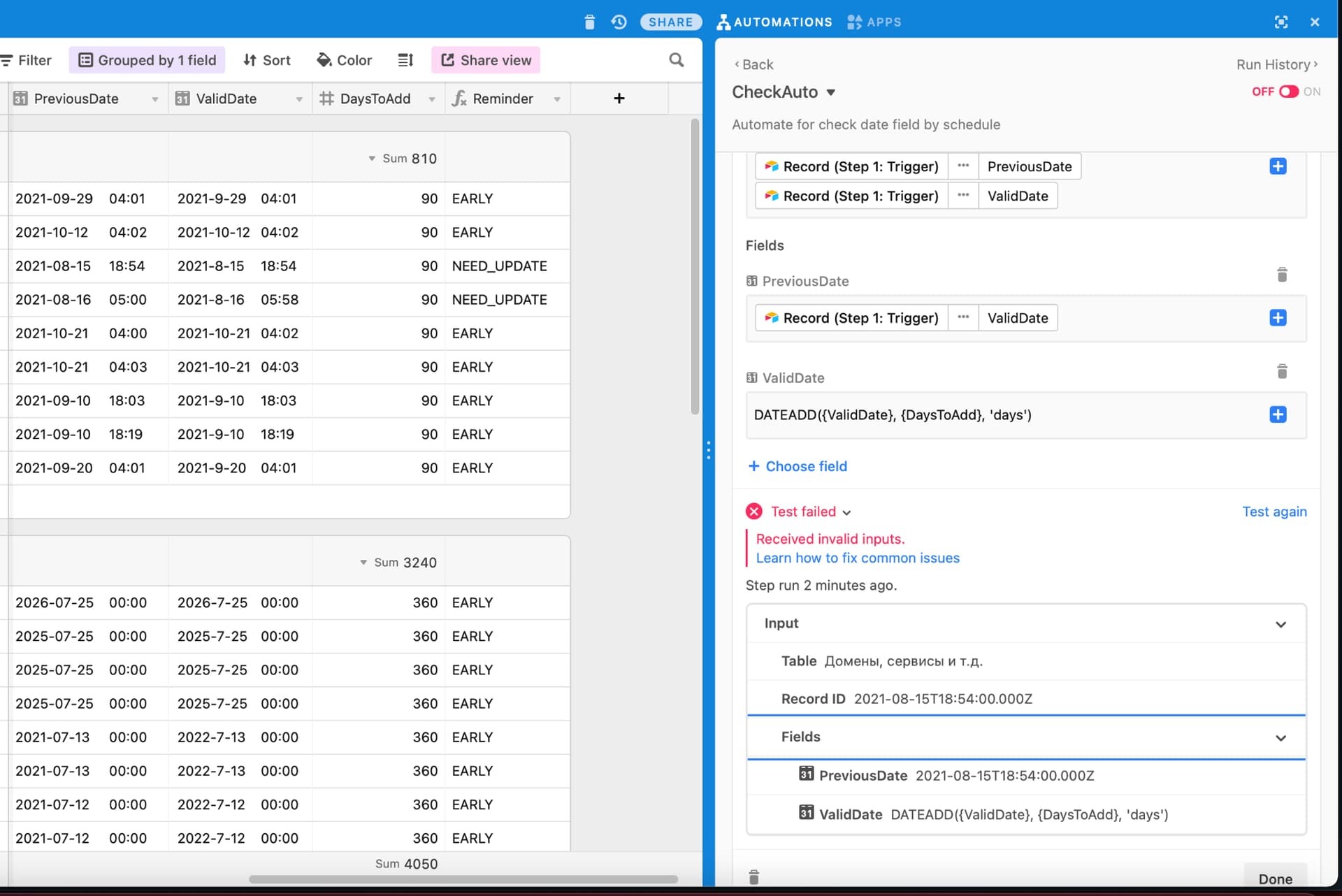
Hi there, I want to update date field by adding some days to it with formula DATEADD when status changed on another field. New value for the field where I want to update like this:

DATEADD({ValidDate}, {DaysToAdd}, ‘days’)

But when I click to Run Test then always appears test failed message:

Test failed: Received invalid inputs.

Anybody know how to fix it?

Thanks in advance.
1 reply

Databaser
Forum|alt.badge.img+25
  • Brainy
  • August 12, 2021

Hi @Soporboy and welcome to the community!

Unfortunately, Airtable’s automations don’t support formulas at this time, so you’ll have to use a workaround for this (creating formula in your base and then add the field to your ValidDate field in the automation).